
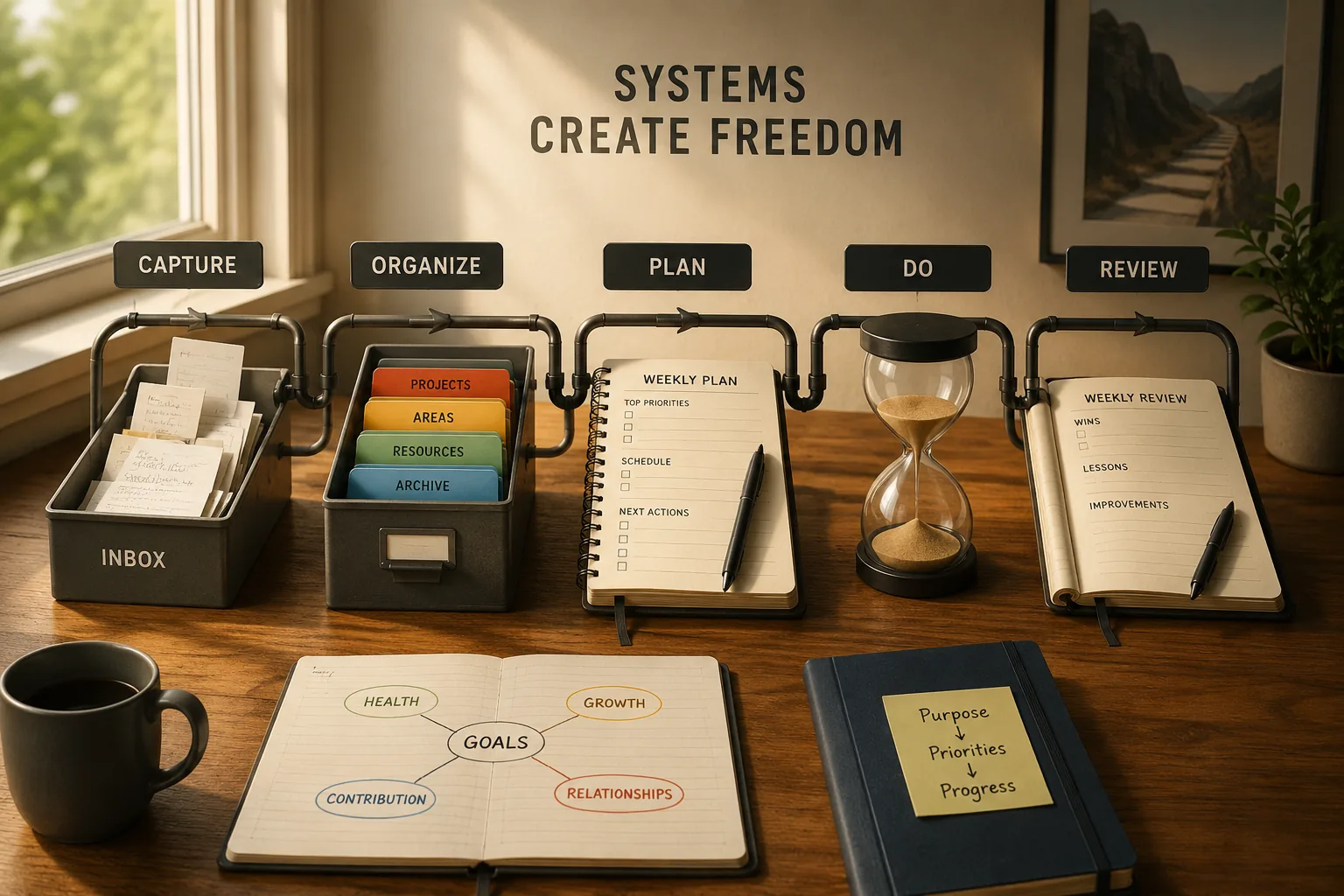
Productivity Systems Explained: What Actually Works
In 2001, David Allen published Getting Things Done, and within a decade it had become the de facto productivity bible for Silicon Valley executives, Wall Street analysts, and knowledge workers worldwide. Merlin Mann built an entire media career on explaining GTD through his blog 43 Folders. But by 2011, Mann publicly abandoned the project, confessing that he had spent more time writing about productivity than being productive. His audience, he realized, was doing the same--studying productivity systems had become a sophisticated form of procrastination. The tools designed to enable work had become substitutes for work.
This paradox haunts every productivity system: the method that liberates one person enslaves another. GTD transforms overwhelmed executives but drowns minimalists in process. Time blocking empowers focused creators but suffocates collaborative roles. Pomodoro helps procrastinators start but frustrates workers who need two-hour flow states. The system is never the problem or the solution in isolation--the match between system, person, and work context determines whether a productivity method liberates or burdens. Understanding this match is more valuable than mastering any single system.
This article examines seven major productivity systems, identifies what problem each solves, compares their strengths and weaknesses across different work contexts, and provides a practical framework for choosing, combining, implementing, and evolving systems. The goal is not to crown a winner but to help you find--or build--the system that serves your actual work rather than becoming another obligation on your already-full plate.
The Seven Major Systems
System 1: Getting Things Done (GTD)
1. Created by David Allen, GTD addresses the problem of cognitive overload--the mental stress of tracking commitments, remembering tasks, and managing the stream of inputs that defines modern knowledge work. Its core insight: the human brain is excellent at processing but terrible at storage. Using your mind as a to-do list creates anxiety proportional to the number of untracked commitments.
2. The GTD workflow has five stages: Capture (write down everything demanding attention), Clarify (determine if each item is actionable and what the next action is), Organize (sort into appropriate lists: Next Actions, Projects, Waiting For, Someday/Maybe), Reflect (weekly review keeping the system current), and Engage (choose what to work on based on context, time, energy, and priority).
3. GTD excels for knowledge workers managing many commitments across multiple domains. It provides the comprehensive tracking system that complex professional lives require. But GTD demands significant maintenance--the weekly review alone takes 30-90 minutes--and its organizational complexity can overwhelm people with simpler work or those who struggle to maintain elaborate systems.
Example: Omnifocus, a task management app designed specifically around GTD principles, has a devoted following among lawyers, consultants, and executives--exactly the professionals managing hundreds of concurrent commitments. Yet the app's learning curve and maintenance requirements deter casual users, illustrating GTD's strength-weakness duality: comprehensive power requiring substantial investment.
System 2: Time Blocking
1. Time blocking addresses distraction and reactivity--the tendency for calendars to fill with others' priorities while your own important work remains unscheduled. Its principle: treat important work like meetings by scheduling it in advance and protecting it from interruptions. If it is not on the calendar, it does not happen.
2. The approach involves planning each day or week in advance, blocking specific hours for specific types of work: deep work blocks for demanding cognitive tasks, shallow work blocks for email and administration, meeting blocks clustered together to minimize fragmentation, and break blocks for recovery. Each block is treated as a commitment equal to any external meeting.
3. Time blocking works best for people who control their own calendars and do work benefiting from sustained focus--writers, programmers, strategists, designers. It struggles in highly collaborative environments where constant meeting requests override blocked time, or in crisis-driven roles where the day's work is inherently unpredictable.
Example: Cal Newport practices detailed time blocking, planning every minute of his workday in advance. He produces roughly four to five hours of deep work daily through this discipline, generating research papers, books, and podcast content alongside a full teaching load at Georgetown. His system demonstrates that time blocking enables extraordinary output when the work and environment support it.
System 3: Pomodoro Technique
1. Created by Francesco Cirillo in the late 1980s, the Pomodoro Technique addresses focus fatigue and procrastination by breaking work into defined 25-minute intervals (called "Pomodoros") separated by 5-minute breaks, with a longer 15-30 minute break after every four Pomodoros. The timer creates structure and urgency that helps people start working and maintain focus.
2. Pomodoro's strength is making work feel manageable. "Write for 25 minutes" is psychologically easier than "write the report." The defined endpoint reduces the anxiety of indefinite effort, the breaks prevent burnout, and the counting mechanism (completed Pomodoros) provides satisfying progress visibility.
3. Pomodoro works best for procrastinators who struggle to start, people prone to marathon sessions that lead to burnout, and individual focused work on concrete tasks. It struggles for deep work requiring extended flow states (25 minutes is too short for complex programming or writing), collaborative work that does not fit timer-based structure, and highly interrupt-driven roles.
System 4: Eat That Frog
1. Based on Brian Tracy's book, this system addresses procrastination on important but difficult tasks--the tendency to spend the day on easy, comfortable work while avoiding the hard, valuable work that would create the most impact. The metaphor: if you eat a live frog first thing in the morning, everything else that day is easier by comparison.
2. The practice is simple: identify your most important and difficult task each day (your "frog"), and complete it first before anything else. Everything else--email, meetings, routine work--waits until the frog is eaten. This ensures the most valuable work gets your best energy and attention rather than whatever remains after reactive demands consume the day.
3. Eat That Frog works best for morning people with high early-day energy, people who consistently avoid difficult tasks, and roles with clear "most important" tasks. It struggles for evening chronotypes whose peak energy occurs later, people with unclear priorities (which frog?), and roles where urgent morning demands prevent frog-eating.
System 5: Kanban / Visual Task Boards
1. Originating from Toyota's manufacturing system, Kanban addresses lack of visibility into work status and the common failure of starting too many things while finishing too few. Its visual board format--columns representing work stages (To Do, In Progress, Done)--makes work status immediately visible and exposes bottlenecks.
2. The critical Kanban principle is Work-in-Progress (WIP) limits: restricting the number of items in the "In Progress" column forces completion before starting new work. Without WIP limits, knowledge workers accumulate partially-finished tasks, each consuming mental resources while none reaches completion. WIP limits shift focus from starting to finishing.
3. Kanban excels for visual thinkers, teams needing shared work visibility, and anyone who tends to start too many projects without completing them. Digital Kanban tools like Trello, Jira, and Notion boards have made the approach accessible beyond manufacturing.
Example: Personal Kanban, adapted by Jim Benson and Tonianne DeMaria Barry, applies manufacturing Kanban principles to individual knowledge work. Their recommended WIP limit of three items forces conscious choices about what deserves current attention--a simple constraint that transforms the feeling of being overwhelmed into focused progress on chosen priorities.
System 6: The Eisenhower Matrix
1. Named after President Dwight Eisenhower (who attributed the underlying principle to a university president), this system addresses poor prioritization--spending time on urgent but unimportant work while neglecting important but non-urgent work. The matrix categorizes tasks along two dimensions: urgency and importance.
2. The four quadrants create clear action guidance: Q1 (Urgent + Important): Do immediately--crises, deadlines, critical problems. Q2 (Important + Not Urgent): Schedule and protect--planning, development, strategic work. Q3 (Urgent + Not Important): Delegate or minimize--interruptions, some meetings, others' priorities. Q4 (Not Urgent + Not Important): Eliminate--time-wasters, busy work, avoidance activities.
3. The matrix's key insight: most people spend too much time in Q1 (firefighting) and Q3 (reactive busywork), while Q2 (strategic, preventive, developmental work) gets perpetually deferred. High performers invest heavily in Q2, recognizing that today's Q2 investment prevents tomorrow's Q1 crisis.
| Quadrant | Category | Examples | Action |
|---|---|---|---|
| Q1 | Urgent + Important | Client emergency, deadline, critical bug | Do immediately |
| Q2 | Important + Not Urgent | Strategic planning, learning, relationship building | Schedule and protect |
| Q3 | Urgent + Not Important | Most emails, some meetings, interruptions | Delegate or minimize |
| Q4 | Not Urgent + Not Important | Social media browsing, unnecessary reports | Eliminate |
System 7: Energy Management
1. Energy management addresses unsustainable work patterns by focusing on aligning work demands with natural energy rhythms rather than treating all hours as equivalent. Its principle: match your most demanding work to your highest energy periods and protect recovery time to maintain sustainable output.
2. The approach tracks individual energy patterns (circadian rhythms, ultradian cycles, chronotype), schedules demanding work during peak energy, uses low-energy periods for administrative and routine tasks, and builds deliberate recovery into the daily and weekly rhythm. The focus shifts from time utilization to energy optimization.
3. Energy management works best for people with clear energy variation throughout the day, roles with significant autonomy over scheduling, and anyone recovering from or at risk of burnout. It struggles in rigidly scheduled environments where energy preferences cannot influence work timing.
Choosing the Right System
Step 1: Identify Your Primary Problem
1. Different problems require different systems. The most common productivity problems and their matching systems:
- Cognitive overload (too much to track, things falling through cracks): GTD
- Distraction and reactivity (can't protect focus time, reactive all day): Time Blocking
- Procrastination and starting difficulty (avoiding hard work, difficulty beginning): Pomodoro or Eat That Frog
- Poor prioritization (working on wrong things, urgent crowds out important): Eisenhower Matrix
- Lack of progress visibility (starting many things, finishing few): Kanban
- Energy depletion (unsustainable pace, declining quality): Energy Management
2. Most people have one dominant problem and one or two secondary problems. Start with the system addressing your dominant problem. Once that stabilizes, layer in elements from other systems for secondary issues.
3. Honest self-diagnosis is crucial. The problem you think you have may not be the actual problem. If you believe your issue is poor time management but actually have too many commitments, no task management tool will help--you need to say no more. If you believe your issue is distraction but actually have unclear priorities, time blocking will protect time you spend on the wrong things.
Step 2: Consider Your Work Context
1. Your work type constrains which systems function effectively. High-autonomy roles (independent contributors, freelancers, executives) can implement any system because they control their schedule. Low-autonomy roles (customer support, reactive positions, heavily managed) need simpler, more flexible systems that survive constant interruption.
2. Collaborative roles benefit from shared visibility systems (Kanban) and communication-integrated approaches. Solo creative roles benefit from focus-protecting systems (Time Blocking, Pomodoro). Management roles often need prioritization frameworks (Eisenhower) combined with energy management to sustain the emotional demands of leadership.
3. Your tools and environment also matter. A system requiring extensive digital infrastructure fails for someone who works primarily away from computers. A system requiring quiet focus time fails in an open-plan office without focus rooms. Match the system to your actual environment, not your ideal one.
"Simplicity is the ultimate sophistication." -- Leonardo da Vinci
Step 3: Combine Thoughtfully
1. Most effective practitioners blend elements from multiple systems rather than rigidly following one. A common powerful combination: GTD for capture and organization (ensuring nothing falls through cracks), Eisenhower Matrix for prioritization (ensuring right things get attention), Time Blocking for calendar protection (ensuring important work has dedicated time), Energy Management for scheduling (matching work to energy), and Pomodoro for focus during blocks (maintaining concentration within protected time).
2. The key is ensuring combined elements complement rather than conflict. Using GTD's comprehensive capture alongside Kanban's visual boards works because they address different aspects. Using two complete systems simultaneously (full GTD AND full Bullet Journal) creates unsustainable overhead.
3. Start with one system's core element, stabilize it, then add complementary elements from other systems. The combination should feel natural, not forced--if maintaining the hybrid requires more effort than the productivity it enables, simplify.
Example: Tim Ferriss, author of The 4-Hour Workweek, combines Pareto analysis (identifying high-leverage activities), Pomodoro-style focused blocks, batching (grouping similar tasks), and aggressive elimination (saying no to most requests). This eclectic blend serves his specific context--entrepreneurial, varied, self-directed--rather than adhering to any single system's orthodoxy.
Implementing Successfully
Why Most System Adoptions Fail
1. Most productivity system implementations fail within the first month because people start too complex (implementing full GTD with fifteen lists on day one), lack time for habit formation (new behaviors require weeks of conscious practice before becoming automatic), hold unrealistic expectations (expecting immediate transformation rather than gradual improvement), or choose the wrong system for their actual problem.
2. The implementation dip--the period where a new system adds overhead without yet producing benefits--causes most abandonments. During weeks one through two, the system feels awkward and effortful. The learning curve adds work rather than saving it. People interpret this normal dip as evidence the system does not work and switch to something new, experiencing the same dip again, creating a chronic system-hopping pattern that never persists long enough to realize any system's benefits.
3. Successful implementation requires a minimum commitment of 4-6 weeks before evaluating whether the system works. Week one discomfort is expected and informative, not a reason to abandon.
The Minimum Viable System Approach
1. Start with a single core element of your chosen system rather than implementing everything simultaneously. For GTD, start with just capturing everything in one inbox--ignore contexts, next actions, and weekly reviews initially. Capture alone reduces mental load significantly. For time blocking, just block two hours daily for your most important work--do not try to block the entire day. For Pomodoro, just do two Pomodoros daily on your most important task.
2. After the initial element becomes habitual (typically two weeks), add the next element. For GTD, add the clarifying step. For time blocking, expand to four hours. For Pomodoro, add full four-Pomodoro cycles. Each layer builds on solid foundation rather than requiring simultaneous adoption of multiple new behaviors.
3. This approach respects the learning science principle that single habit formation is far more likely to succeed than attempting multiple simultaneous behavior changes. Build the foundation before adding structure.
Troubleshooting and Evolving
1. When a system stops working, diagnose before switching. If it never worked: wrong system for your problem, implementation issues, or incompatible constraints. If it worked but stopped: something changed (new role, life stage, workload), system accumulated maintenance debt, or you stopped performing the maintenance rituals that keep it functional.
2. The most common system failure is accumulated complexity. Systems drift toward complexity over time: lists multiply, categories proliferate, review processes expand. Periodically perform radical simplification: return to the minimum viable version, cutting everything that is not providing clear value. If the simplified version works adequately, the complexity was overhead, not benefit.
3. Systems must evolve with your life. The system that worked perfectly as a solo contributor may fail as a manager. The system designed for a stable role may break during a life transition. Quarterly system assessment--asking "is this still serving my current reality?"--prevents clinging to systems that no longer match your circumstances.
"Perfection is achieved not when there is nothing more to add, but when there is nothing left to take away." -- Antoine de Saint-Exupery
What Does Not Work
System Hopping
1. Chronic system hopping--trying a new system every two to three weeks, never persisting long enough to see benefits--is perhaps the most common productivity failure pattern. It feels productive (researching, evaluating, setting up new tools) while being a sophisticated form of procrastination. The new system provides novelty and hope while avoiding the difficult discipline of sustained focus on actual work.
2. System hopping is self-reinforcing: because you never persist through the implementation dip, you never experience a system's benefits, which confirms the belief that systems do not work, which justifies trying yet another system. Breaking this cycle requires committing to one system for a full quarter before evaluating.
Over-Engineering
1. Spending more time managing your productivity system than doing actual work is a clear sign of over-engineering. The elaborate Notion dashboard with twelve interconnected databases, the color-coded task management system with twenty categories, and the morning routine with fifteen steps all represent system complexity that likely exceeds its value.
2. The test: if you cannot maintain your system during a busy week, it is too complex. Productive systems survive contact with reality. Systems that collapse when life gets challenging were never truly supporting work--they were consuming it.
No System At All
1. While over-engineering is counterproductive, having no system at all imposes a different cost. Relying entirely on memory to track commitments, priorities, and deadlines does not scale beyond a handful of concurrent responsibilities. The cognitive load of maintaining everything mentally reduces the mental resources available for actual productive work.
2. Even the simplest system--a single list reviewed daily--dramatically outperforms pure memory. The act of externalizing commitments frees cognitive resources, ensures nothing is forgotten, and provides the clarity needed to make intentional priority decisions rather than reacting to whatever feels most urgent.
Concise Synthesis
Productivity systems solve different specific problems: GTD addresses cognitive overload through comprehensive capture and organization, time blocking fights distraction through calendar protection, Pomodoro manages focus fatigue through structured intervals, Eat That Frog tackles procrastination through prioritized first-thing execution, Kanban creates visibility through visual boards and WIP limits, the Eisenhower Matrix improves prioritization through urgency-importance categorization, and energy management enables sustainability through biological rhythm alignment. Choosing effectively requires honest diagnosis of your primary productivity problem, assessment of your work context and constraints, and willingness to start simple and add complexity only as needed. Most effective practitioners blend elements from multiple systems rather than following any single approach rigidly. Successful implementation demands starting with a single core element, committing to 4-6 weeks before evaluating, building habits incrementally, and designing for real-world chaos rather than ideal conditions. The most common failures are system hopping (never persisting long enough), over-engineering (system becomes more work than it enables), and no system at all (relying on memory that does not scale). The best system is the simplest one you will actually use consistently, adapted to your specific context and evolving with your changing needs.
References
- Allen, D. (2001). Getting Things Done: The Art of Stress-Free Productivity. Penguin Books.
- Newport, C. (2016). Deep Work: Rules for Focused Success in a Distracted World. Grand Central Publishing.
- Cirillo, F. (2006). The Pomodoro Technique. FC Garage.
- Tracy, B. (2007). Eat That Frog! Berrett-Koehler Publishers.
- Benson, J. and DeMaria Barry, T. (2011). Personal Kanban: Mapping Work, Navigating Life. Modus Cooperandi Press.
- Schwartz, T. and Loehr, J. (2003). The Power of Full Engagement. Free Press.
- Covey, S. (1989). The Seven Habits of Highly Effective People. Free Press.
- Moran, B. and Lennington, M. (2013). The 12 Week Year. Wiley.
- Clear, J. (2018). Atomic Habits. Avery Publishing.
- Drucker, P. (1967). The Effective Executive. Harper & Row.
- Anderson, D. (2010). Kanban: Successful Evolutionary Change for Your Technology Business. Blue Hole Press.
Frequently Asked Questions
What are the main productivity systems and what problems does each solve?
Different productivity systems address different root problems—GTD handles overwhelm and mental clutter, time blocking fights distraction, Pomodoro manages focus fatigue, and each works best for specific work types and challenges. **The productivity system landscape**: Most popular systems solve one of these core problems: **1. Cognitive overload (too much to track mentally)**. **2. Constant distraction (can't maintain focus)**. **3. Poor prioritization (work on wrong things)**. **4. Energy depletion (unsustainable pace)**. **5. Unclear progress (feels like treading water)**. Match system to your primary problem. **System 1: Getting Things Done (GTD)**: **Created by**: David Allen. **Core problem it solves**: Mental overload from trying to remember everything. Stress from incomplete tasks. **Key principles**: Capture everything externally (get out of head). Process inbox to zero regularly. Organize by context and next actions. Review weekly. **The workflow**: 1. **Capture**: Write down everything (tasks, ideas, commitments). 2. **Clarify**: Is it actionable? If yes, what's next action? If no, trash/reference/someday. 3. **Organize**: Put in appropriate list (Next Actions, Projects, Waiting For, Someday/Maybe). 4. **Review**: Weekly review to stay current. 5. **Engage**: Choose what to do based on context, time, energy, priority. **Best for**: Knowledge workers with many commitments. People who feel overwhelmed by mental clutter. Jobs with high volume of inputs. **When it works**: Complex job with many streams of work. Need to track many commitments reliably. Mental RAM constantly full. **When it struggles**: Very simple jobs (overhead exceeds benefit). Highly interrupt-driven work (system constantly disrupted). Need deep focus blocks more than task management. **System 2: Time Blocking**: **Core problem it solves**: Distraction and reactivity. Calendar filled with others' priorities. No time for important work. **Key principles**: Schedule all work time in advance. Treat important work like meetings (protected time). Group similar tasks. Minimize context switching. **The approach**: Plan day/week in advance. Block time for: Deep work (most important). Shallow work (email, admin). Meetings. Break time. Protect deep work blocks fiercely. **Best for**: Work requiring long focus periods. Creative or strategic work. People who struggle with reactivity. **When it works**: Control over own calendar. Ability to protect time. Work benefiting from sustained focus. **When it struggles**: Highly collaborative environments (too many meetings). Crisis-driven roles (constant firefighting). Unpredictable work (blocks constantly disrupted). **System 3: Pomodoro Technique**: **Created by**: Francesco Cirillo. **Core problem it solves**: Focus fatigue. Procrastination. Undefined work sessions leading to burnout. **Key principles**: Work in 25-minute intervals (Pomodoros). Take 5-minute breaks between. Take 15-30 minute break after 4 Pomodoros. Use timer to create urgency and structure. **The method**: Choose task. Set timer for 25 minutes. Work with full focus until timer rings. Take 5-minute break. Repeat. Track Pomodoros completed. **Best for**: Procrastinators (makes starting easier). People who burn out from marathon work. Tasks that feel overwhelming (break into Pomodoros). **When it works**: Individual focused work. Tasks you can dive into immediately. Need structure and breaks. **When it struggles**: Highly collaborative work (meetings don't fit Pomodoro structure). Deep work requiring 2+ hour blocks (25 min too short). Interrupt-driven environments. **System 4: Eat That Frog**: **Based on**: Brian Tracy's book. **Core problem it solves**: Procrastination on important but difficult tasks. Spending day on easy/urgent instead of important. **Key principle**: Do most important/difficult thing first each day. Everything else easier after. **The approach**: Identify most important task (your 'frog'). Do it first thing in morning before anything else. Gets hardest thing done when energy highest. Creates momentum. **Best for**: Procrastinators. People who avoid difficult tasks. Morning people (high AM energy). **When it works**: Have control over morning. Clear most important task. Work requiring willpower/discipline. **When it struggles**: Not morning people (frog when energy lowest). Unclear priorities (which frog?). Urgent firefighting prevents frog-eating. **System 5: Kanban / Task Boards**: **Origin**: Toyota manufacturing, adapted for knowledge work. **Core problem it solves**: Lack of visibility into work progress. Starting too many things, finishing too few. **Key principles**: Visualize all work. Limit work in progress (WIP). Focus on flow and completion. Make bottlenecks visible. **The approach**: Columns: To Do, In Progress, Done (or more detailed). Each task is card. Move cards through columns. Limit WIP (e.g., max 3 in progress). Focus on finishing not starting. **Best for**: Visual thinkers. Teams needing shared visibility. People who start too much, finish too little. **When it works**: Discrete tasks/projects. Need to see big picture. Want to limit WIP consciously. **When it struggles**: Highly abstract work (hard to define discrete cards). Individual work (less benefit without team visibility). Very simple workflows (overhead not worth it). **System 6: The Eisenhower Matrix**: **Core problem it solves**: Poor prioritization. Spending time on urgent but unimportant. **Key principle**: Categorize by urgency and importance. **The matrix**: **Quadrant 1 (Urgent + Important)**: Crises, deadlines. **Do immediately**. **Quadrant 2 (Not Urgent + Important)**: Planning, development, strategic work. **Schedule and protect**. (Most important). **Quadrant 3 (Urgent + Not Important)**: Interruptions, some emails/meetings. **Delegate or minimize**. **Quadrant 4 (Not Urgent + Not Important)**: Time wasters, busy work. **Eliminate**. **The insight**: Most people spend too much time in Q1 and Q3. High performers invest in Q2. **Best for**: Unclear priorities. Reactive work habits. People saying yes to everything. **When it works**: Have agency over commitments. Can say no or delegate. Work with clear importance/urgency signals. **When it struggles**: Everything feels urgent (can't differentiate). No ability to say no or delegate. Constantly in Q1 (firefighting mode). **System 7: Energy Management**: **Core problem it solves**: Working against natural energy rhythms. Burnout from ignoring energy levels. **Key principles**: Track energy patterns throughout day/week. Schedule demanding work during high-energy periods. Protect low-energy time for appropriate tasks. Manage energy, not just time. **The approach**: Identify high-energy periods (for most: morning). Schedule deep/creative work then. Use low-energy periods for admin/routine. Build in recovery time. Pay attention to: Ultradian rhythms (90-120 min cycles). Circadian rhythms (time of day). Weekly energy patterns. **Best for**: People with clear energy patterns. Roles with autonomy over scheduling. Recovering from burnout. **When it works**: Control over schedule. Noticeable energy variation. Can match work to energy. **When it struggles**: Unpredictable schedules. Flat energy throughout day (medical check?). External deadlines override energy. **How to choose the right system**: **Step 1: Identify your primary problem**: Overwhelm/mental clutter → GTD. Distraction/reactivity → Time Blocking. Procrastination → Pomodoro or Eat That Frog. Poor prioritization → Eisenhower Matrix. Lack of progress visibility → Kanban. Energy depletion → Energy Management. **Step 2: Consider your work type**: High volume, many commitments → GTD. Deep focus required → Time Blocking. Interrupt-driven → Kanban (visible WIP limits). Creative/strategic → Energy Management + Time Blocking. **Step 3: Match to your constraints**: High autonomy → More options. Low control → Need simpler, flexible system. Team coordination → Kanban or shared systems. Individual → Any system. **Step 4: Start simple**: Don't implement full GTD on day one. Pick one element that addresses biggest pain. Example: Just start capturing everything (GTD's first step). Or: Just time block 2 hours daily for deep work. **Step 5: Combine elements thoughtfully**: Many people blend systems: GTD for capture + organization. Time Blocking for calendar protection. Eisenhower for prioritization. Energy Management for scheduling. Pomodoro for focus during blocks. **Example blend**: Monday planning: Review all commitments (GTD), categorize by importance/urgency (Eisenhower), schedule deep work blocks during high-energy time (Energy Management + Time Blocking), use Pomodoro within blocks for focus. **What doesn't work**: **Mistake 1: System hopping**: Trying new system every 2 weeks. Never long enough to see benefits. **Better**: Commit to 4-6 weeks minimum. **Mistake 2: Over-engineering**: Spending more time on system than actual work. **Better**: Simplest system that solves problem. **Mistake 3: Rigid application**: 'Must do exactly as book says.' Ignores your context. **Better**: Adapt to your needs. **Mistake 4: No system**: 'I just remember things.' Doesn't scale. High cognitive load. **Better**: Even simple system better than none. **The reality**: **Best system**: The one you'll actually use consistently. Perfect system you abandon < Imperfect system you maintain. **Systems require maintenance**: Weekly reviews. Adjustments as work changes. Simplification when too complex. **Systems are tools**: Use them. Don't let them use you. When system creates more stress than it solves, simplify or change. **The lesson**: Productivity systems solve different problems—GTD (overwhelm), Time Blocking (distraction), Pomodoro (focus fatigue), Eat That Frog (procrastination), Kanban (visibility), Eisenhower (prioritization), Energy Management (sustainability). Choose based on: primary problem, work type, autonomy level, simplicity. Many people blend systems thoughtfully. Avoid: system hopping, over-engineering, rigid application, no system at all. Best system is the one you'll use consistently. Adapt to your context. Systems are tools to serve you, not masters to obey.
How do you implement a new productivity system without it falling apart after two weeks?
Successful system implementation requires starting minimal with one core element, building habits before adding complexity, allowing 4-6 weeks for adaptation, and focusing on solving real problems rather than achieving productivity perfection. Most productivity system failures happen in first month. Implementation matters more than system choice. **Why systems fail in first weeks**: **Reason 1: Starting too complex**: Try to implement full GTD with 15 lists, review processes, and contexts on day one. Overwhelming. Abandoned quickly. **Reason 2: No habit formation**: System requires new behaviors (daily review, capturing thoughts, weekly planning). Haven't built habits yet. Friction kills compliance. **Reason 3: Unrealistic expectations**: Expect immediate transformation. When doesn't happen in week 1, declare failure and abandon. **Reason 4: Wrong system for problem**: Implemented GTD when real problem is poor prioritization (need Eisenhower instead). System doesn't help, so abandons. **Reason 5: No integration with life**: System designed for ideal circumstances. Real life has interruptions, emergencies, chaos. System doesn't survive contact with reality. **Implementation strategy 1: Start with minimum viable system**: **The trap**: Reading book and implementing everything immediately. **Better approach**: Identify ONE core element that addresses biggest pain. Start there only. **Examples by system**: **GTD**: Just start capturing everything in one inbox. Don't worry about contexts, next actions, weekly reviews yet. Capture alone reduces mental load. After 2 weeks capturing is habit: Add clarifying step (is it actionable?). After 2 more weeks: Add basic organization. Gradually layer complexity as previous habits solidify. **Time Blocking**: Just block 2 hours daily for most important work. Don't try to block entire day immediately. After 2 weeks: Expand to 4 hours. After month: Block full day if needed. **Pomodoro**: Just do 2 Pomodoros daily on most important task. Don't worry about tracking, full 4-Pomodoro cycles, breaks. After habits form: Expand. **The principle**: Single habit easier than ten simultaneously. Build foundation before adding structure. **Implementation strategy 2: Attach to existing habits**: **The challenge**: New standalone habit easy to forget. **Better**: Anchor new system habit to existing routine. **Examples**: **GTD capture**: 'When I pour morning coffee, I'll capture any overnight thoughts' (5 min). Already pouring coffee daily. Anchor to it. **Time blocking**: 'When I open laptop in morning, first thing is plan today's time blocks' (10 min). Already opening laptop. Make it first action. **Weekly review**: 'Every Friday at 4pm (already recurring calendar slot), do weekly review' (30 min). Existing time slot repurposed. **The principle (habit stacking)**: Easier to add to existing routine than create new standalone behavior. **Implementation strategy 3: Allow adequate adjustment period**: **The timeline reality**: **Week 1**: Feels awkward and effortful. System adds work (learning curve). May not see benefits yet. Normal. Don't quit. **Week 2-3**: Starting to feel familiar. Seeing some benefits. Still requires conscious effort. **Week 4-6**: Becoming automatic. Clear benefits. Reduced friction. **Month 3+**: Habits established. System feels natural. Can evaluate and adjust. **The lesson**: Need minimum 4 weeks before judging system effectiveness. Week 1 discomfort doesn't mean system is wrong. **Implementation strategy 4: Design for reality, not ideal conditions**: **The fantasy**: System works perfectly when life is calm and controlled. **The reality**: Life has: Sick days. Emergencies. Travel. Deadlines. Interruptions. System must survive these or it fails. **Design approaches**: **Build in recovery**: If miss daily capture, how do you get back on track? (Answer: 10-minute catch-up, not guilt). **Have simplified version**: If traveling or crisis mode, what's minimum viable version? (Example: Just capture, skip full processing). **Expect disruption**: Plan for system falling apart occasionally. How to restart without shame? **Example**: Manager implements time blocking. Normally blocks 9-11am for strategic work. But some weeks: Back-to-back urgent meetings, travel, crisis mode. Instead of abandoning entirely: **Crisis week**: Just protect 9-10am Tuesday and Thursday (2 hours total). **Travel week**: Morning at hotel (6:30-8am) before day starts. **Normal week**: Full 9-11am M-F. System flexes to reality without breaking completely. **Implementation strategy 5: Focus on solving real problem, not perfect system**: **The trap**: Spend more time perfecting system than doing work. Endless tweaking. Analysis paralysis. **Better**: Minimum system that solves core problem. **The test**: Is problem being solved? **Problem**: Feel overwhelmed by commitments. **System element**: Capture everything in one list. **Test**: Do you feel less overwhelmed? Can you trust you haven't forgotten something? If yes: System working. Don't need fancy organization yet. If no: Problem may be volume (too many commitments) not tracking. **The principle**: System exists to serve work, not vice versa. If spending hours on system but work not improving, wrong focus. **Implementation strategy 6: Use friction to your advantage**: **The insight**: Systems fail when friction prevents use. So reduce friction for good behaviors, add friction for bad ones. **Reduce friction for system**: **Capture**: Keep capture tool immediately accessible (phone, notebook, voice recorder). Zero friction to capture thought. **Review**: Schedule it. Put in calendar. Make it specific time/place. **Planning**: Have template or checklist. Don't reinvent process each time. **Add friction for distractions**: **Phone distractions**: Phone in different room during focus time. Physical distance is friction. **Email reactivity**: Close email app. Requires conscious choice to reopen. **The principle**: Make desired behavior easy, undesired behavior harder. **Implementation strategy 7: Track leading indicators, not just outcomes**: **The trap**: Judge system by outcomes alone (did I finish big project?). Outcomes lag by weeks/months. Hard to see if system working. **Better**: Track system usage (leading indicators): Are you doing daily capture? (Yes/No) Did you do weekly review? (Yes/No) Did you protect time-blocked hours? (Yes/No) **Why this matters**: Usage precedes results. If using system consistently, results will follow. Can see progress weekly, not just monthly. **Example**: Using GTD. Track: Days captured something (aim for 7/7). Weekly reviews completed (aim for 4/4 per month). Inbox processed to zero (aim for 3x per week). Can see system adherence independent of project completion. **Implementation strategy 8: Buddy system or accountability**: **The challenge**: Easy to quit when only accountable to self. **Better**: External accountability. **Options**: **Productivity partner**: Check in weekly. Share what system you're using and how it's going. Mutual support. **Public commitment**: Tell team you're protecting 9-11am for deep work. Social pressure helps compliance. **Coach or group**: Productivity coaching or peer group focused on systems. **The psychology**: External commitment stronger than internal intention alone. **Common pitfalls in implementation**: **Pitfall 1: Abandoning at first difficulty**: System feels hard in week 1. Quit. Try new system. Repeat. Never get past learning curve. **Solution**: Commit to 4-week minimum before evaluating. Expect discomfort. **Pitfall 2: Blaming system for discipline problems**: System can't force you to do hard work. It organizes and guides. **Example**: Time blocking fails not because system wrong but because didn't protect blocks from meetings. That's boundary problem, not system problem. **Solution**: Honest assessment of whether system failed or you didn't follow system. **Pitfall 3: Perfectionism about system**: 'Didn't do morning capture so whole day ruined.' All-or-nothing thinking. **Solution**: Partial compliance better than zero. Missed morning capture? Do afternoon capture. Keep going. **Pitfall 4: Implementing for wrong reasons**: Saw system on social media, looks cool, trying it without actual problem to solve. **Solution**: Start with problem, then find system. Not vice versa. **The realistic timeline for system adoption**: **Weeks 1-2**: Learning and friction. Feels like work. Normal. **Weeks 3-4**: Getting easier. Seeing some benefits. Keep going. **Weeks 5-8**: Habits forming. Benefits clear. Worth the effort. **Month 3+**: System internalized. Can evaluate objectively and adjust. Ready to add complexity if needed. **The lesson**: Implement productivity system successfully by starting minimal (one core element, not full complexity), attaching to existing habits for easier adoption, allowing 4-6 weeks before judging effectiveness (week 1 discomfort is normal), designing for reality not ideal conditions (build in recovery, have simplified version for crisis weeks), focusing on solving real problem not perfect system, reducing friction for desired behaviors and adding friction for distractions, tracking system usage as leading indicator not just outcomes, and using accountability or buddy system. Common pitfalls: abandoning at first difficulty, blaming system for discipline problems, perfectionism, implementing for wrong reasons. Timeline: weeks 1-2 learning curve, weeks 3-4 getting easier, weeks 5-8 habits forming, month 3+ internalized. System exists to serve work not vice versa.
How do you troubleshoot when a productivity system stops working or never worked in the first place?
System failures typically stem from misdiagnosed problems, changed circumstances making the system obsolete, discipline gaps masked as system problems, or accumulating friction from poor implementation—requiring diagnostic approach before switching systems. System isn't working. Now what? Don't immediately blame system or hop to new one. Diagnose why. **Diagnostic question 1: Did it ever work?**: **If NO (never worked)**: Wrong system for your problem. Implementation issues. Circumstances don't allow it. **If YES (worked before, broke recently)**: Something changed. System didn't adapt. Accumulated debt. **Different problems require different solutions.** **Diagnosis path A: System never worked**: **Question: What problem were you trying to solve?**: Unclear? That's the issue. Can't choose right system without clear problem. **Solution**: Name specific problem. 'I feel overwhelmed' → Too many commitments? Can't track them mentally? Unclear priorities? Different problems need different systems. **Question: Does system address your actual problem?**: Example: Feeling overwhelmed by too many commitments. Started using Pomodoro. Pomodoro helps focus, not overwhelm. Wrong system for problem. Need GTD or prioritization (Eisenhower). **Solution**: Match system to problem correctly. **Question: Can you actually use the system given your constraints?**: Example: Trying GTD but job is constant firefighting. No time for weekly reviews, processing inbox. Constraints prevent system use. **Solution**: Either change constraints (negotiate protected time) or choose lighter-weight system that works within constraints. **Question: Did you implement it properly?**: Maybe trying to do full GTD but never established capture habit. Trying to time block but not protecting blocks from meetings. **Solution**: Start more basic. Build foundation habits before adding complexity. **Diagnosis path B: System worked before, stopped working**: **Question: What changed?**: **New job/role?**: Different work type may need different system. Strategic role (needs time blocking) vs operational role (needs task management). **Team/manager changed?**: New manager fills calendar with meetings. Destroys time blocking. Need to negotiate or adapt. **Life circumstances?**: Had young kids. Lost morning focus time. System assumed morning availability. **Increased workload?**: System worked for 30 tasks/week, breaks at 60 tasks/week. Need system that scales. **Solution**: Adapt system to new reality or switch to system matching new circumstances. **Question: Has system accumulated 'debt'?**: Like technical debt, systems accumulate organizational debt. **Examples**: GTD system with 2000 items in Someday/Maybe list. Never reviewed. Anxiety-inducing. Kanban board with 50 'In Progress' cards. No longer limiting WIP. Lost purpose. Time blocking calendar so full no flexibility. Can't adapt to reality. **Solution**: System bankruptcy. Clear out accumulated cruft. Restart fresh. **Question: Are you maintaining the system?**: Systems require ongoing maintenance. **GTD**: Weekly reviews to stay current. **Time blocking**: Daily/weekly planning. **Kanban**: Regular board cleanup. If maintenance stops, system degrades and fails. **Solution**: Recommit to maintenance rituals or simplify system to require less maintenance. **Diagnosis path C: Discipline problem masked as system problem**: **The hard truth**: Sometimes system is fine. You're not following it. **Question: Are you actually using the system as designed?**: **Example**: Time blocking. You block time but take every meeting request anyway. System didn't fail. You didn't protect blocks. **Example**: GTD. You capture but never process inbox. System didn't fail. You skipped critical step. **Solution**: Honest assessment. If not following system, why? Too hard? Wrong system? Need accountability? **Question: Is the problem system or willpower?**: **System problem**: System creates friction. Unclear what to do next. Tools don't fit workflow. **Willpower problem**: System is clear but you choose not to follow it. Do easy tasks instead of important ones. Avoid hard work. **The difference matters**: System problem → Fix system. Willpower problem → Address underlying avoidance, fear, or burnout. New system won't help. **Diagnosis path D: Implementation issues creating friction**: **Question: Is system too complex?**: Full GTD with 20 lists and elaborate contexts. Each task requires 5 decisions to file. Too much overhead. **Solution**: Radical simplification. One inbox, one action list, one project list. That's it. **Question: Are tools wrong for your workflow?**: Using elaborate software when simple notebook would work better. Or vice versa (paper system when digital needed). **Solution**: Match tools to your working style. **Question: Is system integrated with life?**: System only works at desk with computer. Breaks down when mobile, traveling, in meetings. **Solution**: Make system accessible everywhere (phone app, small notebook, simple enough to maintain mentally for short periods). **Troubleshooting framework**: **Step 1: Diagnose category**: System never worked? System broke recently? Discipline issue? Implementation problem? **Step 2: Ask specific diagnostic questions**: (See above paths A, B, C, D). **Step 3: Identify root cause**: Wrong system for problem. Changed circumstances. Not maintaining system. Too complex. Wrong tools. Discipline gap. **Step 4: Apply targeted solution**: Match system to problem. Adapt to new reality. Simplify radically. Change tools. Address underlying issues. Don't just switch systems blindly. **When to fix vs when to abandon system**: **Fix the system if**: Core approach is right but execution needs adjustment. Problem is maintenance not fundamental mismatch. Temporary circumstances disrupted system (can recover). Accumulated debt (clear it out). **Abandon the system if**: Fundamentally wrong system for your problem. Circumstances changed permanently making system unusable. Tried good-faith implementation for 6+ weeks and it never helped. Creating more stress than benefit. **Signs system is fundamentally wrong**: Using it feels like fighting uphill constantly. System doesn't address your actual pain point. Simpler approach would work better. Your work type doesn't fit system assumptions. **Signs system just needs adjustment**: Works sometimes, breaks in specific situations. Was working, something changed. Too complex but core idea sound. Tool/implementation issue not concept issue. **The anti-pattern: Chronic system hopping**: **The pattern**: Try GTD for 2 weeks. Feels hard. Switch to time blocking. Try 2 weeks. Frustrated. Try bullet journal. Try Notion. Try obsidian. Repeat forever. Never stick with anything long enough to see benefits. **Why it happens**: Learning curve feels like failure. Grass-is-greener thinking. Avoiding hard work (system tweaking is procrastination). **The solution**: Commit to 6-week minimum before switching. Most systems need 4-6 weeks to show value. Week 1-2 discomfort doesn't mean system is wrong. Track whether problem is actually getting better (not whether system feels effortless). **The realistic approach**: **Month 1-2**: Implement system. Expect friction and learning. Track problem improvement. **Month 2-3**: System stabilizing. Seeing benefits. Make small adjustments. **Month 3+**: System working or clearly not working. Can make informed decision. If not working after 3 months of honest effort: Diagnose why. Try adjustments. If still not working: Switch system with lessons learned. **The lesson**: Troubleshoot system failure through diagnostic approach—if never worked check problem/system mismatch, improper implementation, or incompatible constraints; if worked before check changed circumstances, accumulated system debt, stopped maintenance, or new circumstances; if discipline gap masked as system problem check if following system as designed or avoiding hard work system surfaces. Implementation friction from too much complexity, wrong tools, or poor integration. Fix system if core approach right but execution needs adjustment; abandon if fundamentally wrong for problem, permanent circumstance change, or creating more stress than benefit after 6+ weeks honest effort. Avoid chronic system hopping (commit 6-week minimum). Realistic timeline: month 1-2 implement and expect friction, month 2-3 stabilize and adjust, month 3+ make informed decision. System failure usually has specific diagnosis and solution. Don't blame system prematurely or switch systems blindly.
How do you adapt and evolve your productivity system as your work and life change over time?
Productivity systems must evolve through regular review (quarterly assessment), life-stage adaptation, role transitions, and periodic simplification—treating systems as living tools that serve current reality rather than fixed solutions inherited from past circumstances. Your work and life aren't static. Your system shouldn't be either. But how to evolve without constant disruption? **The evolution principle**: System that worked perfectly 2 years ago may be wrong today. Regular assessment and adaptation prevent system from becoming obsolete constraint. **Trigger 1: Major life transitions**: **New job or role**: Previous system optimized for old role. New role has different demands. **Question**: What's different about work now? Individual contributor → Manager: Less deep focus time, more collaboration. Need lighter-weight capture system, better meeting management. Strategy role → Execution role: Less long-term planning, more daily task management. Strategic planner → Creative work: More need for deep focus blocks, less need for complex GTD lists. **Adaptation**: Audit new role demands. What problems face now? Choose system elements addressing current problems. **Parenthood (especially young children)**: Massive reduction in available time and focus capacity. Previous system assumed morning deep work blocks. Now: Kids wake at 5am. **Adaptation**: Simplify system drastically. Focus on absolute essentials. Accept reduced capacity. Flexibility over structure. **Empty nest or major life change**: Suddenly have time/energy that didn't exist for years. Previous minimal system feels constraining. **Adaptation**: Can expand system. Add planning, development, strategic thinking. More ambitious systems viable again. **Health changes**: Chronic illness, injury, or recovery. Energy levels different. Previous system assumes stable energy. **Adaptation**: Energy management becomes primary system. Flexible scheduling. More recovery time. **The lesson**: Major life change = System review needed. Don't force old system on new reality. **Trigger 2: Work environment changes**: **Remote → Office or vice versa**: **Remote work**: More control over schedule. Time blocking easier. Deep work blocks more viable. Fewer interruptions. **Office work**: More meetings, collaboration, interruptions. Need system handling reactive work. Lighter-weight task management. **Adaptation**: Remote: Expand time blocking, deeper planning. Office: Simplify system, build in flexibility, shorter focus blocks. **Team changes**: **New manager**: Different expectations, meeting frequency, autonomy level. System assuming high autonomy breaks under micromanager. **Adaptation**: Adjust system to match new constraints. Less ambitious time blocking if calendar not in your control. **New team members**: More collaboration, coordination, handoffs. Need system with better visibility (Kanban) or communication of status. **The lesson**: When environment changes, system must adapt to new constraints and opportunities. **Trigger 3: Workload evolution**: **Increased scope**: System designed for 5 projects breaks at 15 projects. **Symptoms**: System overwhelmed. Everything feels urgent. Can't keep up with maintenance (weekly reviews taking 3 hours). **Adaptation**: Either: Simplify system (less granular tracking). Or: Reduce commitments (system is showing you have too much). System should light up overload, not hide it. **Decreased scope**: Very simple role. Minimal commitments. Complex system is overkill. **Adaptation**: Radically simplify. Simple list may suffice. Don't maintain elaborate system for simple needs. **Changed work type**: From project work to process work. From deep focus work to collaborative work. **Adaptation**: Match system to work type. Project work: Kanban or GTD. Process work: Checklist-based. Collaborative: Team-visible systems. **The quarterly system review**: **Frequency**: Every 3 months. Mark calendar. **The review questions**: **1. What's working well?**: What elements of current system are valuable? Keep these. **2. What's creating friction?**: What parts feel like fighting uphill? Why? Fix or eliminate. **3. What's changed?**: Work? Life? Role? Energy levels? How does system need to adapt? **4. What problems am I facing now?**: Are they same problems system was designed for? Or new problems needing different approach? **5. Is system too complex?**: Always trend toward simplification. Complexity creeps in. Prune regularly. **6. Am I maintaining system?**: If not, why? Too much maintenance required? Not valuable enough? Adjust. **The adaptation process**: **Step 1: Identify what changed**: New role, life stage, workload, environment, problems. **Step 2: Assess current system fit**: Does current system match new reality? What's working? What's broken? **Step 3: Targeted modifications**: Don't blow up whole system. Adjust specific elements. **Example modifications**: **From**: Full GTD with elaborate contexts. **To**: Simple inbox + action list. (Simplified for reduced complexity). **From**: 2-hour daily time blocks. **To**: 45-minute blocks. (Adapted to increased meetings). **From**: Daily planning. **To**: Weekly planning only. (Reduced overhead for stable work). **Step 4: Trial period**: Try modifications for 4 weeks. Assess impact. Adjust further if needed. **Evolution patterns by life stage**: **Early career (high flexibility, fewer obligations)**: Can use more complex, ambitious systems. Time for elaborate GTD, long time blocks, intensive planning. Take advantage. **Mid-career with young family (low flexibility, many obligations)**: Need simplest possible systems. Capture + basic prioritization. Short focus blocks. Flexibility essential. Accept reduced capacity. Don't fight reality. **Mid-career empty nest (renewed flexibility)**: Can expand systems again. More strategic planning. Longer time blocks. More ambitious systems viable. **Late career or retirement (high flexibility, fewer obligations)**: System can focus on meaningful work selection. Less about managing volume, more about choosing impact. Energy management becomes primary. **The lesson**: System should match current life stage capacity and constraints, not aspirational or past circumstances. **Signs system needs evolution**: **Sign 1: Constant friction**: Using system feels like fighting uphill. Every day is struggle. System isn't serving you anymore. **Sign 2: Not maintaining system**: Weekly reviews dropped off. Inbox never processed. System abandoned gradually. Either too complex or not valuable. Need simplification or change. **Sign 3: System doesn't address current problems**: System solves past problems but new problems emerged. Example: Great task management but now need better prioritization. **Sign 4: Major life/work change happened**: Role, life stage, or environment shifted significantly. Old system designed for old reality. **Sign 5: Envy of simpler approaches**: Seeing others succeed with simpler systems. Your elaborate system feels burdensome. Probably true. Simplify. **The simplification imperative**: **The drift toward complexity**: Systems accumulate features, lists, processes over time. Starts simple. Becomes elaborate. Eventually too complex to maintain. **The solution: Periodic simplification**: Every 6-12 months: Radical simplification. Cut everything not providing clear value. Reset to minimum viable system. Can add back later if needed. **Example**: Started with GTD. Now have: 15 lists, 8 contexts, elaborate review process, complex tool setup. Takes 2 hours weekly to maintain. **Simplification**: Back to: Inbox, Action List, Project List, Waiting For. That's it. 4 lists. 30-minute review. **The question**: What's minimum system that would solve core problem? Start there. **The anti-pattern: Stubborn system adherence**: **The trap**: Loyal to system even when not working. 'I use GTD' becomes identity. System failures feel like personal failures. **Better**: System is tool. If not serving you, change it. No loyalty to tools. **Example**: Been doing morning time blocks for years. Now have young kids, mornings chaotic. But persist because 'that's my system.' Result: Constant failure and guilt. **Better**: Adapt. Evening focus blocks after kids sleep. Or weekend mornings. Or accept reduced deep work capacity for this season. Change system to match life. **The lesson**: Adapt productivity system through quarterly reviews (what's working, what's creating friction, what changed, current problems, maintenance), respond to major triggers (life transitions, work environment changes, workload evolution, role changes), trial modifications for 4 weeks before committing, match system to life stage (early career can handle complexity, young family needs simplicity, empty nest can expand), watch for evolution signs (constant friction, stopped maintenance, doesn't address current problems), periodic simplification every 6-12 months to prevent complexity creep, and avoid stubborn adherence to system when life changed. System serves current reality not past circumstances. Tools should adapt to you, not vice versa. Simple system you maintain beats perfect system you abandon.
Can you successfully combine multiple productivity systems, and if so, how?
You can combine productivity systems by using different systems for different purposes (GTD for capture, time blocking for calendar, Pomodoro for focus execution) rather than trying to follow multiple complete systems simultaneously—the key is ensuring systems complement rather than conflict with each other. Most people don't use just one pure system. They blend elements strategically. The challenge is doing it intentionally, not accidentally creating complexity. Successful combination requires understanding what each system solves and ensuring they work together harmoniously rather than creating conflicting demands or excessive overhead. Start with one foundational system that addresses your biggest problem, then layer complementary elements from other systems to address secondary challenges, while regularly simplifying to prevent system bloat from accumulating too many processes.