
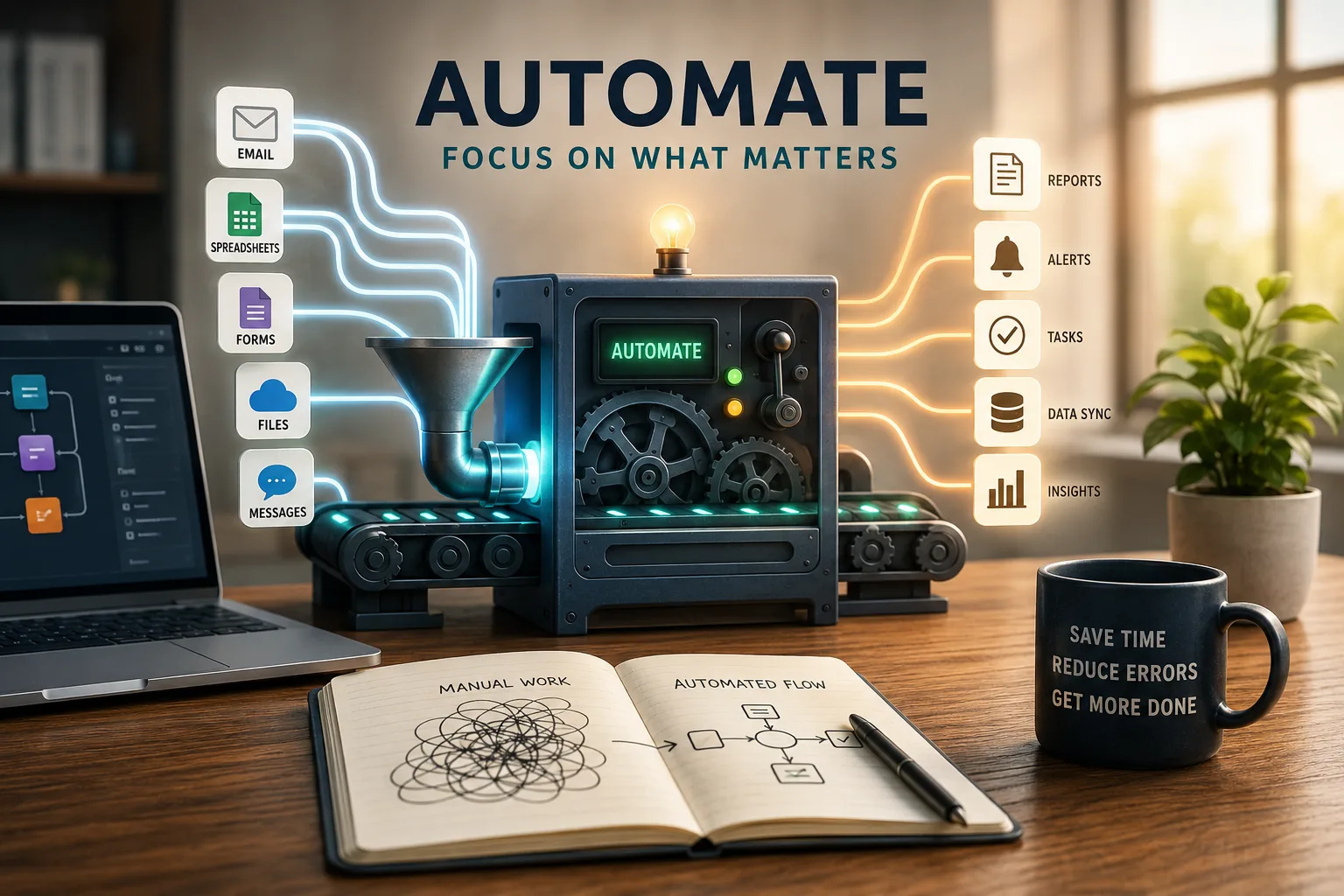
Automation: In 2017, JPMorgan Chase publicized that across the firm, lawyers and loan officers spent 360,000 hours annually reviewing commercial loan agreements. Each agreement required manual extraction of data points, comparison against lending criteria, and entry into multiple systems.
The work was tedious, error-prone, and consumed the time of highly educated professionals who could have been doing analytical work that actually required human judgment. JPMorgan deployed COIN (Contract Intelligence), an AI-powered automation platform that completed the same work in seconds.
The automation did not eliminate jobs; it eliminated the worst part of those jobs, freeing analysts for work that leveraged their expertise rather than their tolerance for repetitive data entry.
Workflow automation occupies a unique position in the professional toolkit: it offers enormous potential time savings, yet the majority of automation initiatives either fail to launch, create more complexity than they resolve, or automate broken processes that should have been fixed first.
The challenge is not technical-modern no-code tools have made automation accessible to anyone who can use a spreadsheet. The challenge is strategic: knowing what to automate, what to leave manual, and how to maintain automations without creating a fragile infrastructure that demands constant attention.
This article examines the practical landscape of automation for knowledge workers, from identifying high-value automation targets to selecting appropriate tools, avoiding common pitfalls, and maintaining automations sustainably.
The focus is on accessible automation that non-technical professionals can implement-the 80 percent of automation value available through no-code tools and simple configurations rather than the 20 percent requiring engineering resources.
These principles connect to broader concerns about tool stack design, productivity systems, and the fundamental question of how technology should serve rather than complicate knowledge work.
What to Automate
The Automation Decision Framework
1. Not all repetitive work should be automated. The decision framework evaluates four factors: frequency (how often the task occurs), rule clarity (how well-defined the process is), error sensitivity (consequences of mistakes), and setup cost (time required to build and maintain the automation).
Tasks scoring high on frequency and rule clarity while low on error sensitivity are the strongest automation candidates.
2. Calculate the annual time investment before automating: a task taking 5 minutes daily consumes approximately 20 hours annually. If automation setup takes 10 hours and maintenance requires 5 hours annually, the net savings is 5 hours per year with increasing returns in subsequent years.
A task taking 5 minutes monthly (1 hour annually) would need decades to justify 10 hours of setup investment.
3. The judgment threshold determines what should remain manual. Tasks requiring context-dependent decisions, relationship sensitivity, or creative thinking resist automation even when technically possible.
Automatically replying to customer emails saves time but damages relationships when the automated response misses emotional context. The question is not "can this be automated?" but "should this be automated?"
| Task Type | Frequency | Rule Clarity | Automation Fit |
|---|---|---|---|
| Saving email attachments to folders | Daily | High | Excellent |
| Generating status reports from data | Weekly | High | Excellent |
| Routing notifications to channels | Continuous | High | Excellent |
| Responding to customer complaints | Daily | Low (judgment needed) | Poor |
| Writing creative content | Variable | Very low | Poor |
| Scheduling meetings across time zones | Weekly | Moderate | Good (with tools) |
High-Value Automation Targets
1.Data movement between systems represents the largest automation opportunity for most knowledge workers. Manually copying information from one application to another-new form submissions to a CRM, email data to spreadsheets, calendar events to project management tools-is pure waste.
Every manual data transfer is an opportunity for automation.
2.Notification routing and filtering separates signal from noise. Instead of receiving every notification from every tool, automate intelligent routing: critical alerts to SMS, important updates to a dedicated Slack channel, routine notifications to a daily digest email, and irrelevant notifications to automatic archive.
This reduces the interruption load that fragments deep work while ensuring important signals reach you.[9]
3.Status reporting and progress tracking often involves manually gathering data from multiple sources and assembling it into a report or dashboard. Automating data collection and aggregation transforms a weekly 2-hour chore into an automatically updated dashboard that provides real-time visibility with zero ongoing effort.
Example: A marketing team at HubSpot automated their weekly reporting workflow. Previously, a team member spent three hours each Friday gathering data from Google Analytics, social media platforms, email marketing tools, and ad platforms, then assembling a summary.
The automated version pulls data through API integrations, populates a shared dashboard, and sends a Slack summary every Friday at 3 PM. The three-hour weekly task now requires zero recurring effort, saving over 150 hours annually.
What Not to Automate
1.Relationship-critical communication should remain personal. Automated birthday emails, templated congratulations messages, and bot-driven networking feel inauthentic and damage the relationships they purport to strengthen.
The few minutes saved by automating personal communication cost far more in relationship quality than they save in time.
2.Rare tasks (performed monthly or less frequently) rarely justify automation investment. If a task takes 10 minutes quarterly, automating it saves 40 minutes annually. If automation setup takes 5 hours plus 2 hours of annual maintenance, the payback period extends beyond a reasonable horizon.
Simply doing the task manually is more efficient.
3.Rapidly changing processes resist automation because the automation must be updated every time the process changes. If your expense reporting process changes quarterly, automating it means rebuilding the automation quarterly-potentially more work than manual processing.
Automate stable, mature processes; leave evolving processes manual until they stabilize.
No-Code Automation Tools
The Major Platforms
1.Zapier is the most widely used no-code automation platform, connecting over 5,000 applications through trigger-action workflows called "Zaps." When something happens in one app (trigger), Zapier performs actions in other apps.
Example: "When a new row is added to Google Sheets (trigger), create a task in Asana and send a Slack notification (actions)." Zapier excels for business workflow automation between popular SaaS tools.
2.Make (formerly Integromat) offers more complex automation capabilities through a visual workflow builder that supports branching logic, loops, error handling, and data transformation.
Make handles scenarios that exceed Zapier's linear trigger-action model, such as conditional routing (if the form response includes "urgent," notify via SMS; otherwise, email), iterating through lists, and complex data processing.
3.Microsoft Power Automate integrates deeply with the Microsoft 365 ecosystem, making it the natural choice for organizations using Outlook, Teams, SharePoint, and Office applications.
Power Automate handles approval workflows, document processing, and Office-integrated automations with native capabilities that third-party tools require workarounds to achieve.
4.IFTTT (If This Then That) focuses on simpler automations, particularly involving consumer applications and IoT devices.
While less powerful than Zapier or Make for business workflows, IFTTT excels for personal automations: save Instagram photos to cloud storage, log completed tasks to a spreadsheet, or receive weather-based notifications.
5.n8n provides a self-hosted, open-source alternative for organizations with data privacy requirements or those wanting to avoid per-operation pricing. n8n offers comparable functionality to Make with the advantage of running on your own infrastructure, though it requires more technical setup.
Example: A small consulting firm used Zapier to automate their client onboarding. When a client signs a proposal (via PandaDoc), Zapier automatically creates a project in Asana, adds the client to their CRM, creates a shared Google Drive folder, sends a welcome email with next steps, and notifies the project manager in Slack.
What previously required 45 minutes of manual setup across five applications now happens automatically in under a minute.
When to Use Custom Scripts Instead
1. Switch from no-code to custom scripts when the automation requires complex logic beyond conditional branching-nested loops, sophisticated error handling, retry mechanisms, or data transformations that no-code tools cannot express.
Custom Python, JavaScript, or shell scripts provide unlimited flexibility at the cost of requiring programming knowledge.
2.Volume limitations also push toward custom solutions. No-code tools charge per operation; high-volume workflows (processing thousands of records daily) become prohibitively expensive on per-task pricing. A custom script running on a $5/month server handles unlimited volume for a fixed cost.
3. The hybrid approach works well for many organizations: no-code tools for 80 percent of automations (simple, infrequent, standard app connections) and custom scripts for 20 percent (complex, high-volume, unique requirements). Scripts can trigger no-code workflows and vice versa, creating a flexible automation infrastructure.
"The first rule of any technology used in a business is that automation applied to an efficient operation will magnify the efficiency.[8] The second is that automation applied to an inefficient operation will magnify the inefficiency." - Bill Gates
Common Automation Mistakes
Automating Broken Processes
1. The most damaging automation mistake is applying automation to a process that does not work well manually. If your weekly report pulls the wrong metrics, automating report generation produces wrong metrics faster.
If your onboarding process has unclear steps, automating it codifies the confusion into a system that is harder to fix than the original manual process.
2. Before automating any workflow, evaluate whether the workflow itself is sound. Map the current process, identify unnecessary steps, clarify decision points, and fix problems.[7] Automate the improved process, not the broken one.
The effort of process improvement before automation pays dividends because the automated version runs the improved process thousands of times.
3. The temptation to automate first and improve later is strong because automation is technically interesting while process improvement is organizationally tedious. Resist this temptation.
A well-designed manual process is far better than a poorly-designed automated one, because the manual process can be adapted in real-time while the automated one repeats its mistakes reliably.
Building Fragile Automations
1. Fragile automations break with small changes: an email subject line format changes slightly, a field name in a form is updated, an API version changes, or a connected app modifies its interface. Each break requires diagnosis and repair, and if the automation runs silently, failures may go undetected for days or weeks.
2. Build resilience through flexible matching (partial matches instead of exact strings), error handling (what happens when the automation fails? notification? retry? fallback?), and monitoring (alerts when automations fail or produce unexpected results). Resilient automations degrade gracefully rather than failing silently.
3.Documentation prevents the common situation where an automation breaks and no one remembers how it works or why it exists. For each automation, record: what it does, why it exists, what triggers it, what apps and accounts it uses, and who owns it.
Store this documentation where it can be found-in the automation tool's description field or a central documentation system.
Over-Automating
1. Over-automation removes valuable human judgment from processes that benefit from it. Automatically assigning tasks without considering context overrides good judgment about who is best positioned for each task. Auto-scheduling meetings without preference checking annoys participants.
Auto-responding to customer inquiries with templates feels robotic and damages relationships.
2. The principle: keep humans in the loop for relationship-critical, judgment-heavy, and high-stakes steps. Automation should handle the mechanical surrounding work-gathering data, routing notifications, creating records-while humans handle the decisions, relationships, and creative work that constitute actual value.
3. A useful test: if the automation produced the wrong result, how quickly would someone notice and how severe would the consequences be?
If wrong results would go unnoticed (filed incorrectly, wrong notification sent) or produce severe consequences (wrong amount billed, incorrect data published), the automation needs better monitoring or should retain human verification steps.
Getting Started Without Technical Background
The Beginner Path
1. Start by identifying your single most annoying repetitive task-the one you do daily, that follows clear rules, and that you resent spending time on.
Common starting points: saving email attachments to organized folders, copying form submissions into spreadsheets, sending standard follow-up emails after meetings, or updating project status across multiple tools.
2. Choose the appropriate no-code tool based on your ecosystem: Zapier for general business app connections, Power Automate for Microsoft 365 environments, IFTTT for personal or consumer app automations. All provide template libraries with pre-built automations for common tasks.
Browse templates by app or use case, find one close to your need, customize it with your accounts and details, and activate.
3. Build your first automation one step at a time. Select the trigger (what starts the automation), connect your account, test that the trigger fires correctly. Then add the first action (what happens when the trigger fires), test that the action executes properly.
Only after both steps work independently should you activate the automation. This incremental approach prevents the debugging nightmare of a multi-step automation where you cannot identify which step failed.
Example: A non-technical project manager built her first Zapier automation in under an hour: when a team member completes a task in Asana (trigger), Zapier sends a message to the project's Slack channel with the task name and assignee (action).
This two-step automation replaced the manual practice of posting updates to Slack after completing tasks, saving approximately 5 minutes daily and ensuring no completed task went unreported.
Scaling Your Automation Practice
1. After your first automation works reliably, look for similar patterns. If you automated saving email attachments, what other email-based automations would save time? If you automated Asana-to-Slack notifications, what other tool-to-tool data movements would reduce manual work?
Pattern recognition across your workflow reveals automation opportunities.
2. Gradually increase complexity: add filtering (only trigger for certain email senders or subjects), formatting (clean up data before sending to the target app), branching (different actions for different conditions), and multi-step sequences (trigger creates record, then sends notification, then updates dashboard).
Each layer builds on your growing familiarity with the tool.
3. Join automation communities for help and inspiration. The Zapier Community, Make Community forums, r/automation on Reddit, and tool-specific Discord channels provide friendly help for beginners and showcase creative automation examples that spark ideas for your own workflow.
Maintaining Automations Long-Term
Documentation and Monitoring
1. Every automation should be documented with: its purpose (what problem does it solve?), trigger conditions (what starts it?), actions performed (what does it do?), dependencies (what apps, accounts, and permissions does it require?), and owner (who to contact with questions or problems?).
Without documentation, automations become mysterious black boxes that nobody dares modify.
2. Enable error notifications in your automation tool so failures alert you immediately rather than silently. Critical automations should also have health checks-periodic test triggers confirming the automation still works.
A weekly digest confirming "all automations ran successfully" provides peace of mind; a notification that "Automation X failed 3 times this week" enables rapid diagnosis.
3. Review automation logs monthly to identify patterns: is a specific automation failing frequently (indicating a fragility that should be addressed)? Are any automations running but no longer needed (consuming operations without providing value)?
Are any automations producing unexpected results (suggesting a change in one of the connected apps)?
Preventing Automation Sprawl
1.Automation sprawl occurs when automations accumulate without centralized awareness-different team members creating automations in different tools, automations that overlap or conflict, and no one knowing the full picture of what runs automatically. This is the automation equivalent of tool fatigue.
2. Maintain an automation inventory: a simple spreadsheet listing every automation, its tool, its purpose, its owner, and its last review date. Quarterly review of this inventory identifies unused automations (deactivate), redundant automations (consolidate), and gaps (potential new automations).
The inventory provides organizational awareness that prevents uncontrolled proliferation.
3. Centralize automation in as few tools as practical. Using Zapier AND Make AND Power Automate AND IFTTT creates a fragmented automation landscape where diagnosing problems requires checking four different platforms.
Better to choose one primary tool, use it for most automations, and add a secondary tool only when the primary tool cannot handle a specific requirement.
"Simplicity is prerequisite for reliability." - Edsger Dijkstra
Automation and AI
AI-Enhanced Automation
1. AI tools increasingly augment traditional rule-based automation with capabilities that handle unstructured data: classifying emails by intent (support request vs. sales inquiry vs. spam), extracting data from documents without fixed formats (invoices with varying layouts), summarizing meeting transcripts, and generating draft responses to common queries.
2. The combination of traditional automation (moving data between systems based on clear rules) and AI processing (interpreting unstructured content) creates powerful workflows.
Example: when an email arrives (trigger), AI classifies its intent and extracts key information (AI processing), then the automation routes the classified email to the appropriate team with extracted data pre-populated (action).
3. AI-enhanced automation carries risks that traditional automation does not: AI outputs are probabilistic rather than deterministic (sometimes wrong), AI models can change behavior after updates (producing different results from the same input), and AI can fail in unpredictable ways (confident but incorrect classification).
These risks demand more monitoring and human oversight than traditional rule-based automation.
The Human-Automation Balance
1. The goal of work automation is not eliminating human involvement but redirecting it. Automation handles mechanical, repetitive, rule-based work so that humans can focus on judgment, creativity, relationships, and strategy-the work that creates disproportionate value and cannot be automated effectively.
2. The best automated workflows keep humans in control of decisions while automating execution. A human decides which customer issue to prioritize; automation creates the ticket, routes it, and notifies the team.
A human writes the strategic analysis; automation distributes it to stakeholders, creates follow-up tasks, and schedules the review meeting.
3. Periodically reassess the human-automation boundary. As your comfort and skill with automation grows, tasks that seemed to require human involvement may become automatable.[6] Conversely, tasks you automated may reveal that human judgment was more important than you realized. The boundary is dynamic, not fixed.
Research on Automation's Productivity Impact
The economic case for workplace automation is supported by a substantial body of empirical research from labor economists, management scientists, and organizational behavior scholars.
James Manyika and colleagues at the McKinsey Global Institute published a landmark 2017 study, "A Future That Works: Automation, Employment, and Productivity," analyzing more than 2,000 work activities across 800 occupations.[3]
They found that about 49 percent of activities that workers perform could be automated using currently demonstrated technology, and that about 60 percent of all occupations have at least 30 percent of their activities technically automatable.
Crucially, their analysis of predictable physical and data-processing work - the categories most accessible to no-code automation tools - showed potential time savings of 10 to 25 percent across most knowledge work roles.
Erik Brynjolfsson and Andrew McAfee at MIT's Digital Economy Group have studied automation's productivity effects through longitudinal firm-level analysis.[4] In their research supporting The Second Machine Age (W.W. Norton, 2014), they found that firms that adopted workflow automation tools experienced 15 to 20 percent productivity improvements within two years, but that the gains were unevenly distributed: companies that redesigned work processes around automation captured three times the gains of companies that simply added automation to existing processes.
Leslie Willcocks (Professor of Technology, Work and Globalization at the London School of Economics) and Mary Lacity conducted a 2016 study of 16 organizations that deployed robotic process automation, published in Service Automation: Robots and the Future of Work.[5]
Their findings showed an average return on investment of 200 percent within the first year, with organizations reporting 40 to 75 percent cost reductions in automated processes.
More relevant to knowledge workers, they found that employees whose repetitive tasks were automated reported higher job satisfaction scores - an average 23-point improvement on standardized engagement surveys - because their remaining work was more cognitively engaging.
A 2023 study by Zapier surveyed 1,500 knowledge workers across the United States and found that employees who used workflow automation tools saved an average of 3.6 hours per week.[2] Extrapolated across a year, this represents approximately 187 hours of recovered time per employee - equivalent to more than four full work weeks.
The same study found that 94 percent of knowledge workers perform repetitive, automatable tasks, and that 90 percent reported automation improved their ability to focus on higher-value work.
Real-world case outcomes confirm the research findings. Siemens reported in 2021 that its enterprise automation initiative, covering 300 automated workflows across finance and HR operations, reduced processing time on routine administrative tasks by 72 percent and error rates by 85 percent.
The company recalculated that each automated workflow freed approximately 1.2 full-time equivalents annually for higher-value work.
Spotify's engineering teams implemented automated deployment and testing workflows that reduced release cycle times from two weeks to 30 minutes while decreasing production incidents by 40 percent, as reported in their 2020 engineering blog.
Measuring Automation ROI: Frameworks and Evidence
Building an evidence-based case for automation investment requires rigorous measurement methodology. Researchers and practitioners have developed specific frameworks for quantifying automation returns.
Thomas Davenport (Professor of Information Technology and Management at Babson College) has studied automation ROI measurement across hundreds of enterprise deployments.[1]
His 2019 work, "The AI Advantage," identifies three measurement dimensions that organizations consistently undercount: direct time savings (the hours saved on automated tasks), error reduction value (the cost of mistakes eliminated), and opportunity cost recovery (the value of the higher-quality work employees can now perform).
Davenport found that organizations measuring only direct time savings underestimated total automation value by 60 to 80 percent.
Automation ROI calculation methodology: Academic and practitioner consensus converges on a five-factor model for calculating automation return on investment:
- Direct time savings: (Minutes per task x Tasks per year x Employees affected) / 60 = Hours saved annually
- Error reduction: (Error rate before automation x Error cost x Volume) - (Error rate after x Error cost x Volume) = Annual error cost reduction
- Throughput increase: Additional work completed per unit time because automation handles routine tasks
- Employee value recovery: Salary value of hours redirected from automated tasks to higher-value work
- Setup and maintenance cost: Tool subscriptions, configuration time, and ongoing monitoring
The Mayo Clinic deployed Microsoft Power Automate across its administrative operations in 2020 to automate patient appointment scheduling confirmations, insurance pre-authorization requests, and staff scheduling notifications.
Within 18 months, the clinic reported processing 2.4 million automated transactions that previously required manual handling, saving 84,000 staff hours annually.
The total cost of the automation infrastructure was approximately $180,000 annually; the value of recovered staff time at average loaded labor costs exceeded $3.2 million - an 18:1 return on investment.
The City of Los Angeles implemented workflow automation for its business licensing department in 2019. Before automation, processing a new business license application required 23 manual steps involving 5 different departments, with an average completion time of 45 days.
After automation handled data routing, notification, and status updates across departments, the average completion time dropped to 6 days - an 87 percent reduction - while staff headcount remained constant. The city reduced the backlog of pending applications by 94 percent within six months.
Threshold analysis for individual knowledge workers: Research from Dartmouth's Tuck School of Business suggests that automation investment is justified when a task meets three criteria simultaneously: it occurs at least weekly, it follows rules that can be expressed explicitly, and the setup cost can be recovered within 18 months.
For most no-code automations, the 18-month threshold is reached when a task saves at least 30 minutes per week. At a fully-loaded labor cost of $50 per hour, 30 minutes weekly represents $1,300 in annual value - more than sufficient to justify the typical 10 to 20 hours required to build and maintain a no-code automation.
Concise Synthesis
Work automation saves significant time when applied strategically to high-frequency, rule-based, low-judgment tasks-data movement between systems, notification routing, status reporting, and file organization-while preserving human involvement in relationship-critical, judgment-heavy, and creative work.
No-code tools (Zapier, Make, Power Automate, IFTTT) have made automation accessible to non-technical professionals, enabling workflow automation through visual builders and pre-built templates.
The critical mistakes to avoid are automating broken processes (fix the process first), building fragile automations that break with minor changes (build resilience through flexible matching and error handling), over-automating to remove valuable human judgment (keep humans in the loop for decisions and relationships), and allowing automation sprawl (maintain inventory, centralize tools, review quarterly).
Getting started requires identifying one annoying repetitive task, building a simple two-step automation, testing incrementally, and scaling complexity gradually as comfort grows.
Long-term maintenance through documentation, monitoring, and regular review prevents automations from becoming a fragile burden. AI-enhanced automation extends capabilities to unstructured data but requires additional monitoring due to probabilistic outputs.
The fundamental principle: automation should serve work by eliminating mechanical drudgery, not complicate work by creating a fragile technical infrastructure requiring constant attention.
Sources & Further Reading
- Davenport, T. and Ronanki, R. (2018). Artificial Intelligence for the Real World. Harvard Business Review; Davenport, T. and Kirby, J. (2016). Only Humans Need Apply. Harper Business.
- Zapier. (2023). "The State of Business Automation." zapier.com.
- Manyika, J. et al. (2017). "A Future That Works: Automation, Employment, and Productivity." McKinsey Global Institute.
- Brynjolfsson, E. and McAfee, A. (2014). The Second Machine Age. W.W. Norton.
- Willcocks, L. and Lacity, M. (2016). Service Automation: Robots and the Future of Work. Steve Brookes Publishing.
- Schwab, K. (2017). The Fourth Industrial Revolution. Currency Press.
- Fried, J. and Hansson, D.H. (2010). Rework. Crown Business.
- Gates, B. (2019). "Notes on Automation." GatesNotes.com.
- Newport, C. (2016). Deep Work: Rules for Focused Success in a Distracted World. Grand Central Publishing.
Further Reading
- Ford, M. (2015). Rise of the Robots: Technology and the Threat of a Jobless Future. Basic Books.