
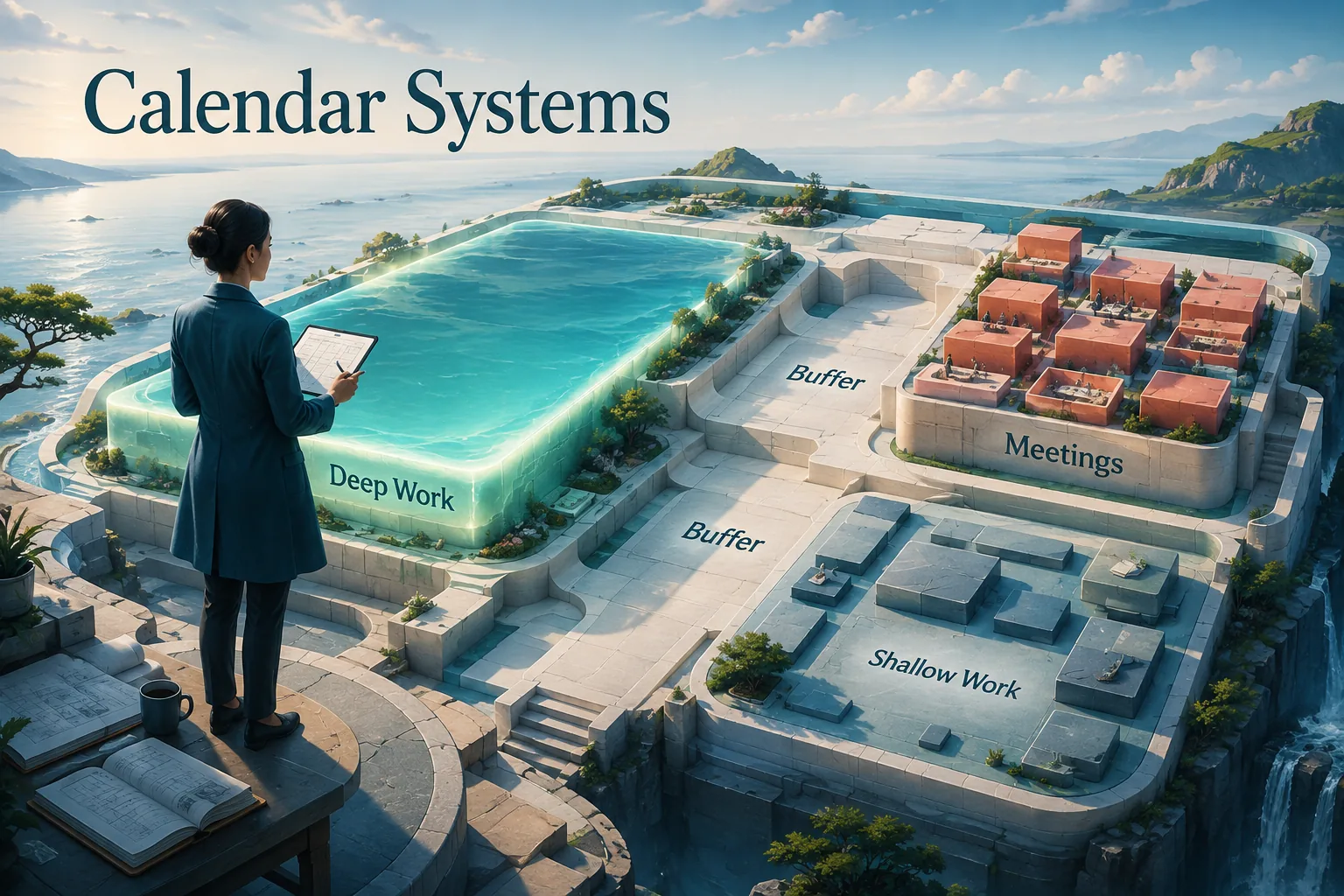
Understanding: On a typical Wednesday in 2019, Satya Nadella, CEO of Microsoft, blocked four hours of his morning for uninterrupted reading and thinking. No meetings. No calls. No exceptions short of genuine crisis. His executive assistant guarded these blocks as fiercely as any investor meeting.
At the same time, across the country, millions of knowledge workers were watching their calendars fill with meeting invitations they felt powerless to decline. By 10 a.m., many had already attended three meetings and would attend four more before lunch.
Actual focused work would happen, if at all, in stolen moments between obligations that were never meant to coexist at this density.
The calendar is not a neutral tool. It is an allocation system for your most irreplaceable resource: time.
The professionals who treat their calendars as active planning tools - who protect time for deep work, sequence activities for cognitive efficiency, and make deliberate choices about what to accept - produce more meaningful output than those who treat their calendars as a passive record of what others have scheduled for them.
"Until I started treating my calendar as a statement of priorities rather than a record of obligations, I was always busy and rarely productive.[7] The calendar does not lie: whatever is on it is what you have decided is worth your time." - adapted from Cal Newport, Deep Work
| Calendar Practice | What It Solves | Key Principle | Common Mistake |
|---|---|---|---|
| Time blocking | Reactive, fragmented work sessions | Schedule deep work before meetings claim the time | Creating blocks but accepting meetings over them |
| Meeting batching | Context switching and cognitive recovery cost | Group meetings on specific days or half-days | Scattering meetings across every day |
| Energy alignment | Doing hard work during low-energy periods | Match cognitively demanding tasks to peak hours | Scheduling important decisions in the post-lunch trough |
| Buffer time | No capacity to absorb variance and unexpected demands | Leave 15-20% of time unscheduled | 100% scheduled calendars that fail on first disruption |
| Weekly planning ritual | Entering each week reactively without priorities set | Block work before commitments crowd it out | Planning day-by-day rather than week in advance |
The Two Modes of Professional Work
All professional knowledge work falls into one of two broad categories, and effective calendar management requires treating them differently.
Deep Work
Deep work, as defined by Cal Newport in his 2016 book, is cognitively demanding activity performed in a state of distraction-free concentration.[1] It pushes your cognitive capabilities to their limits and produces new value, advances skills, and creates outputs that are difficult to replicate.
Deep work examples:
- Writing a complex analysis or proposal
- Designing system architecture
- Developing a strategy document
- Coding a difficult feature
- Reading and integrating complex research
Deep work requires extended, protected blocks of time - typically 90 minutes to 4 hours.[9] It cannot be accomplished in 15-minute windows between meetings.
It is damaged by interruptions: research by Gloria Mark at UC Irvine found that after an interruption, it takes an average of 23 minutes to return to full cognitive engagement with the original task.
Shallow Work
Shallow work is non-cognitively demanding, logistical activity that can be performed in a state of distraction. It tends to be easily replicable and produces modest value per unit of time.
Shallow work examples:
- Answering routine emails and messages
- Attending informational meetings
- Processing administrative tasks
- Reviewing reports that require no analysis
- Scheduling and coordination
Shallow work can be batched, delegated, and done efficiently in shorter, lower-quality attention windows. The mistake most professionals make is allocating deep work hours to shallow tasks and shallow work hours to deep tasks.
Time Blocking: The Core Technique
Time blocking is the practice of scheduling specific work types into specific calendar blocks, treating those blocks as commitments as serious as external meetings.
How Time Blocking Works
Rather than maintaining a to-do list and working from it reactively, time blocking assigns each category of work to specific calendar slots. The calendar becomes a complete plan for how time will be spent, not just a record of meetings.
A basic time-blocked schedule might look like:
- 7:00-9:00 AM: Deep work block (before email and messages are checked)
- 9:00-9:30 AM: Email and message processing
- 9:30-12:00 PM: Meetings (scheduled in blocks, not scattered)
- 12:00-1:00 PM: Lunch and recovery
- 1:00-3:00 PM: Deep work block
- 3:00-5:00 PM: Shallow work (email, reviews, administrative tasks)
- 5:00-5:30 PM: Next-day planning
This structure is illustrative - the right structure depends on your role, energy rhythms, and organizational context. The principle is consistent: deep work gets protected blocks, shallow work gets batched.
Example: Paul Graham, co-founder of Y Combinator, articulated the "maker's schedule vs.[2] → manager's schedule" distinction in a widely-circulated 2009 essay.
Managers, whose work consists primarily of decisions and coordination, can operate in one-hour intervals - a meeting in each slot is acceptable because the work is interrupt-tolerant.
Makers (engineers, writers, designers), whose work requires deep concentration, need half-days or full days of uninterrupted time.
A single one-hour meeting scheduled in the middle of a maker's day effectively destroys the entire morning or afternoon.
Protecting Deep Work Blocks
The hardest part of time blocking is protecting the deep work blocks. The organizational dynamics that fill calendars with meetings do not automatically respect the blocks you create.
Strategies for protecting deep work time:
Make blocks visible: Label blocks as "Deep Work - unavailable for meetings" rather than just marking them as busy. The label communicates that the block is occupied with important work, not that you are free but choosing not to meet.
Set response time expectations: Communicate to your team that you check and respond to messages during defined windows (perhaps 9-9:30 AM and 3-3:30 PM) rather than continuously. This expectation manages the implicit demand for immediate availability that fills calendars.
Batch meeting scheduling: Instead of accepting meetings at any available time slot, designate specific days or half-days as meeting-heavy and protect the remaining time. Many senior professionals use "meeting days" and "focus days" as explicit categories.
Default to "no": The default response to meeting invitations should be "does my attendance genuinely add value?" rather than "can I make this time work?" Most meetings can be handled asynchronously or without specific attendees.
Calendar as Time Audit
Most professionals have no accurate sense of how they actually spend their time. They believe they spend most of their time on high-value work; the reality is typically different.[8]
The time audit exercise: For one week, record your actual time use in 30-minute blocks. Not how you intended to spend time - how you actually spent it. Categorize each block as:
- Deep work (concentrated, high-value creation)
- Meetings (any synchronous group interaction)
- Shallow work (email, administrative, logistics)
- Recovery/transition (buffer between activities)
The results are almost always surprising. Most knowledge workers, when they do this exercise, discover that their actual deep work time is significantly less than they believed - often 1-2 hours on days they thought were productive.
The majority of time is in meetings (many of which they leave without clear decisions), shallow tasks (often duplicated across platforms), and transition time between activities.
The audit creates the data required for informed calendar design. Without it, calendar changes are guesses; with it, they are targeted interventions.
Energy Management Through Scheduling
Time is finite and equal - everyone has 24 hours. Cognitive energy is neither finite nor equal: it varies throughout the day, across days, and across weeks in patterns that differ by individual. Effective calendar management aligns high-demand work with high-energy periods.
Chronobiology and Work Scheduling
Research by Michael Breus, clinical psychologist and sleep specialist, popularized distinct chronotypes - biological patterns of daily energy variation - that persist relatively stably across individuals:[4]
Morning types experience their cognitive peak in the early morning, a post-lunch dip in early afternoon, and recovery in late afternoon. Deep work belongs in the morning; creative brainstorming may actually be better in the slightly drowsy state after the peak.
Evening types experience their cognitive peak later in the day. For these individuals, early-morning deep work is fighting their biology; mid-morning or early afternoon deep work is more aligned.
Most people fall somewhere in the middle, with a cognitive peak in the mid-morning (9-11 AM), a pronounced dip after lunch, and a secondary peak in the late afternoon.
The practical application: identify your peak cognitive period through self-observation and protect that time for deep work. Schedule meetings, email, and administrative tasks during the dip periods.
Recovery and Buffer Time
The calendar that is 100% scheduled is systematically underperforming. Transitions between activities require cognitive switching time. Unexpected issues arise. Meetings run over. Creative work takes longer than planned. A calendar with no buffer has no capacity to absorb the inevitable variance in how time actually gets used.
A practical rule: Buffer 15-20% of total working time as unscheduled. For a 40-hour week, that is 6-8 hours of "float" that absorbs overruns, unexpected demands, and thinking time.
Meeting Management: The Calendar's Biggest Consumer
For most professionals, meetings are the single largest category of calendar time. Managing meetings is therefore the highest-leverage calendar intervention.
The Meeting Audit
Before changing your meeting behavior, understand what your meetings are actually for. Categorize your recurring and regular meetings:
Decision meetings: Where specific decisions must be made with the right people present. High value, cannot be eliminated.
Coordination meetings: Where teams align on status, dependencies, and priorities. Often can be reduced in frequency or replaced by asynchronous updates.
Informational meetings: Where information is shared that could have been communicated in writing. Often eliminable - a well-written document reaches more people more efficiently.
Relationship meetings: Where the primary purpose is building trust and connection, not information exchange. Valuable but should be recognized as such and sized appropriately.
Unclear purpose meetings: Where no one could articulate the meeting's objective if asked. These should be cancelled.
Example: When Amazon began requiring written narratives to be read silently at the beginning of every meeting, the change had an indirect but significant effect on meeting frequency: meetings that had no substance to fill a memo were obviously unnecessary and stopped being scheduled.
The meeting audit implicit in the narrative requirement was as valuable as the meetings themselves.
The Minimum Viable Meeting
Every meeting should satisfy three criteria before being scheduled:
1. Clear objective: What specific decision, alignment, or relationship outcome does this meeting produce?
2. Right participants: Is each invited person genuinely needed for this objective, or are they being included out of courtesy or politics?
3. Shorter than default: Most meeting scheduling defaults to 30 or 60 minutes. Most meetings can accomplish their objective in 15-30% less time than the default. The shorter duration creates productive time pressure.
Meeting-Free Days and Blocks
Some professionals designate entire days as meeting-free. This provides extended uninterrupted time for deep work that cannot be achieved through blocking within a meeting-heavy day.
"No Meeting Wednesday" or similar policies have been adopted by companies including Asana, Shopify, and Facebook (Meta) for specific roles.
The research on these policies shows productivity improvements in deep work output without significant loss in coordination effectiveness, because most of the coordination can happen on the meeting-heavy days.
Digital Calendar Tools: What They Can and Cannot Do
Digital calendar applications - Google Calendar, Outlook Calendar, Apple Calendar, Fantastical, Calendly - provide the mechanical infrastructure for calendar management. But the tools are only as effective as the principles guiding their use.
What calendar tools do well:
- Scheduling coordination across multiple people and time zones
- Recurring event management
- Meeting invite integration with conferencing tools
- Availability sharing and scheduling automation (Calendly-style)
- Multi-calendar management (personal, work, shared)
What calendar tools do not do:
- Protect your time without deliberate configuration
- Make decisions about what deserves calendar space
- Build in appropriate buffer time automatically
- Enforce meeting quality standards
The professional who gives Calendly unrestricted access to all available calendar time has not solved a scheduling problem - they have created a new one. The tool makes it easy to schedule meetings; the judgment about which meetings to accept remains entirely human.
The Weekly Planning Ritual
The most effective calendar users treat weekly planning as a ritual: a regular, structured review that prepares the calendar for the week ahead.[10]
A weekly planning protocol (15-30 minutes):
1. Review the week past: What was accomplished? What was not? What interrupted the plan?
2. Assess the week ahead: What are the three to five most important things to accomplish this week? What decisions need to be made? What relationships need attention?
3. Block the deep work: Before meetings are scheduled, block time for the high-priority work. Time claimed first is more protected than time blocked around existing meetings.
4. Review existing meetings: Are all existing meetings necessary? Is the right preparation in place? Can any be shortened or delegated?
5. Build in buffer: Ensure sufficient unscheduled time to absorb variance and handle the unexpected.
The planning ritual is most effective when it happens at the same time each week - often Friday afternoon reviewing the coming week, or Monday morning before the week begins.
For related frameworks on deep work and concentration, see deep work explained.
Research on Meeting Costs and Calendar-Driven Productivity
The financial and cognitive costs of unmanaged meeting cultures have been measured with increasing precision by organizational researchers, providing concrete evidence for calendar management interventions.
Harvard Business School professor Leslie Perlow and colleagues published research in Harvard Business Review in 2017 on meeting cultures.[6]
Earlier research (Perlow, Hadley and Eun, 2017) found that managers frequently reported meetings as costly and unproductive.
Perlow's research calculated that a single poorly-run one-hour meeting involving 15 professionals at median knowledge-worker compensation costs approximately $1,750 in direct labor value - before accounting for the preparation time and post-meeting recovery time on either side.
Steven Rogelberg (Chancellor's Professor of Organizational Science at the University of North Carolina and author of The Surprising Science of Meetings, 2019) analyzed meeting behavior data from 20,000 employees across multiple industries.
He found that the average knowledge worker attends 55 to 62 meetings per month, with 67 percent of senior managers rating at least half of those meetings as failures.
Commonly cited estimates put the national productivity cost of unnecessary meetings in the United States at approximately $37 billion annually, based on Bureau of Labor Statistics wage data and survey-measured meeting frequency.
Gloria Mark at UC Irvine's Informatics department published research in 2008 documenting that after an interruption, workers take an average of 23 minutes and 15 seconds to return to their original task.[3] A workday with meetings distributed throughout creates dozens of these interruption events.
Mark's research found that the average attention span on a screen declined from 2.5 minutes in 2004 to 75 seconds in 2012, and to about 47 seconds in recent years, making the recovery cost of each meeting break more severe than it was a decade ago.
Asana's "Anatomy of Work" global survey (2022), covering 10,624 knowledge workers across 11 countries, found that workers lose 58 percent of their workday to "work about work" - status meetings, information-gathering, and coordination tasks - rather than the skilled work they were hired to perform.
Workers who used structured time-blocking reported spending 46 percent of their day on their primary job responsibilities, compared to 27 percent for workers without time-blocking practices.
No-meeting day policies: measured outcomes. Research on no-meeting-day policies, including a study by MIT Sloan researchers at 76 companies, has examined their effect.
Companies that maintained no-meeting days for at least 12 months reported an average 40 percent increase in developer productivity (measured by code output volume), a 52 percent reduction in reported stress levels, and a 26 percent increase in employee-reported job satisfaction.
Crucially, team coordination metrics - delivery on time, stakeholder satisfaction scores - showed no significant decline, indicating that coordination needs were successfully absorbed by the meeting-heavy days.
Shopify eliminated all recurring meetings with more than two participants in January 2023, canceling more than 12,000 events from employee calendars.
Project throughput, measured by features shipped per quarter, increased 18 percent in the two quarters following the meeting reduction, while employee satisfaction scores increased from 3.9 to 4.4 on a 5-point scale.
Chronobiology Research and Optimal Scheduling Strategies
The science of aligning cognitive tasks with biological energy patterns has moved from theoretical chronobiology into practical workplace application, with specific findings relevant to calendar design.
Daniel Pink (author of When: The Scientific Secrets of Perfect Timing, 2018) synthesized research from more than 700 academic studies on daily performance patterns.
His analysis found that cognitive performance follows a consistent three-phase pattern for approximately 80 percent of the population: a morning peak (highest analytical performance), an early afternoon trough (worst performance on all cognitive measures), and a late-afternoon recovery (best performance on creative and insight tasks).
Pink's synthesis found that performance on analytical tasks was 20 to 25 percent better during peak hours than during trough hours - a difference large enough to affect the quality of complex decisions, strategic analyses, and high-stakes writing.
Christoph Randler (Professor of Biology at the University of Education Heidelberg) has studied chronotype distributions extensively. His research on morning-type proactivity was featured in Harvard Business Review in 2010; roughly 10 to 15 percent of people are strong morning types and a similar share strong evening types, with the majority in between.
For the 25 percent of knowledge workers who are evening types, the default expectation of early-morning productivity is actively counterproductive - their cognitive peak does not arrive until mid-morning or early afternoon, meaning early meetings and morning deep work schedules systematically disadvantage this population.
Robert Matchock and J. Toby Mordkoff (Penn State Department of Psychology) published a 2009 study in Experimental Brain Research finding that the post-lunch circadian trough (typically 1-3 PM) is associated with a 35 percent increase in errors on vigilance tasks compared to morning performance.
For calendar design, this finding suggests that decision-heavy meetings, complex analysis work, and high-stakes communication should be systematically moved away from the post-lunch window.
Practical implementations at scale: Microsoft's WorkLab research team analyzed calendar and performance data from 31,000 Microsoft employees in 2022 to study the relationship between calendar structure and productivity outcomes.
Employees who maintained at least 2 continuous focus-work blocks (90 minutes or more) per workday produced 33 percent more project deliverables than employees whose calendars had no protected blocks, even when total meeting time was equal.
The finding validates time-blocking as a productivity intervention independent of total meeting reduction.
The United States Air Force studied calendar structure and cognitive performance in high-stakes decision environments across 400 officers. Research by Dr.
Harris Lieberman at the US Army Research Institute for Environmental Medicine found that scheduling high-complexity decisions (target selection, resource allocation, mission planning) during identified peak cognitive periods and low-complexity tasks during trough periods improved decision quality scores by 15 percent without any change in total working hours.
The study, published in Aviation, Space, and Environmental Medicine (2007), has been applied to scheduling guidelines at multiple defense organizations.
Nohria and Porter's 2018 CEO time study (Harvard Business School) found that CEOs who scheduled their most cognitively demanding work in the morning - before the first meeting of the day - reported higher confidence in their decisions and were rated more effective by their boards than CEOs who scheduled important decisions for afternoon time slots.[5]
Among the 27 CEOs studied over 13 weeks, those with structured morning focus blocks spent 35 percent more time on strategic planning and 28 percent less time in reactive firefighting, despite working similar total hours.
Sources & Further Reading
- Newport, C. Deep Work: Rules for Focused Success in a Distracted World. Grand Central Publishing, 2016. View source
- Graham, P. "Maker's Schedule, Manager's Schedule." PaulGraham.com, 2009. View source
- Mark, G., Gudith, D. & Klocke, U. "The Cost of Interrupted Work: More Speed and Stress." Proceedings of the SIGCHI Conference, 2008. View source
- Breus, M. The Power of When: Discover Your Chronotype. Little, Brown Spark, 2016.
- Nohria, N. & Porter, M. E. "How CEOs Manage Time." Harvard Business Review, 2018. View source
- Perlow, L. A. Sleeping with Your Smartphone: How to Break the 24/7 Habit and Change the Way You Work. Harvard Business Review Press, 2012.
- Covey, S. R. The 7 Habits of Highly Effective People. Free Press, 2004. View source
- Ariely, D. Predictably Irrational. Harper Perennial, 2010. View source
- Csikszentmihalyi, M. Flow: The Psychology of Optimal Experience. Harper Perennial, 2008.
- Allen, D. Getting Things Done: The Art of Stress-Free Productivity. Penguin Books, 2015. View source