
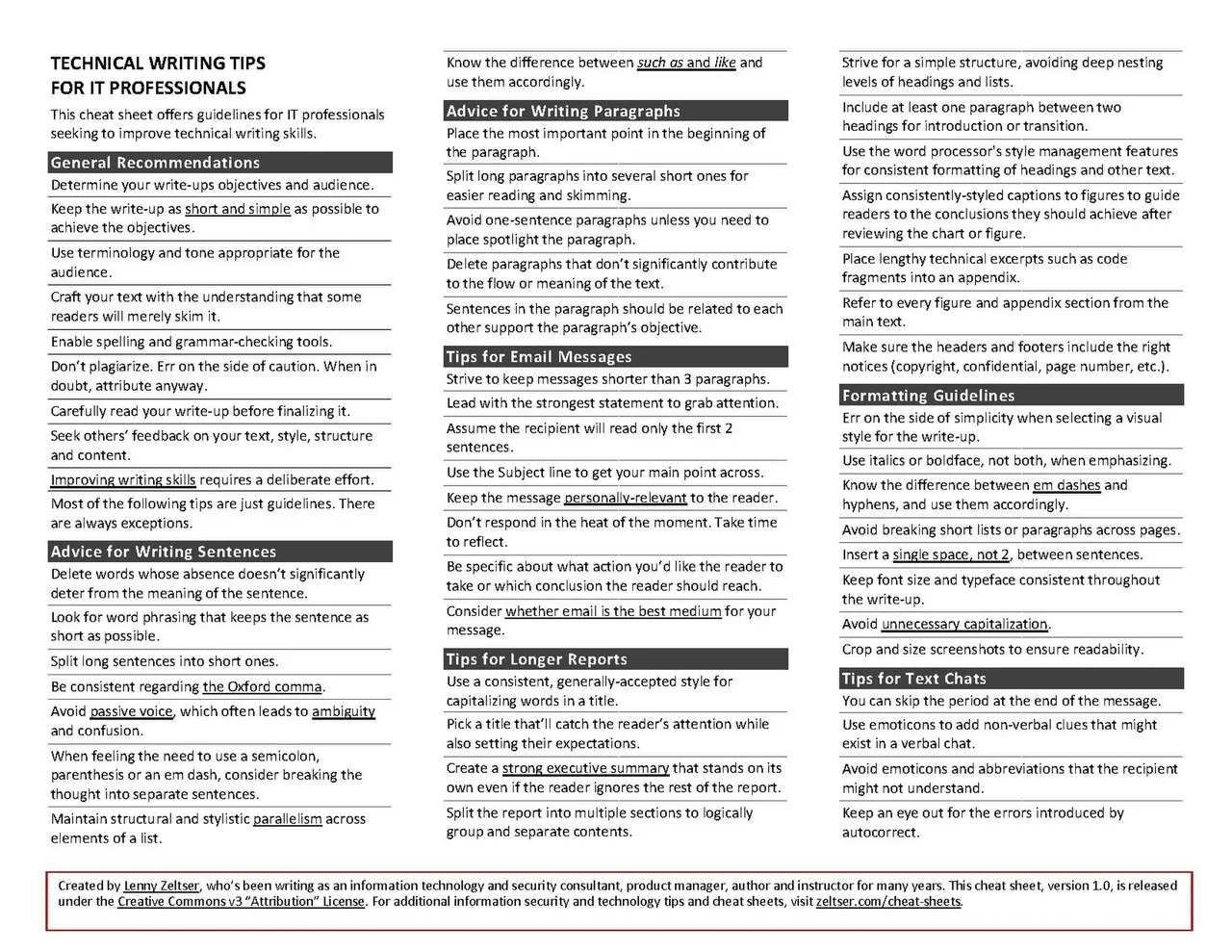
In 1946, George Orwell wrote "Politics and the English Language," laying out six rules for clear writing.[1]
His most famous: "Never use a long word where a short one will do." He produced the essay on a manual typewriter with no spell check, no grammar suggestions, and no AI assistance. His prose remains a standard of clarity.
The observation is instructive: writing tools do not produce clear writing.[3] Writers produce clear writing.
Tools reduce friction, catch errors, and provide information - but the cognitive work of deciding what to say, how to structure an argument, which word is most precise, and how to earn a reader's attention belongs entirely to the writer.[2]
This distinction matters because writing tool selection is frequently treated as a substitute for writing skill development, when it is actually a complement to it.
With that caveat established: the right writing tools, used by writers who already understand their craft, produce meaningfully better output at meaningfully lower cost.
This article examines the major categories of professional writing tools, the problems each is designed to solve, and the principles for integrating them into a writing workflow without producing tool dependency.
"Writing tools do not produce clear writing. Writers produce clear writing.
Tools reduce friction, catch errors, and provide information - but the thinking belongs entirely to the writer." The professionals who rely most heavily on writing tools are rarely the clearest writers; the clearest writers tend to use the simplest tools.
| Writing Stage | Primary Need | Appropriate Tools | Tools That Harm This Stage |
|---|---|---|---|
| Thinking and planning | Low friction, no structure pressure | Whiteboard, physical notebook, voice memo | Complex outliners with elaborate hierarchy |
| Drafting | Forward momentum; no interruptions | iA Writer, Ulysses, plain text | Grammar checkers underlining mid-sentence |
| Structural editing | Document overview; section visibility | Word outline view, Scrivener, Google Docs headings | Paragraph-level editing tools |
| Prose editing | Flagging clarity and concision candidates | Hemingway Editor, Grammarly, readability metrics | AI that rewrites without explaining the issue |
| Copy editing | Mechanical error detection | Grammarly, spellcheck, human proofreader | Skipping this stage entirely |
The Writing Process and Tool Alignment
Writing is not a single activity. It is a sequence of distinct activities that happen to produce a document at the end. The tools appropriate for each stage are different, and confusing stages - editing during drafting, structuring during brainstorming - is one of the most common causes of writing difficulty.
Stage 1: Thinking and planning
Before any writing begins, a writer must understand: Who is the reader? What do they need to know, and why? What is the single most important thing to communicate? What is the logical structure of the argument?
This stage does not require writing tools. It requires thinking, and the best "tool" for thinking is often the one that generates the least friction - a whiteboard, a physical notebook, a voice memo, a simple text document.
Tools with elaborate structure (outlines with five levels of hierarchy, mind maps with color coding, elaborate tagging systems) can become substitutes for the thinking they are supposed to support.
Stage 2: Drafting
Drafting is the act of converting thinking into text. The primary requirement at this stage is forward momentum - getting words onto the page without interrupting the flow to evaluate them.[4]
The writer who pauses to correct every sentence while drafting is engaged in two incompatible activities simultaneously: generating ideas and evaluating them.[9]
Tools that interrupt drafting flow are counterproductive at this stage. Aggressive grammar suggestions that underline phrases as they are typed, autocorrect that rewrites sentence fragments mid-thought, and notification-generating environments all interrupt the drafting process.
Stage 3: Structural editing
After a draft exists, the first editing pass addresses structure: Is the argument in the right order? Does the opening earn the reader's attention? Is anything redundant or out of place? This stage benefits from a view of the document that makes structure visible - outlining views, section headers, and navigation panels.
Stage 4: Prose editing
With structure established, prose editing addresses individual sentences: Are they clear? Precise? Appropriately concise? This is the stage where grammar tools, style checkers, and readability metrics provide genuine value - not to make decisions for the writer, but to flag candidates for improvement.
Stage 5: Copy editing
The final pass catches mechanical errors: spelling, grammar, consistency in formatting, factual accuracy in specific claims. This is the stage where automated tools provide the most obvious value, because they can scan for error patterns faster and more reliably than human attention.
Writing Environments: Where Words Are Made
The writing environment - the application where text is created - shapes the experience of drafting more than any other tool choice.
Distraction-Free Writing Applications
iA Writer, Ulysses, Hemingway Editor, and Draft are built for one purpose: creating an environment where writing happens with minimal distraction. Their interfaces are intentionally spare. There are no feature-laden toolbars, no complex formatting options, no notification panels. The screen shows words. The tools are for producing words.
iA Writer uses a markdown-based editing environment with what it calls "Focus Mode" - a feature that dims all text except the current paragraph or sentence.[6] The visual cue reinforces the behavioral constraint: work on this sentence before moving to the next.
Writers who struggle with revision-during-drafting find focus mode a useful forcing function.
Ulysses adds more organizational capability - a library of sheets that can be organized into groups and sub-groups - while maintaining a clean drafting interface.
For writers who produce large volumes of related content (chapters of a book, series of articles, consistent documentation), Ulysses's organizational model is more useful than iA Writer's simpler document model.
Example: Ryan Holiday, author of The Obstacle Is the Way and multiple other books, has written publicly about using straightforward writing environments to minimize the temptation to format and polish before substance is established.
His process separates the physical writing environment (a distraction-free desktop application) from the organizational environment (a note card system for structure) - matching tool to function rather than attempting one tool to serve all writing stages.
Full-Featured Document Editors
Microsoft Word and Google Docs are the industry-standard document editors for professional contexts - not because they are the best writing environments, but because they are universal. Documents produced in Word or Google Docs can be shared, commented on, and co-edited by virtually anyone in a professional environment.
Microsoft Word retains advantages in:
- Track changes and review workflow (the most sophisticated review mechanism in any document editor)
- Advanced formatting for structured documents (reports, proposals, formal correspondence)
- Integration with enterprise document management systems
- Offline availability and performance with large documents
Google Docs excels at:
- Real-time collaborative editing (multiple people editing simultaneously with visible cursors)
- Accessibility from any device without software installation
- Comment and suggestion workflows integrated with Google Workspace
- Version history that is automatic and granular
The professional writer needs to be fluent in both - not because both are superior writing environments, but because the choice is often made by the person or organization they are writing for, not by the writer.
Specialized Long-Form Writing Environments
Scrivener is the dominant tool for long-form writing - books, dissertations, screenplays, long-form journalism. Its architecture is designed around the problem that does not exist for short documents but dominates long-form work: managing a large, complex document while keeping the whole in view while working on parts.
Scrivener's core model divides a document into an indefinite number of "scenes" or "sections" that can be rearranged, combined, and compiled into a final document.[7] A novelist can work on chapter twenty while keeping the outline of all forty chapters visible.
A researcher can work on a literature review section while keeping the complete structure of a dissertation visible in the binder.
For writers who produce primarily short-form professional documents (reports, proposals, memos, emails), Scrivener is unnecessary overhead. For writers producing book-length work, it solves problems that standard document editors handle poorly.
Grammar and Style Tools: The Right Role
Grammarly, Hemingway Editor, ProWritingAid, and LanguageTool are the major grammar and style assistance tools. Each has a different design philosophy.
Grammarly is the broadest: it catches spelling errors, grammatical mistakes, punctuation errors, and provides style suggestions (clarity, engagement, delivery).[5] Its integration with browsers, email clients, and common writing environments makes it ubiquitous.
For writers whose first language is not English, or whose grammar confidence is low, Grammarly's mechanical error detection provides real value.
The risk of Grammarly is the same as the risk of any automated style suggestion: the tool's suggestions reflect its training data, which reflects a statistical average of acceptable professional writing.
Writing that is deliberately unconventional - that breaks grammatical rules for rhetorical effect, that uses sentence fragments for emphasis, that constructs unusual but precise sentences - will be flagged as errors by a tool calibrated to the average.
Grammarly's suggestions should be evaluated, not accepted.
Hemingway Editor provides a different kind of feedback: readability analysis.[10] It highlights adverbs (which often weaken prose), passive voice constructions (which often obscure agency), complex sentences (which often lose readers), and overall readability grade level.
Its analysis is blunt and binary - it highlights problematic constructions without explaining why they are problematic or suggesting alternatives.
The Hemingway Editor is most useful for writers who have a specific readability target (a consumer-facing document should read at a certain grade level) or who need a quantitative check that their prose is not becoming more complex than necessary.
Example: The Associated Press Stylebook, which governs style for news journalism, specifies a reading level target - most AP-style news writing is calibrated to be readable at approximately a sixth-grade reading level.
Journalists and communications professionals writing for broad audiences use readability tools like Hemingway to verify that their prose meets this standard, not because the tool makes writing decisions but because it provides a fast diagnostic.
ProWritingAid sits between Grammarly and Hemingway: more comprehensive than Hemingway, more explicitly style-focused than Grammarly, and more configurable for genre-specific conventions.
For long-form writers producing fiction or non-fiction books, ProWritingAid's in-depth analysis (including consistency reports, overused-phrase analysis, and pacing metrics) is more useful than Grammarly's general-purpose suggestions.
AI Writing Assistants: The New Variable
Since 2023, AI writing assistants have moved from curiosity to practical tool. Claude, ChatGPT, Gemini, and their integrated versions in document editors (Microsoft Copilot, Google Workspace Gemini) can now generate drafts, improve prose, restructure arguments, and produce first versions of many professional writing tasks.
The appropriate framing for AI writing tools is augmentation, not replacement: they are most valuable for tasks where a first draft exists but needs improvement, where a format or structure is needed but the content is known, or where a professional writer needs to produce volume that their individual speed cannot match.
Where AI writing tools provide genuine value:
First draft generation for structured documents: RFP responses, status reports, meeting summaries, press releases, job postings - formats where the structure is known and the content is variable. AI can produce a first draft that requires editing to be accurate and appropriate; the editing is faster than generating the draft from scratch.
Rephrasing and clarity improvement: "Make this sentence clearer" is a genuinely useful prompt when the sentence is complex or ambiguous. The AI's rephrasing is not always better, but it provides alternatives that can spark a better version.
Format adaptation: "Rewrite this technical explanation for a non-technical executive audience" is a translation task that AI handles reasonably well. The subject matter expertise required to produce the original explanation does not transfer to the format adaptation.
Brainstorming and structure: "What are the five most important considerations when evaluating X?" produces a list that may not be authoritative but provides a starting point for a writer who knows the subject well enough to evaluate the suggestions.
Where AI writing tools fail:
Accuracy: AI tools produce text that reads as accurate without necessarily being accurate. In domains where factual precision matters, AI-generated content requires verification of every claim. The fluency of AI prose is not correlated with its accuracy.
Original insight: AI tools recombine existing information. They cannot produce genuine analytical insight, original research, or novel perspectives. Professional writing that requires an expert's judgment about what the evidence means cannot be delegated to an AI tool.
Voice and personality: The most distinctive professional writers have a recognizable voice - a way of framing problems, choosing words, and structuring arguments that reflects their perspective. AI tools produce generic, appropriate prose. They do not produce voice.
Research on Writing Tool Effects and Professional Writing Performance
The cognitive science of writing provides empirical grounding for tool selection decisions, moving beyond personal preference toward evidence about which tool configurations support or hinder professional writing performance.
Ronald Kellogg (Professor of Psychology at Saint Louis University) has studied the cognitive architecture of writing for three decades.
His 1994 book The Psychology of Writing and subsequent research establish that writing involves three distinct cognitive processes operating in parallel: planning (generating content and structure), translating (converting plans into language), and reviewing (evaluating and revising produced text).
Kellogg's research on writing found that outlining before drafting improved the quality of the resulting text.
The finding validates tools that support planning as a separate stage from drafting.
Naomi Baron (Professor of Linguistics Emerita at American University and author of Words Onscreen: The Fate of Reading in a Digital World, 2015) conducted research comparing reading comprehension and writing quality between paper and screen environments.
Her studies found that writers doing structural editing - evaluating the logical flow and organization of a draft - were significantly more effective when working with printed text than onscreen text, identifying more organizational problems.
Baron's research suggests that for structural editing passes, printing drafts before editing may produce better outcomes than relying solely on screen-based editing environments.
What writing researchers now call the "revision trap" was identified in the cognitive process research of Linda Flower and John R. Hayes (Carnegie Mellon University) in their landmark 1981 cognitive process model of writing published in College Composition and Communication.
Flower and Hayes found that expert writers moved fluidly between planning, drafting, and revising at the sentence level, while novice writers became trapped in sentence-by-sentence revision loops that interrupted the generation of new content.
Their research provides the theoretical basis for the advice to disable grammar-checking tools during drafting: real-time suggestions from tools like Grammarly trigger the revision cognitive process at the moment drafting requires forward momentum, replicating the novice writer trap in experienced writers.
Stanford University's writing research group, led by Andrea Lunsford (Professor Emerita of Writing and Rhetoric), conducted the Stanford Study of Writing (2001-2006), following 189 students through their college years and analyzing roughly 15,000 pieces of writing, focused on how student writing develops rather than on tool environments.
The BBC has documented its internal writing standards evolution, including its adoption of readability tools as part of editorial workflow. Some newsrooms use readability tools such as Hemingway Editor as a benchmark for web content.
Plainer content tends to hold readers' attention better, though published figures vary.
The BBC's implementation demonstrates that readability tools used as diagnostic benchmarks - rather than as prescriptive editors - improve measurable audience engagement.
Evidence on AI Writing Assistance: Capability, Limitations, and Appropriate Use
Controlled research on AI writing tool effectiveness has moved from speculation to empirical measurement, with specific findings about where these tools improve outcomes and where they introduce risk.
A 2023 study by Noy and Zhang in Science (2023) of 453 college-educated professionals found that those using ChatGPT completed writing tasks about 40 percent faster, with output quality rated about 18 percent higher.
The study also found that AI assistance raised rated quality, and that it reduced inequality between workers.
AI tools can help with editing and rephrasing routine communication, but they tend to flatten original analysis and domain-specific judgment into more generic language.
The New York Times and The Washington Post have both published internal style guidance on AI writing tool use for journalists, which serves as a real-world application framework. Both organizations permit AI tools for research assistance, transcription, and copyediting but prohibit AI-generated draft content in news reporting.
The rationale published by the Times: AI-generated prose lacks the epistemic accountability of a journalist who can verify every factual claim, resulting in a quality degradation in the accuracy dimension that readers cannot detect from prose style alone.
The policy reflects empirical evidence that fluency and accuracy are not correlated in AI outputs.
Grammarly's own research (2022 "State of Business Communication" report), reported that clear, correct business writing is associated with better communication outcomes.
The correlation validates grammar and style tools as predictors of communication effectiveness, though the causal interpretation requires caution - the relationship may reflect that more careful writers also communicate more clearly in ways that Grammarly does not directly measure.
ProWritingAid offers in-depth analysis reports (pacing, overused words, sentence variation) that some novelists use during revision.
Research by Dr. Mark Torrance (Professor of Psychology at Nottingham Trent University) on writing fluency and tool use found that dictation can speed up first drafting, though the size of the effect varies across studies.
The finding suggests that dictation tools - Dragon NaturallySpeaking, Apple Dictation, Google Voice Typing - are underutilized in professional writing workflows, particularly for initial drafting of content-rich documents where generating ideas quickly is more valuable than producing polished sentences.
Reference and Research Tools
Writing at a professional level requires research - finding, evaluating, and accurately citing sources. The tools that support this work are as important to output quality as the writing environment.
Zotero and Mendeley are the standard reference management tools for academic and research writing.[8] They capture citations from web sources, databases, and PDFs; organize sources into research libraries; and generate formatted citations and bibliographies automatically in any standard citation format.
For writers who regularly cite sources, the automation of citation formatting alone saves significant time and eliminates a common source of errors.
ReadWise addresses a different problem: the management of reading highlights and notes from books, articles, and PDFs.
Knowledge workers who read extensively for their work often highlight content but never review it, producing a large archive of potentially relevant material that is never retrieved when it would be useful.
ReadWise surfaces reading highlights through daily review emails, making captured knowledge more likely to be used.
Raindrop.io and Instapaper serve as read-later and research collection tools - capturing web content for reference without requiring immediate reading. For writers who encounter relevant material at unpredictable times, these tools bridge the gap between "found this now" and "can use this when I write about it later."
Integration: The Writing Workflow
The tool categories described above are most valuable when integrated into a coherent writing workflow rather than used ad hoc. A professional writing workflow explicitly assigns tools to stages.
A practical professional writing workflow:
- Capture sources into a reference manager or collection tool as they are discovered
- Plan the piece in a minimal environment - a whiteboard, a blank document, a physical notepad
- Draft in a distraction-free environment - no grammar checking, no notifications
- Structural edit with a complete view of the document - outline view, section headers visible
- Prose edit with style tools enabled - Grammarly or Hemingway to flag candidates for improvement
- Fact check every specific claim - dates, statistics, names, attributions
- Copy edit with a fresh read, optionally using mechanical error checking
- Format and submit in the appropriate final format
AI tools fit between stages 2 and 3 - they can assist with planning and structure, or provide first-draft alternatives to work from, but they should not replace the substantive stages where the writer's expertise is applied.
The workflow principle is the same as the tool principle: match the tool to the task, and do not let tool capability substitute for the judgment the task requires.
For related frameworks on the quality of professional writing, see writing for clarity and editing for precision.
Sources & Further Reading
- Orwell, G. "Politics and the English Language." Horizon, April 1946. View source
- Pinker, S. The Sense of Style: The Thinking Person's Guide to Writing in the 21st Century. Viking, 2014. View source
- Zinsser, W. On Writing Well: The Classic Guide to Writing Nonfiction. HarperCollins, 2006. View source
- King, S. On Writing: A Memoir of the Craft. Scribner, 2000. View source
- Grammarly. "How Grammarly Works." Grammarly.com, 2024. View source
- iA Writer. "iA Writer for Focused Writing." ia.net, 2024. View source
- Scrivener. "Literature & Latte: Scrivener." Literatureandlatte.com, 2024. View source
- Zotero. "Zotero: Your Personal Research Assistant." Zotero.org, 2024. View source
- Lamott, A. Bird by Bird: Some Instructions on Writing and Life. Anchor, 1995. View source
- Hemingway Editor. Hemingwayapp.com, 2024. View source
Further Reading
- Strunk, W. & White, E. B. The Elements of Style. Pearson, 2000. View source