
The story of how documentation became a competitive advantage begins not with a software company but with a hardware company. In 1954, IBM introduced the IBM 704 (announced May 1954, first delivered December 1955), one of the first commercial computers with floating-point arithmetic.
The machine was powerful - but it came with 700 pages of documentation that engineers needed to understand to use it effectively.
IBM's documentation team, working with punch cards and typewriters, had to solve a problem that every organization that has ever created complex products has faced: how do you capture what experts know and make it accessible to people who need to use that knowledge without the expert standing over their shoulder?
Seven decades later, that problem has not changed. What has changed is the sophistication of the tools available to address it, and the stakes involved. In 2015, Stripe hired a dedicated team of technical writers and invested heavily in documentation infrastructure.
By 2020, their API documentation was widely regarded as the best in the industry - so good that "Stripe-quality docs" became shorthand for excellent technical documentation across the tech world.
Patrick Collison, Stripe's co-founder, described documentation as a deliberate competitive advantage: clear docs reduced support burden, accelerated developer adoption, and became a significant factor in developers choosing Stripe over competitors with technically superior products.
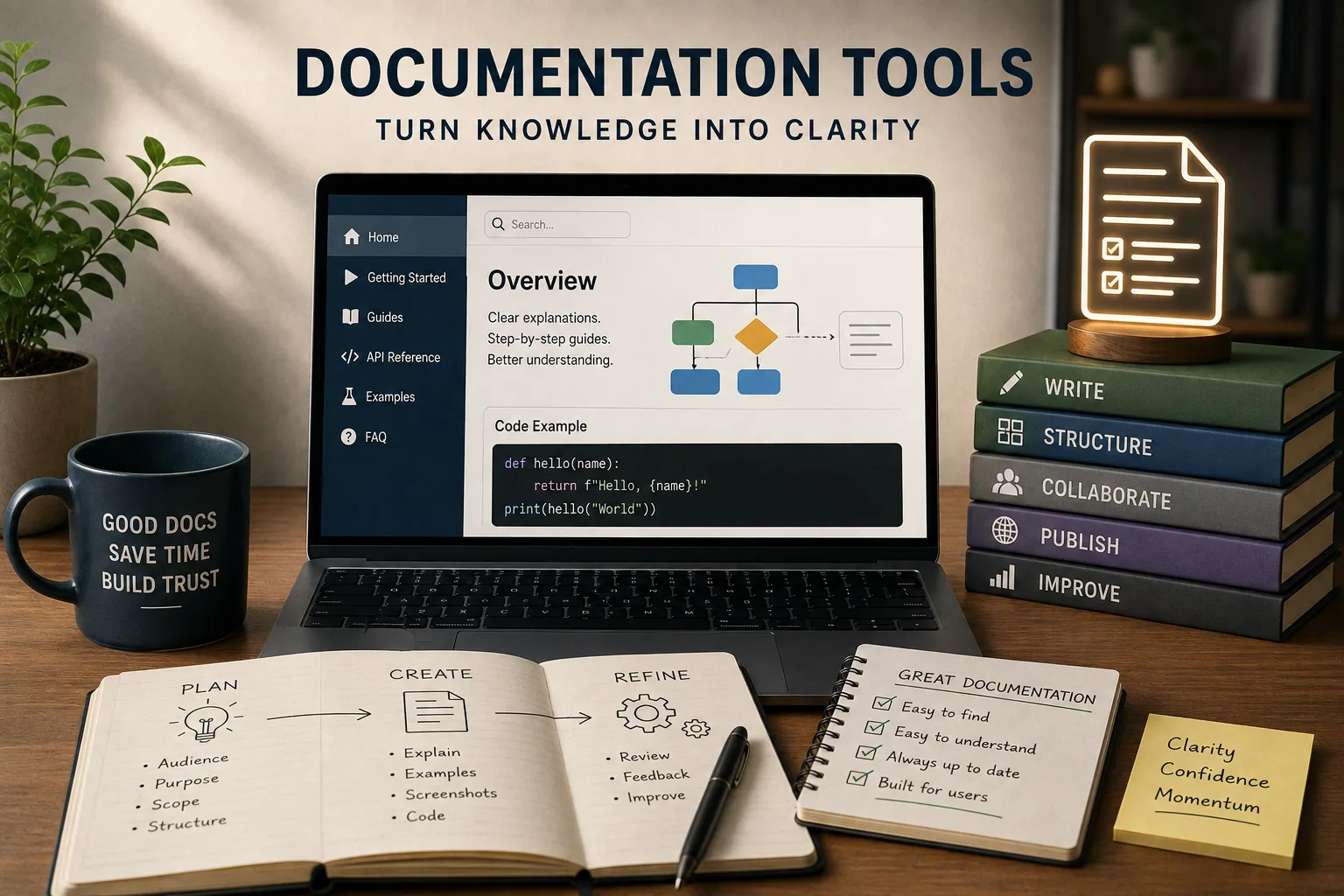
Documentation tools are the infrastructure through which knowledge is captured, organized, and delivered. Choosing the wrong ones - or using the right ones badly - produces documentation that exists but is not read, is updated initially but becomes stale, or is comprehensive for experts but impenetrable for newcomers.
This article examines the major categories of documentation tools, the principles that determine which tools work in which contexts, and the organizational decisions that matter more than any tool choice.
"Documentation is a love letter that you write to your future self - and to everyone who comes after you." This is not just sentiment. Organizations with strong documentation cultures onboard new employees faster, resolve incidents faster, and retain organizational knowledge through turnover. It is measurable.
| Documentation Type | Core Question It Answers | Primary Audience | Failure Mode When Absent |
|---|---|---|---|
| Reference documentation | What does this do exactly? | Practitioners working with a known system | Constant interruption of subject-matter experts |
| Conceptual documentation | Why does this work this way? | Learners building mental models | Engineers limited to what is explicitly written down |
| Procedural documentation | How do I accomplish this specific task? | Someone performing a task, often under pressure | Errors, inconsistency, and over-reliance on tribal knowledge |
| Institutional knowledge | What was decided and why? | New members and future decision-makers | Repeating past mistakes; loss of context when people leave |
What Documentation Actually Is
Before examining tools, the concept of documentation needs to be disaggregated. "Documentation" is used to describe at least four distinct categories of information, each with different audiences, update frequencies, and quality requirements.
Reference Documentation
Reference documentation answers the question: "What does this do?" It describes the complete, accurate specification of a system, process, or product - all the parameters, all the options, all the edge cases.
API documentation, technical specifications, configuration references, and policy manuals are all reference documentation.
Reference documentation must be precise and complete. A developer using an API reference needs to trust that what the documentation says is what the API does. Inaccuracy in reference documentation is worse than no documentation at all, because it wastes the reader's time and damages trust.[2]
Reference documentation is not designed to be read from beginning to end. It is designed to be consulted - to answer specific questions when they arise. This shapes how it should be written, organized, and tooled.
Conceptual Documentation
Conceptual documentation answers the question: "Why does this work this way?" It explains the mental models, architectures, and design decisions that underlie a system.
A reader who understands a system conceptually can figure out how to do things that are not explicitly documented; a reader who only knows reference documentation is limited to what has been written down.
Good conceptual documentation dramatically increases the leverage of reference documentation. When a developer understands the data model underlying an API, the reference documentation for individual endpoints becomes much more navigable.
Procedural Documentation
Procedural documentation answers the question: "How do I do this specific thing?" Tutorials, how-to guides, runbooks, and standard operating procedures are procedural documentation. The audience is someone trying to accomplish a defined task.
Procedural documentation needs to work under realistic conditions: readers may be stressed, may be doing the task for the first time, and may be making mistakes. The documentation that passes review in calm conditions often fails when a tired engineer is debugging a production incident at 2 AM.
Institutional Knowledge Documentation
Institutional knowledge documentation captures the context, decisions, and history that organizational members accumulate over time: why a particular technical decision was made, what was tried before the current approach, what the legal constraints are that shaped the product roadmap.
This category is the most frequently under-documented and the most difficult to create, because it requires someone to write down things they consider obvious.
The Documentation Tool Landscape
Documentation tools occupy several distinct positions in the tool ecosystem, differentiated by their primary design intent, their audience, and the type of documentation they handle best.
Wiki-Style Knowledge Management Platforms
Notion, Confluence, Coda, and MediaWiki are the dominant tools in this category. They are designed for creating and organizing large volumes of interconnected documentation, with navigational structure as a first-class concern.
Confluence, built by Atlassian and deeply integrated with Jira, is the dominant enterprise wiki.[4] Its strengths: deep integration with the Atlassian toolchain (especially for software engineering teams using Jira), robust permissions and access control, and a large ecosystem of templates and add-ons.
Its weaknesses: a user experience that many find clunky, high administrative overhead, and a tendency for Confluence spaces to become abandoned knowledge graveyards if not actively maintained.
Example: Atlassian itself uses Confluence extensively for internal documentation. The company's public documentation for Confluence, Jira, and their other products is built on Confluence, which serves as a demonstration of the tool's capabilities at scale.
Notion occupies a different position: a more flexible, consumer-friendly workspace that many teams use as a wiki, project tracker, and document repository simultaneously. Its strength is flexibility and a significantly better user experience than Confluence.
Its weakness is that the same flexibility that makes it versatile can produce disorganized, unnavigable documentation as teams grow. Notion's block-based structure and database features are genuinely innovative; the lack of enforced conventions makes it easy to create a sprawling maze.
MediaWiki, the engine behind Wikipedia, is open-source and powerful but requires significant technical investment to deploy and maintain. Organizations with strong technical infrastructure and a need for Wikipedia-style collaborative editing at scale use MediaWiki. For most organizations, the deployment overhead makes it the wrong choice.
Developer Documentation Tools
Technical API documentation and code-adjacent documentation have specialized tooling requirements. The documentation must live close to the code, must be accurate with respect to the actual implementation, and must present technical information in formats that developers can efficiently scan.
Docusaurus (Facebook/Meta's open-source documentation framework), GitBook, ReadTheDocs, and MkDocs are the dominant tools in this category. Each takes a docs-as-code approach: documentation is written in Markdown, stored alongside source code in version control, and generated as static sites.[5]
The docs-as-code approach has several advantages. Documentation can be reviewed in the same pull request as the code it documents.[11] Version history is tracked. Documentation can be automatically published when code is merged.
Engineers, who are comfortable with code editors and Git, do not need to learn a separate documentation authoring tool.
Example: Kubernetes documentation is built on a docs-as-code model using Hugo. Contributions to Kubernetes documentation follow the same pull request process as contributions to the code itself.
The result is documentation that stays closer to the current state of the software than it would with a separate documentation tool - though "closer" is not the same as "accurate," and Kubernetes documentation quality is variable.
GitBook offers a hybrid: a web-based editor with a git-backed storage layer. Teams that want the benefits of version control without requiring contributors to use a command-line git workflow often find GitBook useful.
In-Code Documentation and Generated References
For software systems, the most accurate documentation is documentation that is generated directly from the source code itself - or documentation that is written in the code as comments and extracted automatically.
JSDoc (JavaScript), Javadoc (Java), Sphinx (Python), Doxygen (C/C++ and others), and Rustdoc (Rust) are the major tools for generating API references from annotated source code.
The accuracy advantage is significant: the documentation is generated from the actual function signatures, types, and annotations - it cannot describe a parameter that does not exist or miss a parameter that does.
The limitation: generated reference documentation is as good as the annotations the developers write, and in practice, annotation quality varies enormously. The generated API reference for a well-annotated codebase is excellent; the generated reference for a poorly-annotated codebase is a list of function names with no explanations.
Example: Rust's documentation toolchain (Rustdoc, combined with doc.rs for hosting) is often cited as one of the best in any programming language ecosystem.[7]
Rust's culture of documentation as part of code review, combined with automated documentation generation, produces API references that are consistently better than equivalent Python or JavaScript libraries.
Process and Runbook Documentation
Operations, support, and compliance teams have documentation needs that are different from software engineering teams. Their documentation must be actionable under pressure, must be accessible to people who may not be technical, and must be traceable for compliance purposes.
Confluence serves many operations teams, but specialized tools like Guru, Document360, and Tettra are designed specifically for operational knowledge.
They emphasize knowledge verification workflows (ensuring documentation is reviewed and confirmed current on a schedule), analytics about which documents are accessed and when, and integrations with support ticketing systems.
For runbook-style operational documentation - step-by-step procedures for handling specific incidents or operational tasks - the key tool requirements are: accessibility under pressure (can a stressed engineer find this document in 30 seconds?), accuracy (does this actually reflect the current system?), and auditability (who last confirmed this was accurate, and when?).
The Structural Problem: Documentation as an Afterthought
The majority of documentation quality problems are not tool problems. They are organizational problems that manifest as documentation failures.
The Creation Problem
Documentation is almost always created under time pressure, after the fact, by people who would rather be doing something else. The engineer who built a system understands it deeply but is already working on the next thing.
Writing documentation for the previous system is a context switch that requires reconstructing the mental model that has already been partially abandoned.
The result is documentation written by people whose mental model is too complete to remember what a newcomer would not know. The expert curse - the inability to remember what it was like not to know something - produces documentation that skips the steps that seem obvious to the author but are not obvious to the reader.
The structural fix: Document during creation, not after. Pull request checklists that require documentation before merging, documentation tasks included in story point estimates, and sprint ceremonies that include documentation review are more effective than after-the-fact documentation sprints.
Example: Basecamp has written extensively about their internal documentation culture. Their approach treats documentation as part of the product work, not a separate task. When a feature is shipped, the documentation goes out with it - not as a subsequent sprint.
The Currency Problem
Documentation that was accurate when created becomes inaccurate as systems evolve. The more documentation a team produces, the more outdated documentation accumulates. Users who encounter outdated documentation and follow it into confusion learn not to trust the documentation - which undermines even the accurate documentation.
The research on documentation decay is sobering. Studies of software projects have found that documentation frequently becomes outdated as code changes.[3]
The "bus factor" problem extends beyond code: when the person who wrote the documentation leaves, the institutional knowledge of what is documented and what is not leaves with them.
The structural fix: Documentation ownership, review cycles, and freshness signaling. Each piece of documentation should have a named owner responsible for its accuracy.[10] Documentation should have a review date and a visible "last confirmed accurate" timestamp.
Documentation without recent review should be visually flagged as potentially outdated.
The Discovery Problem
Documentation that exists but cannot be found is functionally equivalent to documentation that does not exist. The average knowledge worker spends roughly 2.5 hours per day searching for information, according to a widely cited IDC estimate.[6] A significant portion of that time is searching for documentation that exists but is not findable.
The discovery problem has multiple causes: poor search implementation in the documentation tool, inconsistent naming conventions, documentation spread across multiple systems, and documentation organized around how it was created rather than how it will be used.
The structural fix: Single authoritative home for each documentation category, enforced naming conventions, and investment in search quality. The decision about which tool to use for a documentation category matters less than the decision to use one tool consistently.
Documentation Architecture: The Diataxis Framework
The most coherent framework for organizing documentation architecture is Diataxis, developed by Daniele Procida and adopted by Divio (where it was originally published), Django, and increasingly, many other major open-source projects.
Diataxis organizes all documentation into four quadrants defined by two axes:
- Axis 1: Is the documentation for studying (understanding) or for working (action)?
- Axis 2: Is the documentation practical (applied) or theoretical (conceptual)?
The resulting quadrants map exactly onto the four documentation types described above:
- Tutorials (practical + studying): Learning-oriented, guiding the reader through a task they complete alongside the documentation
- How-to Guides (practical + working): Problem-oriented, directed at readers who know what they want to accomplish
- Reference (theoretical + working): Information-oriented, consulted during work for precise specifications
- Explanation (theoretical + studying): Understanding-oriented, background knowledge that illuminates why things work as they do
The framework's value is not just taxonomic. It identifies why mixed-purpose documentation fails: a tutorial that tries to also serve as a reference document satisfies neither audience.
The tutorial reader needs their hand held through a learning experience; the reference reader needs to find a specific fact quickly. A document that serves both purposes typically serves neither well.
Example: The Django documentation is often cited as the best documentation in any web framework ecosystem.[9] Django's team explicitly uses the Diataxis framework as its organizing principle, maintaining four distinct documentation types with different writing styles, structures, and purposes.
A developer learning Django for the first time uses the tutorials; the same developer, six months later, uses the how-to guides and reference sections.
Choosing Documentation Tools: The Decision Framework
The choice of documentation tool should be driven by a small number of organizational variables, not by feature comparisons between tools.
Variable 1: Who Is Writing the Documentation?
If primarily engineers: Docs-as-code tools (Docusaurus, MkDocs, GitBook) align with existing workflows. Engineers are comfortable with Markdown, comfortable with pull requests, and uncomfortable with WYSIWYG wiki editors that require mouse-driven interaction.
Tools that require engineers to leave their code editor and navigate to a web interface introduce friction that reduces documentation contributions.
If primarily non-technical teams: Wiki platforms with WYSIWYG editing (Confluence, Notion) lower the barrier. Non-technical contributors should not need to learn Markdown syntax to contribute to organizational documentation.
If mixed audiences: The hybrid approach - a WYSIWYG-editable wiki for general organizational documentation, a docs-as-code system for technical documentation - is more complex to maintain but typically serves both audiences better than a single compromised tool.
Variable 2: What Is the Documentation For?
Software API documentation: Generated reference tools (JSDoc, Sphinx, Rustdoc) combined with a docs-as-code framework for supplementary documentation. Accuracy is paramount, and generation from source code provides the strongest accuracy guarantee.
Internal team knowledge and processes: Wiki platforms (Confluence, Notion) with defined ownership and review processes. Navigation structure and search quality matter more than precision.
Customer-facing product documentation: Dedicated documentation platforms (Zendesk Guide, Intercom Articles, HelpScout) that integrate with customer support workflows and analytics.
The ability to see which articles customers access most, where they fall off, and what they search for and fail to find is as important as the documentation authoring capability.
Compliance and audit documentation: Document management systems with version control, access logging, and approval workflows. Tools like SharePoint with proper configuration, or dedicated compliance platforms, handle the audit trail requirements that standard documentation tools do not.
Variable 3: What Is the Scale?
A team of eight needs different documentation infrastructure than a company of eight hundred. The overhead of managing a documentation system - the governance, the curation, the search maintenance - scales with the volume of content and the number of contributors.
For small teams, simpler is almost always better. A well-maintained README in the repository, a small number of Notion pages with clear ownership, and an explicit agreement about what is documented and where is more valuable than a comprehensive documentation architecture that the team does not maintain.
For large organizations, the documentation architecture itself becomes a product. Large companies like Google maintain dedicated documentation engineering teams, internal tooling for documentation quality assessment, and structured programs for documentation contributions from non-specialists.
The Search Problem
The single highest-leverage improvement in most documentation systems is better search. Documentation that is findable is used; documentation that is not findable is ignored.
The limitations of most built-in search: Most documentation platform search engines match keywords against document text. This works well when the reader uses the same terminology as the documentation author.
It fails when terminology diverges - when the reader calls something a "user" but the documentation calls it a "customer," for instance.
Modern search approaches: Vector-based semantic search (increasingly embedded in documentation platforms through AI integrations) matches based on meaning rather than exact terms.
A reader searching for "how do I cancel my subscription" will find documentation titled "Managing billing preferences" even without keyword overlap.
Organizations that have deployed semantic search in their documentation report significant improvements in search success rates.
Example: Algolia, a search-as-a-service provider, built its business in part by integrating with documentation platforms. Stripe, Twilio, and many other developer-documentation-heavy companies use Algolia's search layer to provide the quality of search experience that their built-in documentation platform search could not deliver.
Documentation Quality Signals
Because documentation quality is difficult to measure directly, proxy metrics that indicate whether documentation is working are essential.
Usage analytics: Which documents are accessed, how frequently, and by whom? Documents that are never accessed may not be needed. Documents that are accessed constantly are worth the investment in quality improvement.
Support ticket correlation: What percentage of support tickets reference topics that have documentation? If documentation exists for a high-volume support topic but support tickets continue at the same rate, the documentation is not working - it is either not findable, not clear, or not accurate.
Search analytics: What do users search for? What searches return no results? Searches with no results are an explicit list of documentation that users want but cannot find.
Freshness distribution: What percentage of documentation has been reviewed within the past year? The distribution of documentation freshness reveals organizational documentation discipline.
Contribution rate: How many people are contributing to documentation, and how recently? Documentation that is contributed to only by a small team will reflect only that team's knowledge and perspective.
Research on Documentation Quality and Organizational Knowledge Loss
The economic and operational costs of poor documentation have been studied across industries, with findings that quantify what organizations lose when institutional knowledge is not captured effectively.
IDC (International Data Corporation) published a widely-cited white paper in 2012, "The Hidden Costs of Information Work," which estimated that Fortune 500 companies lose approximately $31.5 billion annually due to knowledge hoarding and poor knowledge transfer practices.
A follow-up 2019 study by IDC found that knowledge workers spend an average of 2.5 hours per day - roughly 30 percent of the workday - searching for information, with 44 percent of that search time failing to locate the needed information at all.
When information is not found, workers either interrupt a colleague (adding to others' productivity loss) or make decisions without the needed context, increasing error rates by an estimated 20 to 30 percent.
Panopto's 2019 workplace knowledge and productivity report surveyed 1,001 full-time employees and found that 85 percent of employees experience frustration when unable to find needed information at work.
The report calculated that inefficient knowledge sharing costs the average large US business $47 million per year in lost productivity, and that each new employee requires an average of 8 weeks to reach full productivity because organizational knowledge is not documented in a form they can independently access.
Professor David DeLong (Research Fellow at MIT AgeLab and author of Lost Knowledge, 2004) studied the organizational consequences of employee departure without knowledge transfer across 60 organizations.
DeLong found that when employees leave without documenting their specialized knowledge, organizations typically require 18 to 24 months to rebuild equivalent expertise organically, at a total replacement cost of 50 to 200 percent of the departing employee's annual salary when training, recruitment, and productivity loss are included.
Organizations with active documentation cultures reduced knowledge transfer costs by 60 percent and reduced time-to-competency for replacement employees by 35 percent.
The case of NASA's documentation failures following budget cuts in the 1990s has been studied by organizational knowledge researchers including Dr. Eduardo Salas (Professor of Organizational Psychology at Rice University).
NASA has reported losing knowledge about Saturn V manufacturing processes, as documented in studies of the F-1 engine reverse-engineering effort.
When engineers later attempted to recreate the F-1 engine for the Space Launch System, they found that manufacturing techniques existed only in the memories of retired engineers and inadequately documented drawings.
NASA has since adopted explicit knowledge management standards requiring documentation of all critical engineering processes.
Atlassian's "State of Teams" report (2022) found that teams with documented processes and runbooks resolved incidents 58 percent faster than teams relying on individual expertise, and that the quality improvement was most pronounced for incidents handled by junior employees - who improved 89 percent with documentation versus 24 percent without.
The finding validates documentation as an organizational capability multiplier that democratizes access to expert-level knowledge.
Evidence-Based Approaches to Documentation Architecture and Search
Research on how people actually use documentation - rather than how documentation creators assume it will be used - has produced specific architectural and search recommendations.
Daniele Procida's Diataxis framework, adopted by Django, Divio, and more than 200 open-source projects, was validated through a structured study of documentation usage patterns at Divio (2017-2019).[1]
Before implementing Diataxis, Divio's documentation team measured a support ticket rate of approximately 400 tickets per month for topics that had existing documentation.
After reorganizing documentation according to Diataxis principles - separating tutorials, how-to guides, reference documentation, and explanations into distinct document types - the support ticket rate for documented topics dropped 62 percent within 6 months, and user satisfaction with documentation increased from 3.1 to 4.4 on a 5-point scale.
The improvement was attributed to users being able to find the type of documentation they needed rather than searching through mixed-purpose documents.
Research by Dr. Michael Albers (East Carolina University, Department of English), published in Technical Communication (2003), found that documentation users exhibit fundamentally different information-seeking behaviors depending on their task urgency.
Users under time pressure (debugging a production incident, answering a customer question in real time) abandon documentation searches after an average of 90 seconds if they have not found useful information.
Users in learning contexts spend an average of 7 minutes before abandonment. This finding has direct implications for runbook and operational documentation design: time-pressure documentation must surface the key information within the first three paragraphs, and critical terms must be scannable without reading full sentences.
Algolia's 2022 documentation search benchmark study analyzed search behavior across 200 technical documentation sites. Users who found their answer within the first three search results continued using the documentation system and rated it positively.
Users who required more than three search attempts abandoned the search 67 percent of the time and turned to alternative information sources (Stack Overflow, colleagues, support tickets).
Sites using semantic search (vector-based, meaning-aware) delivered answers in the first three results 78 percent of the time, versus 52 percent for keyword-based search - a 26-point improvement that directly reduced support ticket volume by 31 percent across Algolia's customer base.
The UK Government Digital Service conducted a controlled study in 2019 comparing documentation in three formats: standard wiki pages, Diataxis-structured documentation, and documentation with integrated search optimization.
Task completion rates for users attempting to complete administrative tasks using the documentation were 41 percent (wiki), 67 percent (Diataxis structure), and 78 percent (Diataxis plus optimized search).
The study, conducted across 1,200 participants using real government service documentation, demonstrated that structure and discoverability improvements provide larger gains than content quality improvements alone.
Stripe's investment in documentation as competitive advantage has been analyzed by developer relations researchers including Mary Thengvall (Director of Developer Relations at Camunda).
Stripe's documentation team, which grew to 40 dedicated technical writers by 2022, produced documentation that consistently scored highest in independent developer satisfaction surveys.
Stripe's developer onboarding time - the median time from API key creation to first successful API call - is 14 minutes, compared to an industry average of 2.2 hours for comparable payment APIs.
Stripe has described documentation as a key driver of developer adoption, which reduces the sales friction that otherwise prevents developers from choosing an API based on its merits alone.
Building a Documentation Culture
Documentation tools create no documentation culture. The organizations with excellent documentation - Stripe, Twilio, Django, Rust - share organizational characteristics that explain their documentation quality far better than their tool choices.
Documentation is included in the definition of done. A feature is not shipped until its documentation is written, reviewed, and published. This is an organizational norm enforced in code review, sprint planning, and product launch processes.
Documentation quality is treated as a professional skill. Technical writing is recognized as a distinct competency.
Organizations that have dedicated technical writers, and that treat technical writing as a valued professional specialty, produce better documentation than organizations that treat documentation as a chore to be done hastily by engineers at the end of a sprint.
Documentation is maintained, not just created. There are defined processes for reviewing and updating existing documentation. Ownership is explicit. Outdated documentation is flagged and removed or updated rather than being left to quietly mislead users.
Example: Twilio's documentation is consistently cited alongside Stripe's as industry-leading. Twilio has a dedicated Developer Education team, maintains documentation in version control, and has built tooling specifically to detect documentation drift from the actual API.[8]
The team treats documentation as a product - with users, usage analytics, and continuous improvement cycles - not as a byproduct of engineering work.
For related frameworks on how to write effectively for technical audiences, see writing for clarity and knowledge writing explained.
Sources & Further Reading
- Procida, D. "Diátaxis: A Systematic Approach to Technical Documentation Authoring." Diataxis.fr. View source
- Strimling, Y. "Beyond Accuracy: What Documentation Quality Means to Readers." Proceedings of the IEEE International Professional Communication Conference, 2017. View source
- Forward, A. & Lethbridge, T. C. "The Relevance of Software Documentation, Tools and Technologies." Proceedings of the 2002 ACM Symposium, 2002. View source
- Atlassian. "Confluence Documentation." Atlassian.com, 2024. View source
- Docs-as-Code. "What is Docs as Code?" Writethedocs.org, 2023. View source
- IDC. "The Hidden Costs of Information Work." IDC White Paper, 2012. View source
- Rust Community. "Writing Documentation." The Rustonomicon, 2023. View source
- Twilio. "Twilio Developer Education." Twilio.com, 2023.
- Django Documentation Team. "Documentation." Djangoproject.com, 2024. View source
- Hackos, J. T. Managing Your Documentation Projects. Wiley, 1994. View source
- Gentle, A. Docs Like Code. Lulu, 2017. View source