
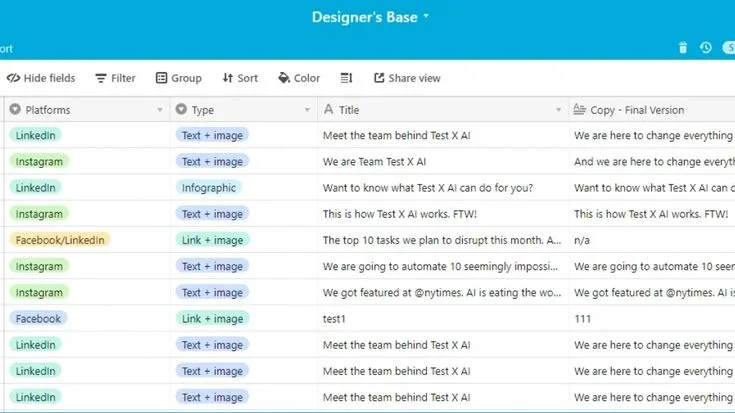
Airtable's Free plan allows 1,000 records per base. The Team plan is $20 per collaborator a month billed annually, or $24 billed monthly, and raises the limit to 50,000 records per base. Business is $45 per collaborator a month billed annually, with 125,000 records per base.[2] Airtable's pricing page lists Free, Team, Business and Enterprise Scale plans.[1]
People look elsewhere because the free plan fills up quickly, and because the paid tiers charge per collaborator. The tools below range from self-hosted databases to spreadsheet and document tools with database features.
Quick Picks
- Self-hosted with no seat limits: NocoDB, free to self-host, with cloud Plus at $12 per seat a month billed annually.[5]
- Clean interface for non-technical users: With Baserow, it is free for 3,000 rows per workspace and Premium costs $10 per user a month billed yearly.[6]
- Spreadsheet formulas on relational data: With Grist, up to 5,000 records per document are included for free. The Pro plan bills at $8 per user a month annually.[7]
- Documents and databases together: Notion, free for individuals, Plus $10 per member a month.[3]
- EU-hosted option: SeaTable is available for free up to 10,000 rows and then Plus costs 7 euros per user a month billed annually.[9]
- Formal project management: Smartsheet, Pro $9 per member a month billed yearly.[8]
Why People Look for Airtable Alternatives
Relational databases, multiple view types along with a clean interface made Airtable's design genuinely excellent. This combination turned Airtable into the no-code database tool of its era. What drives people to look for alternatives is not most often about quality. Price structure, record limits and fit are what they are about.
The free plan record limit is a hard wall. Every Airtable base on the free plan is capped at 1,000 records.[2] For simple use cases this is workable. For anything involving a real dataset (a product catalog, a client list with history, an editorial calendar spanning more than a few months), 1,000 records runs out faster than expected.
Once the limit is hit, the only options are to pay or to delete records and neither feels like a good answer for data that continues to have value.
The pricing jump is significant. Small teams and individual users face a noticeable commitment when they look at the gap between Airtable's free plan. Its first paid plan, which costs $20 per collaborator a month billed annually for Team.[2]
The Business plan at $45 per collaborator a month billed annually is expensive relative to the alternatives. A team of four on Business pays $180 a month.[2]
Automations are limited on lower tiers. Airtable's automation runs are capped at 100 per workspace a month on the free plan, 25,000 on Team and 100,000 on Business.[2] For users who want to automate notifications, data updates, or integrations triggered by record changes, the free tier automation limit is hit quickly by any active base.
Some find Airtable over-engineered. Linked records, rollups, lookups, formulas, scripting and multiple view types come together to make a powerful but complex tool.
When teams call for a simple shared table and not a relational database with many view types, Airtable brings in more surface area than is needed. Faster to learn and easier to hand off, simpler tools work better.
The per-base record limit is the more subtle problem. Record limits on the paid plans apply per base rather than per account. Team plan bases hold 50,000 records and Business plan bases hold 125,000. For projects with moderate data volumes, this is enough capacity.
When there are large datasets spread across several bases with relational links between them, the structural constraint turns into an architectural limit.
Notion
Notion is the most popular Airtable alternative for users who want a single workspace that handles both documentation and databases. It started as a document and note-taking tool and added database features that are now deep enough to serve as a genuine Airtable substitute for many use cases.
Features: Database views include table, board, gallery, list, calendar, and timeline. Database properties include text, number, select, multi-select, date, person, file, checkbox, URL, email, phone, relation, rollup, and formula. Linked databases allow the same underlying data to be shown in different views across different pages.
Templates for databases shared across the community. Real-time collaboration. Inline databases within documents. Web clipper browser extension. Mobile apps. API for custom integrations and automations.
Pricing: Free for individuals, with limited pages and blocks for workspaces of two or more members and file uploads up to 5 MB. Plus is $10 per member a month and Business is $20, with file uploads up to 5 GB. Enterprise is quoted by sales. Paying yearly saves up to 20%.[3]
Pros vs Airtable: On the free plan, a single user can hold a big database but as soon as a workspace gets two or more members, pages and blocks get limited.[3] Documentation and databases share the same workspace. That removes the context switch between Airtable and another knowledge base.
Notion Plus at $10 per member a month is half the list price of Airtable Team at $20 per collaborator billed annually.[3]
Cons vs Airtable: Notion's databases are less specialized than Airtable's for handling complex relational data work. The Gantt view (timeline) is less capable than Airtable's. To get form submissions in Notion needs workarounds or third-party tools and Airtable has a native form view.
Large Notion databases can become slow. Automations are less developed than Airtable's.
Best for: Teams that need both documentation and lightweight databases in one workspace. Knowledge management, project planning as well as team wikis that come with associated data work especially well with this.
Google Sheets
Most of the world uses Google Sheets as its default spreadsheet tool. It is also a practical Airtable substitute for anyone who needs a shared, structured table that lacks relational database features.
Features: Spreadsheets can have unlimited rows (the practical limit is about 10 million cells per spreadsheet). There is real-time collaboration that includes comments and version history. The formula language has hundreds of functions, including QUERY, IMPORTRANGE and ARRAYFORMULA. Custom automation and integrations come through Apps Script.
Validation of data for dropdown lists and data type enforcement. Conditional formatting. Charts and pivot tables. Forms can be integrated with Google Forms for collecting data. The system connects with Google Analytics, BigQuery and Google Data Studio. Third-party integrations come through Zapier, Make and native marketplace add-ons.
Pricing: Google Workspace Business Starter is listed at €6.80 per user a month, with a 14-day free trial.[4]
Pros vs Airtable: There is complete freedom and no record limits and nearly every business user knows how to work with a spreadsheet. The integration ecosystem is large and Google Forms collects data without needing another tool. A QUERY function gives SQL-like data filtering and aggregation inside a spreadsheet.
Cons vs Airtable: Sheets is a spreadsheet that does not have multiple view types and there are no gallery, kanban and calendar views. Tables do not connect natively by relation and performance suffers with very complex formulas or large datasets.
Collaboration works well for simple data entry and analysis but the system is not designed for record-level workflows as Airtable is.
Best for: Teams that mainly need a shared, structured table for data entry, simple tracking and analysis and do not need Airtable's multiple view types or relational database features.
Coda
Coda is a document-first tool that brings together rich text documents, tables and interactive application elements such as buttons, sliders, charts and conditional sections all in one workspace. It takes up a place like Notion's but with stronger formula and automation features.
Features: All tables use the same formula language as the rest of the document. A formula in a doc cell can point to a table value and the reverse is also true. The interactive elements are buttons that launch automations, sliders, pickers and conditional visibility.
Views of the same underlying table across the document. Automations triggered by table changes, form submissions, or scheduled times. Packs (integrations) for Slack, Jira, GitHub, Google Calendar, Salesforce, and dozens of others. Published documents that act as lightweight applications. Forms for external data collection.
Pricing: Coda lists its plans on its pricing page.[10]
Pros vs Airtable: Teams that want written documentation alongside their data find the document-plus-table model on one page more flexible than Airtable's structure that is purely database centric.
Consistency of the formula language throughout the document makes it easy to cross-reference between text and tables. On the Pro plan, automations are more capable than what Airtable offers in its lower tiers.
Cons vs Airtable: Table size is limited in the free plan, so check the current limit before building on it. Users who want a simple database find Coda has a steeper learning curve than Airtable does.
Less polished than Airtable's equivalents are the gallery, calendar and form views. The term row limit means something different when it comes to rows versus records.
Best for: Teams that build operational documents combining written process documentation with live data tables work best with this. That means product specs with task trackers, team wikis with project databases and business process documents with status tables.
NocoDB
NocoDB is an open-source project that provides an Airtable-style interface on top of existing databases (PostgreSQL, MySQL, SQLite, SQL Server, MariaDB). It is the leading open-source Airtable alternative for users who want no record limits and full data ownership.
Features: The product comes with grid, gallery, form, kanban, calendar and map views. It connects to existing databases or sets up a new local SQLite database. Every table gets a REST API and a GraphQL API that is auto-generated. Real-time event triggers come via webhooks and role-based access control is built in.
Formula fields. Linked records across tables in the same database. Self-hosted via Docker with a straightforward setup. Cloud version available at NocoDB.com.
Pricing: The self-hosted fair-code edition is free, with unlimited storage and users, though some premium features are cloud or enterprise only. Cloud Free covers 3 editor seats, 10 commenter seats and 1,000 records. Plus is $12 per seat a month billed annually, or $108 a month for unlimited seats, with 50,000 records. Business is 300,000 records, and Scale is $45 per seat a month billed annually with 1 million records.[5]
Pros vs Airtable: No record limits when self-hosted. Full data ownership - the data lives in your own PostgreSQL or other database. Connect NocoDB to an existing production database and immediately get an Airtable-style UI on top of it. Free forever for self-hosted deployments. The auto-generated API makes it immediately developer-usable.
Cons vs Airtable: Technical setup is needed for self-hosting that means setting up Docker, a server or local machine. Some views have an interface that is less polished than Airtable's and the cloud free tier stops at 1,000 records. Complex formula logic is less mature here than with Airtable.
Best for: Organizations that need full data sovereignty for compliance reasons and developers and technical teams who want an Airtable-like interface on their own database infrastructure with no vendor record limits.
Baserow
Baserow is an open-source, web-based database tool like NocoDB built for both self-hosting and cloud use. It has a cleaner interface than most open-source alternatives and gives strong usability focus for non-technical users.
Features: Grid, gallery, form and kanban views come built in, along with custom field types covering text, numbers, dates, files, linked table records, formulas, ratings, phone numbers, emails, URLs and single or multi-select options. Teams also get row comments for collaboration and a REST API for every table.
Webhook support and role-based permissions are built in. The software can be self-hosted through Docker and premium features including calendar view, kanban, forms and row comments need a paid license whether for self-hosting or a cloud subscription.
Pricing: Free for individuals and small teams: 3,000 rows and 2 GB of storage per workspace, with grid, form and gallery views. Premium is $10 per user a month billed yearly, or $12 billed monthly, with 50,000 rows per workspace. Advanced is $18 billed yearly, or $22 monthly, with 250,000 rows. Self-hosting is offered with the same tiers.[6]
Pros vs Airtable: Non-technical users will find the clean, modern interface more approachable than what NocoDB offers. Cloud Premium costs $10 per user monthly billed yearly and that is half what Airtable's $20 Team plan charges. Complete data ownership comes with the self-hosted version. There is active support from the open-source community and the roadmap is out in the open.
Cons vs Airtable: Several views that need a paid license, including kanban, calendar, forms and row comments, are excluded from the free self-hosted version. Each workspace on the cloud free tier is limited to 3,000 rows. The native product has fewer integrations than Airtable and integrations depend on the API.
Best for: Teams that want a clean, simple no-code database tool with self-hosting available as an option. This is especially for teams in Europe or regulated industries where data residency counts.
Grist
An open-source hybrid of a spreadsheet and database called Grist brings together the formula-based model of a spreadsheet and the relational structure of a database. Less well known than NocoDB or Baserow, it has a model that appeals to users who work in spreadsheet formulas but need relational data.
Features: Tables with formula columns that use a Python-like formula language. Relational linking between tables with lookup and summary tables. Widgets: chart, card, calendar, custom widgets. Document layout where multiple views of the same data are arranged in a dashboard page.
Self-hosted via Docker. Complex transformations get handled by Python formulas. There is a REST API. The system keeps version history and access rules cover row-level as well as column-level permissions.
Pricing: Free for small projects, with unlimited documents and up to 5,000 records per document. Pro is $8 per user a month billed annually, or $10 billed monthly, with up to 100,000 records per document. Business is $24 per user a month billed annually, or $30 monthly, with a 5-user minimum and up to 150,000 records per document. The Grist Community edition is free and open-source for your own server.[7]
Pros vs Airtable: Users who handle code well get more power from Python-like formula language than from Airtable's formula system. Documents support dashboard-style views through the document layout model that puts multiple widgets on one page and this is something Airtable does not give natively. Self-hosting is completely free and the cloud Free plan lets each document hold up to 5,000 records.
Cons vs Airtable: The learning curve is steeper - the spreadsheet-database model is unusual and takes time to internalize. The interface is less immediately approachable than Airtable's for non-technical users. Smaller community and fewer resources than Airtable.
Best for: This is best for technically comfortable users who want a powerful, free open-source database tool that has formula capabilities going beyond what Airtable's formula system gives.
Smartsheet
Smartsheet is an enterprise-oriented project and work management platform built on a spreadsheet foundation, positioned as a professional alternative to both spreadsheet tools and project management tools for large teams.
Features: The app comes with sheets that have column types, dependencies and hierarchy including parent/child rows for project plans. Gantt charts get built directly from the sheet data. There is a card view (kanban) and calendar view available too. Forms are included for collecting external data and automated workflows take care of alerts, approvals and update requests.
Reports that pull data across multiple sheets. Dashboards with charts, metrics, and embedded content. Resource management. WorkApps for building simple internal applications on top of sheet data.
Support for Microsoft 365, Google Workspace, Salesforce, Jira and more. Enterprise governance through admin controls.
Pricing: Pro is $9 per member a month billed yearly, or $12 billed monthly. Business is $19 per member a month billed yearly, or $24 monthly, for 3 or more members. Enterprise is custom.[8]
Pros vs Airtable: Formal project management that includes dependencies and Gantt charts gets handled more capably. Enterprise governance features such as admin controls, audit trails and compliance certifications are more mature than what Airtable has. At $9 per member a month on a yearly bill, the Pro plan costs less than half as much as Airtable Team's $20 per collaborator.
Cons vs Airtable: Smartsheet is more project-management oriented and less suited to the varied use cases (product catalog, CRM, editorial calendar) that Airtable manages well. It is less flexible for creative data modeling.
The grid-centric interface feels more like a complex spreadsheet than like a modern database tool. On the Pro plan, automation is less extensive than what Airtable Business offers.
Best for: This is best for enterprise teams and project managers that need formal project management features such as Gantt charts, dependency tracking and resource management along with spreadsheet flexibility.
SeaTable
SeaTable is a cloud-based no-code database tool and Airtable alternative that gives a self-hosting option and it positions itself as a privacy-respecting alternative with strong European data residency for compliance-conscious teams.
Features: Spreadsheets that have rich field types as well as table style and gallery, kanban, calendar, timeline and map views. There are forms for collecting external data and automations that trigger on data changes or schedules. Custom logic comes from JavaScript and Python scripting.
Statistics, deduplication and extra view plugins are available. The software supports self-hosted Docker deployment of the community edition. All tables have an API.
Pricing: The price is in euros and does not include VAT. Free gives coverage for up to 25 users and 10,000 rows. Plus costs 7 euros per user a month when billed annually or 9 euros monthly with 50,000 rows. Enterprise is 14 euros annually or 18 euros monthly with 100,000 rows per base and a self-hosted option is available free for up to 3 users.[9]
Pros vs Airtable: Full data ownership comes with a self-hosting option. The company is European based and that meets GDPR requirements. At the same time, the free tier gives 10,000 rows, ten times what Airtable offers for free and scripting is strong for technical users.
Cons vs Airtable: Less polished interface than Airtable. Smaller community and fewer integrations in the native product. Less known than competitors, which means fewer community templates and tutorials.
Best for: European teams and organizations that need strict data residency rules met and want an Airtable-like tool that they can self-host or host in the EU cloud.
Comparison Table
| Tool | Price | Free Record Limit | Self-Host | Relational DB | Best Strength |
|---|---|---|---|---|---|
| Airtable | $0, $20 Team, $45 Business per collaborator/mo (annual) | 1,000/base | No | Yes | Polish, views, automations |
| Notion | $0, $10 Plus, $20 Business per member/mo | Limited blocks for 2+ members | No | Limited | Docs + databases |
| Google Sheets | Workspace from €6.80/user/mo | Cell-based limit | No | No | Universality |
| Coda | See pricing page | See pricing page | No | Limited | Docs + tables + buttons |
| NocoDB | Free self-hosted, Plus $12/seat/mo (annual) | 1,000 (cloud free) | Yes | Yes | Open-source, existing DBs |
| Baserow | $0, $10 Premium, $18 Advanced per user/mo (yearly) | 3,000 rows/workspace (cloud free) | Yes | Yes | Clean UI, self-host |
| Grist | $0, $8 Pro, $24 Business per user/mo (annual) | 5,000/document (cloud free) | Yes | Yes | Formulas, open-source |
| Smartsheet | $9 Pro, $19 Business per member/mo (yearly) | See pricing page | No | Limited | Enterprise project mgmt |
| SeaTable | 0, 7 euros Plus, 14 euros Enterprise per user/mo (annual) | 10,000 (cloud free) | Yes | Yes | GDPR, EU hosting |
Who Should Switch Away from Airtable
Switch to NocoDB or Baserow if the primary reason for looking is the free tier record limit and you are comfortable with self-hosting or the low-cost cloud tiers. These tools provide Airtable-style interfaces without the per-base record caps that make Airtable's free tier impractical for real projects.
Notion is the switch to make if you find yourself going back and forth between Airtable for data and another tool for documentation. The model in Notion unites these in one workspace at a lower cost.
When your actual use case calls for a shared structured table for data entry and basic analysis without multiple view types, relational linking or record-based automations, move to Google Sheets. Sheets is free, universal and fast for that task.
Switch to Coda if you are building operational documents where documentation and interactive data tables need to live together, and you want the document to behave like a lightweight application.
Who Should Stay with Airtable
If you have built complex bases with many linked tables, rollups and custom views that actively drive how your team works, stay. Moving from a well-built Airtable base to any alternative comes with real migration cost. Field types map differently, linked record logic has to be rebuilt and automations need to be recreated.
Stay if you rely on Airtable's form view for external data collection - it is one of the most polished form-to-database experiences in any no-code tool.
Stay if you are on a team where multiple non-technical people manage data and value Airtable's interface quality and the large community of templates and tutorials that makes onboarding easier.
For teams where projects sit comfortably below the paid plan limits, Airtable is a genuinely excellent tool. The polish and ecosystem justify the cost and teams find that to be true.
For teams building operational workflows around their data, the alternatives to Zapier for workflow automation is directly relevant for connecting Airtable or its alternatives to the rest of your toolstack.
When your database work overlaps with document creation and writing, the alternatives to Notion AI for writing assistance covers the writing layer that most often goes alongside knowledge databases.
Sources and Further Reading
- Airtable. Pricing. Checked 17 November 2026.
- Airtable. Plans overview (Help Center). Checked 17 November 2026.
- Notion. Pricing. Checked 17 November 2026.
- Google. Workspace pricing. Checked 17 November 2026.
- NocoDB. Pricing. Checked 17 November 2026.
- Baserow. Pricing. Checked 17 November 2026.
- Grist. Pricing. Checked 17 November 2026.
- Smartsheet. Pricing. Checked 17 November 2026.
- SeaTable. Prices. Checked 17 November 2026.
- Coda. Official site.