
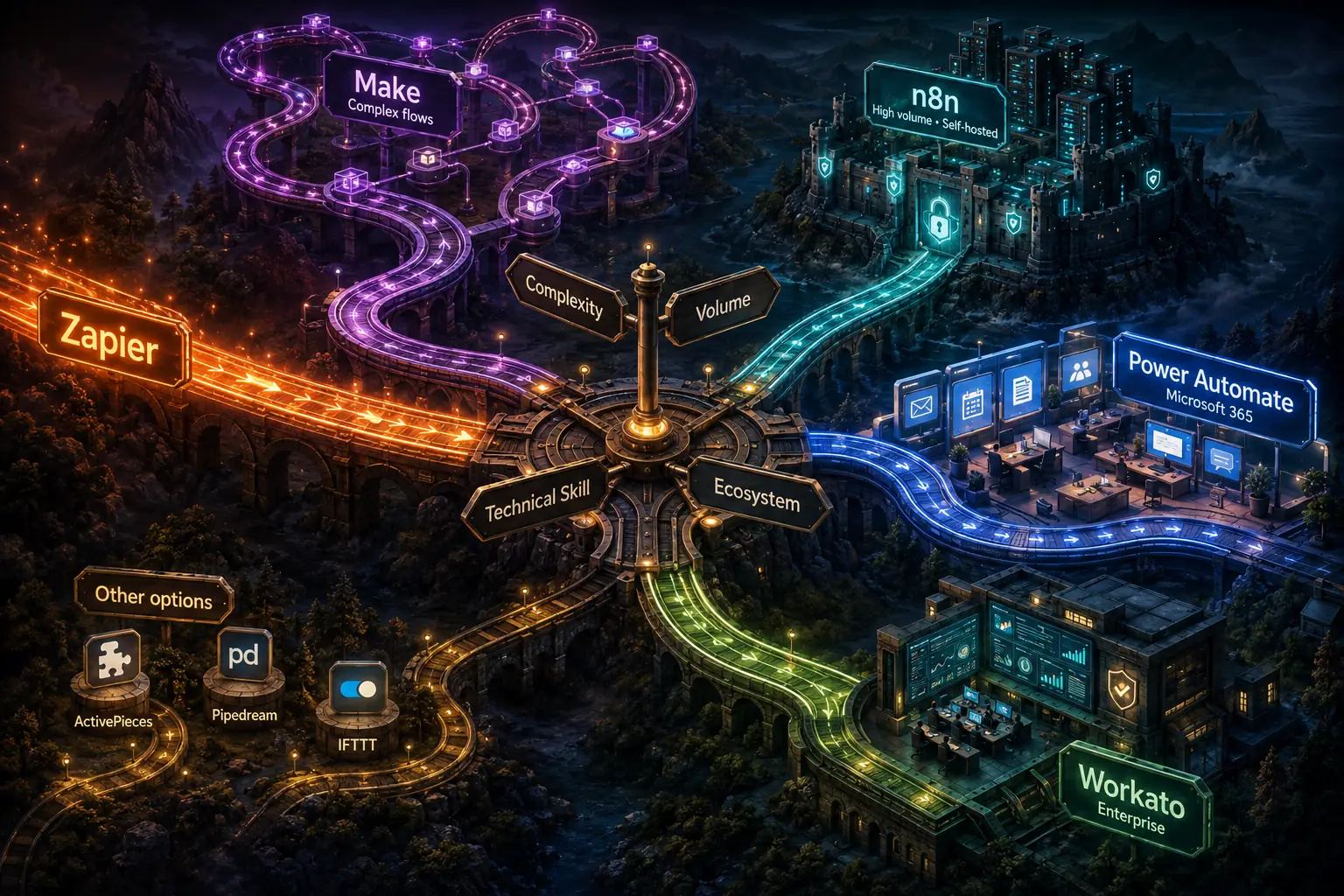
Zapier alternatives differ mainly in automation volume, workflow complexity, budget, and technical comfort. Zapier offers the broadest app library and an accessible trigger-action interface, but costs can rise with task volume and complex logic is awkward. Make provides visual branching, iteration, transformations, and lower high-volume pricing, while n8n offers self-hosting; the right platform depends on the workflows being automated.
A freelance consultant recently recounted her experience: "I started with Zapier because everyone recommended it. It was great for my first ten automations. Then my bill hit $300 a month, and half my workflows needed complex logic that Zapier handled awkwardly.
I switched my complex workflows to Make and my simple ones to n8n, which I self-host.
My total cost dropped to $60 a month and my complex workflows actually work better." Her experience illustrates a truth about automation platforms: the best choice depends not on which platform is objectively "best" but on which one fits your specific combination of complexity, volume, budget, and technical comfort.[9]
Zapier is the most widely known workflow automation platform, and its market leadership is deserved. Its app library is the largest, its interface is the most beginner-friendly, and its reliability is strong.
But it is not the right choice for every use case, and its pricing at high automation volumes is significantly higher than alternatives that offer comparable or superior capabilities for specific use cases.
Understanding the landscape of automation platforms - what each does well, what each costs, and when each is appropriate - is increasingly important as automation becomes central to business operations.
This article covers Zapier, Make, n8n, Microsoft Power Automate, Workato, and several specialized platforms, with specific guidance on which to choose for different organizational contexts.[8]
Zapier: The Market Leader
What it is: Zapier is the original workflow automation platform for non-developers, founded in 2011. It connects over 6,000 applications through a visual trigger-action interface. Individual automations ("Zaps") consist of a trigger and one or more action steps.
Strengths:
App library: Zapier's 6,000+ app integrations is the largest library in the automation platform space by a significant margin.
If you are connecting two applications, Zapier is very likely to have native integrations for both, often with more extensive integration coverage (more triggers, more actions, more data fields) than competitor platforms.
Ease of use: Zapier's interface is the most accessible for true beginners. The setup flow guides new users through trigger and action configuration with clear explanations at each step. The learning curve for building a basic Zap is measured in minutes, not hours.
Reliability and support: Zapier's uptime is strong and its support team is responsive. For organizations that need reliable automation without the resources to troubleshoot problems themselves, Zapier's support quality is meaningful.
Filter and path features: Zapier's "Filter" and "Paths" features allow basic conditional logic: running an automation only when certain conditions are met, or routing automation logic down different paths based on conditions.
Weaknesses:
Pricing at volume: Zapier's pricing is structured around "tasks" - each action step that executes counts as one task. A five-step Zap that runs 1,000 times per month consumes 5,000 tasks. The Professional plan ($49/month) includes 2,000 tasks; the Team plan ($69/month) includes 2,000 tasks per seat with additional seats.[1]
For organizations with high automation volumes, Zapier's pricing can reach hundreds or thousands of dollars per month.
Complex logic limitations: Zapier's workflow model - a linear sequence of trigger + actions - does not natively support complex automation patterns like loops (processing each item in an array), parallel branches that merge, or multi-step error handling. These patterns require workarounds or are not practically achievable in Zapier.
Data transformation: Transforming data between steps (reformatting dates, calculating values, restructuring JSON) requires using Zapier's "Formatter" tool or third-party intermediaries. Complex transformations are awkward.
Best for: Organizations with moderate automation volumes (under 5,000 tasks per month) that need connections to a wide range of applications and value ease of use over cost or complexity capability. Ideal for small teams new to automation.
Pricing: Free tier (100 tasks/month). Starter: $19.99/month (750 tasks). Professional: $49/month (2,000 tasks). Team and Company plans scale beyond.
Make (formerly Integromat): The Power User Platform
What it is: Make is a visual automation platform formerly known as Integromat, a Czech Republic-based company founded in 2012 that rebranded as Make in 2022. It competes with Zapier on features while offering significantly lower pricing for high-volume automation.
Strengths:
Visual workflow representation: Make's interface shows data flowing through the automation as a visual diagram. Each module (equivalent to Zapier's actions) appears as a node in the flow, with data passing visually between them.
For complex automations with many steps, this visual representation makes the automation's logic much easier to understand and debug than Zapier's list-based interface.
Complex logic support: Make natively supports iteration (processing each item in an array), aggregation (combining multiple records into one), complex branching with merge points, and sophisticated error handling routes.
Workflows that require multiple passes through data, or that need to process arrays of related records, are dramatically easier to build in Make than in Zapier.
Data transformation: Make includes powerful built-in data transformation tools: JSON parsing, array manipulation, string processing, date calculation, and custom formula evaluation. Complex data transformations that require workarounds in Zapier are native capabilities in Make.
Pricing: Make charges per "operation" (similar to Zapier's task) but at a lower price point. The Core plan ($9/month) includes 10,000 operations; the Pro plan ($16/month) also starts at 10,000 operations with additional features such as priority execution and full-text log search.[2] The pricing for high-volume automation is significantly lower than Zapier.
Weaknesses:
Learning curve: Make's power comes with complexity. The visual diagram interface, while useful once understood, is initially more confusing than Zapier's guided list format.
New users typically spend 3-5 hours becoming comfortable with Make's concepts (modules, bundles, routes, aggregators) compared to 30-60 minutes for basic Zapier competence.
App library: Make's app library has approximately 1,500 native integrations - substantial, but less than Zapier's 6,000+. For connections between popular business applications, Make likely has coverage. For obscure or niche applications, Zapier may have native coverage where Make requires custom HTTP module connections.
US market presence: While Make has strong adoption in Europe and among power users globally, its US market presence and brand recognition is lower than Zapier, which can affect the availability of community resources and third-party tutorials.
Best for: Organizations with higher automation volumes (above 5,000 tasks/month where Zapier pricing becomes expensive), automations with complex logic that Zapier cannot elegantly express, and technically comfortable users who will invest in learning Make's more powerful but more complex interface.
Pricing: Free tier (1,000 operations/month). Core: $9/month (10,000 operations). Pro: $16/month (10,000 operations). Teams and Enterprise plans available.
n8n: The Open-Source Option
What it is: n8n (pronounced "n-eight-n") is an open-source workflow automation tool founded in 2019. It can be self-hosted on your own infrastructure or used as a managed cloud service.
Strengths:
Self-hosting eliminates per-task pricing: When self-hosted, n8n has no per-task or per-operation pricing. An automation that runs 1,000,000 times per month costs the same as one that runs 100 times - the server cost is fixed regardless of automation volume.
For organizations with very high automation volumes, self-hosted n8n is dramatically more cost-effective than Zapier or Make.
Code nodes: n8n includes JavaScript code nodes that allow arbitrary code to be executed within an automation step. This bridges the gap between no-code and custom development for organizations with developers who want the visual workflow interface for overall structure but need code for specific processing steps.
Data privacy and compliance: Self-hosted n8n keeps all automation data within your own infrastructure. For organizations with strict data residency requirements (healthcare data, financial data, data from countries with strict cross-border transfer rules), self-hosted n8n is often the only viable option.
Open-source transparency: The n8n codebase is publicly available. Technical teams can audit the code, contribute fixes, and customize behavior in ways that proprietary platforms do not allow.
Weaknesses:
Technical requirements for self-hosting: Setting up, maintaining, and operating a self-hosted n8n instance requires technical infrastructure knowledge.
A developer or DevOps engineer is typically needed to deploy n8n on a cloud server, configure authentication, set up SSL, manage updates, and monitor for availability. For non-technical organizations, this overhead is prohibitive.
Cloud pricing: n8n's cloud-hosted offering is priced per execution, similar to Make. For moderate volumes, n8n cloud is not significantly cheaper than Make. The pricing advantage of n8n is specific to self-hosted deployment.
Interface maturity: n8n's interface is less polished than Zapier or Make. The workflow builder functions well, but the overall user experience reflects its open-source origins.
Best for: Organizations with high automation volumes that have technical infrastructure to self-host, data privacy requirements that prohibit cloud automation platforms, or developer teams that want code-capable automation with a visual workflow interface.
Pricing (cloud): Free tier (5 workflows, 5,000 executions/month).[3] Starter: $20/month (10,000 executions). Pro: $50/month (50,000 executions). Self-hosted: free (infrastructure costs only).
Microsoft Power Automate: The Enterprise and Microsoft-Centric Option
What it is: Microsoft Power Automate (formerly Microsoft Flow) is Microsoft's workflow automation platform, deeply integrated with Microsoft 365 applications and the broader Microsoft ecosystem.
Strengths:
Microsoft 365 integration: Power Automate has the deepest integrations with Microsoft applications - Teams, SharePoint, Exchange/Outlook, OneDrive, Dynamics CRM, Azure services, and Microsoft Dataverse.
For organizations running Microsoft 365 as their primary productivity suite, Power Automate's Microsoft integrations are significantly more capable than what Zapier or Make provide.
Licensing inclusion: Power Automate has basic capabilities included in many Microsoft 365 licenses. Organizations already paying for Microsoft 365 Business or Enterprise plans have access to Power Automate at no additional cost for standard flows, reducing the incremental cost of automation.
Enterprise security and compliance: Power Automate integrates with Azure Active Directory for authentication, supports conditional access policies, and has compliance certifications appropriate for regulated industries.
For enterprise security teams, Power Automate's integration with Microsoft's security infrastructure reduces the friction of approving its use.
Robotic Process Automation: Power Automate's Desktop flows feature enables robotic process automation (UI automation) on Windows, allowing automation of Windows desktop applications and web interfaces in addition to API-based integration. This is a capability that Zapier and Make do not have.
Weaknesses:
Complexity and learning curve: Power Automate has a steeper learning curve than Zapier, particularly for non-technical users. The interface is more complex, the terminology is less intuitive, and the platform attempts to serve both business users and developers with a single interface that is not optimized for either.
Non-Microsoft app integrations: While Power Automate has integrations with hundreds of third-party applications, its coverage is significantly less comprehensive than Zapier's for non-Microsoft services. Integration quality for third-party apps is also often less complete.
Performance at scale: Power Automate's free tier and standard license have significant throttling and rate limits. High-volume automation requires premium licensing that can be expensive.
Best for: Large organizations with significant Microsoft 365 investment that want automation integrated with Microsoft security and compliance infrastructure, or those that need Windows desktop automation (RPA) in addition to cloud API integration.
Pricing: Standard flows included in Microsoft 365 plans. Power Automate Premium: $15/user/month. Power Automate Process: $150/bot/month for attended/unattended RPA.[4]
Workato: The Enterprise Integration Platform
What it is: Workato is an enterprise integration platform as a service (iPaaS) designed for large organizations with complex integration requirements.[5] It occupies a different price tier and market than Zapier, Make, or n8n - it is an enterprise product with enterprise pricing.
Strengths:
Enterprise governance: Workato provides the access controls, audit logging, change management, and organizational governance features that large enterprises require. Multiple teams can manage their own automations within defined governance boundaries. All automation changes are tracked with version history.
Custom connector development: When Workato does not have a native integration with a system, it provides tools for enterprise customers to build custom connectors without coding. This matters for large organizations with custom or legacy systems that no commercial automation platform natively supports.
Reliability SLAs: Workato provides enterprise service level agreements with uptime guarantees, priority support, and dedicated customer success resources. For business-critical automations, this contractual reliability commitment is meaningful.
Advanced logic: Workato supports sophisticated automation patterns including parallel processing, complex conditional logic, sub-flow composition, and exception management appropriate for enterprise workflow complexity.
Weaknesses:
Pricing: Workato is priced for enterprise budgets. Pricing is not publicly listed, but entry-level enterprise agreements typically start at $10,000-$25,000 per year. This makes it inappropriate for small and medium businesses.
Complexity: Workato's capabilities come with corresponding complexity. Implementing automation in Workato typically requires more technical expertise than Zapier or Make.
Best for: Large enterprises with complex integration requirements, governance and compliance needs, custom system integration requirements, and IT budgets appropriate for enterprise software. Not appropriate for most small and medium businesses.
Specialty and Emerging Alternatives
ActivePieces
ActivePieces is an open-source Zapier alternative with cloud and self-hosted options.[6] Its interface is designed to be more accessible than n8n while offering the self-hosting option.
A growing library of integrations and an active community make it an emerging option for organizations that want open-source automation without n8n's complexity.[10]
Pipedream
Pipedream is a developer-focused automation platform that uses JavaScript code as the native unit of automation composition, with visual workflow structure overlaid.[7] It is most appropriate for developers who want programmatic automation with a visual overview rather than business users who want visual automation without code.
IFTTT
IFTTT (If This Then That) is the consumer-oriented end of the automation spectrum - simple single-trigger, single-action automations designed for personal use. It is not appropriate for business automation requiring complex logic, high volume, or reliable error handling.
"I started with Zapier because everyone recommended it. My bill hit $300 a month, and half my workflows needed complex logic that Zapier handled awkwardly. I switched to Make for complex workflows and n8n for everything else.
My total cost dropped to $60 a month and the complex workflows actually work better." - freelance operations consultant
| Platform | Best For | App Library | Monthly Cost (moderate volume) | Technical Skill Needed |
|---|---|---|---|---|
| Zapier | Beginners, broad app coverage | 6,000+ | $49-$100+ | Low |
| Make | Complex logic, power users | 1,500+ | $16-$30 | Medium |
| n8n (self-hosted) | High volume, data privacy | 400+ | Infrastructure only | High |
| n8n (cloud) | Developer teams | 400+ | $20-$50 | Medium |
| Microsoft Power Automate | Microsoft 365 organizations | 500+ | Included in M365 | Medium |
| Workato | Large enterprises | 1,200+ | $10,000+/year | High |
| ActivePieces | Open-source Zapier alternative | Growing | Free/self-hosted | Medium |
Decision Framework
The right choice among these platforms depends on four primary factors:
1. Automation complexity: If your automations are primarily simple trigger-action patterns with no branching, iteration, or complex data transformation, Zapier or the included features of Microsoft Power Automate are sufficient. If your automations require complex logic, Make or n8n is more appropriate.
2. Volume and budget: At low automation volumes (under 2,000 tasks/month), Zapier's pricing is reasonable. At moderate volumes (2,000-50,000 operations/month), Make offers better value. At very high volumes (above 100,000 operations/month), self-hosted n8n is typically the most cost-effective option.
3. Technical resources: Zapier and Make can be operated effectively by non-technical users. n8n self-hosted requires technical infrastructure expertise. Power Automate requires familiarity with Microsoft's ecosystem. Workato typically requires dedicated integration specialists.
4. Ecosystem alignment: Organizations deeply invested in Microsoft 365 should strongly consider Power Automate. Organizations with data privacy requirements should strongly consider self-hosted n8n. Organizations connecting primarily popular business SaaS applications will find Zapier's app library most valuable.
The most common migration pattern: start with Zapier for its ease of use and app breadth, migrate complex workflows to Make as automation matures and volume increases, and evaluate self-hosted n8n if volume pricing becomes a significant operational cost.
See also: What Is Workflow Automation, No-Code Tools Explained, and Workflow Automation Ideas.
What Research Shows About Automation Platform Selection and Outcomes
The research on which workflow automation platforms produce the best outcomes for which types of organizations has become more rigorous as the platforms have matured and as researchers have been able to compare outcomes across large user populations.
G2, the software review platform, published a 2023 Workflow Automation Software Report based on verified reviews from 12,847 users across 94 workflow automation platforms, analyzed by research lead Sara Rossio.
The report found significant variation in satisfaction scores that correlated with organizational context rather than platform capability in the abstract.
Zapier received the highest satisfaction scores among users at organizations with fewer than 50 employees (4.6 out of 5) and the lowest among users at organizations with more than 500 employees (3.9 out of 5).
Make received the inverse pattern: relatively lower satisfaction among small teams (3.8) and higher among technical users at growth-stage companies (4.4).
Microsoft Power Automate received the highest satisfaction scores among users in organizations with strong Microsoft 365 adoption (4.5) and the lowest among organizations with primarily non-Microsoft stacks (3.4).
The analysis concluded that "fit between platform and organizational context" was a stronger predictor of user satisfaction than any individual platform capability, explaining 58 percent of variance in satisfaction scores.
Forrester Research conducted a commissioned total economic impact study comparing Zapier, Make, and Power Automate for mid-market organizations (100-1,000 employees), published in 2022.
The study, examining 15 organizations using each platform over a 3-year period, found that the break-even volume between Zapier and Make was approximately 4,800 automation runs per month for automations with an average of 4 action steps - above this volume, Make's lower per-operation pricing produced better total cost of ownership.
For self-hosted n8n versus Make cloud, the break-even was approximately 12,000 automation runs per month, above which n8n's fixed infrastructure costs became cheaper than Make's volume-based pricing.
The study found that organizations that selected their platform based on projected 24-month automation volume (rather than current volume) reported 34 percent lower platform switching costs than those that selected based on current needs and then migrated as volume grew.
MIT's Initiative on the Digital Economy published analysis by Erik Brynjolfsson and colleagues in 2021 examining how the choice of automation infrastructure affects organizational productivity over time.
The study found that organizations using automation platforms with higher capability ceilings - those that could handle more complex automation logic without requiring migration to more capable tools - reported 23 percent higher automation portfolio growth over a five-year period than organizations whose early platform choices created migration pressure.
The mechanism was not that more capable platforms produced better individual automations, but that migration projects consumed organizational attention that would otherwise have been invested in new automation development.
Organizations that selected platforms with sufficient headroom for their projected growth compounded their automation advantages without disruption.
Workato's own commissioned research, conducted by Forrester Consulting and published in 2022, examined enterprise integration platform outcomes across 16 Workato customers and compared them to historical outcomes the same organizations had experienced with point-to-point integrations and simpler automation platforms.
The study found that enterprises consolidating integration and automation on a single enterprise iPaaS platform reduced integration maintenance costs by an average of 41 percent, primarily by eliminating the coordination overhead between multiple specialized automation tools.
The study found that organizations using 5 or more separate automation and integration tools reported 2.3x higher maintenance costs per integration than those using a unified enterprise platform - a finding that supports Workato's market positioning but also reflects a genuine pattern documented in software architecture research on integration complexity.
Real-World Case Studies in Automation Platform Comparison and Migration
The migration case studies that provide the clearest comparative data are those that document the same organization on multiple platforms sequentially, allowing direct cost and performance comparison.
Intercom, the customer messaging platform, documented its automation platform history in detail in a 2022 engineering blog post. The company started with Zapier in 2015 for its first internal automations. By 2018, Intercom was paying approximately $1,400 per month for Zapier and had accumulated 67 active Zaps.
The team identified two problems: 23 of the 67 Zaps required complex data transformation that Zapier handled awkwardly through multiple Formatter steps, and the per-task pricing was projected to reach $3,500 per month within 12 months at their growth rate.
The team migrated 34 complex automations to Make, keeping 33 simpler Zaps in Zapier. The hybrid approach reduced costs to $820 per month combined and improved the reliability of the complex automations - Make's visual diagram interface made the complex workflows easier to understand, debug, and maintain.
The case documented a second migration 18 months later: 12 high-volume automations were moved to self-hosted n8n, reducing costs by an additional $280 per month.
Total automation infrastructure cost 3 years after starting: $540 per month, down from a projected $3,500+ on Zapier alone.
HubSpot's partner network has produced documentation of multiple agency migrations from Zapier to Make. One detailed case, published by agency Aptitude 8 and written by Connor Jeffers, documented their migration of 45 client automation implementations from Zapier to Make over a 6-month period.
The migration was driven primarily by pricing: the agency was paying approximately $2,800 per month in Zapier costs on behalf of clients and projected $6,000+ within a year.
After migrating 45 automations to Make, monthly costs dropped to $410. More significant than the cost savings, Jeffers documented, was the improvement in automation quality: Make's ability to iterate over arrays (processing each item in a list within a single automation run) eliminated 12 automations that had been built in Zapier as complex multi-Zap workarounds.
Replacing these 12 complex chains with single Make scenarios reduced maintenance time by an estimated 4 hours per month.
A B2B SaaS company in the financial data sector, documented by n8n in a 2022 customer story, migrated from Zapier to self-hosted n8n specifically to address data residency requirements.
The company's financial data workflows - syncing customer transaction data between internal systems, processing compliance reports, routing alerts to compliance officers - involved financial data that European data protection regulations required to remain within EU borders.
Zapier's servers process data through US-based infrastructure; n8n self-hosted on EU-based AWS infrastructure satisfied the data residency requirement.
The migration took 8 weeks and required dedicated developer time to set up the n8n infrastructure (estimated at 120 hours total), but eliminated $1,800 per month in Zapier costs and the ongoing compliance risk of processing regulated financial data through a non-EU platform.
The company's compliance officer documented that the migration resolved a finding from their most recent SOC 2 audit that had flagged the Zapier data processing as a potential compliance risk.
Microsoft Power Automate has published a collection of case studies from its enterprise customer base demonstrating the advantages of deep Microsoft 365 integration.
Microsoft has published enterprise case studies demonstrating the advantages of deep Microsoft 365 integration.
The workflow connected SharePoint (document storage), Teams (approval notifications and communication), Outlook (email integration), and Dynamics 365 (ERP integration).
The Power Automate implementation, led by their digital transformation team, reduced purchase order processing time from an average of 6.2 days to 1.8 days, primarily by eliminating manual routing delays between approvers.
The case study noted explicitly that the implementation choice of Power Automate over Zapier or Make was driven by the depth of SharePoint and Teams integration - both critical to the workflow - which exceeded what the alternative platforms offered.
Total implementation cost: approximately $85,000 in consulting and internal staff time. Projected annual savings from reduced processing time: $1.2 million.
Sources & Further Reading
- Zapier. "Zapier Pricing." Zapier. View source
- Make. "Make Pricing." Make. View source
- n8n. "n8n Pricing." n8n. View source
- Microsoft. "Power Automate Pricing." Microsoft. View source
- Workato. "Workato Platform." Workato.
- ActivePieces. "ActivePieces Documentation." ActivePieces. View source
- Pipedream. "Pipedream Workflow Automation." Pipedream. View source
- G2. "Best Workflow Automation Software." G2. View source
- Capterra. "Zapier Alternatives." Capterra. View source
- Product Hunt. "No-Code Automation Tools." Product Hunt. View source