
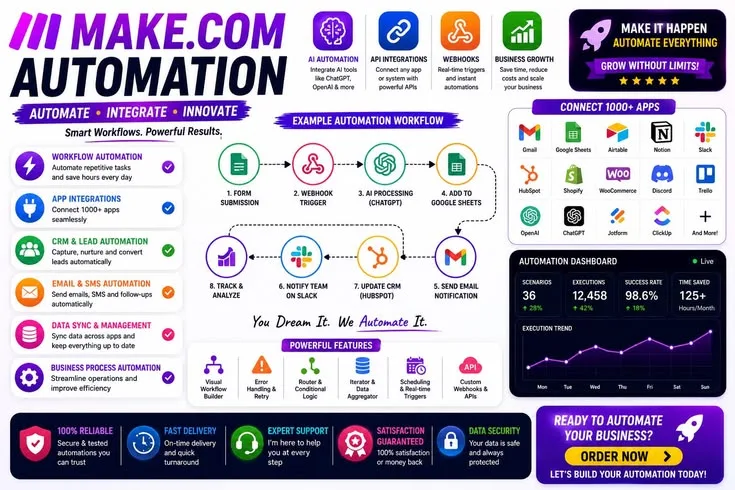
Automation adds value when a process is repetitive, stable, and frequent enough to justify the setup and maintenance it requires. When automation tools help, they move data, trigger actions, and coordinate workflows without ongoing input; applied to custom or shifting work, they can instead add costly complexity.
What Are Automation Tools?
Automation tools are software platforms that execute repetitive, rule-based tasks - moving data between systems, triggering actions based on events, scheduling processes, and orchestrating multi-step workflows - without ongoing human input.
For knowledge workers, the dominant category is no-code workflow automation: platforms like Zapier, Make, and n8n that connect cloud applications through visual trigger-action sequences, eliminating manual data entry, synchronization, and notification tasks.
The core analytical challenge is not which tool to use but when automation produces genuine efficiency gains versus when it adds complexity without proportionate benefit.
In 1913, Henry Ford's Highland Park plant introduced the moving assembly line for automobile production. The innovation did not eliminate workers.
It transformed what workers did: instead of skilled craftsmen spending days assembling a complete vehicle, workers performed single specialized operations on vehicles that moved continuously past them.
Output per worker increased dramatically. The price of a Model T fell from $850 in 1908 to $260 by 1925. More cars were built; more people were needed to build them.
The history of automation has consistently followed this pattern. Tools that automate specific repetitive tasks expand the scope of what can be accomplished, shift human work toward judgment and oversight, and increase rather than decrease demand for people who understand the automated systems.
The automation tools available to knowledge workers in 2025 - Zapier, Make, n8n, AI agents - follow this pattern as surely as the assembly line did.
But the assembly line analogy also contains a warning. Ford's system worked because the product was standardized, the process was stable, and the volumes justified the investment in automation infrastructure. Applied to a custom order of one, the assembly line approach would have been absurd overhead.
The same logic applies to software and workflow automation: it is enormously valuable when applied to the right problems and wasteful or counterproductive when applied to the wrong ones.
This article compares the major automation platforms, establishes a framework for deciding what to automate, and documents the mistakes that consistently waste time.
The Automation Tool Landscape
The market for workflow automation tools has grown from a handful of developer-focused API integration tools in the early 2010s to a broad ecosystem covering everything from consumer-grade trigger-action apps to enterprise middleware with AI reasoning capabilities.
Zapier: Market Leader in Accessibility
Zapier, founded in 2011, has become the dominant platform for no-code workflow automation.[1] Its core model is simple: a trigger in one application causes an action in another.
A new row in a Google Sheet triggers an email. A new Stripe payment triggers a Slack notification. A form submission triggers a HubSpot contact creation.
The platform's defining advantage is breadth: more than 5,000 application integrations cover virtually every SaaS tool a business might use. If a specific integration does not exist, webhook support allows connections to any application with an HTTP endpoint.
The interface is genuinely accessible to non-technical users. Pre-built templates (called Zaps) cover hundreds of common workflows, and the step-by-step workflow builder guides users through trigger and action selection without requiring API knowledge.
The limitation is cost. Zapier's pricing scales with task volume - the number of times workflows run per month. At high volumes, Zapier becomes expensive relative to alternatives. A team processing thousands of automation events daily may pay $500 or more monthly.
Example: A recruiting agency configured a Zapier workflow to handle the administrative overhead of new candidate submissions: a new Greenhouse application triggers candidate record creation in their ATS and an introduction email from Gmail.
The same workflow also triggers a Google Drive folder creation with candidate name, and a Slack notification to the relevant hiring manager.
Setup took three hours. The estimate is that the automation saves 35 minutes per new candidate; at 20 candidates per week, that is roughly 12 hours per week of administrative work eliminated.
Make (Formerly Integromat): Visual Power at Lower Cost
Make (rebranded from Integromat in 2022) represents a different philosophy.[2] Where Zapier presents linear workflows, Make presents a visual diagram of the entire automation as an interconnected flowchart. Every node is visible; the data flow between them is explicit.
This approach makes complex logic more manageable. Conditional branching - route to workflow A if payment is above a threshold, workflow B otherwise - is straightforward in Make's visual environment.
Loops that process each item in a list, error handling that routes failed operations to a recovery path, and data transformation operations are all handled more naturally than in Zapier.
The cost model is more generous. Make's pricing is based on operations (individual steps executed) rather than complete workflow runs, and the rate per operation is significantly lower than Zapier's rate per task. Workflows that would cost $200 monthly on Zapier are often achievable for $40-60 on Make.
The trade-off is a steeper learning curve. The visual diagram approach is powerful but requires more conceptual investment than Zapier's linear interface.
n8n: The Developer's Open Source Option
n8n occupies the space between no-code workflow tools and custom integration development.[3] The core differentiation is open source: n8n can be self-hosted for free (requiring infrastructure management) or used via their cloud offering.
The platform allows developers to write custom JavaScript or Python within workflow nodes, combining the speed of visual workflow building with the flexibility of code. When a pre-built integration does not provide the necessary functionality, code fills the gap without requiring a completely custom solution.
For organizations with strict data privacy requirements, self-hosting is decisive. Sensitive customer data processed by n8n workflows never leaves the organization's infrastructure. For regulated industries - healthcare, finance, legal - this can determine the choice regardless of other considerations.
The integration library is smaller than Zapier's (approximately 400 native integrations) but growing rapidly through community contributions and the HTTP request node that handles arbitrary APIs.
Platform Comparison
| Platform | Ideal Use Case | Integration Library | Relative Cost | Technical Bar | Self-Hostable |
|---|---|---|---|---|---|
| Zapier | Non-technical users, standard integrations | 5,000+ | High at volume | Minimal | No |
| Make | Complex logic, cost-sensitive, visual thinkers | 1,500+ | Medium | Low-medium | No |
| n8n | Developers, privacy-sensitive, custom logic | 400+ | Low (self-hosted) | Medium-high | Yes |
| IFTTT | Personal/consumer, simple triggers | 800+ | Free for basic | Minimal | No |
| Power Automate | Microsoft ecosystem organizations | Microsoft + 400+ | Enterprise pricing | Medium | No |
| Pipedream | Developer-first, API-heavy workflows | 1,000+ | Per invocation | High | No |
IFTTT, Power Automate, and Specialized Tools
IFTTT (If This Then That) predates the current no-code automation wave and remains useful for personal and consumer automation: smart home device triggers, social media cross-posting, simple life automation. Its single trigger-to-single action model (no multi-step workflows or complex logic) limits business application.
Microsoft Power Automate is the default choice for organizations deeply invested in the Microsoft ecosystem.[7] Integration with SharePoint, Teams, Outlook, Dynamics, and the Power Platform provides capabilities that external tools cannot match for Microsoft-centric workflows.
Pipedream and Windmill serve developer-first workflows where the preference is code-first automation with visual organization.[6] These platforms treat workflows as code that happens to be visually arranged.
"The question is never whether a task can be automated. Almost anything can be automated. The question is whether automating it will produce better outcomes than a well-designed manual process. Automation of a poorly designed process produces fast, consistent bad results." - Michael Hammer, process reengineering pioneer
The Decision Framework: Should This Be Automated?
The most important automation decision is made before any tool is selected. It is the binary question: does this task warrant automation at all?
Indicators That Automation Is Appropriate
Genuine repetitiveness: The task is performed daily or multiple times per week. The process is consistent - the same steps executed in the same order with the same inputs. Manual execution is tedious rather than variable.
Rules-based logic: The correct action can be determined by clear conditional logic without human judgment. "If payment received, send receipt and create CRM record" is automatable. "If customer seems frustrated, determine appropriate response" is not.
Scale mismatch: The manual effort required is proportional to volume, and volume is increasing. Processing ten customer inquiries manually is manageable; processing five hundred is not. Automation handles the scale difference without proportional time investment.
Error sensitivity: Humans make mistakes on repetitive, boring work. Data entry errors, missed steps, incorrect routing - automation executes these processes consistently and verifiably.
Deep work interruption: The task interrupts focused work unnecessarily.[5] Sending a notification when a specific event occurs, filing documents into organized folders, generating standard reports - these can happen in the background without requiring human attention at specific moments.
Indicators That Automation Is Inappropriate
Low frequency: Tasks performed monthly or less rarely justify the setup and maintenance investment. The breakeven calculation is unfavorable for infrequent tasks.
Process instability: If the underlying process is still evolving - the team is experimenting with different approaches, the requirements are uncertain - automation prematurely locks in a process that will need to change. Automate processes that are stable.
Judgment dependency: Some tasks look repetitive but require contextual judgment at every occurrence. Customer service responses that seem templatable are often not; edge cases, tone calibration, and situational context require human assessment.
Learning value: When someone is new to a process, doing it manually builds understanding of why the process exists, what the edge cases are, and where the logic is fragile. Automating too early prevents this understanding from forming.
The Breakeven Calculation
Before investing in any automation, calculate the breakeven point:
Manual time per occurrence, multiplied by frequency, gives time spent per period. Set-up time plus estimated maintenance time over the expected lifetime gives the automation cost.
The automation is worth building when accumulated time savings exceed the total automation cost within a reasonable horizon, typically six to twelve months.
Example: A task taking ten minutes, performed daily across fifty weeks, consumes approximately 42 hours annually. If automation setup takes four hours and monthly maintenance takes thirty minutes, the breakeven occurs after roughly six weeks.
After that, the automation generates net time savings indefinitely. Contrast this with a two-minute task performed weekly - generating less than two hours of annual manual time. A two-hour setup for this automation takes more than a year to break even, not accounting for maintenance.
The trap to avoid is the emotional satisfaction of building automation, which is genuinely enjoyable technical work, serving as justification for automating tasks that do not justify the investment economically.
XKCD's "Automation" comic (number 1319) captures this precisely: the stick figure who spends six hours automating a task that takes ten seconds.[9] Building the automation feels productive. The math says otherwise.
Automation Patterns That Consistently Deliver Value
Some automation patterns produce reliable returns across industries and roles. These represent the automations worth building first.
Data Synchronization Between Systems
Organizations that use multiple tools - a CRM, a project management platform, a support system, an accounting tool - constantly face the problem of the same information existing separately in each system. A new customer created in the CRM should also appear in the support tool.
A closed deal in the CRM should trigger project creation in the project management tool. An invoice generated in the accounting system should update the CRM record.
Automation that keeps data synchronized across systems eliminates the manual data entry that is both time-consuming and error-prone. The payoff compounds over time as the synchronized data enables better reporting and reduces the confusion of inconsistent records.
Notification and Alert Routing
The problem with most organizational notification systems is that they are blunt: everyone receives everything, or notification configuration is complex enough that nobody configures it properly and important information is missed.
Automation enables precise routing: deploy failures notify the responsible on-call engineer, not all engineers. New enterprise leads notify the enterprise sales team, not the SMB team. Critical support tickets notify the support lead, not every support representative.
The precision of automated routing reduces notification fatigue while ensuring relevant people receive relevant information.
Document Generation and Filing
Recurring documents - weekly reports, meeting notes, invoice drafts, proposal templates - can be generated automatically with relevant data populated, filed in the correct location, and shared with the right people.
The calendar event for a client meeting triggers a note template with the client's name, recent interaction history, and structured sections. The end of the billing cycle triggers invoice generation with the month's line items populated.
Onboarding and Offboarding Workflows
Employee onboarding involves a predictable sequence of account creations, access grants, notification sends, and task assignments. Each step is manual, each is performed under time pressure, and each has real consequences when missed. A new hire without system access on their first day is a process failure with a visible cost.
Automation transforms this from a manual checklist that depends on a coordinator remembering every step to a reliable workflow that runs consistently every time. Organizations report reducing new hire setup time from several hours to fifteen to twenty minutes through comprehensive onboarding automation.
Automation Mistakes That Waste Time
The failures of automation are more instructive than the successes, because they reveal the systematic errors that the community makes repeatedly.
Over-Engineering Simple Problems
The most common automation mistake is solving a simple problem with a complex solution. A workflow that could accomplish its purpose in three steps gets built with twelve steps, error handlers for every contingency, and conditional branches for scenarios that have never occurred.
The complexity creates maintenance overhead, obscures what the automation does, and makes debugging difficult when something breaks.
The right approach is to build the minimum automation that solves the actual problem, observe whether the edge cases occur in practice, and add complexity only when real evidence demonstrates it is needed. Complexity added in anticipation of problems that may not materialize is a form of technical debt.[4]
Automating Bad Processes
If a workflow requires copying data manually between five systems, the fundamental problem is not the copying - it is having five separate systems with no integration. Automation makes this bad process faster, not better. The data entry is still happening; it is just happening automatically.
Before automating a workflow, ask whether the workflow itself is well-designed.[8] Eliminating the root cause of the inefficiency - consolidating systems, redesigning the process - is often more valuable than automating the inefficiency away.
Silent Failures Without Notification
Automations fail. APIs change, applications update, quotas are exceeded, credentials expire. An automation that fails silently, with no notification to anyone, continues to appear functional while the work it was supposed to do is not being done.
Every automation should have a failure path: when the workflow fails for any reason, a notification should reach someone who can investigate and fix it.
The severity of the notification should match the criticality of the workflow - a critical customer-facing automation warrants immediate Slack or SMS notification; a low-priority data sync can notify by email.
Inadequate Documentation
Automations are organizational infrastructure. Like any infrastructure, they require documentation: what does this automation do, why does it exist, how does it work, what systems does it depend on, and what should someone do when it breaks?
Without documentation, automations become institutional mysteries. The person who built the automation leaves; a year later, nobody understands what the automation does, why it exists, or whether it is still needed. The automation cannot be safely modified because its implications are unknown.
Cost Blindness
Automation platforms charge per task, per operation, or per workflow run. An automation that polls for changes every minute generates sixty times the charges of one that polls hourly. An automation processing large data volumes may generate costs that exceed the value it creates.
Understanding the pricing model of the chosen platform before building is essential. The automation that makes sense at 100 events per month may be economically inappropriate at 10,000.
Evaluating Whether Automation Is Working
Building an automation and forgetting about it is not good practice. Regular evaluation ensures that automations are delivering their intended value.
The Quarterly Automation Audit
Review every active automation on a quarterly basis. For each, ask:
When did I last use the output from this automation? If the output is never referenced, the automation may not be serving a real need.
If this automation broke today, how long until someone noticed? An automation that could fail silently for weeks without anyone noticing is either not important or inadequately monitored.
Is the maintenance cost proportional to the benefit? Some automations require more attention than they are worth.
Could I eliminate this automation and replace it with a simpler process? Sometimes the right answer is that circumstances have changed and the automation should be retired.
Automations that fail these questions should be updated, simplified, or retired. The best automation infrastructure is lean: a small number of reliable, well-maintained workflows rather than a large inventory of fragile ones.
The Right Metrics
Time saved is one measure of automation value, but not the only one. Error rate reduction is often more valuable and harder to measure: the question is how many data entry mistakes, missed steps, and routing errors the automation prevents.
Cognitive load reduction - the absence of worry about whether a process ran correctly - is real value even when difficult to quantify.
The Emerging Landscape: AI-Augmented Automation
The fundamental automation platforms described above operate on rules: if this condition is met, execute this action. The emerging generation of automation tools introduces a different capability: judgment applied to ambiguous situations.
AI-augmented automation can assess the emotional tone of a customer message and route it accordingly rather than just matching keywords. It can draft a response to a standard inquiry based on previous responses rather than sending a rigid template.
It can categorize incoming documents based on content rather than requiring explicit rules for every document type.
The capabilities are genuine but have important limitations. AI judgment in automated workflows is probabilistic, not deterministic. It will be correct most of the time and incorrect sometimes, without the automation flagging which instances were which.
For high-stakes processes where errors have significant consequences, human oversight remains necessary.
The right approach is AI augmentation of human review rather than full AI replacement: the AI makes an assessment, the assessment is surfaced to a human for verification before action, and the human confirms or corrects.
Over time, as the error rate is measured and found acceptable, the human review can be reduced for lower-stakes decisions.
The developers and operators who build useful automation today - who understand workflow design, conditional logic, error handling, and the economics of automation decisions - will be well-positioned to work with AI-augmented automation as the capability matures.
The judgment about what to automate and what to leave to human decision-making becomes more important, not less, as automation capabilities expand.
See also: Developer Productivity Explained, Choosing the Right Tools, and Tool Overload Explained.
What Research Shows About Automation Tools
Professor Leslie Willcocks at the London School of Economics and Political Science published "Robotic Process Automation at Xchanging" in the MIS Quarterly Executive (2015), one of the first peer-reviewed studies of workflow automation impact in enterprise settings.
Willcocks and co-author Mary Lacity studied Xchanging, a business process outsourcing firm, as it deployed RPA bots to automate insurance claims processing.
The bots processed claims 65-80% faster than human operators, made zero errors on routine transactions (compared to a 4% human error rate), and operated 24 hours per day at a cost 75-80% lower than the equivalent headcount.
Critically, the 200 displaced staff were redeployed to higher-judgment roles: handling edge cases the bots could not process, managing vendor relationships, and training the automation rules.
Willcocks concluded that automation did not reduce total employment at Xchanging but changed its composition, a finding he replicated across 16 additional enterprise case studies in the subsequent five-year research program.
Dr. David Autor at the Massachusetts Institute of Technology, in his widely cited 2015 paper "Why Are There Still So Many Jobs? The History and Future of Workplace Automation" published in the Journal of Economic Perspectives, established an empirical framework for understanding which tasks automate well and which do not.
Autor analyzed Bureau of Labor Statistics occupation data from 1960 to 2010 and found that automation disproportionately displaced "routine cognitive" tasks - those involving explicit rules applied consistently, precisely the category of knowledge work that tools like Zapier and Make handle.
Non-routine tasks, whether manual (elderly care) or cognitive (creative problem-solving), proved significantly more automation-resistant.
Autor's research showed that among roles displaced by automation between 1970 and 2010, 60% of affected workers transitioned to jobs with higher real wages within five years, contradicting the common narrative that automation creates permanent unemployment.
The paper has been cited more than 5,000 times and informs how companies like Zapier position their products as tools for human augmentation rather than replacement.
Researchers at McKinsey Global Institute, including Michael Chui, James Manyika, and Mehdi Miremadi, published "Where Machines Could Replace Humans - and Where They Can't (Yet)" in the McKinsey Quarterly (2016) and followed up with "A Future That Works: Automation, Employment, and Productivity" (2017).
Their analysis of 2,000 work activities across 800 occupations found that 45% of the activities humans are paid to perform could theoretically be automated using current technology.
However, actual automation rates were much lower because automation feasibility depends not just on technical capability but on economic viability, social acceptability, and organizational readiness.
For knowledge work specifically, the McKinsey team found that data collection and processing tasks were 64% automatable with 2016 technology, while tasks requiring stakeholder interaction, creative judgment, or unpredictable physical manipulation were less than 20% automatable.
These findings have been widely adopted by automation platform vendors as a framework for customer education about where automation delivers value.
Dr. Gloria Mark at the University of California Irvine's Department of Informatics has conducted ongoing research on the relationship between automation, workflow tools, and cognitive load.
Her 2008 paper with Daniela Gudith and Ulrich Klocke, "The Cost of Interrupted Work: More Speed and Stress" (ACM CHI Conference Proceedings), examined knowledge workers interrupted by manual process steps: logging data, sending routine notifications, filing documents.
The paper established that these workers took an average of 23 minutes to return to full focus on their primary task.[10]
Mark's subsequent 2023 research published in Communications of the ACM found that workers who used workflow automation to eliminate routine interruptions reported 34% lower stress levels and completed primary tasks 22% faster than control groups performing the same interrupting tasks manually.
The research supports the argument that automation's primary productivity benefit is often not time savings on the automated task itself, but recovery of attention lost to interruptions the task caused.
Real-World Case Studies in Automation Tools
Siemens AG documented its deployment of enterprise workflow automation across its global procurement operations in a 2019 case study presented at the Gartner Data and Analytics Summit and subsequently published in the Journal of Information Technology Management.
Siemens deployed a combination of SAP process automation and custom-built integration workflows across 190 countries, automating purchase order processing, supplier invoice matching, and compliance documentation routing.
The results over an 18-month implementation period: processing time for routine purchase orders fell from an average of 8.4 days to 1.2 days, and error rates in invoice matching dropped from 7.2% to 0.3%.
Procurement staff headcount was reduced through attrition from 3,400 to 2,900 globally while processing volume increased 23%.
Chief Procurement Officer Bertram Stausberg stated in the conference presentation that the automation investment of 43 million euros returned 160 million euros in efficiency gains and error cost reductions within two years of full deployment.
Zapier published a detailed case study in 2021 on how HubSpot used the platform internally to automate its own marketing operations. HubSpot's marketing operations team, then led by operations director Ryan Bonnici, deployed 47 Zapier workflows connecting Salesforce CRM, HubSpot Marketing Hub, Google Sheets, Slack, and Stripe.
The most consequential automation triggered a 12-step sequence when a prospect downloaded specific content: it scored the lead in Salesforce, added them to a nurture sequence in HubSpot, notified the relevant sales representative in Slack, and created a follow-up task with deadline.
Before automation, sales representatives received lead notifications hours after the download and often missed the optimal follow-up window. After automation, the median time from lead download to first sales contact fell from 4.2 hours to 18 minutes.
HubSpot reported a 31% increase in lead-to-opportunity conversion rate on content-sourced leads in the 90 days following the automation deployment.
A representative internal case from a large e-commerce company illustrates the pattern: a merchant success team deployed n8n workflows to automate the identification of at-risk merchant accounts.
Previously, an analyst team of twelve reviewed merchant performance data weekly and manually flagged accounts showing warning signs (declining revenue, increasing churn of repeat customers, rising support ticket volume).
The review process took approximately 200 analyst-hours per week and identified an average of 340 at-risk merchants per cycle.
The n8n automation ran continuously, processing the same data signals in near-real-time, and identified 890 at-risk merchants per week - 162% more than the manual process - while reducing analyst time on the identification process from 200 hours to 15 hours weekly.
Analysts redirected their time from identification to intervention: designing outreach campaigns and coaching at-risk merchants on platform optimization.
Monzo, the UK digital bank, described its automation architecture in a 2023 technical post on their engineering blog, citing specific outcomes from their deployment of event-driven automation across customer service operations.
Monzo's engineering team, working under Head of Engineering of Operations Tom Moor, built custom automation workflows that processed 2.1 million customer events per day.
These workflows automatically routed support tickets to appropriate specialist teams, generated real-time dashboards for fraud patterns, and triggered proactive customer outreach when account behavior suggested confusion or distress.
The automation layer handled 73% of customer inquiries without human intervention - answering common questions, processing standard requests, and providing account information. Human agents received only cases requiring genuine judgment.
Average first-response time fell from 4.3 minutes to 23 seconds for automated responses, and customer satisfaction scores for automatically resolved inquiries were 4.1 out of 5, compared to 4.3 for human-resolved inquiries - a difference Monzo considered acceptable given the 99% cost reduction for automated resolution.
Sources & Further Reading
- Zapier. "App Integrations and Automation Platform." zapier.com. View source
- Make. "Visual Automation Platform." make.com. View source
- n8n. "Workflow Automation for Technical Teams." n8n.io. View source
- Knuth, Donald. "Structured Programming with go to Statements." Computing Surveys, Vol. 6, No. 4, 1974.
- Newport, Cal. Deep Work: Rules for Focused Success in a Distracted World. Grand Central Publishing, 2016. View source
- Pipedream. "The Platform for API Integration." pipedream.com. View source
- Microsoft. "Power Automate Documentation." Microsoft Learn. View source
- Allen, David. Getting Things Done: The Art of Stress-Free Productivity. Penguin, 2015. View source
- Munroe, Randall. "Automation" (xkcd #1319). xkcd.com, 2013. View source
- Mark, Gloria, Gudith, Daniela, and Klocke, Ulrich. "The Cost of Interrupted Work: More Speed and Stress." CHI 2008. View source