
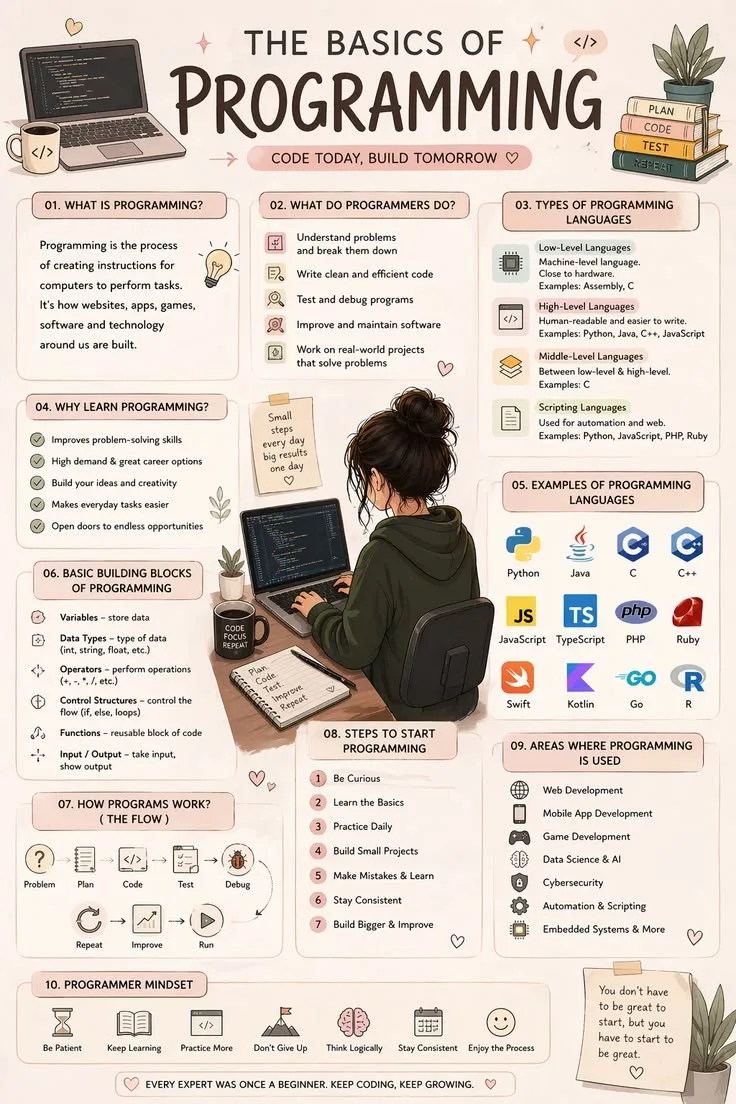
What Does Learning Programming Effectively Mean?
Learning programming effectively means developing genuine problem-solving ability - the capacity to face a blank editor, a vague problem description, and no step-by-step guide, and produce working software - rather than the illusion of competence that comes from following tutorials.
The distinction matters because passive consumption (watching lectures, reading documentation, following along) produces recognition of solutions but not the ability to generate them independently: a gap that most popular learning platforms fail to bridge.
Effective programming education requires structuring practice around retrieval, spaced repetition, and deliberately difficult problem-solving that transfers to novel situations.
In 2012, Codecademy launched its "Code Year" campaign, attracting over a million sign-ups in the first week.[8] New York City Mayor Michael Bloomberg publicly pledged to learn JavaScript. The enthusiasm was extraordinary. The completion rate was not.
Internal data later revealed that fewer than 5% of users finished the introductory course.
This pattern repeats across every learning platform. MOOCs report completion rates of 3-15%. Coding tutorial YouTube channels see viewership drop 90% between lesson one and lesson ten. Bootcamps lose 10-20% of students before graduation.
The problem is not that people lack motivation or intelligence. The problem is that most people approach learning programming in ways that feel productive but are not.
Watching a tutorial feels like learning. Following along step-by-step feels like progress. Completing a coding exercise feels like mastery. But the gap between following instructions and solving novel problems independently is enormous---and most learning methods fail to bridge it.
Effective programming education is not about finding the best tutorial. It is about structuring practice in ways that build genuine problem-solving ability: the capacity to face a blank editor, a vague problem description, and no step-by-step guide, and produce working software anyway.
Why Most People Learn Programming Wrong
The Passive Consumption Trap
The most common learning approach---and the least effective---is passive consumption: watching tutorials, reading documentation, and following along without independent application.
Passive learning produces what psychologists call the illusion of competence.[3] When you watch someone solve a problem, the solution seems obvious. When you read code with comments explaining each line, the logic appears straightforward.
But recognizing a solution is fundamentally different from generating one. Understanding a chess move when someone explains it is not the same as seeing it during a game.
Research by cognitive psychologist Robert Bjork at UCLA demonstrates that learning methods that feel easy (re-reading, highlighting, watching lectures) produce weaker retention than methods that feel difficult (testing yourself, solving problems without references, explaining concepts from memory).
The difficulty is not a sign that the method is failing. The difficulty is what makes it work.
Tutorial Hell: The Comfortable Plateau
Tutorial hell is the state where a learner has completed many tutorials but cannot build anything without step-by-step guidance.
Symptoms:
- You can follow along with any tutorial but freeze when facing a blank file
- You understand code when reading it but cannot write equivalent code from scratch
- You have completed five courses on React but have not built a React app independently
- You feel like you are always learning but never progressing
Tutorial hell is comfortable because tutorials eliminate the two hardest parts of programming: deciding what to build and figuring out how to build it. When someone else has made those decisions, the remaining work---typing the code they show you---requires almost no problem-solving.
Example: Traversy Media, one of the most popular programming tutorial channels on YouTube with over 2 million subscribers, published a video in 2020 titled "Stop Watching Tutorials." Brad Traversy, the channel's creator, acknowledged that watching tutorials becomes counterproductive past a certain point: "The best developers I know spend 80% of their time building and 20% learning.[4]
Most beginners do the opposite."
The Active Learning Framework
Build-Struggle-Learn Cycle
Effective programming education follows a cycle:
- Build: Attempt to create something without complete guidance
- Struggle: Encounter problems you do not immediately know how to solve
- Learn: Search for specific knowledge to solve the specific problem you face
- Apply: Implement the solution and continue building
- Reflect: Understand why the solution works, not just that it works
This cycle differs from tutorial-following because the learning is pull-based (you seek knowledge when you need it) rather than push-based (someone delivers knowledge whether you need it or not).
Pull-based learning is dramatically more effective because it creates immediate context for new information: you understand not just what a concept is, but why it matters and when to use it.
The 20/80 Learning Split
Allocate your learning time deliberately:
20% structured learning: Tutorials, courses, and documentation. Use these to learn new concepts, understand syntax, and see how experienced developers approach problems. But limit consumption to short, focused sessions followed immediately by application.
80% building: Independent projects, coding challenges, and open-source contributions. This is where actual learning happens---through struggle, failure, debugging, and eventual success.
The split is aggressive because the natural tendency is to consume more and build less. Consumption feels productive and is psychologically comfortable. Building feels slow and is psychologically demanding. But the uncomfortable path is the effective path.
Spaced Repetition and Interleaving
Cognitive science provides two additional principles for effective learning:
Spaced repetition: Review concepts at increasing intervals (1 day, 3 days, 7 days, 14 days). This fights the forgetting curve and transfers knowledge from short-term to long-term memory. Anki flashcards for programming concepts, syntax, and common patterns leverage this principle.
Interleaving: Mix different types of practice rather than drilling one skill repeatedly. Instead of spending three days exclusively on arrays, alternate between arrays, functions, and objects. Interleaving feels less efficient---performance during practice is lower---but produces better long-term retention and transfer.
Choosing Your First Language
The Language Matters Less Than You Think
New programmers spend excessive time debating which language to learn first. The truth is that core programming concepts transfer across all languages. Variables, functions, loops, conditionals, and data structures work fundamentally the same way in Python, JavaScript, Java, and every other mainstream language.
Learning your second language takes a fraction of the time it took to learn your first, because you already understand the underlying concepts.
Practical First Language Recommendations
Python: Beginner-friendly syntax that reads almost like English. Versatile---used for web development, data analysis, automation, machine learning, and scripting. Excellent documentation and community. Recommended if your interests include data science, automation, or backend development.
JavaScript: The language of the web. Immediate visual feedback (changes appear in the browser). Ubiquitous---runs in browsers, servers (Node.js), and mobile apps (React Native). Recommended if your interests include web development, interactive applications, or you want to see results visually.
Both are excellent first languages. Either one will teach you the fundamentals you need. Do not spend more than a day deciding---the best language is the one you start writing code in today.
Learning your first language well establishes the programming fundamentals that make every subsequent language easier to acquire.
The Project-Based Learning Path
Why Projects Are the Best Teacher
Projects teach what tutorials cannot:
Decision-making: What should I build? Which features matter? How should I structure the code? Projects force you to make decisions that tutorials make for you.
Debugging: Real projects produce real bugs. The process of identifying, isolating, and fixing bugs---without a tutorial telling you where the error is---develops the most critical programming skill.
Integration: Tutorials teach individual concepts in isolation. Projects require combining multiple concepts: a project might need loops, API calls, data storage, and user interface components all working together.
Completion: Finishing a project---including the boring parts, the edge cases, and the polish---builds the discipline that professional development requires.
Progressive Project Complexity
Level 1 --- Script (Week 1-2): A single-file program that takes input and produces output.
- Temperature converter
- Password generator
- Word frequency counter
- Simple text-based game (guess the number)
Level 2 --- Interactive Application (Weeks 3-6): A program with a user interface and state management.
- Calculator with history
- To-do list with persistence (local storage or file)
- Quiz application with scoring
- Simple budget tracker
Level 3 --- API Consumer (Weeks 7-10): An application that fetches and displays external data.
- Weather dashboard (OpenWeatherMap API)
- Movie search tool (OMDB API)
- GitHub profile viewer (GitHub API)
- Recipe finder (Spoonacular or Edamam API)
Level 4 --- Full Application (Weeks 11-16): A complete application with frontend, backend, and database.
- Blog with user accounts and posts
- Bookmark manager with tags and search
- Habit tracker with streaks and statistics
- Event planner with RSVP functionality
Each level introduces new challenges while building on previous skills. The progression ensures you are always working slightly beyond your current ability---the zone where learning is most effective.
Escaping Tutorial Hell
The Blank File Challenge
The cure for tutorial hell is deliberately confronting what tutorials eliminate: the blank file.
Exercise 1: Rebuild without looking. Complete a tutorial. Close it. Wait 24 hours. Rebuild the project from memory. When you get stuck (you will), resist opening the tutorial. Instead, search for the specific concept you need. This forces you to transform "following instructions" into "solving problems."
Exercise 2: Extend a tutorial project. Complete a tutorial, then add three features the tutorial did not include. This forces original problem-solving while starting from a familiar foundation.
Exercise 3: Build your own version. See an interesting tutorial? Instead of following it, build your own version of the same concept using only the tutorial's title as a prompt. "Build a weather app" is enough information to start. Figure out the rest yourself.
When to Use Tutorials (and When to Stop)
Tutorials are valuable for:
- Learning a brand-new concept you have never encountered
- Understanding the mental model behind a technology (how React thinks about UI, how databases organize data)
- Seeing expert coding practices and patterns
Tutorials are counterproductive when:
- You have already built something similar
- You are avoiding the discomfort of solving problems independently
- You are consuming them sequentially without building anything between them
- You are watching tutorials on topics you will not use within the next week
Example: When developer Tania Rascia started learning web development, she adopted a practice of writing a blog post explaining every new concept she learned.[5] The act of teaching---writing a clear explanation for someone else---forced her to understand concepts deeply rather than superficially.
Her blog, published at taniarascia.com, became one of the most popular beginner programming resources on the web, attracting millions of visitors. Teaching was her learning method.
The Role of Coding Challenges
When LeetCode Helps
Algorithm-focused coding platforms (LeetCode, HackerRank, CodeWars) serve specific purposes:
- Reinforcing fundamentals: Practicing arrays, strings, hash maps, and recursion in focused, isolated exercises
- Interview preparation: Tech interviews frequently test algorithmic problem-solving
- Pattern recognition: Common patterns (two pointers, sliding window, BFS/DFS) recur across many problems
- Building confidence: Successfully solving problems builds the "I can figure this out" belief
When LeetCode Hurts
Coding challenges become counterproductive when:
- They substitute for building real projects (the skills do not fully transfer)
- They create anxiety and feelings of inadequacy (the problems are intentionally difficult)
- They consume time that would be better spent on portfolio projects
- They become a procrastination mechanism (solving puzzles feels productive but avoids the harder work of building applications)
The Balanced Approach
For most learners, a balanced allocation:
| Career Stage | Coding Challenges | Projects | Reading Code |
|---|---|---|---|
| Beginner (0-6 months) | 15% | 75% | 10% |
| Intermediate (6-18 months) | 25% | 60% | 15% |
| Job Search | 50% | 30% | 20% |
| Employed | 10% | 50% | 40% |
The ratio shifts dramatically during job search because interviews disproportionately test algorithmic skills. But outside of interview preparation, projects contribute more to learning and career advancement than puzzle-solving.[2]
Learning from Documentation and Others' Code
Reading Documentation Effectively
Professional developers spend significant time reading documentation. Developing this skill early accelerates everything:
- Start with the "Getting Started" guide: Every good documentation has one. Follow it exactly.
- Use the search function: Do not read documentation cover-to-cover. Search for what you need.
- Read the examples first: Code examples communicate faster than prose explanations. Copy, run, and modify them.
- Check the API reference: When you need specific details (function parameters, return types, options), go directly to the reference.
- Check the date: Outdated documentation causes more confusion than no documentation. Verify the version.
Reading Others' Code
Reading code written by experienced developers is one of the most underutilized learning methods:
Open-source projects on GitHub: Find projects in your language that are well-maintained and have clear code style. Read through the code systematically. Understand the project structure, how files relate to each other, and how data flows through the system.
Code review: If you work on a team, read every pull request, even ones you are not assigned to review. Seeing how experienced developers structure their code, name their variables, and handle edge cases teaches patterns you would take months to discover independently.
Tutorial source code: After completing a tutorial, read the finished code as if you had never seen the tutorial. Can you understand what the code does just from reading it? Where is the logic unclear? How would you improve it?
This practice of reading and understanding code deepens the debugging skills that become essential in professional development.
'The best developers I know spend 80% of their time building and 20% learning. Most beginners do the opposite. You do not get better at programming by watching programming. You get better by writing code that does not work and figuring out why.'
Brad Traversy, creator of Traversy Media, from "Stop Watching Tutorials" (2020)
Building Problem-Solving Skills
The Decomposition Habit
The most important programming skill is not typing speed, syntax knowledge, or familiarity with frameworks. It is decomposition: breaking a large, intimidating problem into small, manageable pieces.
When faced with a problem like "Build a weather app":
- Identify the core requirements: Get weather data, display it to the user
- Break into sub-problems: Find a weather API, make an API call, parse the response, design the UI, display the data
- Prioritize: Get the API call working first. Display raw data. Then add UI polish.
- Solve one piece at a time: Do not try to build the entire app simultaneously. Build the API call. Test it. Then build the display. Test it. Then connect them.
The Pseudocode Practice
Before writing code, write pseudocode---a plain-language description of what the code should do:
GET the city name from the user
CALL the weather API with the city name
IF the API returns an error
    SHOW an error message to the user
ELSE
    EXTRACT temperature, humidity, and description from the response
    DISPLAY the weather information on the page
Pseudocode separates what to do (the logic) from how to do it (the syntax).
This separation is powerful because it lets you focus on solving the problem without simultaneously wrestling with language-specific details.
The Rubber Duck Method
When stuck, explain the problem aloud---to a colleague, a rubber duck, or an empty room. The act of articulating the problem forces you to organize your thinking and often reveals the solution.
This works because the mental model you hold while debugging is often incomplete or internally inconsistent. Verbalizing it forces you to make each assumption explicit, and the flawed assumption frequently becomes obvious mid-explanation.
Learning Multiple Languages
When to Learn Your Second Language
Learn your second language when:
- You are comfortable building projects in your first language without constant reference to documentation
- You have built at least 3-5 substantial projects
- You need a language for a specific purpose (backend development, mobile app, data science)
- You have been programming for at least 6-12 months
How Learning Gets Easier
Your second language takes roughly half the time your first language took. Your third takes even less. This is because programming concepts transfer:
- You already know what variables, functions, and loops do---you just need to learn the new syntax
- You already understand data structures---you just need to learn how they are expressed
- You already know how to decompose problems---the approach is identical in every language
- You already know how to debug---the tools differ but the process is the same
The T-Shaped Strategy
Over a career, aim for a T-shape: deep mastery of 1-2 languages, working competence in 2-3 more, and reading familiarity with several others.
Deep mastery means you understand not just the syntax but the idioms, the standard library, the ecosystem, the performance characteristics, and the common pitfalls. This takes 2-3 years of regular use.
Working competence means you can build projects and solve problems without constant reference to documentation. This takes 3-6 months of focused use.
Reading familiarity means you can understand code in the language and roughly follow its logic, even if you could not write it fluently. This develops naturally through code reviews and open-source reading.
Building a strong developer portfolio benefits from demonstrating depth in one language while showing that you can work across different technologies when the problem demands it.
Building Sustainable Learning Habits
Consistency Over Intensity
Programming ability develops through consistent practice, not marathon sessions. Research on skill acquisition consistently shows that 30 minutes daily produces better results than 5 hours on Saturday:
- Daily practice maintains context and reduces ramp-up time
- Shorter sessions prevent burnout and decision fatigue
- Consistent practice builds automaticity---patterns become intuitive
- The "spacing effect" (distributing practice over time) strengthens long-term retention
The Learning Environment
Optimize your learning setup:
Editor: Use VS Code with language-appropriate extensions. Learn 10-15 keyboard shortcuts that save time: multi-cursor editing, go-to-definition, find-and-replace, terminal toggle.
Reference material: Bookmark official documentation for your language and framework. When you have a question, search the official docs first, then Stack Overflow, then broader web search.
Community: Join one Discord server or Subreddit focused on your language. Lurk initially, then start answering questions as your knowledge grows. Teaching others is one of the most effective learning methods.
Version control: Learn Git basics within your first month. Committing code regularly creates a record of your progress and teaches a professional development practice simultaneously.
Managing Frustration
Programming is frustrating. Bugs resist diagnosis. Concepts refuse to click. Projects take three times longer than expected. This frustration is normal, universal, and permanent---experienced developers still encounter it daily.
The difference between developers who persist and those who quit is not the presence or absence of frustration. It is the interpretation of frustration. Developers who interpret frustration as evidence of inability ("I'm not smart enough for this") quit.
Developers who interpret frustration as evidence of learning ("This is the part where growth happens") persist.
If you are stuck for more than 30 minutes on a single problem:
- Take a 10-minute break (walk, stretch, look at something that is not a screen)
- Write down exactly what you are trying to do and exactly what is happening instead
- Search for the specific error message or behavior
- If still stuck after 60 minutes, ask for help (Stack Overflow, Discord, a mentor)---but show what you have already tried
The willingness to struggle productively---and to ask for help when the struggle stops being productive---is the single most important trait for learning programming effectively.
What Research Shows About Learning Programming Effectively
Dr. Robert Bjork, Distinguished Professor of Psychology at UCLA and director of the UCLA Learning and Forgetting Lab, has spent four decades documenting what he terms "desirable difficulties" - learning conditions that feel harder in the moment but produce stronger long-term retention.[1]
In a 2011 paper published in Psychological Science in the Public Interest and a series of follow-up studies examining technical skill acquisition, Bjork and colleagues found that retrieval practice (recalling information without looking it up) produced retention rates 50-80% higher than re-reading or re-watching material when tested one week later.
For programming specifically, Bjork's collaborators at the University of California San Diego found in a 2019 study that students who wrote code from memory - attempting to reproduce functions before consulting documentation - retained syntax and patterns at 2.3 times the rate of students who wrote code with reference materials open.
The research directly supports the "rebuild without looking" practice: the struggle of recalling without aids is not a sign of poor learning; it is the mechanism of learning.
Dr. John Sweller, emeritus professor at the University of New South Wales, developed Cognitive Load Theory in the 1980s through a series of experiments on problem-solving and learning, published in journals including Cognitive Science and Educational Psychology Review.
Sweller's theory distinguishes between intrinsic cognitive load (the inherent complexity of the material), extraneous cognitive load (unnecessary mental effort caused by poor instruction design), and germane cognitive load (the mental effort that builds genuine schema).
His research found that worked examples - seeing complete solutions with explanations - reduce extraneous load and enable novices to build initial schema effectively.
However, Sweller's team demonstrated through the "expertise reversal effect" that once learners have acquired basic schema, continued use of worked examples becomes counterproductive, adding cognitive load without adding learning.
The research explains why tutorials are effective at the beginning of programming education and actively harmful if continued past that point - precisely the mechanism behind tutorial hell.
K. Anders Ericsson, professor of psychology at Florida State University until his death in 2020, developed the theory of deliberate practice through decades of research on expert performance, culminating in his 2016 book Peak: Secrets from the New Science of Expertise (co-authored with Robert Pool).
Ericsson's research, based on studies of musicians, chess players, athletes, and surgeons, found that the critical variable distinguishing experts from experienced non-experts was not total hours of practice but the degree to which practice was specifically designed to address identified weaknesses and pushed the learner beyond current comfort levels.[9]
Applied to programming, Ericsson's framework predicts that a developer who builds ten projects in comfortable territory learns substantially less than one who builds five projects that each require genuinely unfamiliar technical territory.
A 2020 study published in the Journal of Educational Computing Research, applying Ericsson's deliberate practice framework to a cohort of 180 programming students, found that students in a deliberate-practice curriculum - where each project required demonstrated new skills - progressed to independent problem-solving 4.2 weeks faster than a control group following a conventional tutorial-based curriculum.
Dr. Peter Norvig, Director of Research at Google and co-author of the widely used textbook Artificial Intelligence: A Modern Approach, published an influential essay titled "Teach Yourself Programming in Ten Years" (1999, updated 2014) drawing on research from multiple cognitive psychology sources.
Norvig's synthesis of the literature on expert programmer development - including studies by Bill Curtis at the Software Engineering Institute examining 54 professional programmers - found that genuine programming expertise required approximately ten years of deliberate practice regardless of talent level.
Curtis's original study, published in Communications of the ACM in 1988, found a 25:1 productivity ratio between the best and worst programmers working on identical tasks, with the highest performers distinguished not by raw cognitive ability but by accumulated mental models of problem patterns developed through years of active building.
Norvig and Curtis both emphasize that passive learning - watching, reading, following - produces none of the pattern accumulation that drives the productivity multiplier.
Real-World Case Studies in Effective Programming Education
The Odin Project, an open-source programming curriculum founded by Erik Trautman in 2013, has tracked learner outcomes systematically and published aggregate data on its methodology's effectiveness.
Unlike bootcamps that teach through instructor demonstration, The Odin Project requires learners to build original projects using only specifications - no step-by-step tutorials - from the earliest weeks of the curriculum.[7]
In a 2022 survey of 3,400 graduates who had secured employment, 78% reported that their first employer commented positively on their ability to solve unfamiliar problems independently, a trait they attributed to the project-based curriculum.
The average time-to-employment for Odin Project graduates was 14 months from curriculum start, longer than bootcamp programs (6-9 months of instruction plus job search), but the curriculum is free and graduate starting salaries in the 2022 survey averaged $72,000 - comparable to bootcamp outcomes at significantly lower financial cost.
freeCodeCamp, a nonprofit programming education organization founded by Quincy Larson in 2014, analyzed completion and employment patterns from its 40,000-plus curriculum completers in a 2023 internal study shared in its annual transparency report.[6]
The organization found that learners who spent 80% or more of their study time building original projects (as measured by GitHub activity and project submission data) completed the curriculum 2.8 times faster than learners who spent the majority of time in tutorial-consumption mode.
More significantly, job search duration for project-heavy learners averaged 4.2 months compared to 7.8 months for tutorial-heavy learners, despite the groups having comparable total hours invested.
freeCodeCamp attributed the difference to portfolio quality: project-heavy learners had deployed applications to show employers, while tutorial-heavy learners had certificates and partial tutorial clones that demonstrated following instructions rather than independent construction.
Lambda School (now Bloom Institute of Technology), a coding bootcamp that pioneered the income share agreement model and enrolled approximately 3,000 students annually at its peak, provided one of the industry's most scrutinized datasets on programming education outcomes when investigative journalism and regulatory attention forced detailed disclosure of its methodology and results in 2020-2021.
An independent analysis by the publication Better found that Lambda's outcomes varied significantly by cohort structure: students in cohorts that spent the final six weeks of instruction building original full-stack applications (the "build weeks" program) showed employment rates of 71% within six months, compared to 52% for students in earlier cohorts where instruction continued through the final weeks.
The difference, attributed by Lambda's curriculum team to portfolio development time, was independently replicated across multiple cohort comparisons and led to Lambda expanding its build phase in subsequent curriculum versions.
MIT OpenCourseWare's 6.009 "Fundamentals of Programming" course, taught by professors Ana Bell, Eric Grimson, and John Guttag, has been offered in structured form since 2008 and studied extensively as a model of effective programming instruction.
A 2018 study published in the ACM Transactions on Computing Education compared outcomes for 412 MIT students who took 6.009 (which emphasizes building complete, functional programs from week one) against a comparison group of students from other universities taking courses with heavier lecture-and-textbook components.
The MIT students scored 34% higher on novel problem-solving assessments administered at the end of the semester, despite having comparable SAT scores and no greater prior programming experience.
The study controlled for instructor quality by using identical assessment problems and found that the difference was attributable to time spent on independent construction rather than instructor characteristics or student selection.
Sources & Further Reading
- Bjork, Robert. "Desirable Difficulties in Learning." UCLA Department of Psychology. View source
- Newport, Cal. So Good They Can't Ignore You. Grand Central Publishing, 2012.
- Brown, Peter C. et al. Make It Stick: The Science of Successful Learning. Belknap Press, 2014.
- Traversy Media. "Stop Watching Tutorials." YouTube, 2020. View source
- Rascia, Tania. "Getting Started with Web Development." taniarascia.com. View source
- freeCodeCamp. "Learn to Code for Free." freecodecamp.org. View source
- The Odin Project. "Full Stack Curriculum." theodinproject.com. View source
- Codecademy. "Learn to Code." codecademy.com. View source
- Ericsson, K. Anders. Peak: Secrets from the New Science of Expertise. Eamon Dolan/Houghton Mifflin Harcourt, 2016.
Further Reading
- Stack Overflow. "2023 Developer Survey." stackoverflow.com. View source