
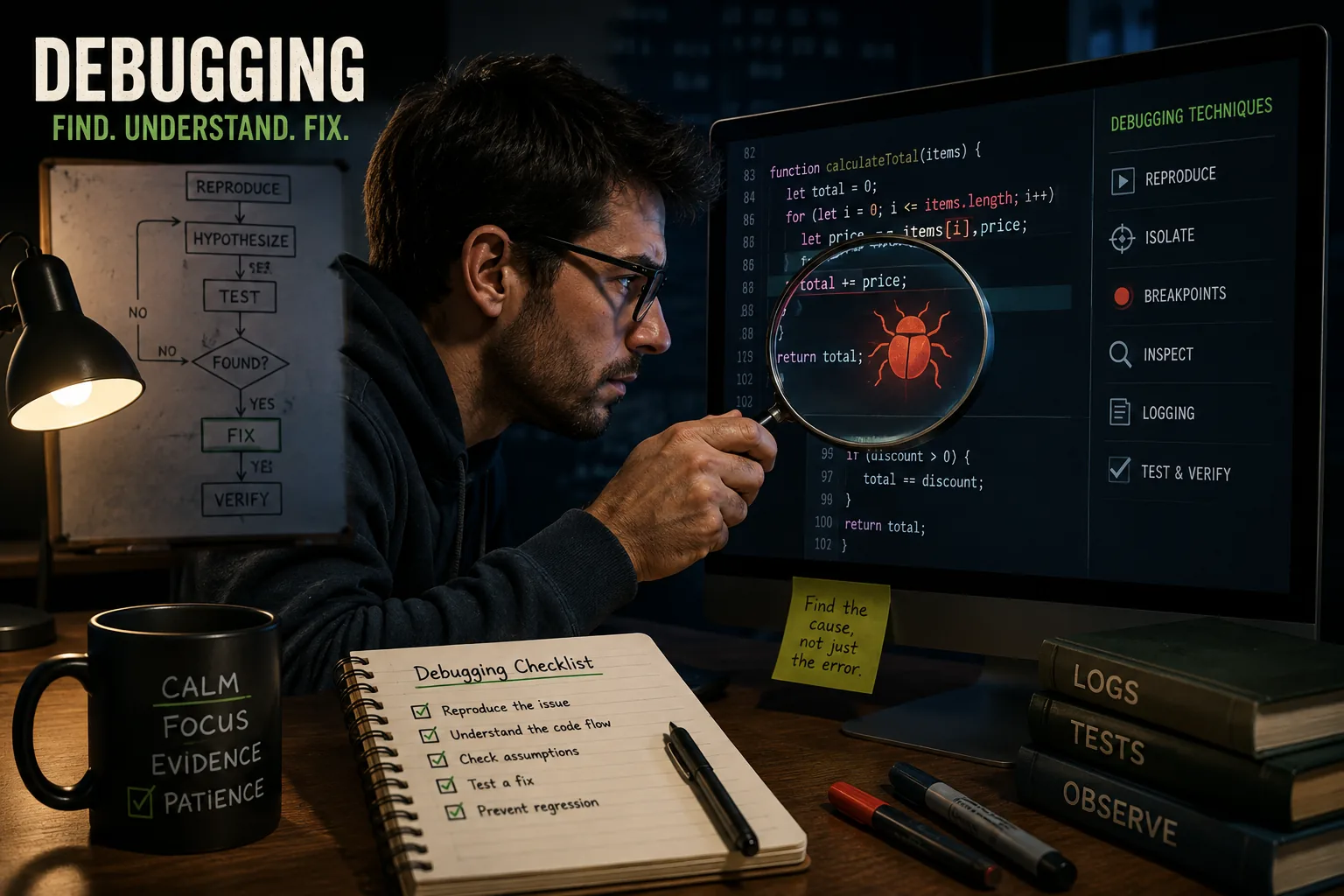
A serious failure can result from a small technical assumption when the system does not handle the resulting error safely. Debugging techniques help isolate those assumptions, test them against actual conditions, and avoid the repeated failures that occur when backup systems reproduce the same flaw.
On June 4, 1996, the maiden flight of the Ariane 5 rocket lasted 37 seconds before the vehicle self-destructed. The cause: a 64-bit floating point number had been converted to a 16-bit signed integer in the Inertial Reference System software.[3]
The value exceeded the maximum representable by 16 bits. An exception was raised. The backup system, running identical software, failed identically. The primary computer interpreted the error message as flight data. The rocket veered off course. The on-board self-destruct sequence activated.
The Ariane 5 bug cost approximately 370 million US dollars and five years of development. It had been introduced by reusing software from the Ariane 4 mission - software that had been proven correct for Ariane 4's flight envelope, which Ariane 5 exceeded.
Nobody caught it because nobody had tested the reused module against Ariane 5's actual performance parameters.
No human being has yet built software that does not contain bugs. The question is never whether bugs will appear, but how quickly they will be found, how thoroughly their root causes will be understood, and how completely they will be fixed.
For developers, these questions determine whether a debugging session takes 20 minutes or two weeks - and occasionally, whether 370 million dollars of hardware survives launch.
This article covers the systematic techniques that separate developers who find bugs efficiently from those who waste hours guessing. Debugging is one of the most learnable engineering skills and one of the least formally taught.
What Debugging Actually Is
Debugging is the systematic process of identifying, isolating, and resolving defects in software. That definition contains a word that matters: systematic.
Non-systematic debugging looks like this: the bug appears, the developer stares at the code, changes something that seems plausible, checks if the bug is gone, tries another change, clears the browser cache, restarts the server, changes something else, and eventually the bug disappears - often for reasons the developer does not understand and cannot articulate.
This is guessing, not debugging. It is slow, unreliable, and teaches nothing.
Systematic debugging looks like scientific investigation: observe the symptom, form a hypothesis about the cause, design an experiment to test the hypothesis, analyze the results, refine the hypothesis, and repeat until the root cause is identified.
This approach is faster, more reliable, and produces understanding that prevents similar bugs in the future.
Brian Kernighan, co-author of The C Programming Language, wrote: "Debugging is twice as hard as writing the code in the first place.[4]
Therefore, if you write the code as cleverly as possible, you are, by definition, not smart enough to debug it." Written in 1974, this observation remains accurate. Code that is too clever to be read clearly is code that is too clever to be debugged efficiently.
A 2019 study from the University of Cambridge estimated that software developers spend between 30 and 50 percent of their working time on debugging activities. The total economic cost of software bugs globally exceeds one trillion dollars annually by some estimates.
Given these numbers, the relative scarcity of formal debugging instruction in computer science education is striking.
| Bug Type | When It Appears | Key Diagnostic Tool | Typical Fix Approach |
|---|---|---|---|
| Syntax error | At parse/compile time | Compiler or interpreter message | Read error, correct syntax |
| Runtime error | During execution | Stack trace, error message | Follow stack trace to source |
| Logic error | Incorrect output, no crash | Debugger, print statements, bisect | Trace execution against expected |
| Concurrency bug | Intermittently under load | Thread analysis, reproducing race condition | Synchronization, atomic operations |
| Performance bug | Under specific load/data conditions | Profiler, timing measurements | Algorithm or data structure change |
| Integration bug | When combining components | Network/API monitoring, integration tests | Validate contracts between components |
'Debugging is twice as hard as writing the code in the first place. Therefore, if you write the code as cleverly as possible, you are, by definition, not smart enough to debug it.'
- Brian Kernighan, co-author of 'The C Programming Language' (1978)
A Taxonomy of Bugs
Before examining technique, it helps to understand the types of defects that require different approaches.
Syntax Errors
Syntax errors are the simplest category. The program does not conform to the rules of the language, so the compiler or interpreter refuses to process it. The tool catches the error before execution and typically identifies the location precisely.
Modern editors display syntax errors in real time, often underlining the problematic code before the file is saved.
Syntax errors are quickly fixed and rarely require investigation. They represent the smallest debugging problem.
Runtime Errors
Runtime errors occur during execution. The program parses and begins running, then encounters a condition it cannot handle: dividing by zero, dereferencing a null pointer, accessing an array index that does not exist, attempting to open a file that is not present.
The program typically crashes with an error message and a stack trace - a list of function calls that led to the failure point. Stack traces are enormously valuable. They show exactly where the program failed and what sequence of calls produced that state.
Common runtime errors include:
- Null pointer dereferences: Calling a method on a variable that holds null rather than an object
- Index out of bounds: Accessing position 10 of a 5-element array
- Stack overflow: Recursive functions that call themselves without a base case
- Type mismatches: Passing a string where a number is expected, in dynamically typed languages
- Unhandled exceptions: Errors thrown by library code that the application does not catch
Logic Errors
Logic errors are the hardest category, and the one requiring the most sophisticated technique. The program runs without crashing but produces incorrect results. No error message. No stack trace. The code does exactly what the developer told it to do - which is not what the developer intended.
Example: A developer at an e-commerce company spent six hours in 2021 debugging a pricing discrepancy. The cart total was occasionally wrong by small amounts. The code ran without errors. The issue was a logic error in floating point arithmetic: the sum 0.1 + 0.2 in JavaScript equals 0.30000000000000004, not 0.3.
Accumulated across multiple items with decimal prices, these floating-point rounding errors produced totals that differed from customer expectations by one or two cents - enough to generate support tickets, insufficient to cause crashes.
Logic errors require understanding both what the code does and what it should do. Finding them requires reasoning about the program's behavior rather than following error messages to their source.
Concurrency Bugs
Concurrency bugs form a fourth category that deserves separate attention because they combine the unpredictability of intermittent errors with the difficulty of logic errors.
When two or more processes or threads operate on shared data simultaneously, the order of operations becomes non-deterministic. The same code can produce correct results most of the time and wrong results occasionally, depending on timing that neither the developer nor the test suite controls reliably.
Race conditions occur when the outcome depends on which of two operations executes first. Deadlocks occur when two processes each wait for the other to release a resource. Data races occur when two threads read and write shared memory without synchronization.
These bugs may not appear during development or testing because the timing of operations differs between development environments and production systems under load. They emerge in production with usage patterns that expose the timing dependency.
The Debugging Process
The following sequence applies to most debugging situations. Each step is necessary; skipping steps typically extends the total debugging time.[2]
Establish a Reliable Reproduction
A bug that cannot be reliably reproduced cannot be systematically investigated. The first task in any debugging session is establishing a consistent reproduction path: the exact sequence of steps, inputs, and environmental conditions that cause the bug to appear.
Questions to answer during reproduction:
- What is the exact input that triggers the bug?
- Does the bug appear every time, or intermittently?
- Which environments produce the bug? (Development, staging, production? Which browsers or operating systems?)
- What is the expected behavior?
- What is the actual behavior?
Example: In 2020, an engineering team at a financial services company spent three days on a bug described as "payments sometimes fail." The description was useless for debugging.
After instrumenting the reproduction environment, they discovered the failure occurred only when the payment amount crossed a specific threshold AND the user's account was fewer than 24 hours old AND the transaction occurred between 2 AM and 4 AM UTC.
Each condition alone was insufficient to trigger the bug.
Once the reproduction conditions were identified precisely, the cause - a combination of fraud detection heuristics that interacted unexpectedly - was found in under an hour.
If a bug cannot be reproduced on demand, increase the probability of reproduction: run the operation thousands of times in a loop, test under different timing conditions, add instrumentation to capture state when the bug appears in production.
Narrow the Search Space
A program with 100,000 lines of code contains thousands of potential bug locations. Debugging without narrowing the search space is impractical. The goal of this phase is to reduce the possible locations from thousands to dozens to one.
Binary search: Comment out or disable half the code path. Does the bug still appear? If yes, the bug is in the remaining half. If no, it is in the disabled half. Repeat, halving each time. This logarithmic approach can locate a bug in 100,000 lines of code in approximately 17 steps.
Minimal reproduction: Strip away everything that is not necessary to trigger the bug. Remove unrelated features, simplify input data, eliminate configuration options. The smallest possible reproduction case often makes the cause obvious and eliminates noise that obscures the root cause.
Layer isolation: In a layered system (UI, business logic, data layer), determine which layer produces the bug by testing each layer independently. If the database query returns correct data but the UI displays wrong data, the bug is in the business logic or rendering layer, not the database.
Example: Mozilla's debugging of a Firefox rendering bug in 2019 began with the report: "pages with complex CSS sometimes render incorrectly." The minimal reproduction process took two weeks and produced a seven-line HTML file with specific CSS properties that consistently triggered the misrender.
With that minimal case, the rendering team identified the issue - an incorrect bounding box calculation for positioned elements inside grid containers - in a single afternoon.
Understand the Root Cause
The most common and costly debugging failure is fixing the symptom rather than the cause. Adding a null check before every function call that might receive null is not fixing a bug; it is papering over a defect whose origin remains active and likely to produce different failures later.
The root cause is the most fundamental underlying condition that must change to prevent the bug. Finding it requires asking "why?" recursively until the chain of causation reaches something that can be definitively fixed.
Five Whys technique (adapted from Toyota manufacturing):
- The application throws a NullPointerException. Why? The user object passed to
processPayment()is null. - The user object is null. Why? The session lookup returned null.
- The session lookup returned null. Why? The session expired before the payment was submitted.
- The session expired during payment. Why? The payment form takes longer than the session timeout to complete.
- The form takes too long. Why? It requires users to look up and manually enter a 16-digit card number, which exceeds the 15-minute session limit for users with visual impairments using screen readers.
The fix is not "catch the NullPointerException." The fix is "extend session timeout for users in the payment flow" or "save session state before it expires during long transactions." These are architectural decisions with real impact on user experience - decisions that only become visible by pursuing the root cause instead of patching the symptom.
Fix and Verify
Once the root cause is understood:
- Write a failing test that reproduces the bug using the minimal reproduction case. The test should fail before the fix is applied and pass afterward.
- Implement the smallest fix that addresses the root cause. Minimal changes reduce the risk of introducing new bugs.
- Verify the test passes with the fix applied.
- Run the complete test suite to check for regressions introduced by the fix.
- Assess for similar bugs: If this logic error was possible here, where else might the same mistake appear? Look for similar patterns in the codebase.
- Document the fix in the commit message with an explanation of the root cause, not just the change made.
The practice of writing a failing test before implementing a fix - sometimes called test-driven bug fixing - is one of the highest-value habits a developer can adopt. It ensures the bug cannot recur silently and provides documentation of the expected behavior for future maintainers.
The Essential Debugging Toolkit
Interactive Debuggers
An interactive debugger allows the developer to pause program execution at any point and inspect the complete program state: all variables in scope, the call stack, the values returned by recent operations.
Every modern integrated development environment includes a debugger. The capabilities are consistent across languages:
Breakpoints pause execution at a specified line. When the program reaches that line, it stops and waits for developer input. The developer can then examine variable values, evaluate expressions in the current scope, and decide how to proceed.
Conditional breakpoints pause execution only when a specified condition is true. This is essential for bugs that occur only under specific circumstances. Rather than manually stepping through thousands of loop iterations, a conditional breakpoint on user.id == 42 or items.length == 0 pauses only when the relevant condition holds.
Step over / Step into / Step out control how execution proceeds after a pause:
- Step over executes the current line and pauses at the next one
- Step into enters a function call, pausing at the first line of the called function
- Step out completes the current function and pauses at the calling location
Watch expressions display the value of specified variables or expressions continuously as execution proceeds. The developer sets a watch on this.cache.size and sees its value update at each step without manually inspecting it.
Call stack inspection shows the complete chain of function calls that led to the current execution point - which function called which function all the way up from the initial entry point.
Example: A senior developer at Atlassian described a debugging session in 2022 where a bug in Jira's search indexing was causing incorrect results for specific query combinations. Three days of log analysis had not found the cause.
Two hours with VS Code's debugger attached to the indexing process revealed that a field normalization function was mutating its input - the same object was being indexed with different values depending on whether normalization had been applied.
The debugger's ability to pause execution mid-normalization and inspect the object before and after made the mutation visible immediately.
Logging and Print Debugging
Despite the sophistication of interactive debuggers, print debugging - adding temporary output statements to trace execution - remains the most frequently used debugging technique. Stack Overflow's developer surveys consistently show it as the most common approach across all experience levels.
Print debugging has genuine advantages:
- No setup required: Works in any environment without configuring a debug adapter
- Temporal view: Shows a sequence of events over time, which interactive debuggers make more difficult to follow
- Remote and production use: Can be used in environments where attaching a debugger is impossible
- Parallel execution: In concurrent code, print output shows the interleaving of operations
Effective print debugging differs from scattering console.log("here") throughout the code:
Include context: console.log('processPayment called', {userId, amount, currency, timestamp}) tells you what the function received. console.log('here') tells you nothing except that execution reached that line.
Use structured logging: Key-value pairs that logging infrastructure can parse, search, and aggregate. logger.info('payment.attempt', {userId: 123, amount: 49.99, status: 'initiated'}) is searchable. Concatenated strings are not.
Log at boundaries: Function entry and exit, API calls, database queries, external service interactions. Knowing what went into and came out of each component is usually sufficient to find where values go wrong.
Include timing: Timestamps or elapsed time reveal performance-related bugs and help reconstruct the sequence of events in concurrent systems.
Remove after debugging: Debug logging left in production creates noise, inflates log storage costs, and can expose sensitive data. Treat debug log statements as temporary scaffolding to be removed after the bug is found.
Reading Error Messages Thoroughly
The most consistently underused debugging tool is the error message itself. Developers routinely glance at the first line of an error and begin guessing, missing the specific location and context information that follows.
A stack trace contains:
- The error type and message
- The file name and line number where the error occurred
- The chain of function calls that led there
- In some languages, the values of local variables at each frame
TypeError: Cannot read properties of undefined (reading 'email')
    at sendWelcomeEmail (notifications.js:47)
    at createUserAccount (users.js:89)
    at POST /api/users (routes/users.js:23)
This trace says: at line 23 of the users route handler, createUserAccount was called.
At line 89 of that function, sendWelcomeEmail was called. At line 47 of the notifications module, something expected to have an email property was undefined. Start at notifications.js:47, look at what is undefined, and trace where it came from.
Reading this trace takes 30 seconds. Ignoring it and guessing can take hours.
Git as a Debugging Tool
Version control history is an often-overlooked debugging resource. When a bug was introduced by a recent code change, git tools can identify the change quickly:
git log --oneline -20 shows the last 20 commits. If the bug appeared recently, the causative commit is likely visible here.
git blame filename.js annotates each line with the last commit that modified it. When a suspicious line appears, git blame shows who wrote it, when, and in what commit - providing the full context of that change.
git bisect performs automated binary search through commit history.[8] The developer marks one commit where the bug is present and one where it is absent; git checks out commits in between, the developer tests each, marks it good or bad, and git narrows the search geometrically.
A bug introduced anywhere in the last 1,000 commits can be found in approximately 10 test cycles.
git diff HEAD~5 shows the changes made in the last five commits - useful for quickly reviewing what changed recently when a bug appears.
Understanding how to use version control effectively, including these debugging workflows, is covered in depth in the context of development workflows and team practices.
Application Performance Monitoring
In production systems, Application Performance Monitoring (APM) tools like Datadog, New Relic, Sentry, and Honeycomb capture errors, performance metrics, and traces automatically without developer intervention.[6]
These tools attach to the application at runtime and record:
- Every unhandled exception, with full stack traces and the request context that produced it
- Database queries, external API calls, and their durations
- Memory usage, CPU consumption, and thread pool metrics
- Distributed traces showing how a single user request flows through multiple services
Example: Stripe uses extensive internal observability tooling that was publicly described in a 2020 engineering blog post.
When a payment processing anomaly occurs in production, engineers can pull the distributed trace for affected transactions, see exactly which service handled each step, identify where latency spiked or errors occurred, and often diagnose production bugs within minutes of their appearance - without reproducing them locally.
Debugging Hard Problems
Intermittent Failures
The most frustrating category of bug is the one that appears inconsistently. Some developers call these "heisenbugs" - bugs that seem to disappear when observed (a reference to Heisenberg's uncertainty principle).
Intermittent failures arise from:
- Race conditions: Two concurrent operations interact in an order that produces incorrect results
- Timing dependencies: The bug appears only under specific load conditions that change the relative timing of operations
- Environment differences: Configuration, data, or resource availability differs between environments
- Memory state corruption: Previous operations leave residual state that affects subsequent ones
Strategies for intermittent bugs:
Increase occurrence rate: Run the operation thousands of times in a loop. A bug that appears 1% of the time will appear approximately 100 times in 10,000 runs, making it observable and analyzable.
Comprehensive instrumentation: Add detailed logging around the suspected area before the bug occurs. When it does occur, the logs reveal the state sequence that produced it.
Thread safety analysis: Review all code that executes concurrently for access to shared mutable state. Static analysis tools like Java's FindBugs or Rust's borrow checker can identify potential race conditions automatically.
Chaos engineering: Introduce controlled failures - delayed responses, network partitions, resource exhaustion - to expose assumptions about timing and resource availability. Netflix's Chaos Monkey and similar tools do this systematically.
Example: A 2021 case study from an engineering team at a large media streaming company described an intermittent failure in their recommendation engine that appeared roughly once per 10,000 requests. Seven engineers spent two weeks investigating.
The root cause was a subtle race condition in a caching layer: two threads could simultaneously determine that a cache entry needed refreshing, both refresh it from the database, and one would overwrite the other's result with a stale value from a slightly earlier query.
The fix required a distributed lock during cache refresh. The bug had been present for 14 months before load growth made it frequent enough to notice.
Production-Only Bugs
Some bugs appear only in production environments, where:
- Data volumes are orders of magnitude larger than in development
- Concurrent users create conditions impossible to replicate locally
- Third-party services behave differently than mocked versions suggest
- Configuration differs subtly between environments
Debugging production-only bugs requires production-quality observability:[7]
Correlation IDs: Assign a unique identifier to every request at the entry point and include it in every log message generated by that request. When a bug occurs, the correlation ID lets you trace the complete request flow through all services that handled it.
Feature flags: Roll out changes incrementally to a percentage of traffic. If a bug appears after a deployment, disable the new feature for all traffic instantly without rolling back the deployment.
Canary deployments: Deploy changes to a small subset of servers first.[9] Monitor error rates and performance metrics for the canary instances before rolling out to all servers.
Shadow traffic: Replay production traffic in a staging environment to reproduce production-specific conditions without affecting real users.
Debugging Other People's Code
When inheriting or investigating unfamiliar code:
Start from the error and work backward: The stack trace points to where the failure occurred. Trace the call chain upward to understand what sequence of decisions led there.
Read the tests: Tests document expected behavior and reveal edge cases the original developer considered. A test suite is often better documentation than comments.
Examine recent changes: git log --since="2 weeks ago" and git log --author="username" narrow the search to recently modified code when the bug is new.
Follow the data: Trace the value of the relevant variable from its creation through every transformation until it reaches the point of failure. Often the bug lies at a transformation step where the value becomes incorrect.
Use the "strangler" approach for legacy code: If the codebase lacks tests, add characterization tests - tests that document the current behavior, even if that behavior is wrong. These tests catch regressions while you investigate and fix the underlying issues.
Common Debugging Errors and How to Avoid Them
Changing Multiple Variables Simultaneously
Changing three things and observing that the bug disappears does not tell you which change fixed it. Possibly one of the three changes was the fix; possibly two interact to mask the bug without fixing it; possibly all three are irrelevant and the bug disappeared due to environment changes.
Rule: Change exactly one thing between observations. This is the experimental discipline of debugging.
Debugging by Coincidence
"Restarting the server sometimes fixes it" is not a solution. It is a warning sign. If restarting clears the bug, something is accumulating - memory is leaking, state is not being properly reset, connections are not being released. Understanding why the restart helps points to the actual bug.
Rule: Never accept a fix you do not understand. If clearing the cache fixes the bug, find out what stale data was in the cache and why it was stale.
Assuming the Framework is Wrong
"My code is correct; the bug must be in [React / Django / PostgreSQL]." This conclusion is occasionally correct and almost always wrong. Widely used frameworks have millions of users who would have encountered the same bug.
Verify your own code thoroughly before suspecting the toolchain - and when you do suspect the toolchain, write a minimal reproduction case to confirm.
Not Writing a Test After Finding the Bug
The most common post-debugging error is fixing the bug without writing a test that would have caught it. Within a year, a refactor or a well-intentioned change may reintroduce the same bug, and the next debugging session starts from zero.
Rule: After every bug fix, write a test that would have caught the bug before it reached production. Make this a non-negotiable part of the fix process.
Debugging While Emotionally Frustrated
Extended unsuccessful debugging sessions generate frustration that impairs judgment. Frustrated debugging tends toward increasingly random changes, skipped steps, and confirmation bias (seeing what you expect to see rather than what is there).
Rules: Take a break after 45 to 60 minutes without progress. Explain the problem to a colleague - the rubber duck effect (articulating a problem to another person, or even to a rubber duck) frequently produces insight. Sleep on difficult problems; the subconscious continues processing.
Prevention: The Economics of Early Bug Detection
The cost to fix a bug increases by roughly an order of magnitude at each stage of the development lifecycle. A bug caught by the developer while writing code might take 5 minutes to fix. The same bug caught in code review might take 30 minutes.
Found in QA testing, it might require an hour including regression testing. Found in production, it might require emergency deployment, rollback, customer communication, and post-incident review - representing hours or days of multiple people's time, plus potential business impact.
These numbers come from research going back to Barry Boehm's work in the 1970s and have been replicated in subsequent studies.[10] The exact ratios vary, but the directional finding is consistent: bugs caught earlier cost far less to fix.
This economics argument makes the case for:
Automated testing: Unit tests catch bugs at the moment of writing. Integration tests catch bugs when components are combined. End-to-end tests catch bugs in complete user flows. Each layer catches bugs before they reach the next, more expensive stage.
Type systems: Statically typed languages like TypeScript, Java, Go, and Rust eliminate entire categories of bugs at compile time. The value of a type system is not theoretical; it is the specific category of null reference errors, type mismatches, and missing field accesses that never reach production.
A 2017 study of GitHub JavaScript projects found that TypeScript annotations would have prevented 15% of reported bugs.
Linters and static analysis: Tools like ESLint, Pylint, and SonarQube analyze code for common patterns that produce bugs without executing the code. They catch issues in seconds that might take hours to debug after the fact.
Code review: A second pair of eyes catches logic errors, missing edge cases, and incorrect assumptions that the original developer's familiarity with their own code prevents them from seeing. Google's engineering practices document attributes significant quality improvements to mandatory code review.
The relationship between code quality practices and debugging frequency is direct: developers who write tested, reviewed, typed code spend substantially less of their working time debugging. The investment in these practices returns multiple times in debugging time saved.
For a deeper treatment of how quality practices integrate into software development workflows, see How Software Is Actually Built and the broader principles of developer productivity.
Debugging Across Paradigms
Functional Debugging
In functional programming, pure functions - functions that produce the same output for any given input and have no side effects - are dramatically easier to debug. Given the inputs, the output is deterministic. Testing the function in isolation is sufficient; no environmental setup is required.
Debugging functional code primarily means:
- Verifying that functions are actually pure (no hidden global state access)
- Tracing data transformations through function composition pipelines
- Identifying where impure operations (I/O, randomness, time) enter the computation
Object-Oriented Debugging
Object-oriented code introduces debugging complexity through mutable state distributed across objects. The challenge is that an object's behavior at any point depends on its entire history of state changes.
Debugging OO code often requires:
- Understanding the complete lifecycle of an object from construction through the point of failure
- Identifying which methods have modified the relevant state
- Tracing message-passing sequences through inheritance hierarchies
Distributed System Debugging
Microservices and distributed architectures introduce debugging complexity that single-process applications do not have. A user request may be handled by five or ten different services; a failure in one may manifest as a confusing error in another.
Distributed tracing tools like Jaeger, Zipkin, and AWS X-Ray attach a trace ID to every request and record its passage through each service. When a failure occurs, the trace shows which service failed, what it received, and how long each step took.
The Debugging Mindset Over Time
Senior developers differ from junior ones in debugging primarily in their models of how systems fail. A junior developer sees a bug as a localized error in a specific line of code.
A senior developer sees a bug as evidence about the system's behavior - evidence that may reveal assumptions that were wrong, edge cases that were unconsidered, or architectural decisions with unexpected implications.
This perspective shift produces different debugging behavior. The senior developer's first question is not "which line is wrong?" but "what does this bug tell me about how this system behaves?" The answer often leads to fixes that are more robust and more durable than patching the immediate symptom.
The other consistent difference is documentation. Senior developers document what they found: in commit messages, in comments near complex logic, in incident post-mortems, and in test cases that prevent regression. They treat each bug as information to be preserved for future developers - including their future selves.
What Research Shows About Debugging
The empirical study of debugging has accelerated since the early 2000s, producing a body of evidence that challenges several common assumptions about how bugs are found and fixed.
A foundational study by Tom Britton, Lisa Jeng, Graham Carver, and Paul Cheak at Cambridge Judge Business School (2013), titled "Reversible Debugging Software," found that developers spend 35 to 50 percent of their total programming time debugging - a figure consistent with the earlier University of Cambridge estimates.[5]
More striking was the study's finding that reversible debugging tools (which allow execution to be stepped backward in time) reduced average debugging time by 26 percent compared to conventional forward-only debuggers, suggesting that the directional constraint of traditional debugging tools is itself a significant source of inefficiency.
Andreas Zeller at Saarland University, author of Why Programs Fail (2009), has contributed the most systematic academic framework for debugging methodology.[1]
Zeller's "delta debugging" algorithm, introduced in a 2002 paper in IEEE Transactions on Software Engineering, automates the process of isolating minimal failure conditions.
Given a failing test and a passing test, delta debugging systematically narrows the difference between the two (in input, configuration, or code changes) until the minimal change that causes the failure is identified.
Zeller's empirical studies found that delta debugging reduced the time to isolate the minimal failure condition by 60 to 80 percent compared to manual narrowing, primarily by eliminating the confirmation bias that causes developers to overlook non-obvious causative factors.
Research by Bettina Berendt and colleagues at KU Leuven, published in 2018 in the Journal of Systems and Software, studied 200 professional developers to understand the cognitive patterns that distinguish effective debuggers from ineffective ones.
The study found that effective debuggers formed explicit hypotheses before testing (hypothesis-first debugging), while ineffective debuggers tended toward what the researchers called "exploration debugging" - making changes and observing effects without forming testable predictions.
Hypothesis-first debuggers solved assigned bugs in an average of 18 minutes; exploration debuggers averaged 47 minutes.
The difference was attributed to how each group used evidence: hypothesis-first debuggers explicitly updated their mental model with each observation, while exploration debuggers accumulated observations without a framework for interpreting them.
The economic cost of debugging was updated and extended in a 2020 report commissioned by the Consortium for Information and Software Quality (CISQ), which estimates the annual cost of software failures in the US at $1.56 trillion.
Of this, the report (authored by Herb Krasner) attributes $1.15 trillion specifically to operational software failures - bugs reaching production - and identifies poor debugging practices (specifically the failure to identify root causes before deploying fixes) as a primary driver of repeat failures.
The report found that 62% of production incidents were caused by bugs that had previously been "fixed" in the same codebase, implying that symptom-level fixes without root cause analysis dominate organizational debugging practice.
Barry Boehm's original research on defect detection and repair costs, updated by more recent studies at IBM's Systems Sciences Institute and at SEI Carnegie Mellon, consistently finds a 100:1 cost ratio between fixing a defect in production versus finding it during requirements specification.
The ratio for bugs caught during code review versus bugs in production is approximately 10:1. The implication for debugging practice is direct: the most economically rational debugging investment is prevention - code review, automated testing, and static analysis - rather than post-deployment diagnosis.
Organizations that shift 10% of their debugging time toward earlier detection mechanisms can expect to reduce total debugging costs by 50 to 70%, based on the cost ratios and detection efficiency data in Boehm's research.
Real-World Case Studies in Debugging
The Therac-25 radiation therapy machine incidents between 1985 and 1987 represent the most thoroughly studied case of production bugs with catastrophic consequences.
The Therac-25, a computer-controlled radiation therapy device, delivered massive radiation overdoses to six patients (killing three) due to a race condition in the control software.
Nancy Leveson and Clark Turner's 1993 analysis, published in IEEE Computer, documented how the race condition occurred only when operators entered treatment data at speeds above a specific threshold - a condition that had never occurred during testing but was common in production with experienced operators who had memorized the interface.
The bug had been present since the Therac-20 predecessor but was masked by hardware interlocks that the Therac-25 eliminated.
The case study is now canonical in software engineering courses because it illustrates how concurrency bugs, environment-dependent failures, and the removal of redundant safeguards can combine to make bugs in tested code catastrophic in production.
Microsoft's debugging of Windows memory corruption bugs in the Windows Vista and Windows 7 development cycles, documented by former Microsoft developer Raymond Chen in The Old New Thing blog, illustrates systematic debugging at the scale of a 50-million-line codebase.
Windows kernel memory corruption bugs are particularly difficult because the symptom (a crash or incorrect behavior) typically occurs in code far removed from the cause (the point where memory was corrupted).
Microsoft's response included developing Application Verifier, a dynamic analysis tool that intercepts memory allocations and validates heap integrity on every access, artificially making corruption visible at the point of occurrence rather than at the later point of symptom.
Chen documented that Application Verifier reduced the average time to root-cause identification for heap corruption bugs from 3 to 4 days (without the tool) to under 4 hours, a 10 to 20x improvement.
The tool's approach - making implicit constraints explicit and failing immediately when violated - is now a standard pattern in debugging tool design.
Google's production debugging practices, described by engineers in the Google Site Reliability Engineering book (2016) and supplemental blog posts, represent the most systematically documented approach to production debugging at scale.
Google's approach centers on what their SRE team calls "structured problem solving": every production investigation begins with an explicit written hypothesis in a shared document, followed by structured evidence collection, followed by hypothesis revision.
The practice was adopted after an internal study found that debugging sessions without written hypotheses lasted an average of 2.3 times longer than structured ones and were 40% more likely to result in fixes that were later reversed.
Google's distributed tracing infrastructure (which became the Dapper research paper, 2010) was developed specifically because the complexity of distributed debugging made unstructured investigation intractable at their scale.
Knight Capital Group's $440 million loss in 45 minutes on August 1, 2012, is the most studied case of a production debugging failure in financial technology. A deployment error activated unused code in Knight's market-making system, causing the system to issue erroneous buy orders for 154 stocks.
For 45 minutes, Knight's operations team observed escalating losses but was unable to diagnose and stop the malfunction due to insufficient production monitoring and a lack of clear ownership of the deployment process.
Post-incident analysis by the SEC found that Knight had no automated circuit breakers to halt trading when losses exceeded thresholds, no real-time alerting on order volume anomalies, and no documented runbook for disabling specific components of the trading system.
The firm lost $440 million - more than its net equity - in a span shorter than a typical debugging session.
The case has since driven widespread adoption of automated circuit breakers, position limits, and kill-switch mechanisms in financial trading systems, each a direct response to the specific debugging and monitoring gaps identified in the incident.
Sources & Further Reading
- Zeller, Andreas. Why Programs Fail: A Guide to Systematic Debugging. Morgan Kaufmann, 2009. View source
- Agans, David J. Debugging: The 9 Indispensable Rules for Finding Even the Most Elusive Software and Hardware Problems. AMACOM, 2002. View source
- Lions, Jacques-Louis. "Ariane 5 Flight 501 Failure: Report by the Inquiry Board." European Space Agency, 1996. View source
- Kernighan, Brian W. and Plauger, P.J. The Elements of Programming Style. McGraw-Hill, 1978.
- Britton, Tom et al. "Reversible Debugging Software." Cambridge Judge Business School, 2013.
- Sentry. "Error Monitoring and Performance." sentry.io. View source
- Honeycomb. "Observability for Production Systems." honeycomb.io. View source
- Git. "git-bisect Manual Page." git-scm.com. View source
- Nygard, Michael T. Release It!: Design and Deploy Production-Ready Software. Pragmatic Bookshelf, 2018. View source
- Boehm, Barry. Software Engineering Economics. Prentice Hall, 1981.
Further Reading
- Gao, Zheng et al. "An Empirical Study on the Usage of the 'const' Qualifier in C." ACM SIGSOFT International Symposium on Software Testing and Analysis, 2017.