
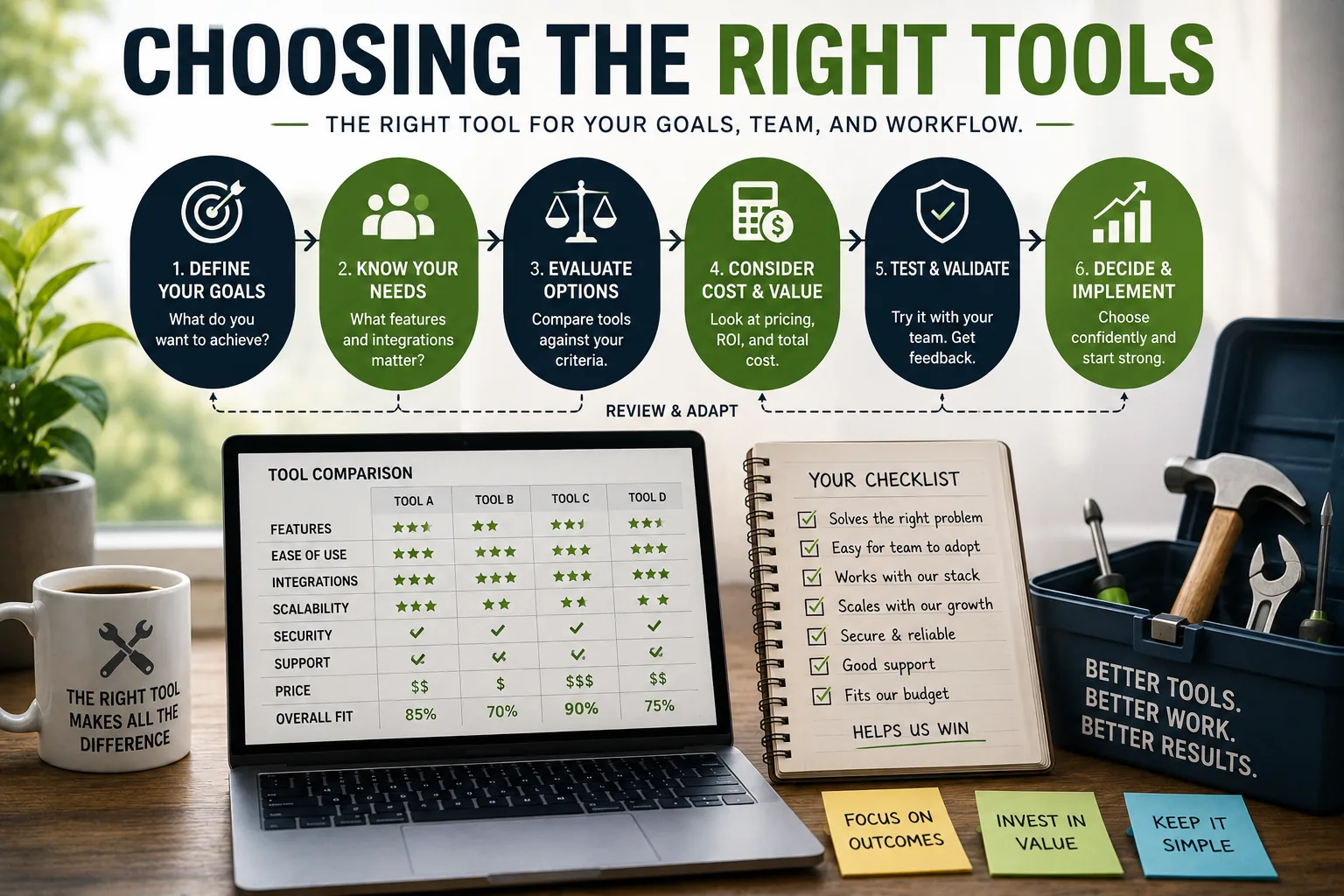
Evaluation: The paradox of choice is not a theoretical concern in software tool selection. In the 1950s, a knowledge worker's tool set was largely fixed: a typewriter, a filing cabinet, a telephone.
In 2025, the productivity software market exceeds $100 billion in annual revenue, with thousands of options available for every conceivable need. Project management alone has more than 370 dedicated tools. Note-taking apps number in the hundreds.
The abundance creates a specific problem: evaluation and adoption overhead. Every hour spent researching, trialing, configuring, and migrating between tools is an hour not spent on the work those tools are meant to facilitate. The promise of each new tool is efficiency; the aggregate effect of constant tool adoption is the opposite.
Barry Schwartz documented in The Paradox of Choice that increasing the number of options consistently increases decision difficulty and post-decision regret.[1]
The research on productivity tool adoption bears this out: people who maintain small, stable tool sets report higher satisfaction with their systems and spend substantially more time on actual work than people who continuously seek and adopt new tools.
This article provides a structured framework for making tool adoption decisions deliberately, avoiding common selection mistakes, and building a tool ecosystem that serves actual work rather than aspirational work.
The Foundational Question: What Problem Does This Solve?
The first and most important question in any tool adoption decision is the one that sounds obvious but is systematically skipped: what specific problem does this tool solve?
"Better organization" is not a problem. "I consistently lose client meeting notes because they are captured in different places - sometimes email, sometimes Slack, sometimes a physical notebook - and I cannot find them reliably when I need them" is a problem.
The specificity matters because specific problems have testable solutions, while vague problems attract vague solutions that may or may not help.
The corollary question is whether the problem is real or aspirational. Aspirational problems are the problems the person-you-wish-you-were would face. If you rarely cook, you do not need a recipe organization system.
If you have never consistently tracked time, you should not start by acquiring the most sophisticated time-tracking software available. Tools purchased for the aspirational self join a long list of unused subscriptions.
A useful test: can you identify a specific instance in the last two weeks where this problem cost you meaningful time, created errors, or caused frustration? If you cannot locate a concrete recent example, the problem may not exist at the frequency that justifies tool adoption.
The Current Solution Examination
Before adopting a new tool, examine your current solution seriously. Most tool adoption decisions are made with significant knowledge asymmetry: the evaluator knows every limitation of their current tool but has optimistic expectations for the new one.
After adoption, the new tool's limitations become apparent, and the comparison reverses.
The questions to ask about your current solution:
What specific limitations do you hit regularly - not occasionally, not theoretically, but at least weekly? List them explicitly.
Have you explored the full capabilities of your current tool? Most users employ a small fraction of their current tools' features. The capability you want may already exist in the tool you have, undiscovered.
Is the limitation a fundamental one (the tool cannot do this) or a configuration one (the tool can do this but requires setup)? Configuration problems are worth solving within the existing tool before migrating.
Example: A product manager at a mid-size software company spent three weeks evaluating Notion as a replacement for Confluence.[7]
Her stated reason: Confluence was "hard to organize." After working through the specific friction points, she discovered that her team's Confluence structure was genuinely problematic - but that reorganizing the existing structure would have addressed the issue in two hours, without migration.
She had been attributing a process problem to a tool problem. She stayed with Confluence.
A Seven-Question Evaluation Framework
When a tool genuinely warrants evaluation, these seven questions provide a structured assessment.
1. Is This Problem Frequent Enough to Justify Tool Investment?
Calculate honestly. How often do you encounter this problem? Daily occurrences justify significant tool investment; monthly occurrences rarely do.
The breakeven calculation: setup time plus learning time, divided by time saved per occurrence multiplied by frequency, gives the weeks to breakeven. A tool with a four-hour setup that saves fifteen minutes per day reaches breakeven in approximately two weeks.
A tool with an eight-hour setup that saves ten minutes per week reaches breakeven in approximately five months - and that is before accounting for ongoing maintenance, occasional confusion, and the time spent learning features that turn out not to be useful.
If the breakeven exceeds six months, the tool is difficult to justify unless it addresses an infrequent but high-stakes need.
2. Have I Exhausted Simpler Alternatives?
The simplest solution that addresses the actual problem is almost always preferable to a sophisticated one. Sophisticated solutions have higher maintenance overhead, higher learning costs, and higher switching costs.
Before any new tool, try:
A spreadsheet. Google Sheets or Excel addresses a surprisingly wide range of organizational needs with zero learning curve and excellent data portability. Many tools that seem essential are solving problems that a well-structured spreadsheet handles adequately.
Plain text files. For notes, documentation, and information capture, plain text with a good search tool (even the file system's native search) is more durable, more portable, and less subject to vendor risk than proprietary formats.
An existing tool's underused features. Most tools have capabilities their users never discover. The functionality you are seeking from a new tool may exist in a tool you already pay for.
A process change. Sometimes the problem is not a wrong tool but a wrong process. A different workflow with existing tools is often more effective than the same workflow with a new tool.[3]
3. How Does This Fit My Actual Working Style?
The gap between aspirational self and actual self is where tool adoption money disappears. The aspirational self maintains elaborate knowledge management systems, reviews weekly with meticulous tracking, and uses every advanced feature consistently.
The actual self captures quick notes and rarely reviews them, needs a low-maintenance system, and uses ten percent of most tools' features.
Tool mismatch happens when you evaluate and purchase for aspirational self while living as actual self.
Identifying your actual working style requires observation, not theory. Track for one week: when do you capture information? On what device? At what time of day? How often do you review it? What tools do you reach for without thinking? The patterns that emerge are more reliable than the patterns you wish existed.
Example: A developer who wanted to build a comprehensive knowledge management system spent several weekends configuring Roam Research, learning its bidirectional linking system, and migrating existing notes. After two months, she rarely used it.
The system required discipline she did not consistently have.[10] She switched to a simpler setup - Bear for notes, Notion for project documentation - that matched her actual capture patterns and has used it consistently for two years.
4. What Are the Switching Costs?
Switching costs are systematically underestimated in tool adoption decisions. They include:
Migration cost: The time to export existing data, transform it into the new format, and import it correctly. For large data sets or proprietary formats, this can be substantial.
Learning cost: Time to develop proficiency in the new tool. The comparison between your current tool (at peak proficiency) and a new tool (at initial confusion) always makes the new tool look worse in the first months.
Integration cost: If the tool connects to other tools you use, those integrations must be rebuilt for the new tool. Automation chains, data pipelines, and connected workflows all require reconstruction.
Muscle memory cost: The cognitive overhead of unlearning existing habits and building new ones. This is real and persistent; experienced users of a tool being replaced continue reaching for old shortcuts for months.
Institutional cost: For team tools, the cost extends to everyone on the team. A tool switch that requires five people to migrate is five times the individual cost.
"People who maintain small, stable tool sets report higher satisfaction with their systems and spend substantially more time on actual work than people who continuously seek and adopt new tools.
The tool that gets used is always better than the tool that is theoretically superior but abandoned." - Barry Schwartz, 'The Paradox of Choice'
5. What Are the Exit Options?
Can you get your data out in a standard format if the tool fails, changes pricing significantly, or no longer serves your needs?
Proprietary formats with no export option create a form of lock-in that has concrete risk. Companies discontinue products, dramatically change pricing, or degrade quality. A tool with comprehensive data export - CSV, JSON, Markdown, standard formats that other tools can import - preserves your optionality.
Data portability should be verified, not assumed. The absence of a clear export function is a significant negative signal.
6. Is This Company Viable?
The tool you adopt today becomes infrastructure. Infrastructure that disappears takes your data and your workflows with it.
Indicators of company viability: a sustainable business model with clear revenue, evidence of ongoing investment in the product (regular meaningful updates), transparency about the product roadmap, and a track record of managing pricing changes reasonably.
The absence of these indicators does not guarantee failure, but it raises risk worth considering.
The specific risk of venture-funded "growth-first" companies is that generous free tiers and below-cost pricing may not survive the transition from growth mode to profitability focus. Companies that have reached business model sustainability are lower-risk infrastructure investments.
7. Am I Willing to Commit to a Real Trial?
A trial conducted without commitment produces unreliable results. If you continue using your existing tools as backup during the trial, you never fully experience the new tool under real conditions. The trial should involve using the new tool exclusively for actual work, over at least two weeks.
The "slump test" is particularly informative: use the tool during a difficult week when you are stressed, behind, and operating at reduced cognitive capacity. A tool that still works during a slump fits your actual working conditions.
A tool that requires energy you do not always have is less reliable than it appears during motivated evaluation.
| Evaluation Factor | Question to Ask | Red Flag |
|---|---|---|
| Problem frequency | Does this happen at least weekly? | Monthly or rare occurrence |
| Current solution | Have you used all its features? | Unused capabilities in existing tool |
| Working style fit | Does it match how you actually work? | Requires discipline you dont consistently have |
| Switching costs | Can you export your data? | Proprietary format, no export option |
| Company viability | Is there a clear revenue model? | Free product with no clear monetization |
| Trial commitment | Will you use it exclusively for 2 weeks? | "Testing it alongside" existing tool |
The Specialized Versus All-in-One Decision
One of the fundamental architectural choices in tool selection is whether to use specialized best-in-class tools for each function or an all-in-one platform that handles multiple functions.
The Case for Specialized Tools
Specialized tools are built for a specific purpose. They develop deeper capabilities, faster interfaces, and more sophisticated features within their domain than all-in-one alternatives.
The comparison between a dedicated note-taking app like Obsidian and Notion's notes feature is instructive: Obsidian's graph view, plugin ecosystem, and local file storage address note-taking needs that Notion's page-based model cannot easily accommodate.[5]
The independence of specialized tools also has architectural value. If you want to replace your task manager, you can do so without affecting your notes system.[8] Each tool can be evaluated and replaced on its own merits.
The disadvantages: multiple subscriptions, context switching between applications, and the integration overhead of connecting tools that do not natively communicate.
The Case for All-in-One Platforms
All-in-one platforms - Notion, ClickUp, Coda - promise to eliminate tool proliferation and context switching by handling multiple functions in a single application.[4] For teams, the shared workspace reduces the problem of information scattered across disparate systems.
The tradeoffs are real. All-in-one platforms are, by definition, not the best tool for any single function. They are adequate across many functions. For users whose needs are moderate, this is a reasonable bargain. For power users who depend on advanced capabilities in specific domains, the all-in-one's compromises are limiting.
Vendor concentration risk is also higher. An all-in-one platform becoming the system of record for everything creates significant cost and friction if the platform changes pricing, degrades in quality, or shuts down.
The Practical Middle Ground
Most effective tool ecosystems are neither pure specialized nor pure all-in-one. They use a primary organizational platform for documentation and collaboration, specialized tools for domains where depth matters, and native operating system tools for quick capture and simple operations.
A reasonable structure: a shared documentation and project management platform (Notion, Confluence, or equivalent) for team knowledge, specialized development tools (GitHub, Linear, or equivalent) for engineering workflows, and native apps (Notes, Calendar) for quick personal capture.
The total is four to six tools, each serving a distinct purpose.
Evaluating Tool Health Signals
The decision to adopt a tool is not final at adoption. Tools evolve, companies change, and periodic reassessment is appropriate.
Signals of a Healthy Tool
Regular updates that address real user needs, not just feature accumulation for marketing purposes. Responsive and honest communication from the company about issues and roadmap. A growing user base that suggests commercial sustainability.
Quality documentation that keeps pace with feature development. Reasonable pricing that reflects value delivered.
Signals of a Tool in Decline
No updates for months. Customer support that does not respond or provides generic responses. Forum and community discussions dominated by unresolved complaints. Pricing changes that suggest the company is in financial difficulty. Key personnel departures publicly visible on LinkedIn.
These signals warrant planning for migration, not necessarily immediate action. Having an exit plan before a crisis is preferable to scrambling when the crisis arrives.
The Subscription Audit
A quarterly review of all active subscriptions produces consistent returns. The questions for each subscription:
Have I actively used this in the past 30 days? Not "could I use it" but "did I use it"?
Does the value justify the cost? Time saved, errors prevented, capabilities enabled - is the value measurable and proportionate to the subscription cost?
Does this tool overlap significantly with another tool I am paying for? Overlapping tools should be consolidated.
Unused subscriptions cancelled quarterly accumulate to meaningful savings. More importantly, the audit forces clarity about which tools are actually earning their place in the ecosystem versus which are legacy subscriptions that were never properly evaluated for continued value.
The Investment in Tool Mastery
A consistent finding about highly productive people is that they use fewer tools than average, use them for longer periods, and have developed deep proficiency in each. The writer who has used Scrivener for seven years has internalized its keyboard shortcuts, organizational patterns, and quirks.
The writer who has used five different writing tools over the same period has learned the entry-level capabilities of each without developing mastery of any.
Tool mastery compounds. Every additional month with a tool discovers additional capabilities, builds faster muscle memory, and reduces the cognitive overhead of tool operation.[2] Switching costs reset this investment.
This does not mean never switching tools. It means treating switching as a decision with real costs that require clear justification. "This tool has a slight advantage in one feature I use occasionally" is not justification.
"This tool addresses a genuine and significant limitation that I hit regularly, and the switching cost is manageable" is justification.
The practical implication: when a new tool looks appealing, wait thirty days before evaluating it seriously. The appeal of novelty is strongest immediately after discovery and diminishes as familiarity reduces the attraction of the new and surfaces its limitations.
Many evaluations that seem urgent in the moment are unnecessary after thirty days of patience.
See also: Tool Overload Explained, Automation Tools Compared, and Developer Productivity Explained.
What Research Shows About Choosing the Right Tools
Professor Sheena Iyengar at Columbia Business School and Professor Mark Lepper at Stanford University published the foundational research on choice overload in the Journal of Personality and Social Psychology (2000): "When Choice is Demotivating: Can One Desire Too Much of a Good Thing?" Their jam study found that consumers exposed to 24 varieties were 10 times less likely to make a purchase than those exposed to 6 varieties (3% versus 30% purchase rate).[9]
Applied to software selection, Iyengar's subsequent research - including "The Art of Choosing" (Twelve, 2010) and conference papers at the American Psychological Association - found that decision fatigue increases proportionally with the number of options evaluated.
Teams evaluating more than 7 software alternatives reported significantly lower confidence in their final decision regardless of the actual quality of the chosen tool.
Iyengar recommends establishing hard evaluation caps (maximum 3-5 finalists) before beginning vendor comparison, a practice she documented increasing decision satisfaction by 40% in organizational settings.
Dr. Paul Goodman at Carnegie Mellon University's Tepper School of Business led a multi-year study of technology adoption decisions in 64 organizations, published as "Technology Adoption Dynamics in the Modern Workplace" in Organization Science (2018).
Goodman found that the single strongest predictor of successful tool adoption was not feature completeness or price but what he termed "workflow proximity" - how closely the tool's design philosophy matched the team's existing work patterns.
Teams adopting tools rated high on workflow proximity achieved 78% adoption rates at six months versus 31% for teams adopting tools rated low on workflow proximity, despite similar feature sets and pricing.
The research found that organizations systematically underweighted workflow proximity in vendor evaluations, focusing on feature checklists and pricing tiers while underweighting the qualitative question of whether the tool's design assumptions matched how people actually worked.
Goodman concluded that a 30-minute trial using real work scenarios was more predictive of long-term adoption than any feature comparison.
Barry Schwartz, professor of psychology at Swarthmore College and visiting professor at UC Berkeley's Haas School of Business, published "The Paradox of Choice: Why More Is Less" (Ecco, 2004) drawing on decades of research from his own laboratory and collaborative studies at Cornell, Princeton, and Stanford.
Schwartz quantified the psychological cost of what he called the "maximizer" approach - seeking the objectively best option from all available choices - versus the "satisficer" approach of finding a good-enough option meeting minimum criteria.
Maximizers reported 25% greater post-decision regret, spent 44% more time in the decision process, and paradoxically reported lower satisfaction with their choices than satisficers.
In a 2006 follow-up paper in the Journal of Consumer Research, Schwartz applied this framework specifically to professional tool selection, finding that teams with explicit minimum-requirements frameworks (satisficers) made tool adoption decisions 60% faster and reported 31% higher satisfaction six months after adoption than teams without such frameworks.
Researchers at Gartner, including analyst Craig Roth and vice president Whit Andrews, published a series of enterprise software selection studies between 2015 and 2022 drawing on data from over 10,000 software purchasing decisions.
Their 2021 report "Software Selection Failures and Lessons Learned" identified the top three causes of failed enterprise tool adoptions: 47% resulted from inadequate needs assessment before vendor evaluation, 31% from ignoring change management costs, and 22% from overweighting vendor reputation versus fit.
Gartner's data found that organizations conducting structured pilot programs of at least 30 days with representative users achieved 2.4 times higher long-term adoption rates than those relying on vendor demonstrations alone.
The research specifically documented that procurement teams often conducted vendor demos with power users capable of navigating any interface, while actual end-users of the tool were rarely involved in evaluation - a disconnect that consistently led to low adoption after purchase.
Real-World Case Studies in Choosing the Right Tools
Basecamp, the project management software company with approximately 100,000 customers and 100 employees, documented its tool selection philosophy in the book "It Doesn't Have to Be Crazy at Work" (Harper Business, 2018) by founders Jason Fried and David Heinemeier Hansson, and in subsequent public writing.
After conducting a company-wide software audit in 2016, Basecamp discovered they were paying for 48 different software subscriptions across their 50-person company at the time.
The audit found that 12 tools had fewer than 3 active users, 7 tools had been adopted without a defined use case, and 4 different tools served effectively the same function.
After a structured consolidation process requiring each tool to justify its place against explicit criteria (specific problem solved, frequency of use, absence of overlap with other tools), Basecamp reduced to 14 tools.
The CEO reported saving approximately $180,000 annually in subscription costs and estimated a further productivity gain from reduced context-switching equivalent to 20 engineer-hours per week across the company.
Intercom, the customer messaging platform, described its internal tool evaluation process in a 2020 Engineering Blog post authored by VP of Engineering Niamh Graham.
Intercom had evaluated 11 project management tools over three years before settling on Linear in 2019, a selection process Graham documented as a case study in systematic evaluation.[6]
The company used a structured scoring rubric assessing each tool across 12 criteria weighted by importance, followed by a mandatory 4-week pilot using real projects rather than test scenarios.
The key finding was that three tools tied on the scoring rubric but diverged significantly in pilot performance: Linear required 40% less time per sprint cycle for administrative overhead compared to the other finalists.
Intercom attributed the difference to Linear's keyboard-first interface design, which matched the company's existing keyboard-centric engineering culture. The pilot identified a "workflow fit" advantage that the scoring rubric had not captured.
Following adoption, Intercom's engineering team reported in a 2021 survey that 87% rated Linear as "significantly better" than the previous tool, a satisfaction level Graham described as the highest for any tool adoption in the company's history.
Stripe, the financial infrastructure company, has publicly documented its engineering culture around tool selection in multiple engineering blog posts and conference talks.
Director of Engineering Will Larson described in his book "An Elegant Puzzle: Systems of Engineering Management" (Stripe Press, 2019) how Stripe evaluates developer tools.
The company uses a practice called "proof of value" - a structured 6-week evaluation in which the proposed tool is used for real production work on a non-critical system, with specific outcome metrics defined before the evaluation begins.
The process explicitly requires that the proof of value team include representatives of all stakeholders who will be affected by adoption, not just technical evaluators. Larson documented that adopting this process reduced failed tool adoptions (defined as tools retired within 12 months of adoption) from 34% to 8% across a 3-year period.
The most common failure mode eliminated was tools adopted based on technical evaluation alone that proved organizationally unusable due to poor fit with non-technical users' workflows.
Automattic, the fully distributed company behind WordPress.com and Tumblr with over 2,000 employees across 90 countries, described its tool selection process in a 2021 interview with CEO Matt Mullenweg published in Remote Work Magazine.
Automattic's radical asynchronous work culture creates unique tool selection constraints: any tool that assumes synchronous communication or requires users to be in the same timezone creates organizational friction.
Mullenweg described an evaluation framework that adds an "async compatibility" score to all tool assessments - whether the tool enables asynchronous workflows as a first-class feature rather than as an afterthought.
Over 5 years of applying this framework, Automattic rejected over 30 tools that scored highly on standard evaluation criteria but poorly on async compatibility, including two widely-used project management platforms and one collaboration suite that Mullenweg declined to name.
The company reports that their tool ecosystem - built around asynchronous-first design - has enabled them to maintain competitive productivity metrics compared to co-located companies of similar size, as documented in their annual State of the Company report.
Sources & Further Reading
- Schwartz, Barry. The Paradox of Choice: Why More Is Less. Ecco, 2004.
- Newport, Cal. Deep Work: Rules for Focused Success in a Distracted World. Grand Central Publishing, 2016. View source
- Allen, David. Getting Things Done: The Art of Stress-Free Productivity. Penguin, 2015. View source
- Notion. "All-in-One Workspace." notion.so. View source
- Obsidian. "A Second Brain for You." obsidian.md. View source
- Linear. "The Issue Tracking Tool You'll Enjoy Using." linear.app. View source
- Atlassian. "Confluence: Team Collaboration Software." atlassian.com. View source
- Todoist. "The To-Do List App That Helps You Get Organized." todoist.com. View source
- Iyengar, Sheena and Lepper, Mark. "When Choice is Demotivating: Can One Desire Too Much of a Good Thing?" Journal of Personality and Social Psychology, 2000.
- Fogg, BJ. Tiny Habits: The Small Changes That Change Everything. Houghton Mifflin Harcourt, 2020.