
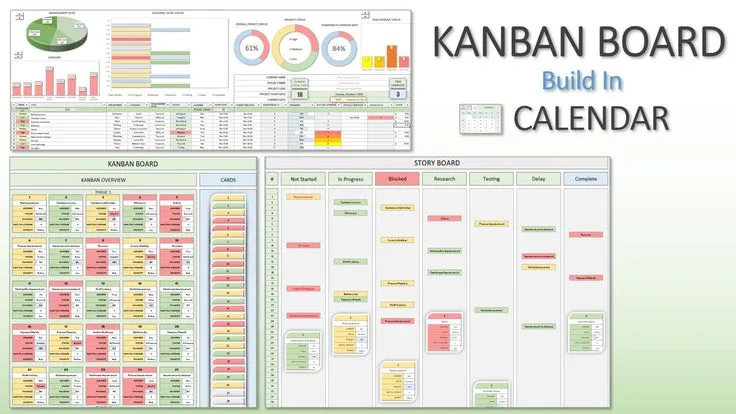
A simple board can stop fitting once work spans clients, structured fields, calendars, and cross-board reporting. Trello alternatives for kanban become relevant when teams need a portfolio-level view or more complex deliverables, not merely when they want to replace cards and columns.
Sarah managed a seven-person content production team at a mid-sized digital agency. Trello had been their system since the team formed four years ago. Every article brief got a card. Cards moved through the columns: Briefed, In Research, Draft, Editing, Client Review, Published.
It worked. The visual clarity of seeing where every piece of content was at any given moment was exactly what they needed, and the simplicity meant everyone used it without training or resistance.
Then the team grew to twelve people and took on clients with more complex deliverable structures, and the cracks in the model became visible.
The Power-Up issue arrived first. A new project manager joined who had used Trello extensively and immediately asked about custom fields - she wanted to track word count, target publish date, assigned writer, and content type on each card. These had been managed informally in card descriptions.
Adding structured custom fields required the Custom Fields Power-Up. Fine. Then someone needed a calendar view to see publication deadlines visually. Calendar view was another Power-Up.
The Trello Standard plan, at $5 per user per month, included unlimited Power-Ups, so the team upgraded. Twelve users at $5/month was $720/year. The plan also came with unlimited cards and boards, which they now needed. The price was reasonable.
What was not reasonable was the experience of checking on a project's status. The agency ran seven simultaneous content programs for different clients. Each program had its own Trello board.
Getting a view of all work across all seven programs - everything in Draft stage across all boards, everything blocked, everything due in the next two weeks - required opening seven boards and mentally aggregating what they saw. There was no cross-board view.
There was no dashboard. There was no way to filter across boards. The tool that was perfect for a single team with a single workflow became actively obstructive when the scope expanded.
"Trello's simplicity is its virtue and its limit. The same design decisions that make it easy to start with make it hard to scale with."
Why People Look for Trello Alternatives
Trello is a genuinely good tool for what it was designed to do: a visual kanban board for a team managing a single workflow. The reasons teams look for alternatives are largely about hitting the edges of that scope.
The Power-Up model makes standard features cost extra. Trello's free plan allows only one Power-Up per board. Features that most project management tools include by default - calendar view, timeline view, custom fields, card aging, voting, advanced checklists - require Power-Ups in Trello.
The paid plans include unlimited Power-Ups, but at $5-17.50 per user per month you are now paying to access features that competitors bundle into lower-priced plans. Teams that compare Trello Standard at $5/user/month to ClickUp's free plan often find that the free alternative provides more features.
Cross-board visibility does not exist natively. A Trello board is a self-contained unit. There is no native way to see tasks across multiple boards in a single view.
For teams running multiple projects, or organizations with multiple teams each using Trello, there is no portfolio view, no cross-project dashboard, and no way to filter by status across the full scope of work.
This is a fundamental architectural limitation, not a feature gap that Power-Ups can bridge.
Reporting is minimal. Trello's analytics capabilities are limited to basic card and list statistics available through Butler (Trello's automation tool) or Power-Ups.
Understanding completion velocity, identifying bottlenecks, seeing which team members are overloaded, or tracking on-time delivery rates requires exporting data or using third-party integrations.
Teams that need to report project health to stakeholders or leadership find Trello's built-in reporting insufficient.
No built-in documentation. Modern project management increasingly expects tasks and documentation to live together. Trello has no document or wiki feature. Specifications, meeting notes, runbooks, and process documentation live in linked external tools (Google Docs, Notion, Confluence) with Trello cards linking to them.
This friction is low when the team is small but accumulates when multiple documents relate to the same project and the relationship between tasks and their context requires constant context-switching between tools.
Atlassian ownership brings enterprise feature prioritization. Since Atlassian's 2017 acquisition, Trello's roadmap has reflected enterprise revenue priorities. Features that benefit individual teams and small businesses have developed more slowly than features that justify enterprise contracts.
Teams that chose Trello for its independence from enterprise software complexity now find themselves in an Atlassian product managed with enterprise considerations in mind.
Notion
Notion is a flexible workspace that combines databases, documents, and kanban boards in a single environment, making it a strong alternative for teams that want project management and documentation together.
Features: Databases with multiple view types - Board view replicates kanban columns, Table view provides spreadsheet-style management, Calendar view shows work by date, Timeline view provides Gantt-style planning, Gallery view displays cards visually.
Custom properties for each database: text, number, date, person, select, multi-select, checkbox, URL, and relation fields. Document pages for notes, wikis, and specs embedded alongside or linked from the database.
Templates for common project structures. Filters and sorts across any database. Real-time collaboration. Notion AI for content generation and summarization.
Pricing: Free (unlimited pages, 10 guests, basic features). Plus $10/month per user (unlimited guests, full version history). Business $15/month per user (advanced permissions, SAML SSO). Enterprise pricing on request.
Pros vs Trello: Documentation and task management in the same workspace eliminates the friction of linking between tools. Multiple database views on the same data provide flexibility that Trello's single board view does not.
Relation fields allow linking databases - connecting tasks to projects, projects to clients - in ways Trello's card model does not support. Free plan is more capable than Trello's free plan.
Cons vs Trello: Notion requires setup time to build project databases that work well. The flexibility is also complexity - new team members need onboarding. Notion is slower to load than Trello, particularly with large databases. Search across large Notion workspaces is less reliable than Trello's focused search.
Best for: Teams that need project management and documentation together, knowledge workers managing research-heavy projects, and organizations building a team wiki alongside their task management.
ClickUp
ClickUp is the most feature-complete project management platform available, with kanban boards as one of many views on a hierarchical task structure that scales from individual freelancers to enterprise teams.
Features: Hierarchical organization: Workspaces contain Spaces, which contain Folders, which contain Lists, which contain Tasks, which contain Subtasks. Every task can have custom fields, multiple assignees, dependencies, priority levels, time estimates, time tracking, and attachments.
Views include Board, List, Calendar, Gantt, Timeline, Workload, Mind Map, and Table. Automations for workflow logic: when status changes, when due dates pass, when assignments change.
Built-in Docs for documentation. Goals and OKR tracking. Dashboards aggregating data across all projects. Native integrations with Slack, GitHub, GitLab, Figma, and over 1,000 others.
Pricing: Free plan (unlimited tasks and members, limited storage and features). Unlimited $7/month per user. Business $12/month per user. Enterprise pricing on request.
Pros vs Trello: The free plan is genuinely more capable than Trello's free plan for most use cases. Cross-project dashboards and portfolio views solve the visibility problem that Trello cannot address. Subtasks, dependencies, and time tracking built in without Power-Ups. Docs eliminate the external documentation tool requirement.
Cons vs Trello: ClickUp's breadth is also its burden - the interface is complex and requires meaningful onboarding. Teams that want Trello's simplicity will find ClickUp overwhelming initially. Feature depth means many teams use a fraction of what ClickUp provides, potentially paying for capability they do not need.
Best for: Growing teams and organizations that have outgrown Trello's scope and need cross-project visibility, reporting, and workflow automation in a single tool.
Asana
Asana is a mature task and project management platform with a strong board view alongside timeline, list, and calendar views, designed for teams that need to manage complex projects with dependencies and deadlines.
Features: Board view equivalent to Trello kanban. Timeline view for Gantt-style project planning with dependencies. Workload view for team capacity management. Portfolios for cross-project status tracking. Goals for OKR alignment. Automations for workflow rules.
Forms for work intake. Reporting dashboards. Integrations with Slack, Google Workspace, Microsoft Teams, Zoom, Salesforce, and over 200 others. Status updates for communicating project health to stakeholders.
Pricing: Free (up to 15 users, basic features). Premium $10.99/month per user (timelines, reporting, unlimited dashboards). Business $24.99/month per user (portfolios, goals, advanced reporting). Enterprise pricing on request.
Pros vs Trello: Timeline view and dependencies solve the project planning gap that Trello does not address. Portfolio view provides cross-project visibility that Trello's architecture cannot match.
The workflow automation and intake forms are more capable than anything Trello's Butler automation offers on equivalent plans. Status updates create a structured stakeholder communication channel.
Cons vs Trello: More expensive than Trello at the per-user level - Asana Premium at $10.99 vs Trello Standard at $5 for comparable base feature access. Complexity increases with the feature set. The free tier is limited to 15 users with no timeline or reporting features.
Best for: Project-driven teams that need timeline planning, dependency management, and cross-project portfolio visibility as regular features rather than edge case needs.
Linear
Linear is a project management tool built specifically for software development teams, with a philosophy of speed, keyboard-driven navigation, and deep code workflow integration.
Features: Issues with status, priority, assignee, label, cycle, and project. Cycles (sprints) with planning and completion metrics. Backlog management. GitHub and GitLab integration: branches and pull requests linked to issues, automatic status updates when PRs are merged.
Keyboard-driven navigation with shortcut keys for nearly every action. Fast search across all issues. Roadmap view. Project and initiative grouping. Triage for incoming issues. API for custom integrations. Slack and Figma integrations.
Pricing: Free (up to 250 issues, core features). Standard $8/month per user. Plus $16/month per user.
Pros vs Trello: Built for software teams - the issue model, cycle planning, and GitHub integration are native rather than approximated through Power-Ups.
Speed of interaction is meaningfully better than Trello's; opening an issue, editing it, and closing it takes fewer clicks and is faster at every step. Keyboard shortcuts allow experienced users to navigate entirely without a mouse.
Cons vs Trello: Not suitable for non-software workflows - the model assumes issues, cycles, and engineering terminology that do not fit content production, marketing, or general business project management. Less flexible for custom workflows outside software development.
Best for: Software engineering teams that want a Trello-alternative built for their specific workflow, with GitHub integration, sprint planning, and keyboard-driven productivity as first-class features.
Monday.com
Monday.com is a visual work management platform that extends kanban boards into structured data management with automation, dashboards, and enterprise-grade reporting.
Features: Board model where columns define data types - status, date, person, number, text, formula, dropdown - making boards behave more like structured databases than card-column kanban. Automations with condition-action rules.
Dashboard widgets that aggregate data from multiple boards: workload summaries, status distributions, countdown timers, chart widgets.
Workforms for intake. Time tracking. Document and file management. Over 200 integrations. Gantt and calendar views. Mobile apps with full feature access.
Pricing: Free (up to 2 seats, limited features). Basic $9/month per user. Standard $12/month per user. Pro $19/month per user. Enterprise pricing on request.
Pros vs Trello: Cross-board dashboards solve Trello's portfolio visibility gap. Automation capabilities are more sophisticated than Trello's Butler for complex workflow rules. The structured column model provides more data integrity than Trello's free-form card descriptions.
Enterprise-grade governance features for larger organizations.
Cons vs Trello: Higher price at comparable tiers. The structured column model requires more setup than dropping cards in Trello columns. Can feel over-engineered for simple kanban workflows. Minimum billing of three users on paid plans.
Best for: Team leads and operations managers who need cross-project dashboards, workflow automation, and reporting to communicate project health to leadership alongside day-to-day task management.
Airtable
Airtable is a spreadsheet-database hybrid that offers a Board view alongside its grid, gallery, calendar, and form views, combining relational database power with the accessibility of a spreadsheet.
Features: Bases (databases) with tables that can be viewed as Grid (spreadsheet), Board (kanban), Gallery (card grid), Calendar, Gantt, or Form. Fields with strict typing: text, number, date, attachment, checkbox, select, linked record, lookup, formula, rollup, and more.
Linked records connect tables relationally - tasks linked to projects linked to clients. Automations triggered by field changes, record creation, or schedules. Interface Designer for building custom views and dashboards for non-technical team members. Extensive integration library. API for custom development.
Pricing: Free (unlimited bases, 1,000 records per base, basic features). Team $20/month per user. Business $45/month per user. Enterprise pricing on request.
Pros vs Trello: Relational data model is significantly more powerful than Trello's card model for managing structured project data. Multiple views on the same data provide flexibility Trello lacks.
The formula and rollup fields enable calculated fields and aggregations that Trello cannot produce. Airtable can serve as a lightweight operational database for the whole organization, not just a project board.
Cons vs Trello: More expensive than Trello at every tier. Requires database thinking to set up effectively - field types, relations, and rollups are concepts that require training for most team members. Overkill for teams that genuinely only need a kanban board.
Best for: Operations teams, agencies, and organizations that need relational data management - connecting clients to projects to deliverables to team members - alongside visual project boards.
GitHub Projects
GitHub Projects is the integrated project management tool within GitHub, providing kanban boards, tables, and roadmap views connected directly to repository Issues and Pull Requests.
Features: Board view (kanban), Table view (spreadsheet-style), and Roadmap view (timeline). Custom fields for any metadata needed. Automated workflows: move a card when an Issue is closed, when a PR is merged, when a label is applied. Filter and group by any field.
Iteration planning with configurable sprint periods. Repository-native integration: Issues and PRs are first-class items, not external records linked by URL. Available across organizations for cross-repository project visibility.
Pricing: Free for public repositories. Free for personal accounts (with GitHub Free). $4/month for GitHub Pro. $4/month per user for GitHub Team. GitHub Enterprise from $21/month per user.
Pros vs Trello: Free or nearly free for teams already on GitHub. Integration with source control is native - a task in GitHub Projects is the same object as the GitHub Issue that the branch and PR reference. No duplication of status updates between a task tool and a code review tool. For open-source projects, free with no user limit.
Cons vs Trello: Primarily useful for software development workflows. Not suitable as a general project management tool for non-technical teams. Feature set is less rich than dedicated project management tools for complex project structures.
Best for: Software teams with existing GitHub workflows that want integrated project boards without adding a separate tool subscription.
Planka
Planka is an open-source Trello-equivalent designed to be self-hosted, providing a familiar kanban experience with full data ownership at near-zero software cost.
Features: Boards, lists, cards, labels, checklists, due dates, member assignments, and attachments - the core Trello feature set. Real-time updates via WebSocket. Multiple boards and projects. User management with roles. REST API.
Deployable via Docker Compose in under ten minutes on any server with Docker installed. Active development and maintenance by the open-source community.
Pricing: Free (open-source, MIT license). Server costs for self-hosting: $3-10/month for a small VPS.
Pros vs Trello: Free software cost. Complete data sovereignty - files and data stay on your servers. No per-user pricing that scales with team growth. No corporate ownership or acquisition risk. Trello-familiar interface means zero learning curve for teams coming from Trello.
Cons vs Trello: Requires server administration capability to self-host and maintain. Feature set is intentionally minimal - no Power-Up equivalent, no advanced reporting, no timeline view. Updates require manual server maintenance.
Best for: Technical teams, startups, and privacy-conscious organizations that want Trello's simplicity with self-hosted data control and no ongoing software cost.
Wekan
Wekan is an open-source kanban application with a more feature-rich set than Planka, including swimlanes, custom fields, rules, and triggers, designed for self-hosted deployment.
Features: Boards, swimlanes, lists, and cards. Custom fields built in (no Power-Up required). Rules and triggers for automation: when a card is moved to a specific list, apply a label; when a due date passes, send a notification. Card aging visualization.
Export and import. REST API. WIP limits per list. Webhooks for integration. LDAP and Active Directory authentication. Available via Docker, Sandstorm, or Snap.
Pricing: Free (open-source, MIT license). Server hosting costs apply.
Pros vs Trello: Custom fields and swimlanes built in without add-ons. Automation rules without a separate tool. Full self-hosting with no external dependencies. LDAP integration for enterprise authentication.
Cons vs Trello: Interface design is less polished than Trello or Planka. Setup is more involved than Planka for equivalent basic use. Smaller active community than Planka as of 2026.
Best for: Self-hosting teams that need custom fields, swimlanes, and automation rules built in without Power-Up equivalents, particularly organizations with LDAP/Active Directory authentication requirements.
Height
Height is a project management tool that combines kanban boards, list views, and team chat in a single application, designed to reduce context-switching between task tools and chat tools.
Features: Tasks with subtasks, dependencies, custom attributes, and multiple views (board, list, spreadsheet, calendar, gantt). Built-in threaded chat on tasks and projects, reducing the need to switch to Slack for task-adjacent discussion.
AI features for task summarization and automation suggestions. GitHub, GitLab, and Linear integrations. Fast keyboard-driven navigation. Bulk editing. Duplicate and template tasks.
Pricing: Free (5 active projects, core features). Team $8.50/month per user. Enterprise pricing on request.
Pros vs Trello: Built-in chat reduces the tool-switching between Trello and Slack for task discussions. The team plan is competitively priced relative to Trello Standard. Subtasks and dependencies built in. Fast and well-designed interface that prioritizes keyboard efficiency.
Cons vs Trello: Smaller user base and community than established tools. The chat integration is only valuable for teams that currently use both a task tool and a separate chat tool - teams that want dedicated Slack with all its integrations will not benefit from Height's built-in chat.
Best for: Small development and product teams that want task management with task-specific discussion threads, reducing the back-and-forth between a task board and a separate chat application.
Comparison Table
| Tool | Price | Self-host | Cross-board view | Docs built-in | Best Strength |
|---|---|---|---|---|---|
| Trello | $0-17.50/user/mo | No | No | No | Simplicity |
| Notion | $0-15/user/mo | No | Via linked DB | Yes | Docs + tasks together |
| ClickUp | $0-12/user/mo | No | Yes | Yes | Feature completeness |
| Asana | $0-24.99/user/mo | No | Via portfolios | No | Timeline + dependencies |
| Linear | $0-16/user/mo | No | Via projects | No | Software team workflow |
| Monday.com | $0-19/user/mo | No | Yes (dashboards) | Limited | Automation + dashboards |
| Airtable | $0-45/user/mo | No | Via dashboards | No | Relational data |
| GitHub Projects | $0-4/user/mo | No | Yes | No | GitHub integration |
| Planka | Free + server | Yes | No | No | Self-hosted simplicity |
| Wekan | Free + server | Yes | No | No | Self-hosted + custom fields |
| Height | $0-8.50/user/mo | No | Limited | No | Built-in chat |
Who Should Switch Away from Trello
Switch if your team manages more than two or three projects simultaneously and needs a single view of all work - Trello's per-board architecture makes this impossible without a third-party aggregation tool.
Switch to Linear if your team is a software development team and you want GitHub/GitLab integration, sprint cycles, and an interface designed for engineering workflows.
Switch to ClickUp or Asana if you need timeline views, dependencies, and workload management as regular features rather than Power-Up additions.
Switch to Planka or Wekan if data sovereignty or zero software cost are primary concerns. Switch to Notion if your team creates significant documentation alongside tasks and wants both in the same tool.
Who Should Stay with Trello
Stay if your workflow genuinely fits the card-column model and you do not need cross-board visibility, timeline views, or built-in documentation.
Trello's simplicity is not a consolation prize - it is the fastest tool to get a new team member productive with, and for teams with a single linear workflow it remains one of the cleanest experiences available.
Stay if your team is on the free plan and your single Power-Up limit is not a constraint.
Stay if you have built Butler automations and board templates that encode meaningful workflow knowledge - the cost of rebuilding those in a new tool is real. Trello is still a good tool; it is just not the right tool for every use case it was historically pressed into serving.
For teams evaluating related tooling decisions, the alternatives to Asana for task and project management article covers tools positioned at a more complex tier of project management.
The alternatives to Notion for note-taking and documentation article is relevant for teams whose primary need is documentation rather than task boards.