Maya Rodriguez had been writing for eleven years before she admitted she had a tool problem.
As most setups do, hers had built up that way. Notion was for planning and Google Docs was for drafting. Grammarly ran in the background and the Hemingway Editor was open in a second tab for editing passes. Scrivener was installed but seldom opened. During a productivity phase she could not quite remember, iA Writer had been downloaded.
There were six tools for one job. What she spent on books was exceeded by her monthly subscriptions to writing software.
And yet, when she sat down to write her weekly newsletter each Tuesday morning, she spent the first twenty minutes not writing but deciding where to write.
She did not miss the irony. Writing tools meant to make things easier had turned into a source of friction all by themselves.
The decision of where to begin felt like a tax on the actual work of beginning. She knew the experience was common - she had exchanged enough notes with other writers to recognize the pattern.
She knew someone who could not decide on a note-taking app, a blogger who moved between platforms twice a year. A novelist with Scrivener tutorials in their browser history who had never opened the project file. Serious tool exploration could take as much time as the writing itself.
Maya ended up with not a perfect stack but a principled one. There was one tool for drafting, one for editing and one for publishing. What counted more than the specific choices was the clarity of purpose. Writing tools for every price point and workflow type are excellent across the whole market in 2026.
What is hard is not finding a good tool, but matching the right tool to a specific job and resisting the pull of the next one. The guide maps the landscape clearly enough to make that matching possible.
The best tool is the one that disappears. The moment you notice the tool, it has failed its job.
The Writing Process Has Three Phases, Not One
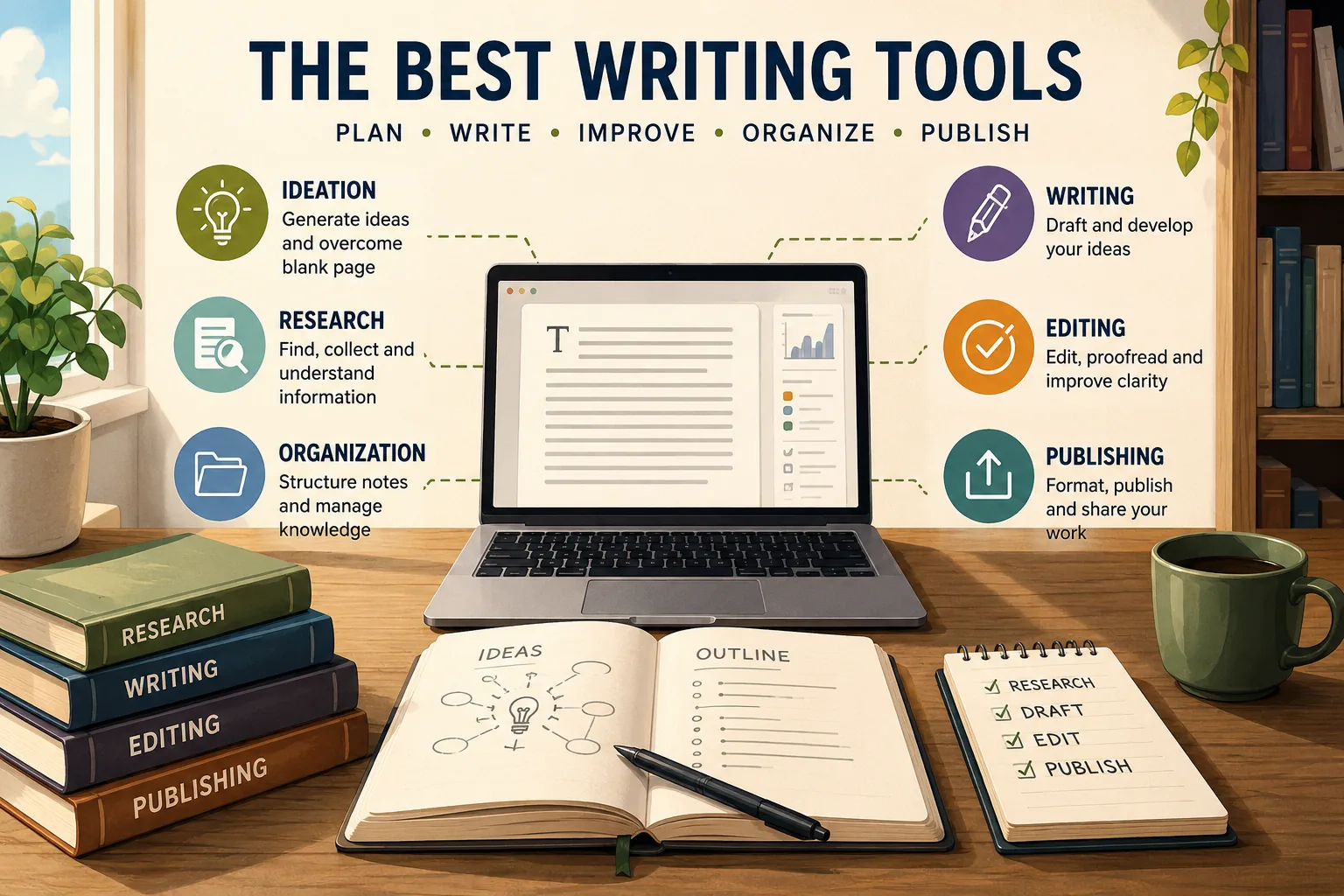
Before looking at any specific tools, a structural point needs to be made. Writing does not amount to one activity alone. At minimum it is three activities and each requires different conditions and different tools.
Drafting is generative work. The goal is to get ideas out of the mind and into words. The enemy is interruption - both external (notifications, distractions) and internal (the critical voice that wants to edit before the thought is complete).
Drafting tools should have near-zero friction for getting started and they should not include any mechanism that encourages avoiding work or editing in the middle of a sentence.
Editing is analytical work. The goal is to see what is actually on the page rather than what was intended to be there, and to make it better. The enemy is attachment to existing words.
Tools for editing should surface objective information about the text (complexity, errors, patterns) that the writer cannot easily see through familiarity.
Publishing and organization. That is management work. Keeping a project's structure understandable through many writing sessions and getting finished work to readers is what the goal is. For this phase, tools should manage complexity without adding more of it.
Of all mistakes in picking a writing tool, the costliest is mixing these phases. That means using a grammar checker while drafting (critical feedback breaks generative flow) or using a distraction-free editor for a complex multi-chapter project (that gives no structure to manage the parts).
The right tool for drafting is probably the wrong tool for editing, and vice versa.
Drafting Tools: Getting Out of the Way
iA Writer
In 2011, iA Writer came out from the Swiss company Information Architects and it is still the measure by which distraction-free writing tools are judged. Fifteen years of updates have kept the original design thinking (subtracting rather than adding and having fewer features rather than more).
On a blank canvas, the interface shows a custom monospaced font.[2] There is no visible formatting toolbar, no file browser vying for attention and no notification badge. When in fullscreen mode, the writing surface is the only thing that exists.
Focus Mode is the feature that most clearly demonstrates the design logic. In sentence mode, every sentence except the current one dims to near-invisible opacity. The writer can see the context of what came before, but only the present sentence is sharp.
In paragraph mode, the current paragraph is lit; the rest dims. The mechanical effect is that re-reading and editing earlier text, the most common form of productive-feeling procrastination, becomes physically difficult to see.
The writer is nudged, by the interface itself, into moving forward.
Syntax highlighting for prose gives editing feedback without disrupting the drafting flow. Adjectives show up in one color, adverbs in another and verbs in a third when syntax highlighting is enabled.
Across a draft, the visual pattern shows writing habits that would take deliberate re-reading to notice. These are an unusual density of adverbs and a preponderance of passive constructions that show up in the verb highlighting.
This is analytical information delivered during or after drafting without the intrusion of error flags.
The library system organizes documents in folders visible in a sidebar, with smart folders for recent and starred files. For projects fitting within a small collection of documents (a newsletter, a series of articles, a collection of essays), this organization is adequate.
A 200,000-word novel with multiple viewpoint characters and extensive research would exceed it.
Pricing: $49.99 one-time on macOS, $29.99 on Windows, $49.99/year or $4.99/month on iOS.
Best for journalists, bloggers, essayists and anyone else who writes discrete pieces instead of running long multi-chapter projects.
Ulysses
Between iA Writer's focused minimalism and Scrivener's full project management comes Ulysses. The result is a writing surface free of distractions that has organizational tools for book-length projects but the price is a subscription model and the product is exclusive to Apple platforms.
The sheet system is Ulysses' organizing concept. A project is not a single document but a collection of sheets - individual pieces that represent chapters, sections, or any other meaningful unit. Sheets within a group can be reordered by dragging, exported separately or compiled into a single document, and filtered by tags.
Novelists can write chapters out of order and put them together later without using the full manuscript toolchain that Scrivener has.
Statistics and goals give quantified progress to writers who do better with visible benchmarks. Daily word count targets or project completion targets can be set. The statistics panel displays words written, deleted and net gain for the current session.
Publishing integrations send finished drafts straight to WordPress, Ghost, Medium and Micro.blog. This removes the copy-paste step for bloggers who use Ulysses and publish to these platforms and keeps Markdown formatting correct at arrival.
Pricing: $5.99/month or $49.99/year. Apple platforms only.
Best for Mac and iOS writers who manage projects longer than a single document and want a polished, organized environment without the complexity of Scrivener.
Limitation: no Windows or Android version, subscription cost, limited collaboration.
Google Docs
Google Docs is the default collaboration layer for professional writing. Its key advantages are not writing-specific - they are sharing-specific. Real-time multi-author editing, suggesting mode for editor feedback, version history that goes back to the first keystroke, accessible from any browser on any device.
Writers who send work to editors, collaborate with writing partners or want their drafts accessible from several places find that these features justify including the tool in their stack.
The word processor interface is not built for focused drafting. Formatting options, the browser toolbar and the distraction of visible collaborators' cursors all make Google Docs a better place for editing and collaboration than for drafting.
Many writers draft in iA Writer or Ulysses and move the text to Google Docs for editorial review.
Pricing: free with Google account (15GB storage), Google Workspace $6-18/month per user for teams.
Long-Form and Manuscript Tools
Scrivener
Scrivener, developed by Literature and Latte since 2007, solves a specific problem that becomes acute when managing a writing project over 30,000 words: the linear word processor breaks down.[3]
When a novelist types a 400-page manuscript into a single Google Doc, the document becomes slow to navigate, hard to restructure and unable to handle research along with the text. To move a chapter means to cut thousands of words and put them back in the right place.
Every mention of a character needs to be found through a full-document search. The research (PDFs, images, notes, interviews) is kept in a separate folder or application.
Scrivener reorganizes the project completely around the structure of the work rather than a single linear file.
The Binder presents the manuscript as a hierarchy of documents in a sidebar: parts, chapters, scenes, whatever granularity the writer prefers. Each unit is a separate document.
To reorder a chapter means to drag its binder item. The manuscript comes together right for export no matter what order was used during writing.
Each binder item appears on the Corkboard as an index card that has a title and synopsis. Writers can take in the whole structure at a glance, move cards around to rearrange sections and judge whether the sequence makes narrative sense without having to read the full manuscript.
Reference materials including PDFs, images, formatted web captures and notes go into the Research folder inside the project file. When a scene calls for research, the source materials appear available in a split view next to the writing surface.
Snapshots preserve point-in-time versions of any document before major revisions. If the revision goes wrong, the writer can compare the current version to the snapshot and restore it.
Compile exports the entire project in dozens of formats: Microsoft Word, PDF, ePub, Kindle, Final Draft screenplay format. Compile settings control how the binder assembles: chapter breaks, titles, included and excluded sections, formatting transforms.
Pricing: $59 one-time for macOS or Windows, $23.99 for iOS.
This tool is best for novelists, narrative nonfiction authors, academic writers, screenwriters as well as anyone working on a complex long-form project over many sessions.
There is a limitation. There is a big learning curve. Plan several hours to get the basic model and several days to become fluent. That investment pays off for projects that need it and it is unnecessary overhead for short-form writers.
Grammar, Style, and Editing Tools
Grammarly
Most applications including Gmail, Google Docs, LinkedIn, Notion, Twitter and most web forms have Grammarly's browser extension set up in their writing interfaces. The extension runs continuously and errors get underlined in real time along with suggestions for correction.
The scope of what Grammarly checks has expanded since its 2009 founding.[5] Beyond spelling and basic grammar, it flags punctuation errors, comma splices, unclear antecedents, wordiness, passive voice in contexts where it weakens the writing, and stylistic issues.
Premium features add vocabulary enhancement, tone detection, and plagiarism checking.
Tone detection is genuinely useful for professional writing. Grammarly analyzes the emotional tone of a passage (formal or informal, confident or tentative, direct or hedged) and displays a summary in the sidebar.
An objective read catches tonal problems that the writer cannot spot through familiarity with their own intentions and this works well for high-stakes emails and professional communications.
There are limits that are real and should be named explicitly. With Grammarly, statistical norms get enforced instead of the software grasping prose.
It cannot distinguish an intentional sentence fragment used for rhetorical effect from an unintentional one. It flags passive voice without assessing whether passive voice serves the specific context.
Used without judgment, it produces writing that is grammatically safe and stylistically bland - corrected prose that sounds like no one in particular.
Privacy is worth thinking about too. Every word that goes into Grammarly gets processed on their servers. Their terms of service give them a license to use the content for improving the product. Writers who work on confidential material or on distinctive proprietary content should weigh this.
Pricing: free basic tier, Premium $12-30/month, Business plan for teams.
ProWritingAid
Grammarly works in real time and puts error correction first. Complete documents get analytical reports from ProWritingAid and patterns emerge that real-time checking does not bring up.[6]
Sentence length appears as a bar chart in the sentence length variation report and that makes monotonous rhythm clear at once. When all sentences on a page are medium length, the page looks like a flat line.
Peaks and valleys make up varied rhythm. That is structural information that a reader would need to pick up by careful re-reading in the text itself.
The overused words report identifies the specific words a particular writer uses too frequently - the crutch words that appear so naturally they go unnoticed. Every writer has them. ProWritingAid surfaces them across the full document.
In fiction, the pacing analysis flags passages where the narrative slows down. These are places where there is high density of dialogue tags, adverbs or description compared to action. It gives structural feedback on the reading experience that no real-time grammar checker gives.
Sentences with a high ratio of connective words to content words saying much but communicating little get identified by the sticky sentences report. ProWritingAid flags these sentences and the writer chooses whether to simplify or not.
Pricing is $10 per month, $79 per year or a lifetime license for $399 (that is substantially less expensive than Grammarly over multiple years). The product integrates with Scrivener, Word and Google Docs.
Best for: fiction writers, essayists, long-form writers who want analytical depth during editing passes.
Hemingway Editor
The Hemingway Editor does one thing: it shows where writing is hard to read.[4] Hard-to-read sentences appear yellow. Very hard-to-read sentences appear red. Adverbs appear in blue. Passive voice constructions appear in green. A readability grade level appears in the sidebar.
It does not correct grammar. It does not track changes. It does not suggest specific improvements. It shows, visually and immediately, where the prose is creating unnecessary difficulty for the reader.
Suitable use calls for a single edit through finished draft text. Open a completed section and find the parts that are most complex. Simplify them and go on.
When used this way, it brings in editorial quality efficiently. During drafting, using it brings the generative process to a stop with prescriptive feedback.
Pricing: free web version at hemingwayapp.com, $19.99 desktop one-time for offline use and export.
Knowledge and Notes: Obsidian and Notion
Obsidian
Obsidian is a local-first Markdown editor with a bidirectional linking system.[8] Unlike cloud-based note tools, Obsidian stores every file as a plain Markdown file on your device. You own the data. It will be readable in any text editor long after Obsidian itself stops existing.
The bidirectional linking system is the core capability. Link any note to any other note. Obsidian tracks these links in both directions - if Note A links to Note B, Note B's backlinks panel shows that Note A references it.
This creates a navigable network of related ideas rather than a hierarchical folder system.
The graph view renders all notes and their connections as a visual map. Clusters of densely connected notes reveal the areas where a writer's thinking is most developed. Isolated notes reveal ideas that have not yet been connected to the broader system.
Over time, the graph reveals patterns in how a writer thinks that would be invisible in a folder of files.
The plugin ecosystem includes over 900 community plugins covering calendars, spaced repetition flashcards, task management, Kanban boards, daily notes, templates, and more. Obsidian can be minimally configured or comprehensively built out depending on how much complexity the writer wants to manage.
Pricing: free for personal use. Sync $50/year. Publish $96/year. Commercial use $50/year per user.
Best for researchers, writers who build a personal knowledge base year by year and anyone who values data ownership as well as the ability to link ideas over long time spans.
Notion for Writers
Notion is a cloud-first workspace that combines notes, databases, tasks, and wikis in a single interface.[7] Where Obsidian excels at personal knowledge management, Notion excels at team collaboration and structured information management.
As a content planning layer that writers find works well in Notion, the system is a database of article ideas that have status, publication date, keywords and research notes. It is also a wiki for brand voice, style guide and editorial standards and a project tracker that shows all pieces in progress.
Notion gets direct integration of writing help through the $10/month AI add-on. Draft pages, summarize notes, build out outlines and ask questions about content in your workspace all come built in.
Pricing: free tier, Plus $10/month, Business $15/month per user.
Best for content teams as well as writers managing several ongoing projects at once who need planning tools that go along with their documents.
Publishing Tools: Substack and Ghost
Substack
Substack combines a writing environment, subscriber management, email delivery, and web archive in a single platform.[10] There is no monthly fee to publish. The cost only applies when a writer charges subscribers: Substack takes 10% of subscription revenue plus Stripe's payment processing fee.
Genuinely useful as a discovery tool, Substack has its own recommendation system and a big reader base. Writers that are new gain from becoming discoverable inside the Substack system and there is nothing like it on self-hosted platforms.
Scale is the limit. A newsletter bringing in $5,000/month from subscriptions pays $500/month to Substack before Stripe takes its cut. And for writers who have established themselves at that revenue level, self-hosted options like Ghost most often cost a fraction of what that is.
Pricing: free to start, 10% revenue cut on paid subscriptions.
Best for writers starting from zero who want minimal setup and gain from Substack's discovery network.
Ghost
Ghost is an open-source publishing platform optimized for professional newsletters and membership publications.[9] The key advantage over Substack is economics at scale: Ghost charges a flat monthly fee rather than a percentage of subscription revenue.
A writer bringing in $10,000/month from subscriptions pays Ghost about $50-200/month instead of $1,000+ to Substack. The economics are simple. What Ghost asks for is a monthly payment no matter how many subscribers there are or how much revenue comes in, whereas Substack stays free until monetization starts.
High design quality marks Ghost and themes come clean and professional by default. Structured data, sitemaps and canonical tags are among the SEO tools built in. Reliably delivering newsletters, integration with MailGun takes care of newsletter delivery.
Technical writers who manage a server feel at home with Ghost self-hosting and that cuts ongoing costs down to hosting fees alone.
Pricing: $9/month Starter, $25/month Creator, $50/month Team (hosted). Self-hosted free.
Best for writers who have an established audience and want ownership, lower fees at scale and full control of subscriber data.
Comparison Table
| Tool | Type | Price | Platform | Best For |
|---|---|---|---|---|
| iA Writer | Drafting | $49.99 one-time (Mac) | Mac, Win, iOS, Android | Focused drafting |
| Ulysses | Drafting + organize | $5.99/month | Apple only | Organized long-form |
| Scrivener | Manuscript management | $59 one-time | Mac, Win, iOS | Novels, long-form |
| Google Docs | Collaboration | Free / $6-18/month | Web, all platforms | Collaboration, editing |
| Grammarly | Grammar + style | Free / $12-30/month | Browser extension | Real-time correction |
| ProWritingAid | Deep style analysis | $10/month / $399 lifetime | Scrivener, Word, Docs | Analytical editing |
| Hemingway Editor | Clarity | Free web / $19.99 desktop | Web, desktop | Readability editing |
| Obsidian | Knowledge + notes | Free (personal) | Mac, Win, iOS, Android | Personal knowledge base |
| Notion | Workspace | Free / $10-15/month | Web, all platforms | Team content planning |
| Substack | Publishing | Free / 10% revenue | Web | Newsletter, zero setup |
| Ghost | Publishing | $9-50/month hosted | Web | Newsletter, ownership |
Building a Writing Stack That Works
Most writers need a minimum viable stack of three functions, a drafting environment, a grammar and clarity tool and a publishing or collaboration platform. Beyond that, everything serves a specific need that only some writers have.
Three posts a week demand that a blogger has drafting, editing and publishing tools. The blogger does not need manuscript management (Scrivener), academic citation management (Zotero) or a personal knowledge base (Obsidian) unless there are specific reasons to want any of those.
A novelist working on their first book requires manuscript management (Scrivener) and a distraction-free place to draft. The novelist may not need tools for publishing a newsletter.
A content creator running a team needs a collaboration tool like Notion or Google Docs as well as consistent style tools such as Grammarly. They may write shorter pieces that do not gain from distraction-free spaces.
The practical test before committing to any writing tool: use it for a complete working session of at least one hour - not exploring features, but actually writing the thing you are working on.
The question at the end is specific: did the tool make it easier to produce words, or did it give you things to do other than producing words? Any tool that made the session about itself rather than the work has failed.
What Research Shows
Dr. Ronald Kellogg at Saint Louis University published foundational research (published in The Psychology of Writing, Oxford University Press, 1994, and subsequent papers in the Journal of Experimental Psychology) establishing how tools affect the cognitive load of writing.[1]
Writing puts large demands on cognitive resources and that is why his research on working memory in writing motivated the separation of drafting from revision.
The research gave the theoretical basis for the distraction-free writing movement and the iA Writer team has cited it explicitly in their design philosophy documentation.
iA Writer published internal user research in 2021 through their "iA Thought" blog. iA has described Focus Mode as a way to keep writers moving forward during drafting.
Scrivener conducted user surveys in 2020 through their forum and newsletter community.
Scrivener is widely used by authors to manage complex long-form manuscripts.
Sources & Further Reading
- Kellogg, Ronald T. The Psychology of Writing. Oxford University Press, 1994.
- iA. "iA Writer: The Focused Writing App." ia.net.
- Literature and Latte. "Scrivener: Writing Software for Authors." literatureandlatte.com.
- Hemingway App. "Hemingway Editor." hemingwayapp.com.
- Grammarly. "About Grammarly." grammarly.com.
- ProWritingAid. "The Writing Tool Built for Serious Writers." prowritingaid.com.
- Notion. "The connected workspace for your wiki, docs, and projects." notion.so.
- Obsidian. "Obsidian: A second brain, for you, forever." obsidian.md.
- Ghost. "The Creator Economy Platform." ghost.org.
- Substack. "Start a Substack." substack.com.