
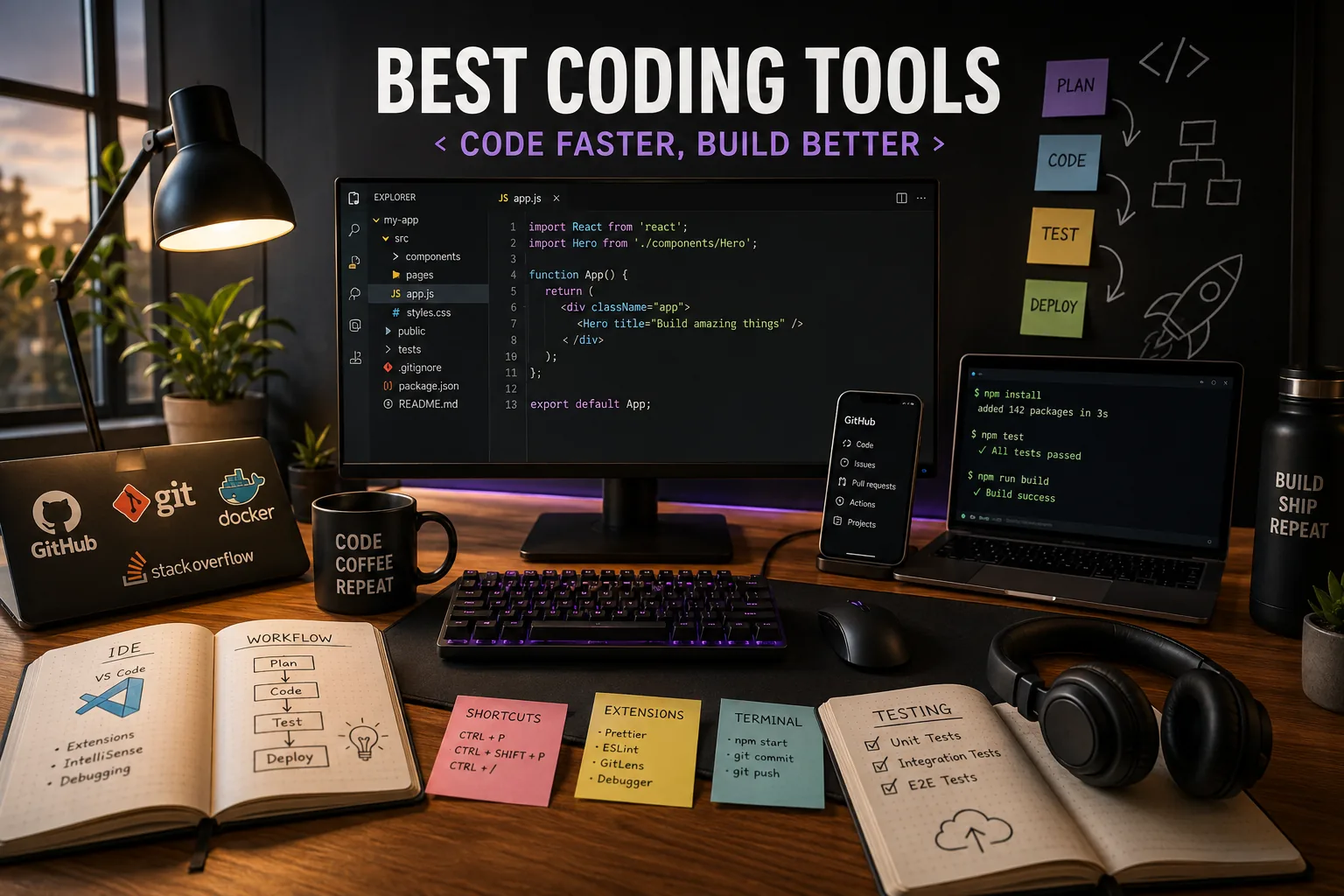
Coding: Mara Schultz spent three weeks in early 2025 trying to find the fastest path from a blank project to a deployed web application. Not the theoretically fastest path - the practically fastest one, accounting for the tool choices she would make at each step.
She tested five different editor setups, compared three different AI coding assistants, ran her API calls through two testing tools, and kept a spreadsheet tracking the minutes spent on setup tasks that had nothing to do with writing the actual code.
The spreadsheet told a story she had not fully anticipated: the tools that saved her the most time were not the ones with the longest feature lists. They were the ones with the shortest distance between the thought and the implementation.
The developer tooling market has been in one of its periodic upheavals since late 2022. The arrival of capable AI coding assistants changed the value proposition of editors that had been stable for years. GitHub Copilot made autocomplete genuinely useful rather than merely clever.
Cursor's Composer mode enabled a kind of multi-file code generation that felt qualitatively different from everything that had come before. JetBrains added AI assistants to IDEs that were already the most powerful language-specific tools available.
Zed built an editor from the ground up in Rust and shipped something that runs faster than tools that have had a decade of optimization work behind them. The result is that choosing a primary editor in 2026 requires thinking about what kind of developer you are and what kind of help you actually want.
This guide covers the full stack of tools developers use daily: editors and IDEs, AI coding assistants, version control platforms, browser-based environments, API testing tools, database GUIs, and terminals.
The goal is not to declare a winner in each category but to give developers enough specific information to make confident choices for their own workflows.
Different languages, different team sizes, and different working styles genuinely call for different tools - the honest answer to "which IDE is best" is "it depends on what you are building and how."
"The question is not which editor has the most features. The question is which editor makes the next line of code the most natural."
Editors and IDEs
VS Code
Visual Studio Code, released by Microsoft in 2015 and open sourced in the same year, has become the most-used code editor in the world by a significant margin.[3] The 2024 Stack Overflow Developer Survey found 73.6% of professional developers using VS Code as their primary editor.[1]
That market position reflects genuine strengths rather than just default inertia.
The extension ecosystem is the core advantage: over 50,000 extensions covering every language, framework, linter, formatter, debugger, and workflow integration. An extension for syntax highlighting a niche configuration file format exists. An extension integrating VS Code with every major project management tool exists.
The ecosystem has grown to the point where discovering and managing extensions is itself a minor discipline, but the availability of purpose-built extensions for nearly any workflow requirement is VS Code's deepest structural advantage over every competitor.
Remote Development extensions allow editing code on a remote SSH server, inside a Docker container, or in a GitHub Codespace as if the files were local. The editor runs on the local machine but the files and processes run remotely.
This solves the "my laptop is not powerful enough" problem and the "I need to develop against a Linux environment" problem simultaneously.
GitHub Copilot integrates directly through an official Microsoft-developed extension, and the tight integration between the editor and the AI layer is meaningfully better than third-party AI extensions that provide similar features.
The integrated terminal, built-in Git operations, debug adapter protocol support, and the Live Share extension for real-time collaborative editing make VS Code a complete development environment without requiring external tools for most use cases.
Pricing: free, open source (MIT license). GitHub Copilot integration: $10/month individual, $19/month business, free for verified students.
Best for: web developers, Python developers, Go developers, anyone working in TypeScript or JavaScript, teams where consistent tooling across operating systems matters.
Limitation: VS Code's JavaScript-based architecture means it uses more memory than native editors. Very large files (over 50MB) can slow the editor. Developers working extensively in Java or Kotlin often find JetBrains IDEs provide better language intelligence.
Cursor
Cursor is a fork of VS Code built by Anysphere, a small AI company.[4] It looks like VS Code, runs VS Code extensions, and shares VS Code keyboard shortcuts.
The differences are entirely in the AI layer, and those differences are substantial enough that Cursor has become the most-discussed editor in developer communities since its 2024 growth period.
The defining feature is Composer mode. Describe a feature in natural language - "add a pagination component to the user list that loads more results when scrolling to the bottom" - and Composer generates changes across multiple files simultaneously, showing you a diff of every proposed change before applying any of them.
You review the changes, accept or reject individual file edits, and run the result. For features that follow existing patterns in a codebase, Composer reduces implementation time by a factor that is genuinely large on repetitive work.
The codebase indexing means Cursor has read every file in the project. When you ask a question in the chat sidebar - "where is the authentication middleware applied?" or "what would break if I changed this function signature?" - the answer draws on the full project context rather than only the currently open files.
This is meaningfully more useful than AI assistants limited to open tabs.
The .cursorrules file allows setting project-specific instructions that the AI follows in every session: the project's tech stack, coding conventions, preferred libraries, things to avoid. A well-written cursorrules file makes Cursor's suggestions consistently aligned with the project's patterns.
Tab autocomplete in Cursor accepts multi-line completions with a single key, and the completions are context-aware across the indexed codebase rather than just the current file.
Pricing: free tier (limited AI usage), Pro $20/month, Business $40/month per user.
Best for: developers who implement features with repetitive structure frequently, full-stack developers working in a single codebase where AI context across files provides the most value.
Limitation: Cursor charges separately from GitHub Copilot - you cannot easily use both. The $20/month cost is not trivial for developers in earlier career stages or those in lower-income markets.
Cursor's AI can generate plausible-looking code that contains subtle bugs, particularly for less common libraries. The developer still needs to read and understand generated code.
GitHub Copilot
GitHub Copilot deserves its own entry because it is the most widely deployed AI coding assistant and works across multiple editors rather than being tied to one. It is available in VS Code, all JetBrains IDEs, Neovim, Emacs, and other editors.
The autocomplete model suggests completions as you type: the next line, a full function body, a test case, a documentation comment. The suggestions are generated from the full context of the current file plus the content of open editor tabs.
In 2025, Copilot added multi-file context features that begin to narrow the gap with Cursor's indexed codebase approach.
Copilot Chat is a sidebar panel for asking questions and requesting code generation. Ask it to explain a function, to refactor a block for readability, to generate a unit test for a specific function, or to suggest error handling for a particular code path.
The quality varies - routine requests produce reliable results, unusual requests require more iteration.
Copilot for CLI brings AI assistance to the terminal: describe what you want to accomplish and get shell command suggestions. For developers who frequently need complex shell pipelines, find commands, or Git operations, this reduces time spent searching documentation.
Pricing: $10/month individual, $19/month business (includes enterprise security features), free for verified students and popular open source maintainers.
Best for: developers who want AI assistance without leaving their current editor, teams standardizing on a single AI coding tool that works across editors, JetBrains users who want AI assistance without switching to Cursor.
JetBrains IDEs
JetBrains produces a family of IDEs, each deeply specialized for a specific language or ecosystem: IntelliJ IDEA for Java and Kotlin, PyCharm for Python, WebStorm for JavaScript and TypeScript, GoLand for Go, Rider for C#/.NET, and others.
The distinguishing characteristic of JetBrains IDEs is the depth of language intelligence.[5] IntelliJ's understanding of Java is not approximated through a language server protocol - it parses and analyzes the entire project.
Refactoring operations that VS Code handles with varying reliability (rename method across all callers, extract interface from a class, inline a variable) JetBrains handles with high accuracy across complex multi-module projects. For Java and Kotlin developers, this is not a marginal advantage.
Built-in database tools allow connecting to databases, writing queries with autocomplete, and browsing schemas without leaving the IDE. The database integration is significantly more capable than VS Code's database extensions.
Profiling tools built into IntelliJ allow identifying performance bottlenecks without setting up a separate profiler. For Java developers, having profiling in the editor reduces the friction of performance investigation.
JetBrains AI Assistant (released 2024, included in subscriptions) provides chat and code completion similar to Copilot, with full project context. It is not yet as capable as Cursor's Composer for multi-file generation, but it closes most of the gap for the chat and inline suggestion use cases.
Pricing: All Products Pack $249/year individual, $349/year business. Individual IDEs range from $69/year (AppCode, Rider) to $249/year (IntelliJ IDEA). Free 30-day trial. Community editions of IntelliJ and PyCharm are free and open source with reduced features.
Best for: Java and Kotlin developers, Android developers, teams where deep static analysis and cross-file refactoring matter more than extension breadth.
Limitation: JetBrains IDEs use significantly more memory than VS Code and start more slowly. On older hardware, the performance difference is notable. The per-IDE pricing means full access to the ecosystem requires the All Products Pack.
Zed
Zed is a new editor built from the ground up by the creators of Atom (which GitHub eventually deprecated in favor of VS Code). Zed is written in Rust, and the performance shows: it opens instantly, renders text without visible lag at any file size, and uses a fraction of the memory VS Code requires for the same workload.[6]
The collaborative editing model is built into the core architecture rather than added as an extension. Channels allow developers to share editing sessions and audio communication from within the editor itself - a lighter-weight alternative to screen sharing for pair programming.
Language Server Protocol support provides the standard code intelligence features: autocomplete, go to definition, find references, inline errors. The LSP implementation is fast because the editor itself is fast.
The extension ecosystem is growing but not yet comparable to VS Code's depth. A developer working in a niche language or needing a specific integration may not find an extension yet. This is the primary limitation in 2026 - the editor is excellent for what it covers but coverage gaps exist.
AI assistance in Zed integrates with multiple providers: Anthropic's Claude, OpenAI, and others. The integration is flexible - bring your own API key and choose your model.
Pricing: free, open source (Apache 2.0 and GPL).
Best for: developers who find VS Code's memory usage or rendering lag a daily frustration, Rust developers, those who do pair programming frequently and want a lighter-weight solution than screen sharing.
Limitation: extension ecosystem is smaller than VS Code. Some VS Code users will miss specific extensions that do not yet have Zed equivalents. Windows support was added in 2025 but is less mature than macOS.
Browser-Based Development Environments
Replit
Replit provides a complete development environment accessible from any browser.[7] File system, terminal, package installation, running processes, and a connected database - everything that would normally require local setup runs on Replit's infrastructure.
Replit AI generates code, explains errors, and suggests fixes. The AI is aware of the entire project context, including the running application, which means it can debug errors that appear at runtime rather than just static code.
Built-in hosting means a Replit project is publicly accessible at a URL without any deployment configuration. For prototypes, demos, and educational projects, the zero-deployment-overhead model is a significant convenience.
Multiplayer editing allows multiple developers to edit the same repl simultaneously with real-time cursor visibility - the Google Docs model applied to development environments.
Pricing: free tier (limited compute and storage), Core $20/month (more compute, private repls, always-on hosting), Teams $35/month per user.
Best for: educators teaching programming, developers prototyping small ideas quickly, anyone working from a machine where installing developer tools is not possible.
Limitation: compute resources on the free tier are constrained. Large projects with many dependencies are slower than local environments. Replit is not suitable for production applications at scale.
CodeSandbox and StackBlitz
CodeSandbox provides instant pre-configured environments for front-end frameworks: React, Vue, Angular, Next.js, Remix, Astro, and others. A new React project with TypeScript, Tailwind, and the latest version of every dependency is available in under thirty seconds - no npm install, no configuration.
GitHub integration allows branching directly from a repository and opening pull request branches in a sandboxed environment for review without cloning locally.
StackBlitz uses WebContainers technology to run a Node.js environment entirely in the browser - no server required.
This makes it the fastest-starting browser IDE for JavaScript and TypeScript work, and it is the official environment for many framework tutorials (Angular, SvelteKit, Astro use StackBlitz for their interactive documentation).
Pricing for both: free personal tiers, paid team plans at approximately $12/month per user.
Best for: front-end developers sharing interactive code examples, open source maintainers creating minimal reproductions for bug reports, framework documentation that needs interactive code.
Terminal
Warp
Warp is a terminal emulator rebuilt from first principles for developer productivity.[10] Its core departure from traditional terminals is that command input is block-based - the command you are typing behaves more like a text editor input field than a readline prompt.
You can move the cursor freely, select text, and edit commands with familiar keyboard shortcuts.
AI command suggestions are available with a keyboard shortcut: describe what you want to accomplish and Warp suggests the shell command. For less frequent operations - complex find pipelines, rsync flags, ffmpeg conversions - this is faster than consulting documentation.
Command history search is significantly better than the default shell: fuzzy search, context-aware, and surfacing commands from the current directory's history more prominently than global history.
Blocks - the grouping of each command with its output - make long terminal sessions easier to navigate. Scroll back through a session and each command-output pair is visually grouped, making it easier to find the specific output from a particular command run earlier.
Pricing: free individual, Teams $15/month per user, Enterprise $35/month per user.
Best for: developers on macOS who spend significant time in the terminal, anyone who finds themselves frequently searching for the exact syntax of shell commands.
Limitation: Warp is macOS-first. Windows and Linux versions are in development but were not fully released as of early 2026.
API Testing
Postman
Postman is the standard API testing tool across the industry.[8] Its Collections organize related requests into folders, and a collection can document an entire API - request examples, expected responses, authentication configuration - in a format shareable with any team member.
Environments allow defining variables (base URL, API keys, authentication tokens) and switching between dev, staging, and production configurations with a single selection. A collection that runs correctly against the staging environment runs correctly against production with no changes to individual requests.
Test scripts written in JavaScript run after each response and validate status codes, response body shape, response time, and any other condition. A collection with test scripts becomes an automated test suite runnable in CI via Newman, Postman's CLI runner.
Mock servers generate fake API responses from a collection before the backend is built. Front-end developers can build against the mock, and backend developers build against the spec, without either blocking on the other.
Pricing: free (most individual features), Basic $14/month per user, Professional $29/month per user (more mock server calls, team collaboration features).
Best for: any developer who builds or consumes APIs. The free tier covers most individual development workflows completely.
Database GUI
TablePlus
TablePlus is a native database GUI for macOS, Windows, and Linux supporting PostgreSQL, MySQL, SQLite, Redis, MongoDB, and a dozen other databases from a single interface.[9] The connection management is clean: multiple database connections organized in groups, switching between them without delay.
The query editor provides syntax highlighting, autocomplete against the connected schema, and a result viewer that allows editing data inline. A query producing unexpected results can be modified and re-run without leaving the editor.
Multiple database type support in one application is practically useful for full-stack developers who touch PostgreSQL for the application database, Redis for caching, and SQLite for local testing - one tool, one interface, no context-switching between database clients.
The pricing model is simple: $99 one-time purchase, with free updates for the current major version.
Best for: full-stack developers who work with multiple database types, developers who want a database GUI without an ongoing subscription cost.
Comparison Table
| Tool | Category | Price | Platform | Best For |
|---|---|---|---|---|
| VS Code | Editor | Free | All platforms | Most developers, web and systems |
| Cursor | AI-first editor | Free / $20/month | Mac, Win, Linux | Multi-file AI code generation |
| GitHub Copilot | AI assistant | $10-19/month | VS Code, JetBrains, Neovim | AI autocomplete in any editor |
| JetBrains IDEs | IDE suite | $69-249/year | Mac, Win, Linux | Java, Kotlin, deep refactoring |
| Zed | Editor | Free | Mac, Linux (Win beta) | Speed, collaborative editing |
| Replit | Browser IDE | Free / $20/month | Browser | Prototyping, education, demos |
| CodeSandbox | Browser IDE | Free / $12/month per user | Browser | Front-end framework sandboxes |
| StackBlitz | Browser IDE | Free / $12/month per user | Browser | Node.js, JS framework docs |
| GitHub | Version control | Free / $4-19/month per user | All platforms | Most teams |
| GitLab | Version control | Free / $29-99/month per user | All platforms, self-hosted | Data residency, CI/CD power |
| Warp | Terminal | Free / $15/month per user | macOS (Win in progress) | AI-assisted terminal |
| Postman | API testing | Free / $14-29/month per user | Mac, Win, Linux, browser | REST and GraphQL API testing |
| TablePlus | Database GUI | $99 one-time | Mac, Win, Linux | Multi-database management |
Recommended Stacks by Developer Type
Solo web developer: VS Code (free) with GitHub Copilot ($10/month) for editing, GitHub (free tier) for version control, Postman (free) for API testing, TablePlus ($99 one-time) for database management, Warp (free) for terminal. Total ongoing cost: $10/month. This stack covers every daily workflow without over-provisioning.
AI-first developer: Cursor ($20/month) for editing, GitHub (free or Team $4/month), Postman (free), TablePlus ($99 one-time). Cursor replaces both the editor and the AI assistant subscription cost, and the $20/month is lower than the combined cost of VS Code plus Copilot for individual developers.
Java or Kotlin developer: IntelliJ IDEA ($249/year or free Community edition), GitHub or GitLab, Postman, TablePlus. The JetBrains subscription is the correct choice for developers where the language intelligence depth justifies the cost - and for Java developers it consistently does.
Engineering team (5-20 developers): VS Code or Cursor at individual preference, GitHub Team ($4/month per user) or GitLab Premium, Postman Team ($14/month per user), Linear ($8/month per user) for project management.
The combination of GitHub Actions for CI/CD and Linear for project tracking covers most software team workflow requirements without additional tooling.
Front-end focused developer: VS Code or Cursor, CodeSandbox or StackBlitz for shareable demos and issue reproduction, GitHub, Postman for API integration testing. Browser-based IDEs are more useful in front-end contexts than backend contexts because the tooling surface is smaller and the shareable URL use case is frequent.
The AI Coding Tool Question
The most consequential tool decision for most developers in 2026 is how much of the AI coding tool layer to adopt and which specific tools to use. The productivity gains are real - GitHub's own research found 55% faster task completion for developers using Copilot on representative tasks - but they are unevenly distributed.[2]
AI coding tools provide the largest gains on:
- Boilerplate and repetitive code patterns (CRUD operations, test cases, form handlers)
- Unfamiliar language syntax (writing a Go function when the developer knows Python well)
- Documentation and comment generation
- Code explanation for unfamiliar codebases
They provide smaller or no gains on:
- Complex algorithmic problems with no established pattern to draw from
- Debugging logic errors in business rules the AI has no context for
- Architectural decisions and system design
- Performance optimization requiring deep understanding of runtime behavior
The honest framing: AI coding assistants are most valuable for developers who write a lot of code daily and whose work includes a significant proportion of code that follows established patterns. They are less valuable for developers who spend most of their time in design, debugging, or reasoning about complex systems.
The tools are genuinely useful - the appropriate question is not whether to adopt them but where in the workflow they provide the most leverage.
Sources & Further Reading
- Stack Overflow. "2024 Developer Survey." survey.stackoverflow.co. View source
- GitHub. "Productivity Assessment: GitHub Copilot." github.blog, 2022. View source
- Microsoft. "Visual Studio Code." code.visualstudio.com. View source
- Anysphere. "Cursor - The AI Code Editor." cursor.com. View source
- JetBrains. "JetBrains IDEs." jetbrains.com. View source
- Zed Industries. "Zed - Code at the speed of thought." zed.dev. View source
- Replit. "Replit - Build software collaboratively." replit.com. View source
- Postman. "Postman API Platform." postman.com. View source
- TablePlus. "Modern, Native Tool for Database Management." tableplus.com.
- Warp. "The intelligent terminal." warp.dev. View source
See also: Best Project Management Tools in 2026, Best Productivity Tools in 2026, Developer Tools Explained, and Best AI Tools for Creators.