
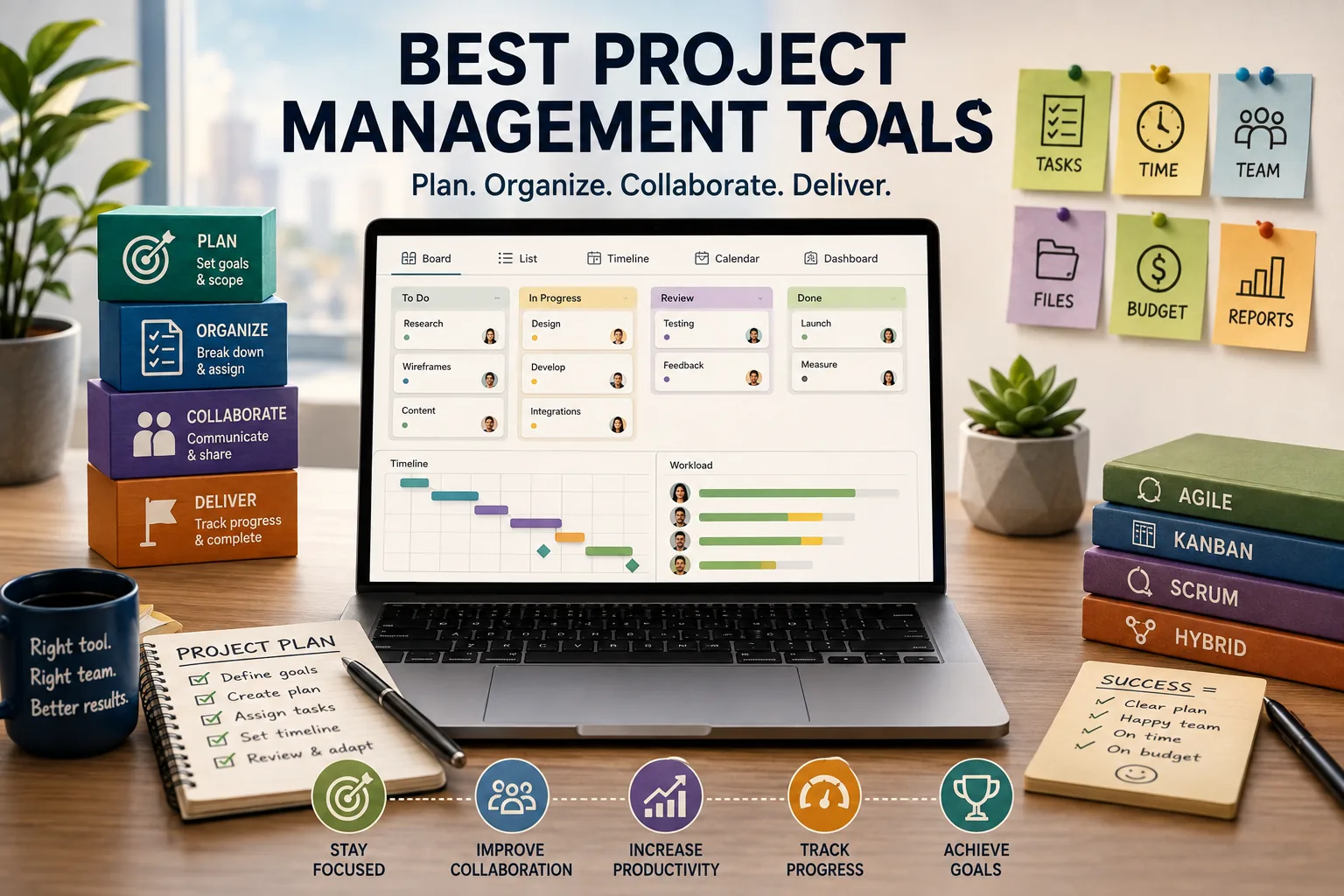
Project-management software can create new coordination overhead when teams keep adding tools without retiring old ones. Top project management tools should be judged against the kind of work a team performs, since sprint planning, cross-functional delivery, and other project contexts require different ways of organizing information.
The research firm ran the survey every two years. Twelve hundred knowledge workers across six industries, same questions each cycle. In 2020 they asked which project management tools each respondent's team used. The average was 2.1 tools per team.
In 2022 it was 2.7. In 2024 it had reached 3.4. Teams were not replacing tools with better tools. They were adding new tools alongside existing ones, each introduced to solve a gap the previous tool had failed to cover, none of them ever being retired.
Project management had become its own project management problem - a meta-layer of coordination overhead that consumed the time it was supposed to free.
The proliferation is not irrational. Project management is not a single problem. A software team running two-week sprints has different requirements than a marketing team managing quarterly campaign timelines.
A creative agency tracking client deliverables across twelve active projects needs different visibility than a solo consultant organizing personal tasks.
A startup with four people needs different infrastructure than an enterprise engineering organization with forty teams.
The tools that exist reflect this diversity of needs, which is why the market has expanded to accommodate dozens of serious options rather than consolidating around one or two. The challenge is not that good tools do not exist.
The challenge is selecting the right one for a specific context and resisting the organizational habit of adding more rather than committing to fewer.
This guide covers the ten most significant project management tools in 2026: what they actually do well, what they charge, where they fall short, and which team types they are genuinely suited to.
It includes a comparison table, recommended stacks for different team types, and honest guidance on when the free tier of each tool remains useful and when it does not.
"A project management tool that a team actually uses and maintains is worth more than a more powerful tool that accumulates dust because it requires too much upkeep."
Developer-Focused Project Management
Linear
Linear was built in 2019 to solve a specific frustration: project management tools for software teams had become slow, bloated, and difficult to navigate quickly.
Linear's founders built the opposite - an application that loads in under a second, navigates entirely by keyboard, and enforces an opinionated workflow rather than offering infinite customization.
The Issues, Cycles, and Projects structure maps to how software teams actually work. Issues are discrete work items - a bug, a feature, a task. Cycles are time-boxed sprints with a start and end date. Projects group related issues into larger initiatives. The hierarchy is simple enough to internalize in an afternoon.
Triage is a first-class workflow state. New issues that arrive from integrations, team submissions, or external forms enter triage before the backlog. This separation enforces a deliberate decision about whether an issue is worth tracking before it enters the active workflow and adds noise to cycle planning.
The GitHub and GitLab integration is genuinely deep. Link a code branch to a Linear issue and the issue moves through workflow states automatically as the pull request is created, reviewed, and merged.
A developer can work entirely in their editor and terminal and have the project management tool stay current without a separate update step.
Keyboard navigation - Linear's most distinctive characteristic - means that developers who live in their keyboard for coding also navigate the project management tool without reaching for the mouse. The shortcut system is learnable within a week and meaningfully faster once learned.
Pricing: free up to 250 issues, $8/month per user (Members plan), $16/month per user (Plus plan with advanced analytics and unlimited history).
Best for: software engineering teams of 2-50 developers, product teams working closely with engineering, any technical team where keyboard-driven workflows and development integrations are used daily.
Limitation: Linear is opinionated - its workflow is Linear's workflow. Teams with unusual project structures, non-technical members who need different views, or organizations with process compliance requirements may find that the opinion fights their actual needs. It is not a general-purpose tool.
Jira
Jira is the Atlassian product that has been the project management standard for enterprise software teams since the mid-2000s.[1] It is installed at virtually every large technology company and many traditional enterprises with software engineering teams.
The defining characteristic is configurability. Jira workflows can be customized so extensively that two companies using Jira can have implementations that look nothing alike.
Custom issue types, custom workflow states, custom transition conditions, custom field schemas, custom notification rules - every aspect of the workflow is configurable by someone with Jira administrator access.
Scrum and Kanban boards are built in with full sprint planning capabilities. Backlog grooming, sprint commitment, active sprint board, burndown charts, and velocity reporting exist in the standard product without additional configuration.
Advanced Roadmaps (included in Premium) shows work planned across multiple teams, multiple quarters, and multiple initiative levels. For a VP of Engineering who needs to see how 200 engineers across eight teams are tracking toward quarterly goals, this is the view that Jira provides and most competitors do not.
The Atlassian ecosystem extends Jira's value for teams already using Confluence (documentation), Bitbucket (code hosting), and Jira Service Management (IT ticketing). Cross-product integration within the Atlassian stack is meaningfully better than integration with external tools.
The Jira App Marketplace includes over 5,000 integrations and extensions. Any enterprise tool that a large software organization uses likely has a Jira integration.
Pricing: free up to 10 users (limited features), Standard $8.15/month per user, Premium $16/month per user, Enterprise custom pricing.
Best for: enterprise software organizations with cross-team coordination requirements, teams with process compliance requirements that need custom workflow enforcement, organizations already invested in the Atlassian ecosystem.
Limitation: Jira's configurability is also its primary liability. Without disciplined administration, Jira configurations accumulate debt - unused custom fields, contradictory workflow states, abandoned projects that clutter the project list.
Teams that adopt Jira without someone responsible for ongoing administration often find it becomes harder to use over time rather than easier.
All-in-One Workspaces
Notion
Notion occupies a unique position: it is not primarily a project management tool, but it is the most widely used project management tool for many of the teams it serves.
Its databases can model any workflow, its multiple views (table, board, timeline, calendar, gallery) make the same data visible in different ways, and its integration of tasks with documentation means that project work and the context for that work live in the same place.
The database-first architecture means that a Notion workspace for project management is built by the team rather than adopted from a fixed structure.[2] Create a database of Projects. Create a database of Tasks. Relate them: each task belongs to a project.
Filter the task database to show only tasks assigned to a specific person. Create a board view of tasks by status. Create a calendar view of tasks by due date. The same data, four different views, all derived from two related databases.
Every task page can contain documentation. A feature task might contain the product specification, design mockups, technical notes, and a comment thread alongside the task metadata.
For teams where context and task are closely linked, this structure eliminates the gap between "where the task is tracked" and "where the information about the task lives."
Team wikis for engineering handbooks, design systems, onboarding guides, and process documentation coexist with project management in the same workspace. Teams using Notion for project management typically discover they can eliminate a separate documentation tool.
Notion AI, available as an add-on, generates content, summarizes documents, and answers questions about workspace content. Its usefulness is highest for documentation work rather than task management.
Pricing: free up to 10 members (limited history and file uploads), Plus $10/month per user, Business $15/month per user, Enterprise custom.
Best for: startups and small teams that want project management and documentation in one tool, teams where documentation and task context are closely linked, product and design teams where flexibility is valued over opinionated structure.
Limitation: Notion's flexibility requires maintenance. A Notion workspace that starts clean tends to accumulate ad-hoc databases, duplicate pages, and inconsistent structures over time. Someone on the team needs to treat Notion administration as an ongoing responsibility, or the system degrades.
Team and Enterprise Project Management
Asana
Asana is the strongest general-purpose project management tool for non-technical teams.[3] It provides list view, board view, timeline (Gantt-style), and calendar view on every project. Its feature set covers everything from individual task assignment to cross-organizational goal tracking.
Timeline view creates visual project schedules with dependencies. Task B cannot start until Task A is complete. If Task A slips, the timeline adjusts and shows downstream effects.
For agencies and operations teams communicating project status to stakeholders, the timeline view produces understandable visuals without requiring stakeholders to have PM tool literacy.
Portfolios show status across multiple projects simultaneously. A marketing director managing six campaign projects can see which are on track, which are at risk, and which are blocked in a single view without opening each project individually.
Goals connect project work to organizational objectives. A quarterly OKR can be linked to the projects and milestones that will achieve it. Progress on the goal updates as work is completed. For teams that follow OKR methodology, this closes the gap between the goal-setting tool (often a spreadsheet) and the work execution tool.
Rules automation reduces manual status update work: when a task is marked complete, move it to the Done section and notify the task creator. When a task's due date passes without completion, add it to the Overdue view and notify the assignee. These automations exist without requiring a workflow automation tool.
Forms for external request intake allow clients, internal stakeholders, or external collaborators to submit requests directly into a project's task list without an Asana account. For agencies managing inbound client requests, this is a useful workflow integration.
Pricing: free up to 15 members (limited to list and board views, no Timeline), Premium $10.99/month per user, Business $24.99/month per user.
Best for: marketing teams, operations teams, creative agencies, product teams with non-technical stakeholders.
Limitation: Asana's depth of features is also a complexity overhead for small or simple teams. Teams that need only basic task tracking may find ClickUp or Trello easier to maintain.
Monday.com
Monday.com markets itself as a "Work OS" - a visual platform for managing any work process, not just software projects.[4] The visual flexibility is genuine: a Monday board can represent a project, a CRM pipeline, a content calendar, a hiring tracker, or an event planning checklist with equal facility.
Dashboards aggregate data from multiple boards into summary views. A Monday dashboard can show task counts by status across all active projects, workload by team member, upcoming deadlines, and budget tracking in a single view. The dashboard builder is visual and does not require technical knowledge.
Automations reduce manual status update work and are built through a visual recipe interface. "When a status changes to Done, notify the board owner and move the item to the archive board" is a two-click automation setup.
Guest access allows external stakeholders (clients, contractors, partners) to view or edit specific boards without a full account. For agencies sharing project status with clients, the guest access model is practical.
Monday's CRM and Sales features (added 2024-2025) blur the line between project management and CRM, which is either useful or confusing depending on whether your team wants to consolidate those workflows.
Pricing: Basic $9/month per user (3-seat minimum), Standard $12/month per user, Pro $19/month per user, Enterprise custom. Minimum three seats on all plans.
Best for: agencies sharing project status with clients, operations teams managing non-software workflows, organizations that want visual project management without the setup overhead of Notion.
Limitation: Monday.com's per-user pricing with a three-seat minimum makes it more expensive than alternatives for very small teams. The tool can become confusing when boards multiply without governance.
ClickUp
ClickUp attempts to be the single tool that replaces every other productivity tool: tasks, docs, goals, time tracking, whiteboard, chat, and spreadsheet views all exist within ClickUp.[5] The resulting feature set is genuinely large - arguably too large for most teams to use effectively.
The free tier is the most complete of any project management tool: unlimited tasks, unlimited users, 100MB storage, and access to most core features. Teams that want powerful project management at zero cost have no stronger option.
Custom views include list, board, calendar, Gantt, workload, timeline, mind map, and others. Each can be filtered, sorted, and saved as a default for different team members.
Automations are extensive. Time tracking, goal tracking, and the built-in doc editor mean ClickUp can genuinely replace several separate tools for teams willing to invest in learning it.
The honest limitation: ClickUp's breadth is also its problem. Onboarding a new team member requires significant time investment to understand the tool's structure. The pace of feature releases (ClickUp releases features aggressively) means the product is sometimes unstable.
Teams that find Notion's flexibility challenging may find ClickUp's feature density even more challenging.
Pricing: free (most features, limited storage), Unlimited $7/month per user, Business $12/month per user, Enterprise custom.
Best for: teams that want the most feature-complete project management tool at the lowest cost and have the bandwidth to invest in proper setup and onboarding.
Focused and Niche Tools
Basecamp
Basecamp has been making the same argument since 2004: project management tools are too complex, async communication should be the default, and flat pricing is fairer than per-seat pricing as organizations grow.
The 2024 version of Basecamp is recognizably the same product - cleaner, faster, and with better mobile apps, but structurally similar to the product Jason Fried and David Heinemeier Hansson shipped twenty years ago.
Each Basecamp project contains: a Message Board for announcements and discussion, To-dos for tasks, Docs and Files for file management, a Schedule for milestones and events, Campfire for group chat, and Automatic Check-ins for recurring standup-style questions.[6]
Everything a project needs in one organized place, without integration overhead.
Client access is built in. Share a project with a client, choose which sections they can see, and the client gets a view of the project without needing to understand Basecamp's internal structure. For agencies billing clients for project management time, the client collaboration model is practical.
The flat pricing model ($15/user or $299/month for unlimited users) means Basecamp becomes more cost-effective than per-user tools as teams grow. A 30-person agency pays $299/month. At $12/month per user in Monday.com, the same team pays $360/month. At $10.99/month per user in Asana Premium, $330/month.
Pricing: free (individual up to 3 projects), per-user plan $15/month, flat plan $299/month unlimited users.
Best for: agencies managing client projects, consulting firms doing client work, any organization where the $299/month flat fee is more economical than per-seat alternatives.
Height
Height is a developer-friendly project management tool that occupies the space between Linear and Asana: more flexible than Linear, better for technical teams than Asana.[7] Its Smart Attributes can attach any structured data to tasks - custom fields, calculated values, rollups - without requiring the database-building overhead of Notion.
The GitHub and Linear-like interface quality and responsiveness distinguishes it from Jira and Monday.com in the same way Linear distinguishes itself - the tool feels like it was built by developers who use it themselves.
Pricing: $8.50/month per user.
Best for: small to mid-size engineering teams that want more flexibility than Linear's opinionated structure without Jira's complexity.
Todoist for Teams
Todoist is primarily a personal task manager, but its Business plan adds team features: shared projects, task delegation, commenting, and basic reporting. For very small teams with simple coordination needs, Todoist's Business plan at $6/month per user is the lowest-cost entry into shared task management.
The limitation is also its strength: Todoist does not try to be a full project management platform.[9] For solo contributors and very small teams, the simplicity of the interface reduces the maintenance overhead that more complex tools require.
Pricing: free, Pro $4/month per user, Business $6/month per user.
Best for: individuals and very small teams (2-4 people) where a dedicated project management platform would be excessive overhead.
Airtable
Airtable sits between spreadsheet and database.[8] Its tables look like spreadsheets but behave like relational databases: fields have types (text, number, date, attachment, formula, linked record), tables can be related to each other, and views filter and display the same data in multiple ways.
For non-technical teams that think in spreadsheet terms but need the structure of a database, Airtable is often the right answer. Marketing operations, event planning, editorial calendars, vendor management, and product catalogs all map naturally to Airtable's model.
Automations in Airtable trigger based on record changes: when a record enters a specific view, send a Slack message. When a new record is created, send an email to the assignee. The automation builder is accessible to non-engineers.
Interfaces allow building no-code dashboards and forms on top of Airtable tables - a custom view for a specific team's workflow without requiring the entire Airtable table to be visible.
Pricing: free (limited records, limited views), Team $20/month per user, Business $45/month per user.
Best for: non-engineering teams that think in spreadsheet terms, project management use cases that are closer to database management (event tracking, content calendars, vendor management), teams that want no-code flexibility without Notion's document-centric interface.
Comparison Table
| Tool | Price | Best For | Standout Feature | Main Limitation |
|---|---|---|---|---|
| Linear | Free / $8/month per user | Software teams | Keyboard speed, GitHub integration | Opinionated workflow |
| Jira | Free / $8.15-16/month per user | Enterprise engineering | Configurability, Advanced Roadmaps | Complexity overhead |
| Notion | Free / $10-15/month per user | Docs + tasks together | Flexibility, databases + docs | Requires maintenance |
| Asana | Free / $11-25/month per user | Non-technical teams | Timeline, Goals, Portfolios | Expensive at scale |
| Monday.com | $9-19/month per user | Agencies, visual teams | Visual dashboards, client access | Three-seat minimum |
| ClickUp | Free / $7-12/month per user | Feature-hungry teams | Most complete free tier | Too complex for many |
| Basecamp | $15/user or $299/month flat | Agencies with clients | Flat pricing, client access | Limited reporting |
| Height | $8.50/month per user | Developer-flexible teams | Smart attributes, UI quality | Smaller ecosystem |
| Todoist | Free / $6/month per user | Individuals and small teams | Simplicity, fast capture | Not a full PM tool |
| Airtable | Free / $20-45/month per user | Non-technical, spreadsheet-minded | Relational database + views | Expensive at business tier |
Recommended Stacks by Team Type
Seed-stage software startup (1-6 people): Linear (free tier) for engineering issues, Notion (free tier) for product documentation and roadmap. This combination covers sprint planning, bug tracking, and product documentation without cost. When the team grows beyond 250 issues, upgrade Linear to the $8/month plan before adding new tools.
Growth-stage software company (10-50 engineers): Linear ($8/month per user) for engineering project management, Notion Business ($15/month per user) for documentation and wikis, Slack for communication. The integration between Linear and Slack means issue updates appear where the team already communicates.
Creative agency (5-30 people): Asana Premium ($10.99/month per user) for project management with client-shareable Timeline views, or Basecamp ($299/month flat) if team size makes flat pricing more economical. The breakeven point between Asana and Basecamp's flat plan is approximately 27 users.
Non-technical team or operations team: Monday.com Standard ($12/month per user) for workflow management with visual dashboards, or Asana Premium for similar functionality with stronger reporting. Both are well-suited to teams managing sequential work with stakeholder communication requirements.
Enterprise engineering organization: Jira Premium ($16/month per user) with Confluence for documentation. The Atlassian ecosystem integration, Advanced Roadmaps for cross-team planning, and configurability for process compliance requirements justify the premium pricing at enterprise scale.
Very small team or solo professional: Notion free tier or Todoist Pro ($4/month) depending on whether the need is structured project management or fast personal task capture. Notion covers more ground; Todoist is faster for pure task management.
The Tool Accumulation Problem
The research finding about increasing tool counts per team is not only about adding tools. It is about failing to establish which tool is authoritative for which type of information. Teams accumulate tools because each new tool seems to solve a gap that the previous one left.
But when tasks live in Linear and also appear as cards in a Notion board and also get mentioned in Slack, none of those systems becomes the trusted source of truth, and coordination cost increases rather than decreasing.
The most effective project management setups have a clear answer to "where does this go?" for every type of work item. Issues and bugs go in Linear. Feature specifications go in Notion. Deployment schedules go in the team calendar.
The tool is less important than the clarity of ownership. A mediocre tool used consistently beats an excellent tool used inconsistently by a significant margin in every team retrospective that surfaces honest data.
The corollary is that tool selection should favor tools the team will actually maintain over tools that promise more than the team has bandwidth to set up.
A Jira instance configured by an enthusiastic engineering manager and then left to administrators who do not have time to maintain it accumulates complexity faster than it accumulates value.
A Linear workspace or a Notion database that the team actually keeps current is worth more than any tool whose theoretical capabilities exceed the team's actual use.
Sources & Further Reading
- Atlassian. "Jira Software - Project Management Tool for Agile Teams." atlassian.com. View source
- Notion Labs. "Notion - Your wiki, docs, and projects. Together." notion.so. View source
- Asana. "Manage your team's work, projects, and tasks online." asana.com. View source
- Monday.com. "The Work OS that Runs Your Business." monday.com. View source
- ClickUp. "One app to replace them all." clickup.com. View source
- Basecamp. "Project Management and Team Communication Software." basecamp.com. View source
- Height. "The autonomous project collaboration tool." height.app.
- Airtable. "Create apps that perfectly fit your team's needs." airtable.com. View source
- Doist. "Todoist - The to do list to organize work and life." todoist.com. View source
Further Reading
- Atlassian. "Linear - The software project management tool." linear.app. View source
See also: Best Coding Tools and IDEs in 2026, Best Productivity Tools in 2026, Best CRM Tools in 2026, and Collaboration Tools Explained.