
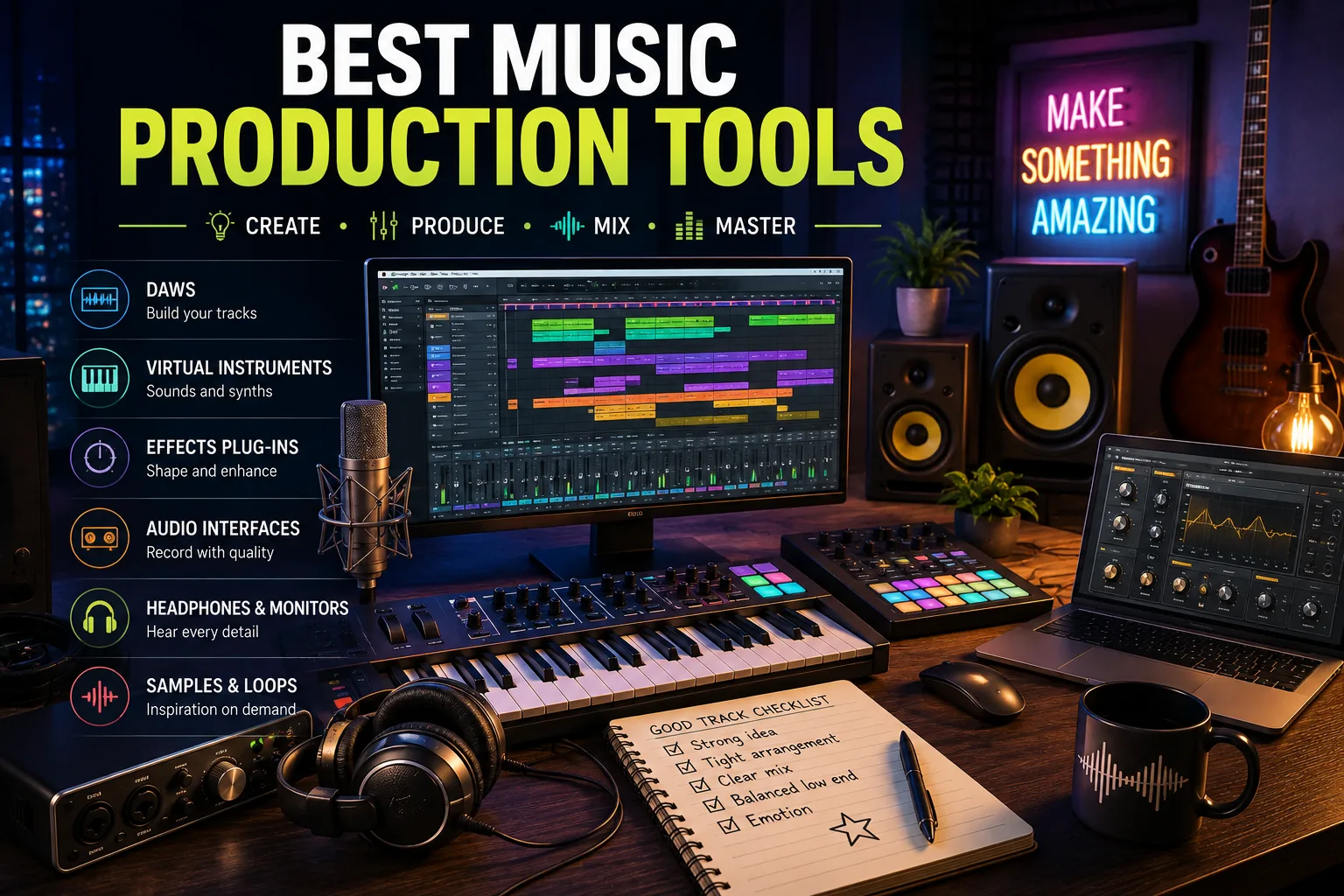
Music: Marcus Webb had been making beats in his bedroom since he was seventeen. By the time he turned twenty-three, he had released two mixtapes, built a small but loyal SoundCloud following of around 4,000 listeners, and received exactly zero streaming royalties that covered more than a single monthly meal.
The problem was not his production. His beats had placement-level quality by the time he was twenty. The problem was the way he had built his workflow: an illegal copy of Ableton that crashed on large projects, samples he was not cleared to use commercially, and no mastering process whatsoever - just exporting the mix and uploading.
When a small independent artist offered to pay him for a beat license, Marcus realized he had no legal infrastructure to accept it.
He spent three months rebuilding entirely with legitimate tools. He switched from the cracked Ableton to FL Studio, which he bought with the lifetime update policy that meant he would never have to pay for it again. He subscribed to Splice for $9.99 a month and rebuilt his sample library with cleared material.
He started using LANDR to master his beats before sending them out. Within six months, the same level of musical output he had always produced was now generating real money: $1,400 in beat licensing in the first year of operating cleanly. Nothing about his music changed. The infrastructure around it did.
The music production software market in 2026 has never offered more options at more accessible price points. GarageBand remains free on every Mac and iPhone. FL Studio's lifetime update policy makes it one of the best long-term values in creative software.
Ableton Live's Session View still has no real competitor for live performance and loop-based composition.[4]
The challenge is not finding a capable tool - it is understanding which tool fits your genre, your workflow style, and your budget for the long term, and then learning it deeply enough to produce output that sounds intentional rather than accidental.
"The most expensive studio in the world cannot replace three years of mixing the same kind of music every day. Every professional producer you admire spent years producing music that sounded bad before it sounded good. The tool accelerates the later years. It cannot replace the early ones."
Who This Guide Is For
This guide covers the full music production stack: digital audio workstations for composition and recording, sample and plugin marketplaces, mastering and distribution tools, and AI-assisted production services. Each tool is evaluated on its workflow strengths, pricing structure, target genre or use case, and honest limitations.
The tools covered: GarageBand, Logic Pro, FL Studio, Ableton Live, Pro Tools, Splice, Bandlab, LANDR, Soundtrap, and Native Instruments. Cross-references to relevant plugin and distribution tools are included throughout.
Beginner DAWs: Free and Low-Cost Starting Points
GarageBand
GarageBand is Apple's free DAW included with every Mac, iPhone, and iPad.[1] It is the most accessible entry point in music production, combining a real multi-track environment with an instrument library substantial enough that many producers never outgrow it for certain genres.
Core features:
- Over 1,000 royalty-free Apple Loops spanning drums, bass, guitar, keyboards, world instruments, and electronic sounds
- Smart Instruments on iPhone and iPad allow playing chords without music theory knowledge
- Full multi-track recording with MIDI piano roll and audio tracks
- Live Loops on iOS for real-time clip launching similar to Ableton's Session View
- Direct upgrade path to Logic Pro: any GarageBand project opens in Logic Pro preserving all tracks, settings, and instruments
- Drummer track with 40 virtual drummers that respond to region complexity settings
Pricing: Free on Mac and iOS.
Best for: Mac and iPhone beginners who want to start immediately. Producers who are undecided about their long-term tool and want to start free before committing to a purchase.
Limitations: Mac and iOS only - no Windows or Android version. Mixing depth is limited compared to paid DAWs: fewer automation options, no MIDI control surface support in iOS, and fewer third-party plugin formats accepted compared to Logic Pro or Ableton.
The loop library, while large, is stylistically weighted toward pop, folk, and EDM; hip-hop and trap producers will exhaust it quickly.
Bandlab
Bandlab is a free browser-based DAW with social collaboration features built in from the ground up.[7] Owned by Bandlab Technologies, it runs in any browser on any operating system including Windows, Mac, Chromebook, and Android.
Core features:
- Multi-track recording and MIDI sequencing in the browser with no installation
- Built-in beat maker with a drum machine grid for loop construction
- Real-time collaboration: invite others to edit a project simultaneously from different locations
- Social features allow posting work-in-progress for community feedback
- Cloud storage for all projects with version history
- Integrated mastering and direct distribution to streaming platforms via Bandlab Distribution
- AI Song Maker generates full song sketches from genre and mood prompts
Pricing: Free for all core features.
Best for: Windows and Android producers who cannot access GarageBand. Students and collaborative projects where multiple people need access to the same session. Producers who want feedback on work-in-progress from a music community without switching platforms.
Limitations: Browser-based performance depends on internet connection and browser version. The instrument and effects library is smaller than Logic Pro or FL Studio. Mixing capabilities are basic: no third-party plugin support in the browser, and advanced compression and EQ require workarounds.
Bandlab is a strong starting tool but professional producers will outgrow its mixing depth.
Soundtrap
Soundtrap is a Spotify-owned browser-based DAW with a specific focus on education and collaborative music creation.[9]
Core features:
- Real-time multi-user collaboration with simultaneous editing like Google Docs
- Pre-built loop and sample library with genre packs updated regularly
- Video sync for scoring music to picture - upload a video and compose to it directly in the browser
- Lesson library with guided music theory and production tutorials
- Available on any browser including iPad
Pricing: Free tier for basic use. Education plans for schools. Personal plan at $7.99/month.
Best for: Music students, classroom settings where teachers assign production projects, and beginners who want structured learning alongside a working production environment.
Limitations: Sound library is smaller than Logic Pro or FL Studio. Third-party plugin support is absent. Professional producers will find the mixing tools insufficient for release-quality work. Pricing makes less sense for adult producers compared to buying FL Studio once.
Professional DAWs
Logic Pro
Logic Pro is Apple's professional DAW and the direct upgrade from GarageBand.[2] It is used by a significant portion of professional and semi-professional producers across pop, hip-hop, film scoring, and electronic music.
Core features:
- Over 70GB of Apple Loops, Drummer tracks, and instrument samples included in the base price
- Flex Time for non-destructive audio time-stretching and pitch correction
- Step Sequencer for pattern-based beat programming similar to FL Studio's workflow
- Alchemy synthesizer: one of the most capable wavetable and spectral synthesizers included in any DAW
- Spatial Audio tools for Dolby Atmos mixing - increasingly relevant for Apple Music tracks
- Track Alternatives for non-destructive comparison of different arrangements
- Logic Remote on iPhone and iPad for controlling the desktop session from a mobile device
- Full MIDI routing, environment, and control surface support
Pricing: $199.99 one-time purchase. No subscription. Updates included permanently.
Best for: Mac producers who are serious about long-term production and want a one-time purchase with professional-grade tools. Pop, hip-hop, electronic, and film scoring producers. Anyone currently using GarageBand who wants to grow without changing their workflow fundamentally.
Limitations: Mac only. No Windows version. Logic's strength is its included content library and integration with Apple hardware - producers who primarily use sample libraries and third-party plugins rather than Logic's included instruments get less value from the platform compared to FL Studio or Ableton.
FL Studio
FL Studio, developed by Image-Line, is the dominant DAW in hip-hop and EDM production and holds a unique position in the market: all versions include lifetime free updates.[3] Buying FL Studio once means receiving every future version at no additional cost, indefinitely.
Core features:
- Pattern-based beat sequencer and step programmer make loop construction fast and intuitive
- Piano roll widely considered the best in any DAW: note properties, velocity, panning, and custom controls are editable at the individual note level
- Mixer supports up to 125 tracks each with independent effects chains and send routing
- Native instruments include Sytrus (FM synthesis), Harmor (additive/subtractive), Gross Beat (volume and pitch automation for stutter effects), and Parametric EQ 2
- Lifetime free updates - every producer who bought FL Studio 10 in 2013 now has FL Studio 21 at no additional cost
- Plugin Delay Compensation is automatic across all plugin slots
- Windows native; macOS version is now feature-equivalent
Pricing: $99 (Fruity edition, no audio recording input, limited mixer routing), $199 (Producer edition, full mixer and plugin support, the standard choice), $299 (Signature with additional instruments), $499 (All Plugins bundle with every Image-Line plugin).
Best for: Hip-hop and trap producers, EDM producers, beat makers who sell beats commercially, anyone who values the lifetime update policy as a long-term cost consideration. The Producer edition at $199 is the standard purchase.
Limitations: Pattern-based workflow can feel restrictive for recording full bands or producing acoustic music. Arrangement View is less intuitive than Ableton's for producers who compose linearly. macOS stability has had historical issues, though recent versions are significantly improved.
The Fruity edition's limitations (no audio recording) are severe enough that Producer edition is the minimum practical purchase.
Ableton Live
Ableton Live has two views that serve fundamentally different purposes. Session View is a grid of clips that can be launched in any order in real time - it is designed for improvisation, looping, and live performance. Arrangement View is a conventional linear timeline.
No other major DAW has a direct equivalent to Session View, which is why Ableton has become the standard for electronic music live performance.
Core features:
- Session View for loop-based composition, jamming, and live performance - clips trigger in real time without stopping playback
- Arrangement View for linear composition and final arrangement
- Warping engine time-stretches audio to project tempo without artifacts across multiple modes (Beats, Tones, Texture, Re-Pitch)
- Max for Live (included in Suite) extends Ableton with custom devices built by the community: generative sequencers, hardware controllers, experimental effects
- Push hardware controller integrates directly with Live for hands-on production without a mouse
- Strong MIDI routing and effects for complex modulation and generative music
- Link protocol synchronizes tempo across multiple Ableton instances on the same network for multi-computer live setups
Pricing: $99 (Intro, significantly limited - 8 tracks, no Max for Live), $449 (Standard, full feature set minus Max for Live), $749 (Suite, all instruments, effects, and Max for Live). No lifetime updates - major version upgrades cost additional fees.
Best for: Electronic musicians who compose by layering loops. Live performers. Producers who want to sketch ideas fast by building loops in Session View and then arranging them. Producers interested in generative music and Max for Live.
Limitations: No lifetime updates. Major version upgrades add significant cost over time. Intro version is severely restricted. Suite pricing is high compared to FL Studio or Logic Pro. The Session View workflow requires real adaptation from producers used to linear composition and is not faster for everyone.
Pro Tools
Pro Tools is the industry standard in professional recording studios, film and television post-production, and broadcast.[5] It is not the first choice for bedroom producers - it is the choice for producers working in environments where Pro Tools compatibility is a professional requirement.
Core features:
- Industry-standard session format used in virtually every professional recording studio
- Elastic Audio for real-time time-stretching and pitch manipulation
- High track counts: Pro Tools Studio supports 128 audio tracks, Pro Tools Ultimate is limited only by hardware
- Clip Gain for non-destructive level adjustment on individual clips before the channel strip
- Advanced post-production tools including video pull-down, SMPTE sync, and AAF/MXF export for film and broadcast workflows
- Pro Tools | Carbon and HD hardware provide ultra-low-latency monitoring for tracking live musicians
Pricing: Pro Tools Artist at $9.99/month or $99/year, Pro Tools Studio at $39.99/month or $299/year, Pro Tools Ultimate at $79.99/month or $599/year.
Best for: Engineers working in professional recording studios, film and TV post-production, and anyone who needs to exchange sessions with professional facilities. The subscription cost makes sense for professionals billing clients on those sessions. It is generally not the right first choice for self-producing bedroom producers.
Limitations: Subscription-only model (no perpetual license available for current versions). Expensive for solo producers not working in professional studio environments. The interface is optimized for audio recording and mixing rather than MIDI composition and beat making.
Beginners will find the learning curve steep relative to FL Studio or Logic Pro for production work.
Sample Marketplaces and Sound Libraries
Splice
Splice is the dominant sample marketplace for music producers, combining a sample library of over 4 million royalty-free sounds with a rent-to-own plugin purchasing model.[6]
Core features:
- Over 4 million loops, one-shots, drum hits, vocal samples, and stems searchable by genre, tempo, key, and instrument
- All samples are cleared for commercial use including streaming releases - no additional licensing required
- Rent-to-own (Rent-to-Own) model: pay $9.99-17.99/month toward owning plugins like Serum, Omnisphere, and other industry-standard instruments at a fraction of their upfront cost
- Splice Stems separates uploaded tracks into individual drum, bass, melody, and vocal stems for remixing
- Collaboration features for sharing session files with other producers
- Plugin updates and presets delivered through the Splice desktop app
Pricing: $7.99/month (100 credits), $13.99/month (200 credits), $17.99/month (300 credits). Credits are spent on sample downloads.
Best for: Producers who need a consistent source of new sounds. Beat makers who want to audition thousands of drum samples before committing. Producers who want to build a plugin library gradually through rent-to-own without large upfront costs.
Limitations: Monthly cost adds up to $100-216 per year before plugin purchases. Popular sample packs have been used widely enough that certain sounds appear across many commercial releases - overused 808 hits and snares are a real concern. Quality varies across the library.
Native Instruments
Native Instruments produces the industry-standard sample library and instrument bundle, Komplete, which forms the foundation of many professional production setups worldwide.[10]
Core features:
- Komplete bundle includes Kontakt (the sample player standard for professional orchestral and cinematic libraries), Massive X (digital synthesizer), Battery (drum sampler), and dozens of additional instruments and effects
- Kontakt hosts third-party sample libraries from composers and developers worldwide - the majority of professional orchestral libraries, cinematic collections, and vintage instrument recreations are built for Kontakt
- Komplete Start is a free version with a genuine selection of instruments including a piano, synths, and drum kits
- Maschine hardware controller integrates with a standalone beat-making environment and VST plugin mode in any DAW
Pricing: Komplete Start free, Komplete Select $199, Komplete 14 $599, Komplete 14 Ultimate $1,199. All are one-time purchases with paid upgrades for major versions.
Best for: Producers who need professional acoustic instrument sounds (orchestral strings, grand piano, vintage synths, world instruments). Film composers and producers creating music that requires realistic acoustic textures alongside electronic elements.
Limitations: Very large file sizes - Komplete 14 requires over 70GB, Ultimate over 300GB. Expensive. Kontakt is a requirement for using the majority of professional third-party sample libraries, which adds to the total investment.
The instrument selection is overkill for producers who work entirely with electronic synthesis and sample loops.
Mastering and Distribution
LANDR
LANDR combines AI mastering with music distribution in a single platform, making it the most convenient end-to-end tool for independent producers who want to go from finished mix to streaming release without hiring separate service providers.[8]
Core features:
- AI mastering processes tracks in under two minutes with genre-aware EQ, compression, and limiting
- Multiple intensity levels (soft, medium, bold) adjust processing aggressiveness
- Distribution to Spotify, Apple Music, Amazon Music, Tidal, YouTube Music, TikTok, Deezer, and 40+ other platforms
- ISRC and UPC codes generated automatically
- Analytics dashboard showing streams by platform and estimated royalties
- Sample library and plugin marketplace integrated into the same subscription
- Collaboration sharing for sending tracks to co-producers and clients for feedback
Pricing: $9/month (basic mastering), $19/month (advanced mastering + distribution), $39/month (full suite with samples and plugins).
Best for: Bedroom producers who want a fast, integrated mastering-to-distribution workflow. Producers releasing frequently who need consistent, quick masters rather than custom human-engineered masters for every track.
Limitations: AI mastering does not match a skilled human mastering engineer for commercially important releases. At $9-19/month, the distribution value is competitive, but producers releasing infrequently may find DistroKid's flat annual fee cheaper.
Comparison Table
| Tool | Price | Platform | Best For | Skill Level |
|---|---|---|---|---|
| GarageBand | Free | Mac, iOS | Beginners, quick demos | Beginner |
| Bandlab | Free | Browser, all platforms | Collaboration, Windows/Android users | Beginner |
| Soundtrap | Free / $7.99 month | Browser | Education, classroom | Beginner |
| Logic Pro | $199.99 one-time | Mac only | Professional Mac producers | Intermediate to Pro |
| FL Studio | $99-499 one-time | Windows, Mac | Hip-hop, EDM, beat making | Beginner to Pro |
| Ableton Live | $99-749 | Windows, Mac | Electronic music, live performance | Intermediate to Pro |
| Pro Tools | $9.99-79.99 month | Windows, Mac | Recording studios, film/TV | Professional |
| Splice | $7.99-17.99 month | Windows, Mac app | Samples, rent-to-own plugins | Any level |
| Native Instruments | $199-1,199 one-time | Windows, Mac | Professional sound libraries | Intermediate to Pro |
| LANDR | $9-39 month | Web | AI mastering, distribution | Any level |
| Bandlab Distribution | Free | Web | Free distribution | Beginner |
Building Your Production Stack
Most bedroom producers need three things: a DAW for composition, a source of samples and sounds, and a path to release. The stack does not need to be expensive to be effective.
The zero-cost stack (Mac): GarageBand + Looperman.com free samples + Bandcamp for direct sales. Total cost: $0.
The entry-level stack: FL Studio Producer ($199 one-time) + Splice subscription ($9.99/month) + LANDR basic ($9/month). Total: $199 upfront, approximately $19/month ongoing. This stack covers composition, a professional sample library, AI mastering, and distribution.
The intermediate stack: Logic Pro ($199.99 one-time, Mac) or FL Studio Producer ($199) + Splice ($13.99/month) + FabFilter Pro-Q 3 ($179 one-time for mixing) + LANDR ($19/month for mastering and distribution). Total: approximately $400 upfront, $33/month ongoing.
The professional stack: Logic Pro or Ableton Live Suite ($749) + Native Instruments Komplete ($599+) + iZotope Music Production Suite ($499+) + Splice ($17.99/month) + human mastering engineer per release ($50-200 per track). This is the stack for producers placing music professionally or scoring for picture.
The most important principle is the same one Marcus Webb learned: legal infrastructure and cleared samples matter the moment money enters the picture. Build clean from the start and the tool investment pays for itself in a single licensing deal.
See also: Best Video Editing Tools, Best Podcast Tools, and Best Social Media Tools.
Sources & Further Reading
- Apple. "GarageBand." apple.com. View source
- Apple. "Logic Pro." apple.com. View source
- Image-Line. "FL Studio." image-line.com.
- Ableton. "Ableton Live." ableton.com. View source
- Avid. "Pro Tools." avid.com. View source
- Splice. "Splice: Music Creation Tools." splice.com. View source
- Bandlab Technologies. "BandLab." bandlab.com. View source
- LANDR. "LANDR: AI Mastering and Music Distribution." landr.com. View source
- Soundtrap. "Soundtrap - Make Music Online." soundtrap.com. View source
- Native Instruments. "Komplete." native-instruments.com. View source