
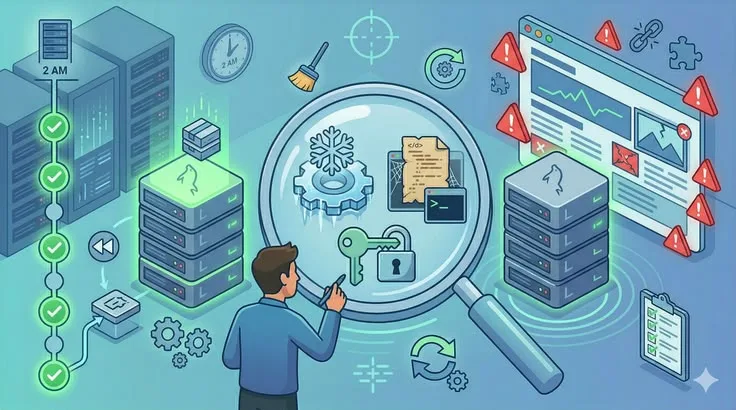
On August 1, 2012, Knight Capital Group deployed new software to its production trading systems. A configuration error activated dormant code intended for testing---code that had been sitting in the codebase unused for years.
Over the next 45 minutes, the firm executed millions of errant trades, losing $440 million and nearly going bankrupt.
The deployment was a "big bang" release: all servers updated simultaneously, with no gradual rollout, no canary testing, and no automated rollback mechanism.
Knight Capital detected the problem within minutes but lacked the infrastructure to stop it quickly. By the time the systems were shut down manually, the firm had traded its way into insolvency. It was acquired by competitor Getco four months later.
Had Knight Capital used modern deployment strategies, the damage would have been detected and contained within seconds or minutes. The canary instances would have shown error signals. Automated rollback would have fired. 99% of trading would have continued unaffected.
Deployment strategies exist to answer one fundamental question: how do you get new code into production without breaking things for your users? The answer is not "carefully." Care is necessary but insufficient against the inherent unpredictability of software running in production environments.[3]
The answer is "systematically"---using patterns that detect problems early, limit their reach, and enable rapid recovery.[2]
Why Production Is Different from Testing
Every deployment carries risk. New code might have bugs that passed all tests. Performance might degrade under real traffic patterns not captured by load tests. Dependencies might behave differently at production scale.
Configuration differences between environments might cause unexpected behavior. User data might expose edge cases that synthetic test data never triggered.
This is not a failure of testing. Testing catches most problems. But it cannot catch all of them, because production is an environment of irreducible complexity: real users, real data, real traffic patterns, real infrastructure interactions, and real combinations of conditions that no test suite can fully anticipate.
The key insight underlying modern deployment strategies is that deployment risk is proportional to two variables: the percentage of users simultaneously exposed to new code, and the time between problem occurrence and detection/reversal.
The goal of deployment strategy is not to prevent all failures - it is to limit blast radius and accelerate recovery. A deployment approach that exposes 100% of users to a broken release simultaneously is a choice, not a necessity. Modern strategies exist precisely to make that choice unnecessary.
Deployment strategies are systematic approaches to controlling both variables.
A deployment that exposes 1% of users immediately gives you:
- 99% of users unaffected even if the new code is broken
- A comparison baseline (the 99% running the old version) to detect problems
- Time to detect and fix problems before they reach everyone
A deployment that exposes 100% of users immediately gives you none of these advantages.
Recreate Deployment
The simplest strategy: shut down the old version completely, then deploy the new version. All users experience downtime during the transition.
The process:
- Stop the current version (all instances go offline)
- Deploy the new version
- Start the new version
- Verify health checks pass
- Return to normal operation
When it is appropriate:
- Development and testing environments where downtime is irrelevant
- Applications with scheduled maintenance windows written into SLAs
- Systems with strict requirements against running multiple versions simultaneously (some databases, licensed software)
- Stateful applications where migrating in-flight state would be more complex than brief downtime
Advantages: Simplest to implement and understand. No version compatibility issues since only one version ever runs. Clean environment for the new version---no state carryover.
Disadvantages: User-visible downtime. No ability to test the new version under real traffic before full exposure. Rollback requires repeating the entire deployment process.
Recreate deployment is the baseline---functional but insufficient for any system where availability matters.
Blue-Green Deployment
Blue-green deployment maintains two identical production environments. One environment (blue) serves all live traffic; the other (green) is idle or serves as a pre-production staging area. To deploy, you bring up the new version in the idle environment, validate it, then switch all traffic from one to the other.
The Deployment Process
- Blue environment serves 100% of production traffic
- Deploy the new version to the green environment
- Run validation tests against green (smoke tests, integration tests, performance tests)
- Switch the load balancer to route 100% of traffic from blue to green
- Green now serves production; blue becomes the rollback target
- After a confidence period (hours to days), blue can be updated or reclaimed
The load balancer switch is the critical operation. In most implementations, it is nearly instantaneous---a DNS change or a routing rule update that takes seconds to apply.
Instant Rollback: The Key Advantage
The defining advantage of blue-green is instant rollback. If the new version (green) has problems after the switch, restoring service means switching the load balancer back to blue. No redeployment, no waiting, no risk of a complicated rollback procedure making things worse.
The old version is sitting ready to serve traffic within seconds.
Example: Netflix uses blue-green deployments for their streaming service backend. When deploying updates to their recommendation engine, the new version runs on green while blue continues handling 100 million daily active user sessions.
If the recommendation quality metrics drop on green, a single configuration change routes all traffic back to blue. Users experience no interruption.
Blue-Green Challenges
Database migrations are the hardest constraint. If blue and green must share the same database (as they typically do, since maintaining two fully separate database copies with live data is prohibitively expensive), schema changes must be backward compatible.
The old version (blue) and new version (green) must both work with the same schema simultaneously.
The expand-contract pattern solves this: first expand the schema (add new columns or tables without removing old ones), then deploy the new code that uses the new schema, then after the old version is fully decommissioned, contract the schema (remove old columns). This three-phase approach allows any zero-downtime strategy.
Infrastructure cost: Two production environments during deployment periods effectively doubles infrastructure costs temporarily. For most organizations, the cost of brief double-provisioning is trivial compared to the value of instant rollback.
For organizations with large, expensive infrastructure, the cost is worth calculating explicitly.
Stateful connections: Users with active sessions on blue may experience disruption when traffic switches to green, since their session state lives on blue.
Solutions: use external session storage (Redis, DynamoDB) that both environments can access, design for graceful session migration, or choose a maintenance window during low-traffic periods for the switch.
| Aspect | Blue-Green | Rolling | Canary |
|---|---|---|---|
| Downtime | None | None | None |
| Rollback speed | Seconds | Minutes | Seconds |
| Resource overhead | 2x during deployment | ~1x | ~1x |
| Mixed version window | None | Hours (during rollout) | Hours to days |
| Implementation complexity | Medium | Low | High |
| Best for | Critical services, complex rollbacks | Standard applications | Highest-risk changes |
Rolling Deployment
Rolling deployment gradually replaces instances of the old version with the new version, typically one or a few at a time. At any point during deployment, some instances run the old version and some run the new version.
The Deployment Process
- Remove one instance from the load balancer rotation
- Stop the old version on that instance
- Deploy and start the new version
- Run health checks on the updated instance
- Add it back to the load balancer
- Repeat until all instances run the new version
Kubernetes rolling updates implement this automatically: maxUnavailable controls how many pods can be unavailable at once, and maxSurge controls how many extra pods can be created above the desired count during the update.[8]
A common configuration is maxUnavailable: 1 and maxSurge: 1, which takes down one old pod and brings up one new pod at a time.
Characteristics and Trade-offs
Zero downtime: Old-version instances continue serving traffic while new-version instances deploy. The service never goes offline; only capacity is temporarily reduced.
Mixed-version operation: During the rollout, some instances run the old version and some run the new version. Users may receive different responses depending on which instance handles their request. This means:
- API contract changes must be backward compatible (old and new response formats must both work for clients)
- Database schema changes must follow expand-contract
- In-flight requests cannot depend on all servers having the same behavior
Slower rollback: Rollback means performing the deployment process in reverse---replacing new-version instances with old-version instances one at a time. This takes as long as the original rollout. Compare to blue-green, where rollback is a single load balancer switch.
Good default strategy: For most applications running multiple instances behind a load balancer, rolling deployment is the right default. It is the native behavior of Kubernetes, AWS ECS, and most modern container orchestration platforms. The simplicity advantage is real---no special tooling beyond what these platforms provide.
Example: Shopify deploys changes to their e-commerce platform using rolling updates across their pod fleet. Kubernetes manages the rollout automatically: new pods pass health checks before old pods are terminated.
A configuration maxUnavailable: 0 ensures full capacity is maintained throughout the deployment, even though it requires temporarily running more pods than the target replica count.
Canary Deployment
Canary deployment releases the new version to a small subset of users first---typically 1-5% of traffic---and monitors for problems before gradually expanding to the full user base.[5]
The name comes from the practice of sending canaries into coal mines to detect toxic gases. If the canary died, miners knew the air was unsafe before entering themselves. In software deployments, the canary group of users serves as early indicators of problems.
If that small group experiences errors or performance degradation, the deployment is halted and rolled back before the vast majority of users are affected.
The Deployment Process
- Deploy the new version to a small number of instances (targeting 1-5% of traffic)
- Configure the load balancer to route that percentage to the new version
- Monitor error rates, latency, and business metrics on canary vs. stable instances
- If metrics are healthy after a confidence period (minutes to hours), increase traffic (10%, 25%, 50%, 100%)
- If metrics degrade at any stage, route all traffic back to the old version
Why Canary Is the Safest Strategy for High-Stakes Changes
Canary deployment limits blast radius mathematically. If the new version has a bug affecting 5% of requests, only 5% of 2% of users (0.1% total) are impacted during the initial canary phase.
The comparison between canary and stable serves also makes detection more sensitive: a 2% error rate on the stable fleet might be normal; a 2% error rate on the canary fleet compared to 0.1% on stable is an unmistakable signal.
Canary also validates under genuine production conditions. Testing environments simulate production but cannot replicate it. Real users send requests with real patterns, real session data, real geographic distributions, and real combinations of conditions that test suites cannot anticipate.
Problems that only manifest under specific production conditions are caught during canary before they reach everyone.
Example: Google uses canary deployments extensively across their products. When deploying changes to Google Search's ranking algorithms, changes initially serve 0.1-1% of queries. A team monitors quality metrics (click-through rates, user engagement, query abandonment) comparing canary to the stable fleet.
If quality signals are neutral or positive across multiple days and geographies, the rollout proceeds. A change that causes measurable quality degradation for 1% of queries is caught and reverted before reaching the other 99%.
Example: Amazon deploys new versions of their product recommendation algorithms to canary clusters serving specific data centers before global rollout.
Since recommendation quality directly affects purchase conversion rates, even a 0.5% reduction in conversion rate on canary instances triggers an investigation before the change is promoted globally.
Infrastructure Requirements for Canary
Canary requires traffic-splitting infrastructure:
Application load balancers with weighted routing: AWS ALB, GCP Load Balancing, and nginx all support percentage-based traffic routing between target groups or upstreams.
Service mesh: Tools like Istio and Linkerd provide fine-grained traffic control within microservice architectures, enabling canary deployments at the service level rather than just the load balancer level.
Feature flag platforms: Services like LaunchDarkly, Split.io, and Flagsmith enable user-level targeting, allowing canary deployment to specific user cohorts (beta users, employees, low-value accounts) rather than random traffic percentages.
Monitoring with comparison views: The canary approach only works if you can compare metrics between canary and stable instances. Observability platforms (Datadog, Grafana, Honeycomb) that support comparing metrics across deployment versions or instance groups are essential.
Shadow Deployment: Testing with Real Traffic
Shadow deployment (also called traffic mirroring) sends copies of production requests to both the current version and the new version, but only serves users from the current version. The new version processes real traffic but its responses are discarded---users never see them.
Shadow deployment reveals how the new version handles real traffic patterns without any user impact. It is particularly valuable for:
- Validating performance characteristics under real load
- Testing new implementations of algorithms or business logic against real inputs
- Catching bugs triggered by specific user data patterns
- Validating database query performance on production data volumes
The cost is double the compute resources during shadowing, plus the complexity of ensuring shadow traffic does not cause side effects (like writing to the same database or sending duplicate emails).
Example: When migrating critical backend services from one technology stack to another, engineering teams often shadow traffic to the new implementation for weeks before cutover. This approach reveals differences in behavior between old and new implementations under realistic conditions, preventing surprises during actual migration.
Feature Flags: Decoupling Deployment from Release
Feature flags (also called feature toggles or feature gates) separate the act of deploying code from the act of releasing features to users.[6] Code containing new features is deployed to production servers but hidden behind a conditional check that can be toggled without redeployment.
if featureFlag("new-checkout-flow").enabled(for: user) {
    renderNewCheckout()
} else {
    renderExistingCheckout()
}
Feature flags provide several deployment advantages:
Instant rollback: If a released feature causes problems, disabling the flag stops the feature for all users immediately---no deployment pipeline, no rollback process, no downtime.
Progressive rollout: Enable a feature for 1% of users, monitor, expand to 10%, monitor, expand to 100%. Functionally similar to canary deployment but at the application layer rather than the infrastructure layer.
User targeting: Enable features for specific users (internal employees, beta users, premium subscribers) before general availability.
Kill switches: Implement emergency controls for features that might overwhelm downstream dependencies during traffic spikes.
Example: Facebook's internal Gatekeeper system has managed feature flags since 2007. New features typically go through the sequence: employees only, then 1% of users, then 10%, then geographic rollouts, then full release. Features can be disabled for any segment at any point.
This system processes billions of flag evaluations per day and is central to Facebook's ability to deploy continuously while maintaining control over what users experience.
The trade-off is complexity. Feature flags add conditional logic throughout the codebase. Flags that are never cleaned up accumulate as technical debt. Effective flag management requires discipline: create flags with known expiration plans, clean them up after features fully launch, and document what each flag controls.
Database Migration Strategies
Database migrations are the hardest part of zero-downtime deployments because they are shared state: unlike application servers (which you can run multiple versions of), you typically have one database that must serve all application versions simultaneously.
The Expand-Contract Pattern
The expand-contract (or parallel-change) pattern makes all schema changes backward compatible:
Phase 1: Expand: Add new columns, tables, or indexes without removing or modifying existing ones. Deploy application code that writes to both old and new structures (maintaining backward compatibility for old version).
Phase 2: Migrate: Run data migration to populate new structures from old. Both old and new application versions work with the fully populated schema.
Phase 3: Switch: Deploy new application version that reads from new structures. Both versions still work (old reads old structures, new reads new structures).
Phase 4: Contract: After old version is fully decommissioned and confident in new version's stability, remove old columns and tables.
Example: Renaming a database column from user_name to username the dangerous way: rename column, deploy new code that uses username---this causes immediate failure if old version is still running.
The safe expand-contract way: add username column, deploy code that writes to both columns, migrate data, deploy code that only writes to username, wait until old version is gone, drop user_name column. Four deployments instead of one, but zero downtime and zero risk.
Backward-Compatible Migration Rules
Changes that are backward compatible (old and new versions both work):
- Adding a new table
- Adding a nullable column with no default
- Adding an index (assuming the database supports concurrent index creation)
- Expanding a column's data type (VARCHAR(100) to VARCHAR(255))
Changes that are NOT backward compatible (require expand-contract):
- Renaming a column
- Removing a column
- Changing column type in breaking ways
- Adding a NOT NULL column without a default
Monitoring During and After Deployments
A deployment is not complete when the deployment tooling reports success. It is complete when production metrics confirm the new version is behaving correctly under real conditions.
Key Metrics to Track
Error rates: HTTP 5xx responses, application exception rates, dependency timeouts. Compare canary vs. stable during canary deployments; compare current vs. historical baseline during rolling deployments. Alert if error rate exceeds a threshold (e.g., 1% of requests).
Latency: p50, p95, and p99 response times. A deployment that increases p99 latency from 500ms to 2000ms may be acceptable at p50 but signals problems for tail-latency-sensitive users. Track all percentiles.
Throughput: Requests per second, successful transactions per minute. Unexpected drops in throughput can indicate the new version is rejecting or misrouting requests.
Business metrics: Conversion rates, add-to-cart rates, signup completions. A technically successful deployment (low errors, good latency) that reduces conversion rate by 2% is not actually successful. Business metrics provide the ultimate validation.
Resource utilization: CPU, memory, database connections. A new version that has a memory leak will look fine initially but degrade over time.
Automated Rollback
Manual rollback decisions work for obvious failures but miss subtle degradation that only automated monitoring catches. Implement automated rollback that triggers when:
- Error rate exceeds X% for Y consecutive minutes
- p99 latency exceeds threshold for Z minutes
- Health check failure rate on new instances exceeds threshold
AWS CodeDeploy, Kubernetes rollout automation, and deployment platforms like Spinnaker support automatic rollback based on CloudWatch alarms, Prometheus metrics, or custom health checks.[9] Teams that have automated rollback configured sleep better during deployments; teams without it watch dashboards anxiously for hours after each release.
Understanding reliability engineering principles provides the framework for defining appropriate error budgets and rollback thresholds that balance deployment velocity with stability.
Choosing the Right Strategy
No single deployment strategy is correct for all situations. The right choice depends on the system's requirements and the organization's infrastructure maturity.
Start with rolling deployment: For most teams and most applications, rolling deployment is the right default. It provides zero downtime, works natively with Kubernetes and modern container orchestration, and requires no special infrastructure. The trade-off (slower rollback, mixed-version windows) is acceptable for most services.
Add blue-green for critical or complex systems: Services where instant rollback is essential, where mixed-version operation is problematic, or where you need extensive pre-production validation benefit from blue-green. The infrastructure overhead is justified for services where deployment problems have high business impact.
Implement canary for highest-stakes changes: Algorithm changes, pricing logic, checkout flows, and other changes where correctness is difficult to verify in testing but clearly visible in production metrics. Canary requires the most infrastructure investment but provides the strongest safety guarantees.
Use feature flags for complex rollouts: When the deployment itself is low-risk but the feature release needs fine-grained control, feature flags provide more flexibility than infrastructure-level traffic splitting.
The Knight Capital disaster happened because none of these strategies were in place. The code was deployed, all-at-once, to every trading server simultaneously, with no staged rollout, no monitoring comparison baseline, and no automated rollback.
Modern deployment strategies exist specifically to prevent that kind of catastrophic, undetected failure mode.
The goal is not to eliminate deployment risk---that is impossible. The goal is to detect failures fast and recover faster, ensuring that deployment problems are measured in minutes and affect a small fraction of users rather than cascading into company-ending events.
What Research and Industry Reports Show About Deployment Strategies
The evidence connecting deployment strategies to business outcomes spans practitioner literature, regulatory investigations, and quantitative DevOps research.
Jez Humble and David Farley's Continuous Delivery (Addison-Wesley, 2010) introduced the deployment pipeline as a core concept and described blue-green deployment as the standard for zero-downtime releases.[1]
Their insight that deployment risk is proportional to deployment size (not frequency) reversed conventional wisdom and provided the theoretical foundation for modern deployment practice.
The book's deployment patterns have been implemented by hundreds of organizations and are now the default behavior of major cloud platforms.
The DORA State of DevOps reports (2019) found that elite-performing organizations had change failure rates of 0-15%, compared to 46-60% for low performers.[10] This 3-4x difference in failure rate directly results from the deployment practices that elite performers use: automated testing, canary deployments, and automated rollback.
The report found that organizations with automated deployment rollback restored service after failed deployments 15 times faster than those relying on manual rollback.
The SEC's administrative proceeding against Knight Capital Americas LLC (File No. 3-15570, 2013) documented in detail how a manual, all-at-once deployment without monitoring or rollback capability produced $440 million in losses in 45 minutes.
The SEC's findings identified the absence of deployment consistency checks, the failure to monitor for discrepancies between server behavior after deployment, and the lack of an automated shutdown mechanism as contributing factors.[7]
The case is now used in financial services industry training programs as the definitive argument for automated deployment safeguards.
Netflix's chaos engineering publications (particularly "Chaos Engineering Upgraded," Netflix Technology Blog, 2020) describe how their deployment practices integrate with reliability testing. Netflix treats deployment as the start of a validation period, not the end of a deployment process.
Post-deployment monitoring runs for 30-60 minutes with automated rollback triggers active. This "deployment-as-experiment" approach treats every production deployment as a controlled test of the hypothesis that the new version improves the user experience.
Martin Fowler's canonical references on deployment strategies---"BlueGreenDeployment" (2010) and Danilo Sato's "CanaryRelease" (2014), both on martinfowler.com---formalized the vocabulary and patterns that the industry now uses.[4]
These references established blue-green and canary as distinct, named patterns with specific use cases, advantages, and implementation considerations.
Real-World Case Studies in Deployment Strategies
Knight Capital Group's $440 Million Deployment Failure (2012): The most expensive deployment failure in history. On August 1, 2012, Knight Capital deployed new trading software using a manual process that failed to update all eight production servers consistently.
A single server retained old "Power Peg" code intended for testing. Over 45 minutes, that server executed 4 million errant trades, accumulating a $440 million loss that effectively bankrupted the firm.
The SEC's investigation found multiple contributing factors: no automated deployment verification, no monitoring that would have detected the discrepancy in server behavior, no automated kill switch, and the critical error that the flag used to activate test code happened to be the same flag that had been reused to activate the new production code.
Had Knight Capital used any of the deployment strategies in this article---rolling deployment would have revealed the inconsistency immediately, canary deployment would have limited the blast radius, automated rollback would have fired within seconds---the loss would have been measured in thousands of dollars rather than hundreds of millions.
Facebook's Gatekeeper and Feature Flag System: Facebook's internal Gatekeeper system, in use since 2007, manages feature flags across billions of users. Tom Occhino and colleagues' Gatekeeper system was described in Facebook engineering talks.
Every new feature at Facebook goes through a staged release: employees only (approximately 50,000 users), then 1% of users, then 10%, then 50%, then 100%. At each stage, Facebook monitors engagement metrics, error rates, and user feedback.
Features can be disabled for any cohort at any point with a single configuration change. The system processes billions of flag evaluations per day and is central to Facebook's ability to run hundreds of simultaneous A/B tests while maintaining deployment velocity.
Google Search's Canary Release Discipline: Google deploys changes to Search ranking algorithms using a multi-stage canary process. Changes initially serve 0.1-1% of queries, with quality monitoring comparing click-through rates, query abandonment, and user engagement between canary and stable versions.
The evaluation period spans multiple days and multiple geographic regions to account for diurnal traffic patterns and regional user behavior differences.
A change that causes measurable quality degradation for 0.1% of queries is caught and reverted before reaching the other 99.9%. Google's search quality team (documented in multiple Google research papers on learning-to-rank and quality evaluation) runs hundreds of these experiments per year.
Amazon's Deployment Automation and Automated Rollback: Amazon's deployment systems (documented by Amazon engineers in multiple AWS re:Invent presentations, 2015-2023) automatically revert deployments that cause CloudWatch metric anomalies.
Amazon's internal "one-box" deployment approach deploys to a single production server first, waits for a defined confidence period with active monitoring, then proceeds to all servers if metrics are healthy.
If the one-box shows elevated error rates, the deployment automatically reverts and the team is paged. Amazon engineers describe this as "sleeping better during deployments"---the automated rollback fires before human engineers wake up for most failures.
Werner Vogels has cited automated rollback as one of the key enablers of Amazon's high deployment frequency.
Etsy's Deployinator and Deployment Visibility: Etsy's deployment tool Deployinator (open-sourced 2012) made deployment a single-button action visible to the entire engineering organization in a shared IRC channel. Every deployment was announced in the channel with deployer name, diff link, and environment.
The social visibility created accountability without blame: engineers could see the deployment history and correlate it with incident timelines.
Etsy's then-engineering blog documented that this visibility reduced the time to identify deployment-related incidents from hours to minutes, because the team could immediately see what had recently changed when an incident occurred.
Heroku's Review Apps and Ephemeral Environments: Heroku introduced Review Apps in 2015, creating a temporary complete application environment for each pull request. Each review app has its own database, Redis instance, and SSL certificate, automatically destroyed when the PR is merged or closed.
The pattern enabled stakeholder review of changes in a production-accurate environment before merging.
Major Heroku customers (including GitHub, which used Heroku internally before their own deployment system matured) credited Review Apps with reducing the time from "code written" to "stakeholder approved" from days to hours, by eliminating the need to coordinate access to shared staging environments.
Key Metrics and Evidence for Deployment Strategy Effectiveness
Rollback speed comparison: The DORA 2022 report measured median rollback time by strategy. Blue-green deployments achieved rollback in under 2 minutes (load balancer switch). Rolling deployments took 12-45 minutes (dependent on fleet size and deployment speed).
Manual rollback without automated tools took 45 minutes to 3 hours. Organizations with automated rollback configured restored service after failed deployments 15 times faster than those using manual processes.
Canary deployment blast radius reduction: Mathematically, a canary deployment to 1% of traffic limits incident impact to 1% of users. In practice, the comparison between canary and stable populations enables detection of error rate increases too small to trigger standard alerting thresholds.
Datadog's "State of DevOps" analysis (2022) found that organizations using canary deployments detected deployment-related incidents 87% faster than organizations using all-at-once deployments, because the comparison baseline made small degradations immediately visible.
Feature flag adoption and deployment decoupling: LaunchDarkly's "State of Feature Management" survey (2023, n=2,000 practitioners) found that organizations using feature flags for all major releases reported 60% fewer production incidents, 4.5 times faster rollback (disable flag vs. redeploy), and 30% higher deployment frequency than organizations without feature flags. The survey also found that 73% of respondents used feature flags to decouple deployment from release, enabling continuous deployment without continuous release.
Database migration failure rates: Percona's "State of Open Source Databases" survey (2022) found that database migrations were the primary cause of deployment-related downtime, cited by 42% of respondents.
Organizations using the expand-contract migration pattern (as opposed to direct schema changes during deployment) reported zero downtime database migrations 94% of the time, compared to 61% for organizations using direct schema changes.
The expand-contract pattern adds deployment complexity but eliminates the most common source of deployment-related service interruptions.
Deployment frequency and change failure rate correlation: The DORA 2023 report's clearest finding: organizations that deploy multiple times per day have a change failure rate of 0-15%; organizations that deploy monthly have a change failure rate of 16-30%; organizations that deploy less frequently have failure rates of 46-60%.
The mechanism is batch size: frequent deployments are smaller, more focused, and easier to test and roll back. The intuition that deploying more often is riskier is empirically backwards.
Sources & Further Reading
- Humble, Jez and Farley, David. Continuous Delivery: Reliable Software Releases through Build, Test, and Deployment Automation. Addison-Wesley, 2010.
- Kim, Gene, Humble, Jez, Debois, Patrick, and Willis, John. The DevOps Handbook. IT Revolution Press, 2016.
- Nygard, Michael T. Release It!: Design and Deploy Production-Ready Software, 2nd ed. Pragmatic Bookshelf, 2018.
- Fowler, Martin. "BlueGreenDeployment." martinfowler.com, 2010. View source
- Sato, Danilo. "CanaryRelease." martinfowler.com, 2014. View source
- Hodgson, Pete. "Feature Toggles (aka Feature Flags)." martinfowler.com, 2017. View source
- SEC. "In the Matter of Knight Capital Americas LLC." Administrative Proceeding File No. 3-15570, 2013. View source
- Kubernetes. "Performing a Rolling Update." kubernetes.io. View source
- AWS. "CodeDeploy Deployment Strategies." docs.aws.amazon.com. View source
- Forsgren, Nicole, Humble, Jez, and Kim, Gene. Accelerate: The Science of Lean Software and DevOps. IT Revolution Press, 2018.