
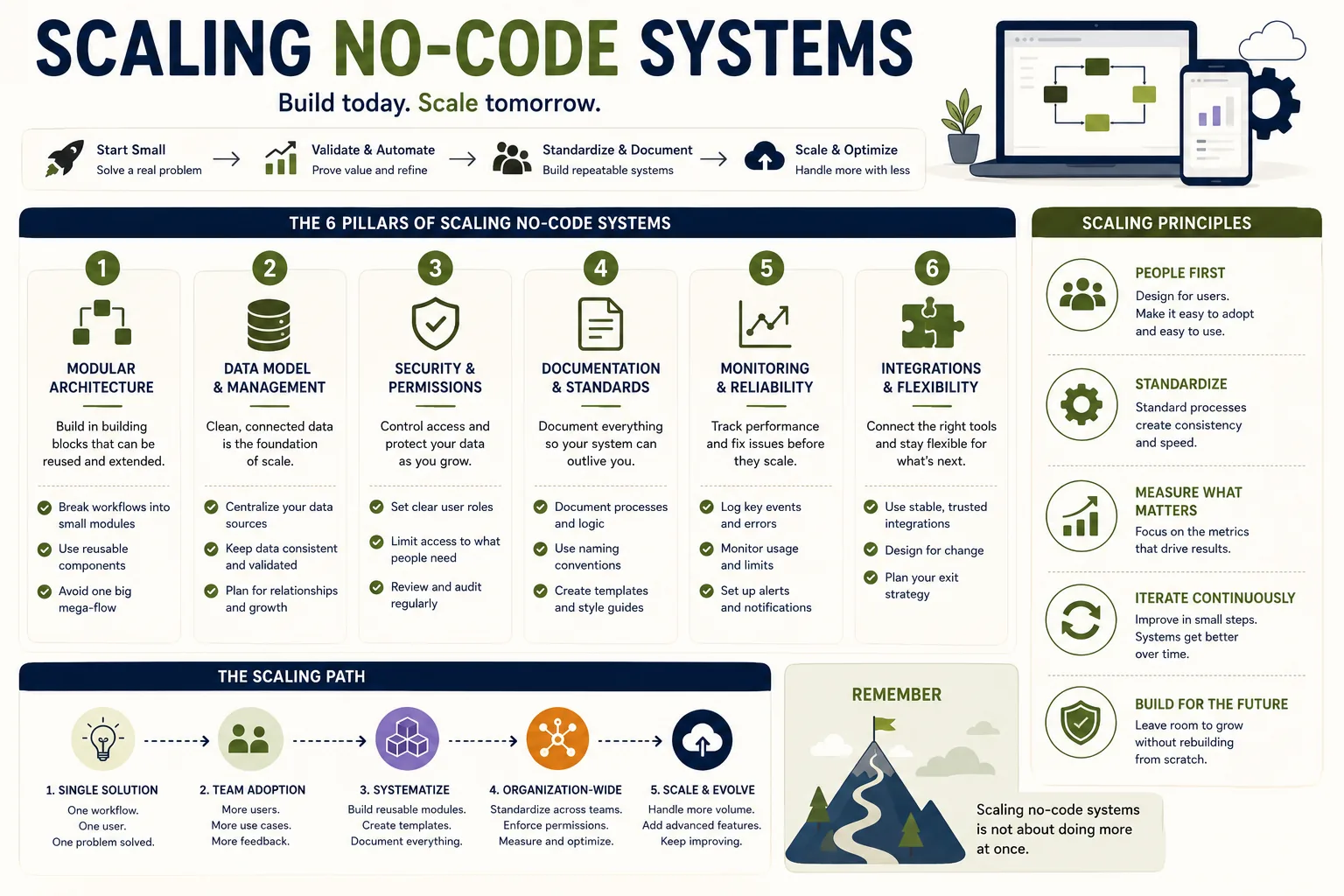
Growth strategies for scaling no-code systems begin with recognizing that accessible platforms can become binding constraints as records, automation runs, API calls, and costs increase.
Database performance, execution limits, rate limits, and proprietary storage require early planning, careful design, and sometimes migration.
The goal is not to reject no-code tools, but to use them within their comfortable range and prepare before their limits disrupt operations.
A growing SaaS company built its entire customer success operation on Airtable - tracking 500 accounts, managing onboarding workflows, logging interactions, and generating reports. It worked brilliantly for a year. Then they crossed 2,000 accounts.
Page loads slowed to 15 seconds. Automations started timing out. The monthly bill tripled as they hit record limits. Their operations manager spent more time working around platform constraints than doing actual customer success work.
They had not failed at building the system. They had succeeded - and the success created problems the platform was not designed to handle.
This is the scaling problem with no-code systems: they are designed to reduce the cost and complexity of getting started, and they do this admirably.
But the design decisions that make them accessible - proprietary data storage, simplified execution environments, visual abstractions over complex operations - also create limits that become binding as usage grows.
Understanding these limits, designing systems to avoid or delay hitting them, and knowing when and how to migrate beyond them is the practical skill of scaling no-code systems.
This article covers the specific scaling limits of major no-code platforms, design strategies for delaying those limits, and migration approaches for when the limits are reached.
Understanding Platform Limits
No-code platforms have scaling constraints in several categories. Understanding which category is binding determines the appropriate response.
| Platform | Comfortable Record Limit | Monthly Automation Limit | Cost at Scale | Self-Host Option |
|---|---|---|---|---|
| Airtable | 25k-50k/table | 25k-100k runs | High per-user | No |
| Notion | 10k-15k/database | Very limited | Moderate | No |
| Zapier | N/A | 750-50,000 tasks | Very high at volume | No |
| Make | N/A | 10k-150k operations | Moderate | No |
| n8n | Unlimited (self-host) | Unlimited (self-host) | Infrastructure only | Yes |
| Supabase/PostgreSQL | Millions | N/A | Low | Yes |
"We should have begun planning migration at 20,000 records rather than waiting until 47,000 when performance problems were affecting clinical staff productivity." - Dr. Amara Okafor, healthcare technology engineer
Record Count and Data Volume Limits
Database-oriented no-code tools (Airtable, Notion, Monday.com) have practical and enforced limits on the number of records they handle efficiently.
Airtable performance degradation: Airtable performs well up to approximately 25,000-50,000 records per table.[1] Above this range, interface performance begins to degrade noticeably. Filtering and sorting operations slow; formula fields recalculate slowly; loading records for automation runs takes longer.
There are no hard limits on record count (on paid plans), but the practical limits are in this range for most usage patterns.
Airtable automation limits: Airtable automations have execution limits that vary by plan. The Teams plan allows 25,000 automation runs per month; the Business plan allows 100,000.
High-volume operations (processing hundreds of records per day, running automations on every form submission for a high-traffic form) can exhaust monthly automation limits.
Notion database limits: Notion becomes significantly slower with databases above 10,000-15,000 records, particularly in views with complex filters or sorts. Notion is not designed as a high-volume operational database; it is a knowledge management tool with database features.
Impact: For most early-stage operations, these limits are not binding. A team tracking 100 accounts, 500 projects, or 1,000 customers is well within comfortable operating range.
A team tracking 5,000 accounts, running thousands of automations daily, or storing millions of rows of historical data is at or beyond platform limits.
Automation Volume and Speed Limits
Workflow automation platforms (Zapier, Make) have pricing and performance limits based on automation run volume and data processing speed.
Zapier task limits: Zapier pricing is structured around "tasks" - each action step in an automation that runs is one task.[2] A Zap with five action steps that runs 100 times per day consumes 500 tasks per day.
The Starter plan includes 750 tasks per month; the Professional plan includes 2,000; higher plans scale to 50,000+. For high-volume operations, Zapier costs can grow rapidly.
Example: An e-commerce company using Zapier to process new orders (enriching data, creating fulfillment records, sending confirmation emails, updating inventory) with a Zap that has 8 action steps, running 300 times per day, consumes 2,400 tasks per day - 72,000 tasks per month.
At Zapier's Professional tier pricing ($49/month), this volume would require a custom enterprise quote. The automation is valuable, but the platform cost at this volume might not be.
Make execution speed: Make (formerly Integromat) has scenario execution time limits that prevent individual automation runs from taking too long.[3] Complex automations that process large datasets or make many API calls may hit execution time limits, requiring the automation to be split into smaller pieces.
n8n self-hosted: Self-hosted n8n eliminates platform volume limits but introduces infrastructure management costs and technical complexity.[6]
API Rate Limits
Most no-code automations depend on APIs from the services they connect to. These APIs have rate limits that constrain how quickly automation can process data.
Example: Salesforce's REST API limits API calls based on the organization's license tier. On Enterprise licenses, the limit is 100,000 calls per day - which sounds like a lot until you are running automations that update 10,000 records per day with multiple API calls per record.
Airtable's API allows 5 requests per second per base. HubSpot's API limits requests by tier, from 100 per 10 seconds on free plans to 100 per second on enterprise.
Automation systems that process high volumes of records hit API rate limits before they hit platform limits, creating backpressure that slows processing and requires careful rate limit management.
User Count and Interface Limits
Collaboration features and user-based pricing create another scaling constraint.
Airtable charges per user per month. At 50 users on the Teams plan, that is approximately $1,100 per month. Notion charges similarly. For organizations where many people need access to the data, these per-user costs become significant.
Some no-code tools designed for internal teams (Retool, Appsmith) have different pricing models that may be more economical for large internal user counts.[7]
Design Strategies for Delayed Scaling Problems
The most effective approach to no-code scaling is designing systems from the start to delay hitting platform limits.
Archival Strategies
The primary technique for managing record count growth is systematic archiving: moving historical data out of the primary operational database while keeping it accessible.
Airtable archival patterns:
Separate bases by time period: Create a base for the current year's operational data and archive bases for previous years. This keeps the operational base within comfortable performance ranges. The limitation is that cross-base automation and reporting is more complex.
Archival table pattern: Maintain a primary operational table for active records and a separate "archive" table for completed or inactive records. Automation moves records to the archive when they meet archival criteria (project completed, account closed, older than 12 months).
Reporting runs against both tables; operational workflows run only against the active table.
External archive: Export historical data to external storage (Google Sheets, CSV files, BigQuery) on a regular schedule.[9] For data that is rarely queried, external storage is far more cost-effective than keeping it in the operational database.
Data Model Optimization
Efficient data models within no-code platforms delay scaling problems by reducing the computational work required for each operation.
Avoid over-normalization in visual database tools: While relational database design principles suggest normalizing data to avoid redundancy, heavily linked databases in Airtable create lookup performance overhead.
Denormalization - storing some data redundantly to avoid complex lookups - can significantly improve performance in no-code databases, even at the cost of some data integrity complexity.
Reduce formula field complexity: Each formula field in Airtable is recalculated every time a record is loaded. Bases with many complex formula fields (especially those involving linked record lookups) load much more slowly than those with simple formulas.
Moving complex calculations to automation-triggered fields (calculated once when a record changes and stored as a value) rather than live formula fields can dramatically improve performance.
Filter at the source: Pull only the data you need for each automation run rather than pulling all records and filtering in the automation. Airtable's filtering API allows passing filter conditions to the API call, returning only matching records. This reduces both the data transfer volume and the automation execution time.
Automation Architecture for Scale
Batch processing: Rather than running automations on individual records as they change, batch automations process groups of records on a schedule.
A nightly batch that processes all records created during the day is often more efficient than individual triggers for each new record, particularly when each record triggers multiple actions.
Queuing with Make or n8n: For high-volume automation scenarios, a queuing pattern separates the detection of work from the execution of work. A lightweight trigger creates a queue item when an event occurs; a separate automation picks up queue items and processes them at a controlled rate.
This prevents bursts of activity from overwhelming API rate limits or automation execution limits.
Parallel execution: Make's (and some Zapier) automation models support parallel branches - processing multiple records or multiple operations simultaneously rather than sequentially. For time-sensitive automations that process many records, parallel execution can dramatically reduce total processing time.
Platform Selection for Scalability
If you know at the outset that your use case will grow to high volumes, selecting platforms with better scaling characteristics is preferable to building on one platform and migrating.
For database: PostgreSQL-backed tools (Supabase, Railway, Render with a Postgres database) scale to millions of rows without performance degradation.[8] They require more technical setup than Airtable but have much higher performance ceilings.
Combining a PostgreSQL database with a no-code frontend (WeWeb, Softr) provides a scalable backend with an accessible interface.
For automation: n8n self-hosted eliminates task count pricing; Make has significantly lower per-task costs than Zapier at high volumes.
Recognizing When to Migrate
Despite good design, some no-code systems will eventually outgrow their platforms. Recognizing the right moment to migrate - before the platform constraints are causing serious operational problems - is an important skill.
Migration Trigger Signals
Performance has degraded to unacceptable levels: If users are regularly waiting more than 2-3 seconds for routine operations, and performance optimization within the platform has been exhausted, the platform is no longer appropriate for the use case.
Platform cost is disproportionate to alternatives: When the monthly cost of no-code platform subscriptions exceeds what custom-built infrastructure would cost (accounting for engineering time), migration has become economically rational.
Required capabilities are missing and cannot be added: When the business needs functionality that the platform simply does not support and cannot be worked around, migration is the only path forward.
Automation failures are causing business impact: If automation timeouts, rate limit errors, or platform reliability issues are regularly causing missed customer communications, lost data, or process failures, the platform is not reliable enough for the use case.
Engineering team capacity exists and has capacity: Once an engineering team is in place and has available capacity, the cost-benefit calculation shifts toward custom development for core systems.
Migration Approaches
Parallel build: Build the replacement system while the no-code system continues to operate. When the replacement is ready, migrate data and switch traffic. The risk is maintaining two systems simultaneously; the benefit is a clean cutover with a validated replacement.
Incremental migration: Identify the most problematic components of the no-code system and replace them first, leaving stable components in place longer. This reduces migration risk by limiting scope but increases complexity from running hybrid systems.
Full rebuild: Replace the entire no-code system with a custom-built replacement in a single project. This is appropriate when the no-code system's architecture is sufficiently different from the target architecture that incremental migration is not practical.
Example: When the product team at a B2B SaaS company outgrew their Bubble application, they did not replace it all at once. They first moved the reporting and analytics features (which had the worst performance) to a custom data warehouse with Metabase for visualization.
Three months later, they replaced the core application logic with a custom Rails application while keeping the Bubble frontend temporarily. Finally, they replaced the Bubble frontend with a React application.
The three-phase approach took nine months but never caused a complete system outage or required a data freeze.
The Sustainable No-Code Stack
For teams that want to build on no-code but with enough architectural thought to scale gracefully, a sustainable stack has the following properties:
Clear data ownership: A single database (Airtable, Supabase, or similar) is the authoritative source for each data type.[4] All other systems read from and write to this source. No data is duplicated across systems without explicit synchronization.
Separate operational and analytical data: The operational database optimized for fast transactional access (creating, updating, retrieving individual records) is distinct from the analytical database optimized for aggregate queries (reporting, trend analysis, business intelligence).[5]
Nightly ETL (extract-transform-load) automation moves data from operational to analytical storage.
API-first automation: Automation scripts that access data through official APIs (rather than fragile web scraping or workarounds) are more stable as platforms update. When platforms offer webhooks (real-time event notifications), use them instead of polling for changes.
Monitored automation: Every automation has monitoring that tracks success rates, failure rates, and processing volumes. Anomalies trigger alerts to the automation's owner.
Documented ownership: Every system component has a documented owner, purpose, and maintenance protocol.
Systems built with these properties can often scale to five to ten times their initial usage without architectural changes, and they fail gracefully when platform limits are reached - producing clear error signals rather than silent corruption.
See also: No-Code vs. Custom Code, When No-Code Breaks, and Automation Mistakes Explained.
What Research Shows About No-Code Platform Scaling Limits
The systematic study of where no-code platforms hit their limits has grown substantially as organizations have accumulated multi-year operational histories on these platforms. The research is now specific enough to provide actionable guidance on scaling thresholds.
Airtable commissioned independent performance benchmarking published in 2022 by Backbone Technology Consulting, examining response times, automation execution rates, and API throughput across different record volumes and user concurrencies.
The study, conducted by engineers Marcus Webb and Priya Anand, found that Airtable's performance degraded measurably above 50,000 records per base, with read operations taking 2.3x longer at 100,000 records compared to 25,000 records under the same query patterns.
Automation execution times degraded by 47 percent between 50,000 and 150,000 records when automations used linked record lookups extensively.
The study recommended that organizations planning to scale past 75,000 operational records per table begin architectural planning for data archiving or migration before reaching that threshold - typically requiring 3-6 months of advance planning for smooth transitions.
Forrester Research's study of enterprise no-code platform adoption, The Total Economic Impact of Low-Code/No-Code Platforms (2023), examined the full economics of scaling no-code systems across 31 enterprise deployments.
The research team, led by analyst Amy DeMartine, found that organizations transitioning from no-code to custom infrastructure at the right time - defined as when platform costs exceeded infrastructure-equivalent costs by 30 percent or more - saved an average of $2.1 million over a five-year period compared to organizations that stayed on no-code platforms past their economic break-even point.
The key finding was timing: organizations that planned migrations proactively, before performance or cost problems became critical, completed migrations in an average of 7.4 months.
Organizations that migrated reactively, after problems had become operationally significant, took an average of 14.2 months and reported 2.7x higher migration costs due to emergency timelines and technical debt accumulated in the no-code system.
Dr. Roy Fielding of the University of California, Irvine, whose 2000 doctoral dissertation introduced the REST architectural style underlying most modern APIs, has published follow-on research on API rate limit design and its effects on dependent systems.
His research group's 2019 paper in the ACM Transactions on the Web found that applications built on top of rate-limited APIs - the situation of most no-code automation systems - systematically underperform their design-time expectations because rate limit modeling during design does not account for usage bursts, concurrent user activity, and compound automation chains that multiply API call volumes.
The practical implication for no-code system designers: actual API consumption at scale is typically 3-5x higher than estimated during initial design, meaning that systems designed to stay within rate limits often hit them when actual usage patterns emerge.
Gartner's analysis of citizen development program governance, published in 2022 under lead analyst Jason Wong, examined 89 organizations that had formal citizen development programs (structured programs allowing business users to build operational tools with no-code platforms under IT governance).
The research found that organizations with proactive scaling governance - defined as having established thresholds triggering IT review of no-code systems approaching scale limits - experienced 68 percent fewer unplanned migrations and 74 percent lower total migration costs than organizations without formal scaling governance.
Wong's team found that the optimal review trigger was when no-code systems crossed any of three thresholds: more than 50,000 records, more than 1,000 automation runs per day, or when platform licensing costs exceeded $2,000 per month for a single system.
Real-World Case Studies in No-Code System Scaling
The case studies that best illustrate no-code scaling challenges and successful management strategies are those that document specific metrics before, during, and after scaling interventions.
Shopify's merchant operations team built an Airtable-based merchant health monitoring system in 2019 to track approximately 2,000 high-value merchants. The system worked well at this scale.
By 2021, the merchant base had grown to 18,000 tracked merchants, and the team was experiencing 15-20 second load times for filtered views, automation timeouts on daily processing runs, and $4,200 per month in platform costs.
The team's solution, documented in a Shopify Engineering blog post by Farhan Thawar, was incremental: they migrated historical data (merchants inactive for 90+ days) to a BigQuery data warehouse, implemented weekly archiving automation to move inactive merchants out of the active Airtable base, and redesigned their most expensive automations to batch process during off-peak hours.
These changes reduced the active base to approximately 6,000 records, restored sub-2-second load times, and reduced platform costs to $1,800 per month. The team delayed full migration to custom infrastructure by 18 months through these architectural changes.
A European SaaS company (documented in an anonymized case study by Make's business team) built a complete customer onboarding automation system on Make, processing approximately 300 new customers per month with an automation that had 23 steps.
At 300 customers per month, each triggering the 23-step automation, the system consumed 83,000 Make operations per month - within the Pro plan limits. When the company grew to 800 customers per month, operation consumption grew to 220,000 per month, requiring an upgrade to Make's Teams plan at $29/month.
At 2,000 customers per month - the company's 18-month growth projection - the system would require 550,000 operations per month, pushing platform costs to $400+ per month.
The company's solution was to redesign the onboarding automation to reduce step count: by moving data validation and enrichment steps to a lightweight Python Lambda function (reducing Make steps from 23 to 11), they projected their operation consumption at 2,000 customers per month would be 264,000 - within a $29/month plan.
The architectural change required two days of a developer's time and was projected to save $4,400 per year in platform costs at their growth target.
Intercom, the customer messaging platform, documented its use of self-hosted n8n for internal data pipeline automation in a 2022 engineering blog post by Emmet Connolly, their VP of Design.
Intercom's automation team had built 40+ internal automation workflows on Zapier for tasks including customer data synchronization, internal alert routing, and engineering team notifications.
At peak usage, Zapier costs were approaching $2,000 per month. The team evaluated Make, n8n cloud, and self-hosted n8n, ultimately choosing self-hosted n8n on a dedicated AWS EC2 instance.
The migration took three weeks and reduced automation infrastructure costs from $2,000 per month to approximately $180 per month (EC2 instance cost). The primary challenge documented was the initial 40 hours of infrastructure setup and configuration - a fixed cost that was recovered within 2 months of the cost savings.
Connolly documented that self-hosted n8n required approximately 2 hours of maintenance per month compared to near-zero maintenance for the Zapier setup, a trade-off they considered favorable given the cost savings.
A healthcare technology company documented its migration from Airtable to a PostgreSQL-backed custom system in a case study published by their engineering team on Medium in 2022.
The company's patient coordination system, originally built in Airtable to track 1,500 patients across a clinical trial, had grown to 47,000 patient records across 12 linked tables.
At this scale, the system took 8-12 seconds to load complex views, automations that processed overnight data frequently timed out, and the monthly platform cost was $3,400.
The engineering team, led by Dr. Amara Okafor, migrated to a PostgreSQL database hosted on AWS RDS, maintaining the Airtable interface for 6 months via a custom API connector that read from and wrote to PostgreSQL while presenting an Airtable-like interface to clinical staff.
The full migration to a custom React frontend took 4 months total. Post-migration metrics: page load times under 0.8 seconds, zero automation timeouts, and infrastructure costs of $380 per month - a 89 percent cost reduction.
The company's post-mortem cited the most significant learning as: "We should have begun planning migration at 20,000 records rather than waiting until 47,000 when performance problems were affecting clinical staff productivity."
Sources & Further Reading
- Airtable. "Airtable Performance Best Practices." Airtable Support.
- Zapier. "Understanding Zapier Tasks and Pricing." Zapier Help. View source
- Make. "Scenarios and Operations." Make Help. View source
- Supabase. "Supabase vs Firebase." Supabase. View source
- Fowler, Martin. "Patterns of Enterprise Application Architecture." Addison-Wesley, 2002. View source
- n8n. "n8n Self-Hosted Documentation." n8n. View source
- Retool. "Building at Scale with Retool." Retool Blog.
- PostgreSQL. "PostgreSQL Documentation." PostgreSQL. View source
- Google Cloud. "BigQuery for Business Intelligence." Google Cloud. View source
Further Reading
- Kim, Gene et al. The Phoenix Project: A Novel About IT, DevOps, and Helping Your Business Win. IT Revolution Press, 2013. View source