
Every small business reaches the same inflection point: the team is growing, the same information is being copied between the same tools every single day, and someone on the team quietly starts spending Monday mornings doing data entry that a piece of software could handle in seconds.
At that point, the question is not whether to automate - it is which tool to start with, how to calculate whether the investment pays off, and which processes deserve to be automated first.
The landscape of business automation tools has matured dramatically over the past decade. Where once automation required dedicated developer time, enterprise middleware, and a long deployment cycle, today a non-technical founder can connect a dozen business apps in an afternoon.
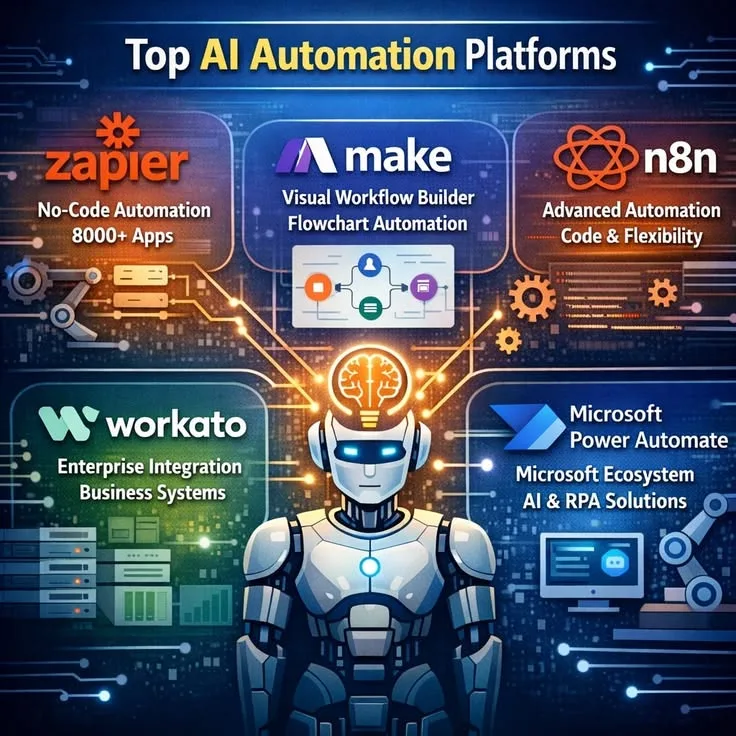
Three platforms dominate the conversation for small businesses: Zapier, Make (formerly Integromat), and n8n. Each occupies a distinct position on the spectrum from accessibility to power, and choosing the wrong one for your situation costs real time and money in migration pain later.
This guide compares all three platforms in detail, explains the no-code versus low-code distinction that matters for choosing between them, provides a practical ROI framework, and gives you a prioritized list of what to automate first so your first automation delivers a visible return within the first week.
"The most expensive automation mistake small businesses make is not starting too late. It is automating a broken process. Fix the process first, then lock it in with automation. Otherwise you are just making your inefficiency faster." - Sean Ellis, Hacking Growth (2017)
Why Small Business Automation Has a Different Calculus
Enterprise automation programs involve dedicated teams, large budgets, and multi-year roadmaps.[6] Small business automation is different in three important ways.
Time-to-value must be short. A small business cannot absorb a six-month implementation cycle before seeing returns. Every tool evaluated here should be able to deliver a working automation that saves real time within the first day of use. If it does not, it is the wrong tool for the current context.
Non-technical operators are the norm. Most small businesses cannot justify a dedicated technical resource for automation. The founder, operations manager, or marketing coordinator will be the one building and maintaining the automations.
This makes the learning curve and documentation quality of each platform strategically significant, not just a convenience factor.
Cost sensitivity is real at low volumes. Enterprise RPA platforms charging $25,000 per year are not considerations here.[5] The relevant pricing is in the tens to hundreds of dollars per month, and the marginal cost of adding automations matters.
Understanding each platform's pricing model - not just its headline rates - determines whether a platform remains affordable as your automation portfolio grows.
Vendor-commissioned studies of workflow automation, including reports from research firms like Forrester on specific automation platforms, have generally found meaningful time savings per employee once automation programs mature, though the exact hours-saved figure varies significantly depending on the platform, process, and organization studied - roughly equivalent to one month of additional productive capacity per year for each person on the team.[4]
For a ten-person team, that represents 60 hours per week of recovered capacity, which at even a modest blended rate of $25 per hour is $78,000 of annual value.
Key Definitions
Trigger: The event in one app that starts an automated workflow. A new row in Google Sheets, a form submission, a payment received, or a new email matching a filter are all examples of triggers.
Action: The step or steps that execute automatically in response to a trigger. Creating a CRM record, sending an email, posting a Slack message, or updating a spreadsheet row are actions.
Task: In Zapier's billing model, one successful action step execution equals one task.[1] A two-step zap that runs 500 times consumes 1,000 tasks. Understanding this unit is essential for estimating monthly costs.
Workflow / Scenario: The complete automated process from trigger to all actions. Zapier calls them zaps; Make calls them scenarios; n8n calls them workflows.
No-code vs low-code: No-code means building entirely through visual interfaces with no programming required.[11]Low-code means visual building is available but the platform also exposes programming capabilities - custom scripts, HTTP requests, and direct API manipulation - for users who need them.
Webhook: A method by which an app sends real-time data to another app when an event occurs, by making an HTTP POST request to a specified URL. Webhooks allow near-instant automation triggers rather than polling on a schedule. Most modern SaaS applications support outbound webhooks for their key events.
API integration: A direct connection to an application's programming interface. Automation platforms use pre-built API integrations (called connectors or apps) to handle the authentication and data formatting required to communicate with each service.
Polling vs event-driven: Some automation triggers work by checking for new data on a schedule (polling - every 5, 15, or 60 minutes depending on plan). Others fire immediately when an event occurs (event-driven, via webhooks).
The polling interval is invisible in most small-business use cases, but matters when automations need to respond immediately to time-sensitive triggers.
The Three Contenders: A Practical Comparison
Zapier: The Entry-Level Standard
Zapier was founded in 2011 and has spent fifteen years becoming the default choice for non-technical users who want to connect apps without friction.
Its 6,000-plus app integrations make it the widest-coverage platform in the market, and its interface is polished to the point where a first-time user can build a working automation in under thirty minutes.
The pricing structure is straightforward: a free tier covering five single-step zaps and 100 tasks per month; a Starter plan at approximately $19.99 per month for 750 tasks with multi-step zaps, filters, and formatters; and a Professional plan at approximately $49 per month for 2,000 tasks with conditional logic paths and premium app access.
Zapier's platform strengths are clear:
- Integration breadth: When a new app launches, Zapier usually has it within weeks. If your toolstack is unusual, niche, or recent, Zapier almost certainly covers it.
- Documentation and community: Years of content - tutorials, use case templates, help articles - mean that almost any automation you want to build has been documented by someone.
- Reliability infrastructure: Zapier's platform has been built with enterprise-grade reliability and monitoring. For small businesses relying on automations for revenue-critical processes, this matters.
Zapier's weaknesses become visible at scale. The task-based billing model becomes expensive when you are processing large data volumes. Complex branching logic - routing a workflow down different paths based on data conditions - requires the Professional plan and is still less elegant than what Make or n8n offer natively.
Error handling is limited: if a step fails, you get an email notification but limited ability to configure retry behavior or alternative paths.
The Zapier Formatter deserves special mention as a capability new users consistently underestimate. It is a built-in data transformation step that can split text, format dates, convert currencies, look up data in spreadsheets, and perform dozens of other transformations without code.
For non-technical users, it eliminates many of the data manipulation tasks that would otherwise require a developer.
For a business running fewer than fifty automations with modest task volumes, Zapier is nearly always the right starting point. The ecosystem, documentation, and community support justify the premium.
Make (formerly Integromat): The Visual Power Tool
Make, rebranded from Integromat in 2022, occupies the middle ground between Zapier's accessibility and n8n's developer power.
Its visual interface uses a canvas where you literally draw connections between modules - circles representing each step in a workflow connected by lines that carry data between them. The visual model is more complex than Zapier's linear list view but also more expressive.
Make's critical advantages over Zapier:
Dramatically more generous free tier: 1,000 operations per month with full multi-step scenarios, compared to Zapier's 100 tasks with 5 single-step zaps only. For experimentation and early-stage businesses, this difference is enormous.
More economical pricing at volume: Make bills per operation (each module execution) rather than per task per step.[2] For complex multi-step scenarios, this is often significantly cheaper than Zapier's equivalent.
Native array and iterator handling: If you receive a webhook payload containing a list of fifty records and need to process each one individually, Make handles this with a dedicated iterator module rather than requiring workarounds. Zapier can handle arrays but requires additional steps and formatting that add complexity and cost.
Advanced error handling: Make allows you to define specific behavior for each possible error type within a module - retry automatically, send an alert, route to an alternative path, or create a log entry.
This granularity is important for automations that process financial transactions or customer-facing communications where silent failure is unacceptable.
Scenario routes (visual branching): Make's visual canvas allows branching paths - different conditions routing data through different processing sequences within a single scenario. This is more visually intuitive and functionally complete than Zapier's Paths feature.
Make introduced a dedicated HTTP module and JSON-parsing capability that allow business analysts with no formal programming background to call APIs directly, handle pagination, and process complex nested data structures. This capability sits at the boundary between no-code and low-code.
The learning curve is steeper than Zapier's, and the visual canvas can become difficult to navigate for very large scenarios with many modules. The documentation is less comprehensive than Zapier's, and the community, while active, is smaller.
But for small businesses with a moderately technical operator who wants more power without hiring a developer, Make represents excellent value.
n8n: The Developer-First Option
n8n is an open-source workflow automation tool launched in 2019 that occupies a fundamentally different category from Zapier and Make. It can be self-hosted for free on any server infrastructure, with only hosting costs (typically $5 to $20 per month on a virtual private server).
The cloud-hosted version charges per workflow execution. Its interface provides a visual canvas similar to Make, but it also exposes a Function node that allows arbitrary JavaScript execution at any point in a workflow - making it a genuine low-code platform.[3]
For businesses with a developer on the team or a technically comfortable founder, n8n offers:
Near-unlimited automation capability: Any process that can be expressed in code can be built in n8n. There are no artificial constraints from a vendor's permission model.
Data privacy and sovereignty: When self-hosted, sensitive data never leaves your infrastructure. For healthcare, legal, financial services, or any business with strict data handling obligations, this removes a significant compliance concern that affects both Zapier and Make (both are cloud-only).
Minimal ongoing cost at scale: A self-hosted n8n instance on a $10/month VPS can run thousands of workflow executions per day with no per-execution cost. At scale, the cost differential versus Zapier or Make can be thousands of dollars per month.
Community nodes and custom development: n8n's open-source nature means community members build and publish integrations for services not covered by official nodes. For businesses using niche or proprietary tools, the community node ecosystem provides options that closed platforms cannot.
The practical barrier is maintenance: running your own n8n instance means handling server uptime, version updates, backup configuration, and debugging without a support team. This is manageable for technical users and prohibitive for non-technical ones.
The cloud-hosted version removes the maintenance burden but also removes the cost advantage at higher volumes.
Platform Comparison at a Glance
| Feature | Zapier | Make | n8n |
|---|---|---|---|
| Free tier | 5 zaps, 100 tasks/mo | 1,000 ops/mo, unlimited scenarios | Free (self-hosted) |
| Pricing model | Per task per step | Per operation | Per execution (cloud) or server cost |
| App integrations | 6,000+ | 1,500+ | 400+ official + community |
| Visual interface | Linear list | Canvas (drag-and-drop) | Canvas (drag-and-drop) |
| Custom code | No | Limited (HTTP, JSON) | Full JavaScript |
| Self-hosting | No | No | Yes |
| Error handling | Basic (email alerts) | Advanced (per-module rules) | Advanced (configurable) |
| Array handling | Workarounds required | Native iterators | Native |
| Webhook support | Yes (polling on free) | Yes | Yes |
| Best for | Non-technical users | Moderate complexity | Developer teams |
| Learning curve | Low | Medium | High |
| Cost at 10k tasks/mo | $49-$69 | ~$16-29 | Server costs only |
| Community size | Very large | Medium | Growing |
Decision Framework: Choosing the Right Tool
The choice between platforms should follow a straightforward decision sequence.
Start with Zapier if: You have no technical background, you need results today, and your automation needs are relatively linear (one trigger, several actions, simple conditions). The Starter plan at $19.99/month is the correct starting point for most early-stage small businesses. If you outgrow it, the migration to Make is manageable.
Start with Make if: You or someone on your team is comfortable with visual tools and willing to spend an extra hour learning the interface. Make's free tier is far more generous for experimentation, and its handling of complex data and advanced routing will not hit a ceiling as quickly.
Start with n8n if: You have development skills in-house, you process sensitive data that should not transit third-party infrastructure, or you are processing high enough volumes that per-execution pricing would create significant ongoing costs.
Consider multiple tools: Many established small businesses use Zapier for simple integrations involving well-supported apps while using Make or n8n for complex workflows. The platforms are not mutually exclusive, and running two in parallel for different use cases is a legitimate long-term architecture.
How to Calculate Automation ROI
Before investing time building automations, it is worth a quick back-of-envelope ROI calculation for each candidate process.
Step 1: Measure the current time cost. Track how long the manual process takes per execution, then multiply by weekly frequency. A data entry task taking fifteen minutes and happening twenty times per week costs five hours per week.
Step 2: Calculate the fully loaded labor cost. Use total compensation including benefits - typically 1.25 to 1.4 times base salary. A $50,000 per year employee costs approximately $25 per hour fully loaded, or roughly $400 in annual fully loaded cost per hour of weekly recurring work.
Step 3: Estimate error costs. For processes where manual errors cause downstream work - customer service tickets, rework, refunds - add an estimate of the average error rate multiplied by the cost per error. For processes with low error consequence, this can be set to zero.
Step 4: Calculate setup and maintenance cost. Estimate hours to build the automation multiplied by the cost of whoever builds it. Add an annual maintenance estimate (automations break when connected apps update their interfaces or APIs - budget 10-20% of initial build time annually for maintenance on each automation).
Step 5: Calculate payback period. Total setup cost divided by monthly labor savings. A fifteen-hour setup at $50/hour ($750 total) recovering $400 per month has a two-month payback period.
Most well-chosen automations pay back within one to three months and continue generating savings indefinitely with minimal maintenance.
A Worked Example
A small e-commerce business receives on average 150 new orders per day from three channels: Shopify, Etsy, and direct email orders. Currently, a team member manually enters each email order into Shopify, taking about 3 minutes per order. That is approximately 20 orders per day from email, costing 60 minutes daily.
- Annual time cost: 60 minutes x 250 business days = 250 hours per year
- Fully loaded labor cost: $25/hour x 250 = $6,250 per year
- Build time estimate: 8 hours (webhook setup, data mapping, error handling)
- Build cost: $400 (8 hours x $50/hour opportunity cost)
- Tool cost: $0 additional if already on Make's Core plan
- Annual maintenance estimate: 1-2 hours
- Payback period: Less than 1 month
- 3-year value: ($6,250 x 3) - $400 build - ($100 x 3 maintenance) = $18,150
This is a representative illustration of why automation ROI calculations so frequently show returns in the hundreds or thousands of percent. The inputs - recurring time savings, modest build cost - produce disproportionate value because the saving compounds every year.
What to Automate First: A Prioritized Framework
Not every process is worth automating. The best candidates share four characteristics: they are high-frequency (happen at least several times per week), they are rule-based (the decision logic is consistent), they cross app boundaries (currently require manual copy-paste between tools), and they are currently error-prone or annoying.
Priority 1: Lead Capture and CRM Entry
Every time a lead fills in a form - from your website, a landing page, LinkedIn lead gen, or an event registration - that data should flow automatically into your CRM, assign an owner, send a confirmation email to the lead, and notify the salesperson.
Building this once eliminates a category of manual work entirely and ensures no lead falls through the cracks due to delayed data entry.
The downstream business value is significant: Sales organizations that automate lead routing and follow-up generally see meaningfully better lead-to-opportunity conversion than those relying on manual processes, largely because automation eliminates the delay between lead capture and first contact - a delay that is one of the most well-documented predictors of lead conversion failure in sales research.
The automation is not just saving time - it is improving outcomes by eliminating the latency between lead capture and first contact.
Priority 2: Invoice and Payment Follow-Up
Connect your invoicing tool to an automation that sends a friendly reminder when invoices reach 7, 14, and 30 days past due. This is high-value and directly revenue-linked. Most accounting tools (QuickBooks, FreshBooks, Xero) have solid Zapier and Make connectors.
A substantial share of small business receivables in the United States are typically overdue at any given time, according to QuickBooks' own published research on small business late payments.[8]
Consistent, automated follow-up reduces this significantly without requiring any human attention for routine cases - the human intervenes only when the automated sequence has failed to resolve the situation.
Priority 3: Customer Onboarding Sequences
When a new customer pays or signs a contract, trigger a structured onboarding process: add them to your onboarding project in your project management tool, send welcome emails, schedule a kickoff call link, and create all the internal tasks that onboarding requires.
Consistent onboarding directly impacts retention. Wyzowl's onboarding research has found that 86% of customers say they would stay loyal to a business that invested in good onboarding and continuous customer education.[9]
The automation cost of systematizing onboarding is trivial relative to the retention value of doing it consistently.
Priority 4: Social Media Cross-Posting
Publishing content once and distributing it to multiple channels is one of the clearest wins in content marketing automation.
Tools like Buffer and Hootsuite have their own scheduling, but if your primary publishing happens in a CMS or newsletter, automating cross-posting means your social presence remains active with no additional work per post.
A typical small business content automation stack: publish a blog post in WordPress, trigger a Zapier/Make workflow, which creates formatted posts for LinkedIn, Twitter/X, and Facebook with different character counts and relevant hashtags, schedules them across a 48-hour window for optimal timing, and logs the publication in a shared content tracker.
This workflow that would take 30-45 minutes manually executes in under 60 seconds.
Priority 5: Weekly Reporting
Pull key metrics from multiple sources - sales numbers from your CRM, task completions from your project tool, customer satisfaction scores from your survey tool - and compile them into a formatted weekly digest posted to Slack or emailed to leadership every Monday morning.
This is a high-visibility automation with high perceived value: leadership meetings start with consistent, current information rather than stale numbers or missing reports.
Priority 6: Inventory and Supplier Alerts
For product businesses, connect your inventory management system to an alert workflow that notifies the purchasing team when specific SKUs reach reorder thresholds, creates a draft purchase order, and logs the reorder in a central tracker.
Adding a second step that checks supplier lead times and calculates the expected stockout date provides actionable urgency without requiring a team member to check stock levels manually.
Common Automation Pitfalls to Avoid
Automating a broken process: Automation captures the process as-is and runs it at scale. If the underlying process has design flaws - wrong approval chains, redundant steps, unclear ownership - automation makes those flaws faster and more consistent.
Fix the process first. Map the current state, identify waste and ambiguity, design the improved process, then automate the improved version.
Not testing with edge cases: Automations fail on unusual data. An automation that processes new orders works fine until an order with a blank address field, a special character in a customer name, or an unusually large quantity arrives and causes the step to error.
Build in error notifications and test with representative edge cases before relying on any automation for important processes. Test with empty fields, very long inputs, special characters, and duplicate records.
Setting and forgetting: Apps update their interfaces and APIs regularly. An automation that worked perfectly in January may break silently in April when a connected app changes a field name or requires a new authentication token.
Set up error alerting and schedule a quarterly review of your most critical automations. For revenue-critical automations, consider weekly spot-checks.
Building dependency chains that are hard to debug: A chain of ten automations where the output of one is the input of the next is powerful but fragile. When something breaks, tracing the error through the chain can take longer than the original manual work.
Build monitoring into complex chains from the start - log inputs and outputs at each stage, not just errors. When a chain breaks, having the intermediate data saves hours of debugging.
Not documenting your automations: Three months after building an automation, you will not remember the business logic that drives its conditional branches. Future team members definitely will not. Document every automation - what it does, what triggers it, what apps it connects, and what the business rule is for each decision point.
Even a brief comment in a shared document is infinitely better than reverse-engineering a complex multi-step workflow from scratch.
Over-automating too early: There is a temptation, once you discover automation tools, to automate everything immediately. Resist it. Automate the highest-value, most stable processes first and let others run manually until you understand the patterns.
A process that changes monthly is not a good automation candidate until it stabilizes. Automating a process you are still learning costs you the feedback loop that manual execution provides.
Beyond Zapier, Make, and n8n: Other Tools Worth Knowing
The three platforms covered in depth here handle workflow integration - connecting SaaS apps and automating multi-step processes. But the small business automation landscape is broader.
Microsoft Power Automate: For businesses running in the Microsoft 365 ecosystem (Outlook, Teams, SharePoint, Dynamics), Power Automate is deeply integrated and often more capable within that ecosystem than any third-party tool.[13]
Its licensing model (included in many M365 plans) makes it effectively free for businesses already paying for M365.
Airtable Automations: If your business already uses Airtable as a database/project management tool, its built-in automations can handle many simple workflow needs without adding another platform. Record creation triggers, scheduled runs, and multi-step actions cover the most common use cases.
ActiveCampaign / HubSpot automation: Marketing and CRM platforms include their own automation capabilities for customer journey automation - email sequences, lead scoring, sales pipeline actions.[7]
For customer-facing automation specifically, these native capabilities are often more appropriate than building the same flows in a generic tool like Zapier.
Notion automations: Notion's native automation features are limited but growing. For businesses using Notion as a central workspace, connecting it to Zapier or Make is straightforward and worth prioritizing early.
Practical Takeaways
Start with the process that costs you the most annoyance per week, not the most money - annoyance is a reliable indicator that a process is repetitive and rule-based enough to automate well.[12]
Use Zapier if you are non-technical and want results in an hour. Use Make if you are moderately technical and want more power and better value at scale. Use n8n if you have a developer and want maximum flexibility and data control.
Calculate ROI before building to confirm your time investment is justified. Fix broken processes before automating them - automation preserves the process as it is, not as it should be.[10] Document what you build. Set up error alerts. Review your automations quarterly.
And prioritize stability in the automations that touch your customers or your revenue - a broken onboarding sequence or a failed invoice reminder has real business consequences that the time saved is there to prevent.
Sources & Further Reading
- Zapier. (2024). Zapier Pricing and Plans. zapier.com/pricing
- Make. (2024). Make Pricing. make.com/en/pricing
- n8n. (2024). n8n Documentation: Getting Started. docs.n8n.io
- Forrester Research. (2023). The Total Economic Impact of Workflow Automation. Forrester Consulting.
- Gartner. (2023). Magic Quadrant for Robotic Process Automation. Gartner Research.
- McKinsey Global Institute. (2023). Automation and the Future of Work. McKinsey and Company.
- HubSpot. (2023). State of Marketing Report. hubspot.com
- QuickBooks. (2022). State of Small Business Cash Flow Report. quickbooks.intuit.com
- Wyzowl. (2023). Customer Onboarding Report. wyzowl.com
- Ellis, S. (2017). Hacking Growth: How Today's Fastest-Growing Companies Drive Breakout Success. Currency.
- Petrova, K. (2023). No-Code Revolution: Building Business Software Without Programming. O'Reilly Media.
- Harvard Business Review. (2022). The Case for Automating Routine Work. hbr.org
- Microsoft. (2024). Power Automate Documentation. learn.microsoft.com
Further Reading
- Atlassian. (2023). State of Teams Report: How Work Gets Done. atlassian.com
- Software AG. (2023). Process Automation Benchmark Study. softwareag.com