
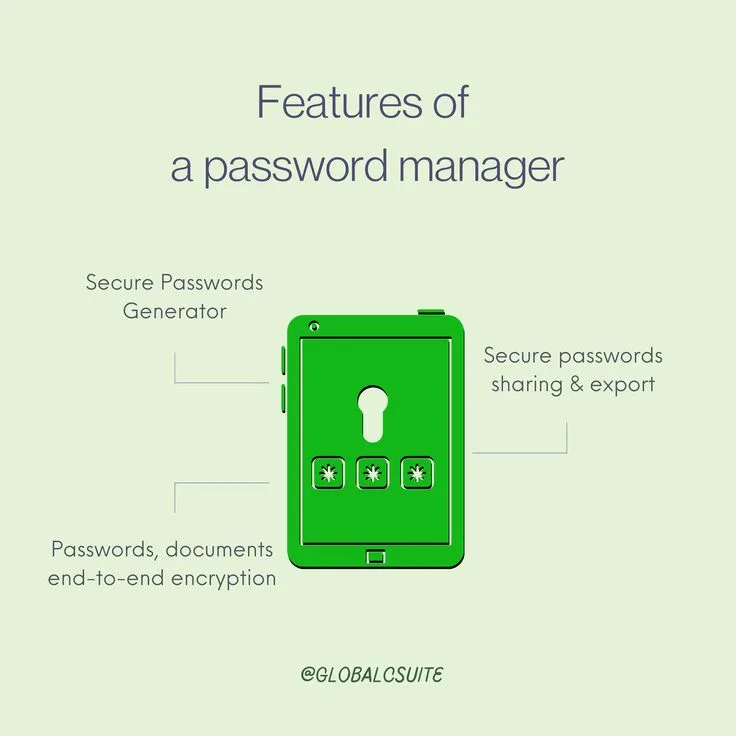
The average person has somewhere between 70 and 150 online accounts. The average person also reuses passwords across many of them.
These two facts in combination create a predictable and well-documented attack pattern: an attacker obtains a credential pair from one breached service and systematically tests it across banking, email, and social media in what security researchers call credential stuffing.
The scale is not theoretical - billions of credential pairs from historical breaches are freely and cheaply available on dark web forums and paste sites, and automated testing tools make large-scale credential stuffing attacks trivially executable.
Password managers exist to break this pattern by making it practical to use a unique, randomly generated, high-entropy password for every account. The master password is the single credential a person needs to remember; everything else is generated, stored, and autofilled.
This is not a convenience feature. It is the single most impactful individual security action most people can take, ahead of antivirus software, privacy browsers, and VPNs.
A person using a reputable password manager with a strong master password and second-factor authentication on their email account has eliminated the two most common account takeover vectors available to most attackers.
The market for password managers was reshaped significantly by the LastPass breach of 2022, which led to mass migration toward alternatives, renewed interest in open-source and self-hosted options, and a much more informed conversation about what security architecture actually matters when choosing a manager.
This guide covers the seven most relevant options in depth - 1Password, Bitwarden, Dashlane, LastPass, Keeper, NordPass, and Proton Pass - along with RoboForm, Enpass, and iCloud Keychain.
It addresses the technical underpinnings, the breach postmortem, pricing, and the emerging question of what password managers look like as passkeys become mainstream.
"Security is not a product but a process." - Bruce Schneier.[12] Password managers are the infrastructure that makes secure habits sustainable for ordinary people, not just for those with security training.
Key Definitions
Zero-knowledge architecture: A system design in which the service provider cannot decrypt user data. Encryption and decryption occur on the user's device, so the server stores only ciphertext. Even a compelled disclosure or a server breach exposes only encrypted blobs useless without the user's master password.
Master password: The single password used to unlock a password manager vault. It is never transmitted to or stored on the provider's servers - it is used locally to derive the encryption key that protects the vault.
Key derivation function (KDF): A cryptographic function that transforms a password (which may be short and human-memorable) into an encryption key. PBKDF2, bcrypt, and Argon2 are the most common KDFs. Higher iteration counts make brute-force attacks more computationally expensive.
The LastPass breach revealed that some legacy accounts had PBKDF2 iteration counts orders of magnitude below recommended minimums.
AES-256: Advanced Encryption Standard with a 256-bit key. The symmetric encryption standard used by virtually all reputable password managers for vault encryption. Considered computationally infeasible to brute-force with current and foreseeable technology.
Passkey: A FIDO2/WebAuthn-based credential that replaces a password. Rather than a shared secret sent to a server, a passkey uses public-key cryptography: the private key stays on the device, and authentication is proved by a cryptographic signature.
Password managers are increasingly the storage location for passkeys as well as passwords.
Self-hosting: Running the password manager server on your own infrastructure rather than on the provider's cloud. Provides complete data sovereignty at the cost of maintenance responsibility. Bitwarden is the primary mainstream manager that supports self-hosting.
Full Comparison Table
| Feature | 1Password | Bitwarden | Dashlane | LastPass | Keeper | NordPass | Proton Pass |
|---|---|---|---|---|---|---|---|
| Open source | No | Yes (full stack) | No | No | No | No | Yes (clients) |
| Zero-knowledge | Yes | Yes | Yes | Yes | Yes | Yes | Yes |
| Encryption standard | AES-256 + Secret Key | AES-256 | AES-256 | AES-256 | AES-256 | XChaCha20 | AES-256 / OpenPGP |
| KDF | PBKDF2 / Argon2id | PBKDF2 / Argon2id | Argon2d | PBKDF2 (post-breach hardened) | PBKDF2 | Argon2 | Argon2 |
| Self-hosting | No | Yes | No | No | No | No | Yes (Proton infra) |
| Significant breach history | No | No | No | Yes (2022, severe) | No | No | No |
| Independent security audit | Yes | Yes | Yes | Yes | Yes | Yes | Yes |
| Free tier | No | Yes (full featured) | Limited (1 device) | Limited (1 device type) | Limited | Limited (1 device) | Yes |
| Personal plan (monthly) | $2.99 | $0.83 ($10/year) | $4.99 | $3.00 | $2.92 | $1.79 | $3.99 |
| Family plan | $4.99/mo (5 users) | $3.33/mo (6 users) | $7.49/mo | $4.00/mo | $6.25/mo | $3.69/mo | $9.99/mo |
| Business plan (per user/mo) | $7.99 | $6.00 | $8.00 | $6.00 | $4.50 | $5.99 | $6.99 |
| Passkey support | Yes | Yes | Yes | Yes | Yes | Yes | Yes |
| Travel Mode | Yes | No | No | No | No | No | No |
| Dark web monitoring | Yes (Watchtower) | Yes (paid) | Yes (built in) | Yes | Yes | Yes | Yes |
| iOS / Android | Yes | Yes | Yes | Yes | Yes | Yes | Yes |
| Browser extensions | All major | All major | All major | All major | All major | All major | All major |
| Windows / Mac / Linux | Yes | Yes | Yes (Mac/Win) | Yes | Yes | Yes | Yes |
| TOTP / 2FA storage | Yes | Yes (paid) | Yes | Yes | Yes | Yes | Yes |
| Business SSO integration | Yes (Okta, Azure AD) | Yes (enterprise) | Yes | Yes | Yes | Yes | No |
| G2 rating (2024) | 4.7/5 | 4.7/5 | 4.5/5 | 4.2/5 | 4.7/5 | 4.4/5 | 4.3/5 |
How Password Managers Work Technically
Understanding the technical architecture of password managers matters because it determines how a breach of the provider's servers affects your data. The core mechanism is the same across all reputable managers, with important variations in implementation quality.
Step 1 - Key derivation: When you set your master password, the manager runs it through a key derivation function (KDF) with a random salt. The KDF is intentionally slow and computationally expensive. This produces a derived key that never leaves your device. The master password itself is never transmitted.
Step 2 - Vault encryption: Your vault data is encrypted on your device using AES-256 (or XChaCha20 in NordPass's case) with the derived key. Only the encrypted ciphertext is sent to the provider's servers. The provider cannot decrypt it; they store encrypted blobs.
Step 3 - Authentication: A separate authentication hash is derived from your master password to prove identity to the server without revealing the encryption key.
In 1Password's architecture, the Secret Key adds a second factor to this process - a 34-character random string generated at account creation that is required to decrypt the vault and never transmitted to 1Password's servers.[1]
Why iteration count matters: PBKDF2 with 100,000 iterations (the current recommended minimum) means an attacker with your encrypted vault must perform 100,000 cryptographic operations per password guess.
An attacker with a GPU cluster can make hundreds of millions of guesses per second against a vault protected by PBKDF2 with 1 iteration - which is what some legacy LastPass accounts had.
A weak master password with insufficient iteration count is crackable in hours or days. A strong master password with proper iteration count is practically infeasible to crack.
Argon2 vs PBKDF2: Argon2 (winner of the 2015 Password Hashing Competition) is more resistant to GPU-based brute-force attacks because it is designed to require substantial memory as well as computation, making parallel attacks expensive.
Bitwarden, NordPass, and Proton Pass have moved to Argon2 as the default KDF, which is a genuine security improvement over PBKDF2 for weak master passwords.
The LastPass 2022 Breach: What Actually Happened
The LastPass breach of 2022 is the most significant security incident in the password manager category's history and deserves thorough analysis because it illustrates exactly what can go wrong and what the architectural choices in other managers are designed to prevent.
August 2022 - Initial compromise: Attackers compromised a LastPass developer's endpoint, gaining access to the software development environment. LastPass disclosed this in August 2022 but characterised it as limited to source code and internal technical information, with no customer data affected.
November 2022 - Vault data breach: Using credentials and technical knowledge from the August access, attackers breached a third-party cloud storage provider shared between LastPass and GoTo (its parent company).[4] They obtained encrypted backup copies of customer vault data. LastPass disclosed this in November 2022.
December 2022 - The full disclosure: In an expanded disclosure in December 2022, LastPass revealed that the stolen vault backups contained both encrypted data (passwords) and unencrypted metadata.
The unencrypted metadata included website URLs for every stored credential - meaning attackers knew exactly what sites users had accounts on, even if they could not immediately read the passwords.
The iteration count problem: LastPass further disclosed that legacy user accounts - those created before the company raised its PBKDF2 iteration standards - had iteration counts as low as 1.
For users with weak master passwords and low iteration counts, their vaults were practically crackable with commodity hardware. LastPass's disclosure did not proactively reset all affected accounts.
Ongoing consequences: Throughout 2023 and into 2024, security researchers reported accounts compromised by what appeared to be LastPass vault decryption, including cryptocurrency wallet drains totalling tens of millions of dollars.
The correlation between LastPass users and subsequent account compromises was documented by independent researchers including Brian Krebs.[3]
Lessons: The breach illustrates three critical points. First, metadata (which sites you use) can be as sensitive as passwords themselves and should be encrypted. Second, iteration count minimums matter enormously for accounts with weak master passwords.
Third, the security of a password manager depends not just on the cryptographic design but on the operational security of the company's own systems and third-party vendors.
Should you still use LastPass? The security community consensus is that migration to an alternative is the appropriate response.[10]
LastPass has implemented remediation steps, but the breach was severe, the disclosure timeline was poorly handled, and the architectural decision to leave metadata unencrypted reflected a design philosophy that differs materially from competitors.
1Password: Best Overall
1Password is widely regarded as the best overall password manager for individuals, families, and teams that want a polished, well-maintained experience without self-hosting complexity. Founded in 2005, it has maintained a strong security reputation with no significant breaches.
Its 2021 Series B funding round at a $2 billion valuation gave it the resources to invest heavily in product and security research.
The distinctive architectural feature is the Secret Key: a 34-character randomly generated string stored locally on devices and in a printed Emergency Kit, which combines with the master password to decrypt the vault.
Even if an attacker obtained your master password and all of 1Password's servers, they would need the Secret Key to decrypt anything. This two-factor encryption approach is unusual and genuinely meaningful.
Travel Mode allows users to mark vaults as safe for travel and temporarily remove all others before crossing international borders. This prevents border agents or device inspections from accessing work or sensitive credentials.
It is a thoughtful feature for internationally mobile professionals, particularly those working in sectors where device inspection is a real risk.
Watchtower integrates with HaveIBeenPwned to alert users when stored credentials appear in known breaches, when stored passwords are weak or reused, and when sites offer 2FA that the user has not enabled. 1Password Business adds Okta and Azure AD SSO integration, custom groups, and admin provisioning controls.
Bitwarden: Best Open Source and Best Value
Bitwarden is the leading open-source password manager and the strongest alternative to 1Password for security-conscious users who value transparency, affordability, or the ability to verify the code running on their devices. Its free tier is genuinely competitive with the paid tiers of many competitors.
The entire codebase - client applications, browser extensions, server, and API - is publicly available on GitHub under an open-source licence.
This has two practical security benefits: vulnerabilities can be found and reported by external researchers before malicious actors find them, and users can verify that the published code matches what is actually running.
Bitwarden has completed multiple independent third-party security audits with results published publicly.[2] The 2023 audit by Cure53 found no critical vulnerabilities.[9]
Self-hosting is available via Docker and is fully documented. Self-hosted instances have access to all features of the Teams plan. This option is most valuable for organisations with compliance requirements that prohibit data in third-party cloud infrastructure.
The free tier includes unlimited passwords, unlimited devices, secure notes, two-factor authentication, and all browser and mobile apps. Most users never need the paid tier. Premium at $10/year adds TOTP code storage, breach reports, and 1GB encrypted file storage.
Dashlane: Best Feature Set
Dashlane is a feature-rich, polished manager that competes on user experience. Its built-in VPN (Hotspot Shield), proactive dark web monitoring, password health scoring, and passkey management make it the most feature-complete option, though its pricing reflects that.
Dark web monitoring continuously scans breach databases and criminal forums for email addresses associated with the account, alerting on newly identified breaches. This is more proactive than point-in-time checks.
Dashlane's passkey support is among the most mature in the category: passkeys are stored, synced, and autofilled alongside traditional passwords, with a clean interface that does not require users to understand the underlying FIDO2 architecture.[5]
The free tier is limited to one device, which is a significant practical constraint. The $4.99/month Premium plan adds the VPN and unlimited devices. For teams, Dashlane's Business plan at $8/user/month is comparable to 1Password Business but with stronger built-in monitoring and a slightly more consumer-oriented interface.
Keeper Security: Best for Enterprise and Regulated Industries
Keeper is an enterprise-focused manager with emphasis on compliance, audit logging, and zero-trust architecture.[7]
It holds FedRAMP authorisation, SOC 2 Type II certification, and ISO 27001 certification - the combination of which makes it appropriate for regulated industries including healthcare, government, and financial services where software procurement requires demonstrated compliance evidence.
Keeper Secrets Manager extends the product to developer and DevOps use cases: API keys, certificates, database credentials, and infrastructure secrets can be stored and injected into CI/CD pipelines, containerised workloads, and scripts without hardcoding credentials.
KeeperChat provides encrypted messaging. This breadth means Keeper is effectively a credential management platform rather than a consumer password manager that has been scaled to the enterprise.
NordPass: Best Budget Option
NordPass uses XChaCha20 encryption rather than AES-256.[6] Nord argues this offers equivalent security with better performance on modern hardware that lacks dedicated AES acceleration, which is relevant for older devices and mobile.
The underlying argument is technically reasonable: XChaCha20-Poly1305 is widely used in TLS 1.3 and is considered cryptographically sound.
The $1.79/month Premium plan (billed annually) makes NordPass one of the most affordable reputable options. Integration with NordVPN makes it appealing for users who already use Nord Security products and want consolidated billing and a shared security dashboard.
Proton Pass: Best Privacy-Focused Option
Proton Pass is the password manager from Proton, the company behind ProtonMail and Proton VPN. It benefits from Proton's established reputation for privacy infrastructure and end-to-end encryption expertise.
The architecture is open source on the client side, uses Argon2 for key derivation, and stores data in Proton's Swiss-based infrastructure under Swiss privacy law.[8]
Proton Pass includes a built-in alias email feature (powered by SimpleLogin, which Proton acquired) that allows users to generate unique email aliases for each site rather than exposing their real email address. This is a genuinely useful privacy feature that no other major manager includes natively.
The free tier is generous, and Proton Pass Plus at $3.99/month or as part of the Proton Unlimited bundle makes it excellent value for Proton ecosystem users.
Free vs Paid Password Manager Comparison
| Manager | Free Tier Devices | Free Tier Passwords | Free Tier Sharing | Paid Price | Key Paid Feature |
|---|---|---|---|---|---|
| Bitwarden | Unlimited | Unlimited | No (send feature only) | $10/year | TOTP storage, breach reports |
| NordPass | 1 | Unlimited | No | $1.79/mo | Unlimited devices |
| Proton Pass | Unlimited | Unlimited | Yes (limited) | $3.99/mo | Aliases, hide-my-email |
| 1Password | None (trial only) | - | - | $2.99/mo | Full vault, Secret Key |
| LastPass | 1 device type | Unlimited | No | $3.00/mo | Multi-device sync |
| Dashlane | 1 | 25 | No | $4.99/mo | VPN, dark web monitoring |
| Keeper | Unlimited (mobile) | Unlimited | No | $2.92/mo | Desktop + browser |
| iCloud Keychain | All Apple devices | Unlimited | Family Sharing | Free | Passkeys, native Apple |
Bitwarden's free tier is exceptional by category standards: unlimited passwords, unlimited devices, no artificial limits. For a user unwilling or unable to pay for a manager, Bitwarden free is the clear recommendation.
For users who want the best security architecture available for free, Proton Pass's inclusion of email aliases adds a meaningful privacy layer at no cost.
Business and Team Features Comparison
| Feature | 1Password Business | Bitwarden Teams | Dashlane Business | Keeper Business |
|---|---|---|---|---|
| Price per user/month | $7.99 | $4.00 | $8.00 | $4.50 |
| SSO integration | Okta, Azure AD, Duo | SAML 2.0 / Duo | Okta, Azure AD | Okta, Azure AD, G Suite |
| Admin console | Yes | Yes | Yes | Yes |
| Custom groups / roles | Yes | Yes | Yes | Yes |
| Activity logs / audit | Yes | Yes | Yes | Yes (advanced) |
| Guest accounts | Yes | No | No | Yes |
| Developer secrets | No (third-party needed) | No | No | Yes (Secrets Manager) |
| Compliance certifications | SOC 2 | SOC 2 | SOC 2 | FedRAMP, SOC 2, ISO 27001 |
| Self-hosting | No | Yes (enterprise) | No | No |
| Directory sync | Yes | Yes | Yes | Yes |
For teams with fewer than 50 users and no compliance requirements, Bitwarden Teams at $4/user/month is the strongest value proposition. 1Password Business justifies its premium with significantly better onboarding experience, admin UI polish, and guest provisioning.
Keeper Business or Enterprise is the only reasonable choice for organisations with FedRAMP requirements.
Password Managers vs Passkeys: The Future of Authentication
Passkeys are FIDO2/WebAuthn credentials that replace passwords entirely for supported sites.[11] Rather than a shared secret, authentication uses a cryptographic key pair: the private key stays on the device, and authentication is proved by signing a challenge.
Passkeys are phishing-resistant by design - there is no password to steal - and they cannot be credential-stuffed because there is nothing to replay.
Apple, Google, and Microsoft have built passkey support into their operating systems. A growing list of major services (Apple, Google, GitHub, PayPal, eBay, Amazon) now support passkey login. Password managers have responded by becoming passkey managers as well.
1Password, Dashlane, Bitwarden, Keeper, and NordPass all support storing and autofilling passkeys.
This is important because device-native passkey storage (iCloud Keychain, Google Password Manager) creates a lock-in problem: passkeys stored in iCloud Keychain cannot be used on Android, and vice versa. Password managers as passkey storage provide cross-platform portability.
The transition will be gradual. Password managers will remain necessary for the many years it takes for every service to support passkeys and for users to migrate existing accounts. The category is not being disrupted by passkeys - it is expanding to absorb them.
What to Look for When Choosing
Security architecture first: Zero-knowledge encryption is table stakes. Look for independent audits with published results, Argon2 or PBKDF2 with high iteration counts, and whether metadata (URLs, usernames) is also encrypted. LastPass's breach demonstrated that unencrypted metadata is a meaningful vulnerability.
Breach history: A provider's breach history and, more importantly, how they responded to it, tells you more about security culture than any marketing document. LastPass's 2022 response was slow, incomplete, and underplayed severity.
Platform support: Confirm the manager works well on all platforms you actually use. Some managers have weak Linux support; some have browser extension quality gaps.
Free tier quality: For individuals, Bitwarden's free tier is exceptional. For teams, evaluate whether the free tier's limitations will create friction.
Recovery options: Understand what happens if you forget your master password. Most zero-knowledge managers make this genuinely difficult by design - emergency kits, trusted contacts, and hardware key recovery are the common options.
Import and export: You will eventually switch managers. Ensure the manager can export your vault in a portable format (CSV, JSON) and that the target manager has an import tool.
Practical Recommendations by Profile
| Profile | Recommendation | Reason |
|---|---|---|
| Individual wanting best security | 1Password | Secret Key architecture, no breach history, polished |
| Individual on a budget | Bitwarden free or Premium ($10/yr) | Open source, audited, excellent free tier |
| Privacy-first individual | Proton Pass | Swiss infrastructure, email aliases, open source |
| Enterprise / regulated industry | Keeper | FedRAMP, SOC 2, ISO 27001, Secrets Manager |
| Family with mixed devices | 1Password Families | Best family sharing and cross-platform experience |
| Current LastPass user | Migrate to Bitwarden or 1Password | Both have LastPass import tools; migration takes under 30 minutes |
| Apple-only household | iCloud Keychain or 1Password | Keychain is free; 1Password better for passkey cross-platform |
| Developer team managing secrets | Keeper Secrets Manager or HashiCorp Vault | Native CI/CD integration, audit logging |
Sources & Further Reading
- 1Password Inc. (2026). 1Password security architecture and Secret Key documentation. support.1password.com/secret-key-security
- Bitwarden Inc. (2026). Bitwarden security and compliance documentation. bitwarden.com/help/security
- Krebs on Security. (2023). 'LastPass: 'Horse Gone Barn Bolted' is Strong Password.' krebsonsecurity.com
- Wired. (2023). LastPass breach timeline and full analysis. wired.com/story/lastpass-breach-vaults-update
- Dashlane Inc. (2026). Dashlane security whitepaper. dashlane.com/download/Dashlane_SecurityWhitePaper.pdf
- NordPass. (2026). NordPass XChaCha20 encryption overview. nordpass.com/features/encryption
- Keeper Security Inc. (2026). Keeper zero-trust security model. keepersecurity.com/security
- Proton AG. (2026). Proton Pass security overview and open source clients. proton.me/pass
- Cure53. (2023). Bitwarden security audit report. cure53.de
- CISA. (2022). Alert on LastPass breach and migration recommendations. cisa.gov
- FIDO Alliance. (2024). Passkeys overview and implementation guidance. fidoalliance.org/passkeys
- Schneier, B. (2024). Password management: state of the ecosystem. schneier.com/blog