
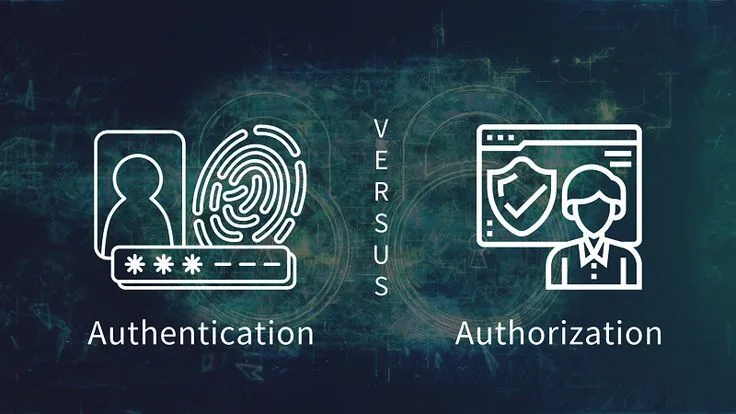
A breach can begin after someone proves their identity and still become catastrophic if that identity is granted excessive access. Differentiating authentication from authorization clarifies the problem: authentication establishes who someone is, while authorization determines which systems, data, and actions that person may use.
On September 19, 2022, a teenager broke into Uber's internal systems. He did not exploit a zero-day vulnerability or deploy sophisticated malware. He sent a text message to an Uber employee, pretending to be from the IT department, and convinced the employee to approve a multi-factor authentication prompt.
Once inside, the attacker discovered hardcoded credentials in a PowerShell script that gave access to Uber's privileged access management (PAM) system.
From there, he had the keys to everything: HackerOne bug reports, source code, financial data, and internal communications. He posted screenshots in an Uber Slack channel announcing the breach. Uber engineers initially thought it was a joke.
The Uber breach illustrates a failure that sits at the intersection of two concepts most people conflate: authentication and authorization. The employee authenticated---he proved he was who he claimed to be, albeit under social engineering pressure.
But the systems behind him failed at authorization---they did not adequately control what an authenticated user could access once inside. The attacker, once authenticated as that employee, inherited permissions far beyond what should have been available. The hardcoded PAM credentials further collapsed the authorization boundary entirely.
Authentication answers "who are you?" Authorization answers "what are you allowed to do?" These two questions seem simple, but the difference between them is the difference between a locked front door and an internal security system.
Getting one right while failing at the other is like installing a bank vault door on a building with no interior walls.
Authentication and authorization are separate controls that both need to work. Passing authentication does not grant authorization, and failing to separate them is how attackers move from a compromised low-privilege account to the keys of the kingdom.
The Anatomy of Authentication
Proving Identity in a Digital World
Authentication (often abbreviated AuthN) is the process of verifying that someone is who they claim to be. In the physical world, verification relies on physical presence, documents, and human judgment. A bouncer checks your face against an ID card photo. A bank teller compares your signature to a reference card.
In the digital world, verification is harder because there is no physical presence. Authentication relies on factors---categories of evidence that together build confidence in an identity claim.
Factor 1: Knowledge---something you know. Passwords, PINs, security questions, and the answers to "what was the name of your first pet?" Knowledge factors are the oldest and most common authentication method. They are also the weakest.
The 2023 Verizon Data Breach Investigations Report found that over 80% of hacking-related breaches involved stolen or weak credentials.[1] Passwords are shared between services, reused across years, guessable through common patterns, and phishable through deception.
Even users who understand these risks often fail to maintain strong password hygiene across hundreds of accounts.
Factor 2: Possession---something you have. Hardware security keys (YubiKeys, Titan Keys), smartphones generating time-based one-time passwords (TOTP), smart cards embedded in employee badges. Possession factors are meaningfully stronger because an attacker must physically obtain or remotely compromise the specific device.
Google reported that after deploying hardware security keys to all 85,000+ employees in 2017, they experienced zero successful phishing attacks on employee accounts in the following year.[3]
The same attack surface that allowed millions of credential-based breaches was completely closed by a $20-$50 piece of hardware per employee.
Factor 3: Inherence---something you are. Fingerprints, facial recognition, iris patterns, voice recognition, typing cadence, and gait analysis. Biometrics are convenient and difficult to forge but introduce a unique problem: you cannot change your biometrics if they are compromised.
The 2015 breach of the U.S. Office of Personnel Management (OPM) exposed the fingerprint records of 5.6 million current and former federal employees and contractors. Those individuals cannot reset their fingerprints the way they can reset passwords.
Factor 4: Context---where you are or what you're doing. IP address geolocation, device fingerprinting, time-of-day analysis, and behavioral patterns (typing speed, mouse movement, purchase history) serve as supplementary signals.
These are rarely used as primary factors but significantly increase authentication confidence when combined with others.
Multi-Factor Authentication: Layering the Defenses
Multi-factor authentication (MFA) combines two or more different factor categories.[4] Critically, combining two factors of the same type is not true MFA. A password plus a security question is not MFA---both are knowledge factors. A password plus a code from an authenticator app is MFA---knowledge plus possession.
Microsoft reported in 2023 that MFA blocks 99.9% of automated credential attacks.[10] Given this effectiveness, the low adoption rate is striking. A 2024 survey by the Cybersecurity and Infrastructure Security Agency (CISA) found that fewer than half of organizations enforced MFA for all users.[11]
For many organizations, a single policy change---requiring MFA---would eliminate the vast majority of account takeover risk.
Not all MFA implementations are equally strong:
| Method | Factor Types | Strength | Primary Weakness |
|---|---|---|---|
| Password only | Knowledge | Low | Phishing, reuse, brute force |
| Password + SMS code | Knowledge + Possession | Medium | SIM swapping, SS7 protocol attacks |
| Password + Authenticator app (TOTP) | Knowledge + Possession | High | Device theft, social engineering (as in Uber) |
| Password + Hardware key (FIDO2) | Knowledge + Possession | Very High | Physical key theft |
| Biometric + Hardware key | Inherence + Possession | Very High | Device-specific attacks |
| Passkeys (FIDO2 passwordless) | Possession + Inherence | Very High | Account recovery vulnerabilities |
Example: In August 2022, Twilio and Cloudflare were both targeted by the same phishing campaign.[5] The attackers sent SMS messages to employees directing them to a fake login page that captured credentials and TOTP codes in real time, immediately using them to authenticate.
Twilio suffered a breach affecting 125 customer organizations. Cloudflare, using hardware security keys rather than TOTP codes, was unaffected---the hardware keys are cryptographically bound to the legitimate domain, making them immune to phishing regardless of how convincing the fake site appears.
Authentication Protocols: The Technical Foundation
Several protocols underpin modern authentication implementations.
Passwords and hashing: Passwords should never be stored in plaintext. Modern systems use memory-hard hashing algorithms (Argon2, bcrypt, scrypt) that are computationally expensive to reverse. The "memory-hard" property defeats GPU-based cracking attacks that can otherwise test billions of combinations per second.
Session management: After authentication, servers issue a session token that the client presents with subsequent requests.
Session tokens must be unpredictable (cryptographically random), transmitted only over HTTPS, stored securely (HttpOnly and Secure cookie flags), and expired after inactivity periods. Weak session management is how attackers maintain access after initial authentication is revoked.
JSON Web Tokens (JWT): A widely-used format for authentication tokens in APIs and single-page applications. JWTs contain claims (user identity, permissions, expiration) signed by the server. Clients present them with each request without server-side session storage.
JWT security depends critically on proper signature verification---the notorious "alg:none" attack exploited implementations that accepted unsigned tokens.
FIDO2/WebAuthn: The modern standard for phishing-resistant authentication. WebAuthn uses public-key cryptography: during registration, the authenticator generates a key pair and the public key is stored with the service. During login, the authenticator signs a challenge using the private key, which never leaves the device.
Because the keys are domain-bound, they cannot be used on a phishing site even if the user is deceived into visiting one.
Passkeys: The consumer-friendly implementation of FIDO2. Passkeys replace passwords entirely, using device biometrics to authorize use of the private key. Apple, Google, and Microsoft all support passkeys natively, with cross-device synchronization for recovery.
Major services including Apple, Google, PayPal, GitHub, and eBay have implemented passkeys as of 2024.
The Mechanics of Authorization
Controlling Access After Identity Is Established
Authorization (often abbreviated AuthZ) determines what an authenticated user is permitted to do. If authentication is the bouncer checking your ID at the door, authorization is the system determining whether you can enter the VIP section, go backstage, access the sound equipment, or merely stand in the general admission area.
Authorization seems simple in theory but becomes extraordinarily complex in production systems. Consider a hospital electronic health record system: a nurse should see patient vitals and medication orders but not billing information. A billing clerk should see charges and insurance information but not clinical notes.
An attending physician should see everything for their patients but nothing about patients they are not treating. An administrator should manage user accounts but not read any patient clinical data.
A researcher should see de-identified aggregate data but not individual records. Each of these rules must be enforced correctly on every single database query, every API request, and every user interface action---without exception, without performance impact, and without creating gaps exploitable by insiders or attackers.
Authorization Models
Role-Based Access Control (RBAC): Permissions are assigned to roles, and users are assigned to roles. A "Developer" role includes permissions to read source code repositories and deploy to staging. A "Finance Manager" role includes permissions to approve expenses and view financial reports.
A "Customer Support" role includes permissions to view customer account details but not payment card numbers.
RBAC works well when organizations have clearly defined job functions with stable permission requirements.
It becomes unwieldy when the number of roles proliferates to accommodate edge cases---many large organizations have hundreds of roles that overlap in confusing ways, and users accumulate role memberships over time without ever losing them.
Example: Amazon Web Services IAM is one of the most widely deployed RBAC implementations in the world.
AWS reports that misconfigured IAM permissions are the leading cause of cloud security incidents---not because RBAC is fundamentally flawed, but because organizations struggle to define roles with appropriate scope and consistently fail to review and prune permissions over time.
Attribute-Based Access Control (ABAC): Authorization decisions incorporate attributes of the user, the resource being accessed, the action being requested, and the environmental context.
An ABAC policy might read: "A regional manager may approve expense reports under $10,000, from employees who report to them, submitted during the current fiscal quarter, from a device enrolled in MDM." ABAC is more granular and flexible than RBAC but significantly more complex to implement, audit, and troubleshoot.
Policy-Based Access Control (PBAC): Centralized policies expressed in a policy language combine elements of RBAC and ABAC. Open Policy Agent (OPA) is the dominant open-source policy engine, allowing organizations to express authorization rules as Rego policies that are version-controlled, tested, and deployed consistently.[9]
PBAC is particularly valuable in microservice architectures where authorization logic would otherwise be duplicated across services.
Relationship-Based Access Control (ReBAC): Access is determined by the relationship between the user and the specific resource. Google's Zanzibar system, published as a research paper in 2019, handles authorization for Google Drive, Google Photos, YouTube, and other products.[8]
The question is not "does user X have the Editor role?" but "is user X an editor of document Y specifically?" ReBAC naturally handles permission inheritance (access to a folder grants access to its contents) and sharing (explicitly sharing a document with a specific person).
The Principle of Least Privilege
The most important authorization principle is least privilege: every user, process, and system component should have the minimum permissions necessary to perform its intended function---nothing more.
Least privilege is both a security principle and an operational discipline. Security: it limits the blast radius of any compromise. If an attacker gains access to a read-only service account, they cannot modify data or escalate to other systems.
Operations: it forces clarity about what each component actually needs, preventing the accumulation of permissions "just in case."
The difficulty is organizational. Granting permissions is easy and often happens under urgency ("I need access to X to complete this deadline"). Revoking permissions requires knowing they are no longer needed, which requires visibility and process that most organizations lack.
The result: permission accumulation over time, where long-tenured employees and long-running services accumulate permissions far beyond what their current function requires.
Example: Twitter's 2020 breach, in which attackers took over verified accounts (including Barack Obama's, Elon Musk's, and Apple's) to run a Bitcoin scam, was enabled by access to internal administrative tools by too many employees.
Twitter's post-incident communications acknowledged that internal access had not been sufficiently limited---employees had access to tools they did not need for their job functions, and social engineering of a few employees gave the attackers access to those tools.
Where Authentication Ends and Authorization Begins
The Handoff That Organizations Botch
Authentication and authorization are sequential: verify identity first, then enforce permissions on every subsequent action. Organizations frequently collapse these steps or omit authorization entirely, creating dangerous gaps.
The "authenticated means authorized" fallacy: Many systems treat a successful login as implicit authorization for everything the system can do. Once inside, access is unrestricted.
This is how the Uber breach escalated: the attacker's authenticated session granted access to internal tools that should have required separate, more restrictive authorization checks.
Client-side authorization: Some applications check permissions only in the user interface, hiding buttons or menu items from users who do not have permission. But the underlying API endpoints accept any authenticated request without checking permissions.
An attacker who discovers the API bypasses the UI entirely. This is a category error: the UI is presentation, not security.
Example: In 2019, a security researcher discovered that First American Financial Corporation had exposed 885 million sensitive mortgage documents. The application checked authorization on the initial request but used sequential document IDs.
Incrementing the ID number in the URL revealed other customers' documents without any additional authorization check. The application knew who you were (authentication existed). It did not check whether you should see what you were requesting (authorization did not exist at the resource level).
Broken Object Level Authorization (BOLA): OWASP's API Security Top 10 lists BOLA as the number one API security risk, and it has occupied that position in multiple editions.[2]
BOLA occurs when an API endpoint accepts a resource identifier from the user (a customer ID, a document ID, an account number) and returns data without verifying that the authenticated user has permission to access that specific resource. The system knows who you are.
It does not ask whether you should have access to this particular thing.
Broken Function Level Authorization: Administrative functionality accessible to non-administrative users.
In 2021, a security researcher found that Parler's API allowed any authenticated user to access administrative endpoints, including the ability to enumerate and export all user data including deleted posts with embedded GPS metadata.
This data was systematically archived before the platform went offline, with significant consequences for user privacy.
Privilege Escalation: The Authorization Attack
Privilege escalation is the process of gaining permissions beyond what was initially authorized, exploiting gaps in authorization implementation.
Horizontal escalation: Accessing another user's resources at the same permission level. A customer accessing another customer's order history. A tenant accessing another tenant's data in a multi-tenant system.
Vertical escalation: Gaining higher permissions than the current user level. A regular user accessing administrative functions. A low-privilege service account gaining database administrator access.
The 2017 Equifax breach began with exploitation of a web application vulnerability (Apache Struts CVE-2017-5638) but escalated catastrophically because internal systems lacked authorization boundaries. Once attackers were inside the application server, they could move laterally across systems with minimal restriction.
Internal databases containing sensitive credit information were accessible from the compromised application server without additional authorization checks.
Modern Authentication Protocols
The modern web relies on a handful of protocols that separate authentication concerns, enable interoperability, and allow users to authenticate with identity providers rather than storing separate credentials with every service.
OAuth 2.0 is an authorization framework (despite its name often being associated with authentication). It allows users to grant third-party applications limited access to their resources on another service without sharing their credentials.
When you click "Continue with Google" on a website, OAuth 2.0 handles the authorization grant: you authorize the website to receive specific information from Google (your name and email, perhaps) without giving the website your Google password.
OpenID Connect (OIDC) is an authentication layer built on top of OAuth 2.0. While OAuth 2.0 answers "what can this application access?", OIDC answers "who is this person?" OIDC provides an ID token containing verified identity claims---name, email, subject identifier---that the relying party can trust because they are signed by the identity provider.
SAML 2.0 (Security Assertion Markup Language) is an older XML-based protocol common in enterprise single sign-on (SSO) environments.
When an employee logs into their corporate identity provider and can access Salesforce, Workday, and dozens of other enterprise applications without re-authenticating, SAML is typically the underlying protocol.
SAML's XML verbosity and age make it less suited for mobile and single-page applications.
FIDO2/WebAuthn: The World Wide Web Consortium (W3C) standard for passwordless authentication using public-key cryptography.[7] The private key never leaves the device; authentication requires physical presence (touching a hardware key or biometric verification).
Most importantly, credentials are domain-bound---a FIDO2 key registered for "google.com" cannot be used to authenticate to "g00gle.com" even if the user is deceived into visiting the fake site.
Implementing Authentication and Authorization Correctly
Principles That Prevent Catastrophe
Never build authentication from scratch. Authentication is deceptively complex, with subtle failure modes that take years of production experience and security research to discover.
Cryptographic implementation errors, timing attacks, session management vulnerabilities, and account recovery weaknesses have all affected custom-built authentication systems.
Use established identity services (Auth0, Okta, AWS Cognito, Azure Active Directory) or well-tested open-source libraries (Passport.js, Spring Security, Devise). Even if these services cost money, they are far less expensive than a data breach.
Enforce authorization server-side on every request. Not once per session. Not once at login. Every API call, every resource access, every action must be independently authorized by server-side code that cannot be bypassed by modifying the client. Client-side permission checks are UX enhancements, not security controls.
Apply least privilege rigorously and continuously. Start with no permissions and grant only what is demonstrably necessary. Implement regular access reviews that examine actual usage patterns---permissions granted but never used are candidates for revocation.
Automate permission revocation when employees change roles or leave the organization.
Implement proper session management. Sessions must expire after inactivity (appropriate timeout depends on sensitivity---30 minutes for banking, longer for content sites). Long-lived tokens must use refresh token rotation (each refresh invalidates the previous token).
All sessions must be invalidated when passwords are changed or accounts are locked.
Log authentication and authorization events comprehensively. Every login attempt (success and failure, with timestamp, IP address, and user agent), every authorization decision (granted or denied), every permission change (who changed what, when, for whom).
These logs are the foundation of breach detection and forensic analysis. Without them, you cannot know whether a breach occurred or reconstruct what an attacker accessed.
Separate authentication and authorization architecturally. Dedicated authentication services verify identity and issue tokens. Separate authorization services evaluate access policies. This separation enables independent security review, independent scaling, and independent evolution of each concern.
It also prevents the common failure mode of authorization logic scattered across application code that becomes impossible to audit.
Zero Trust Architecture
Zero Trust is the security model that explicitly rejects the traditional assumption of a trusted internal network.
"Never trust, always verify" means every access request---regardless of whether it comes from inside or outside the corporate network---is authenticated and authorized based on identity, device health, and resource sensitivity.
Google's BeyondCorp initiative, launched after Operation Aurora (a sophisticated attack by Chinese state actors targeting Google's source code and user accounts in 2009) and documented in a series of papers beginning in 2014, was an early implementation of Zero Trust.[6]
BeyondCorp eliminated the corporate VPN as a trust boundary. Google employees authenticate to every resource they access using strong credentials, their device is continuously evaluated for compliance (encryption enabled, patches current, no malware), and access decisions incorporate the sensitivity of the resource being requested.
Employees can work securely from any location on any network because security does not depend on network location.
Zero Trust requires mature identity infrastructure, comprehensive device management, and fine-grained authorization policies. For most organizations, the journey to Zero Trust is measured in years.
The key insight is directional: trust should be minimized, not assumed, and access should be granted based on verified identity and context rather than network perimeter.
Adaptive Authentication and Risk-Based Controls
Modern authentication systems use risk signals to dynamically adjust authentication requirements based on the risk of the specific access attempt.
Low-risk signals: accessing from a known device, from a usual location, during typical hours, performing routine operations.
High-risk signals: accessing from an unrecognized device, from an unusual geographic location, after a long period of inactivity, attempting a sensitive action (wire transfer, password change, adding a new authentication method), or matching patterns associated with account takeover.
When risk is low, authentication is frictionless. When risk is elevated, step-up authentication is required: re-enter the password, complete MFA, or contact support for verification. This approach delivers both security (high friction when warranted) and usability (low friction when appropriate).
Example: Google's risk-based authentication has been documented in their threat research publications. When a login attempt matches the user's historical device and location patterns, it proceeds with minimal friction.
When it occurs from a new country immediately after a prior login from another country (physically impossible travel), Google requires step-up verification even if the correct password was provided.
The Real-World Decision Matrix
Not every system requires the same authentication and authorization rigor. A public blog and a payment processing system have fundamentally different risk profiles and user populations.
Matching security controls to actual risk levels avoids both under-protection (insufficient security for sensitive systems) and over-protection (excessive friction for low-risk systems that drives users to find workarounds).
| System Type | Authentication Approach | Authorization Approach |
|---|---|---|
| Public content site | Optional accounts, social login | Minimal---most content is public |
| E-commerce platform | MFA available, email verification | Per-user order history, admin vs. customer roles |
| Banking application | MFA mandatory, step-up for sensitive actions | Fine-grained per-account, per-transaction limits |
| Healthcare system | MFA mandatory, session timeouts, audit trail | RBAC + ABAC, patient consent, regulatory compliance |
| Enterprise internal tools | SSO with MFA, device health checks | RBAC tied to HR systems, automated provisioning and deprovisioning |
| API platform | API keys, OAuth 2.0, short-lived JWT tokens | Scoped permissions per key, rate limiting by scope |
| Financial infrastructure | Hardware keys, biometrics, multiple approvers | Four-eyes principle for critical actions, time-limited elevated access |
The security tradeoffs are real: stronger authentication adds friction; finer-grained authorization adds implementation complexity and performance overhead. Organizations that treat both as binary---fully locked down or wide open---miss the nuanced implementation that delivers security proportional to risk.
The Compounding Effect of Getting It Right
Organizations that properly implement both authentication and authorization do not merely avoid breaches---they operate more efficiently.
When access controls are clear, well-maintained, and consistently enforced, employees spend less time waiting for permissions, administrators spend less time managing ad-hoc access requests, and security teams spend less time investigating suspicious activity that turns out to be legitimate users with permissions they should not have had.
The Uber breach, the Twitter hack, the First American Financial exposure, and the Equifax escalation all share a common pattern: authentication was present (attackers had to compromise something to get in), but authorization was weak (once in, there was little to stop lateral movement and data access).
The front door was locked; the internal rooms were wide open.
Authentication tells you who knocked. Authorization decides which rooms they can enter and what they can touch. Both matter equally, and neither compensates for a failure in the other.
Research Evidence: What Studies Say About Authentication Failures
Academic and industry research has produced consistent, quantifiable findings on where authentication and authorization systems fail---and what interventions actually work.
Bonneau et al. (2012), "The Quest to Replace Passwords": A landmark study by Joseph Bonneau, Cormac Herley, Paul van Oorschot, and Frank Stajano, published at the IEEE Symposium on Security and Privacy, evaluated 35 alternative authentication schemes against passwords across 25 benefits.
The study found that no single scheme outperformed passwords across all dimensions simultaneously. Schemes that improved security typically reduced deployability or usability---a tradeoff that helps explain why passwords persisted despite decades of criticism.
The paper's framework for evaluating authentication systems remains a standard reference for researchers.
Das et al. (2014), "The Tangled Web of Password Reuse": Researchers at Carnegie Mellon University and UNC Chapel Hill analyzed leaked password datasets across multiple sites.
They found that 43% to 51% of users reused passwords across multiple websites, often with minor modifications (appending a "1" or changing capitalization). This reuse behavior directly enables the credential stuffing attacks described throughout this article.
The study demonstrated that password reuse is a structural behavior, not an individual failure---it persists even among users who understand the risk because the cognitive burden of managing dozens of unique passwords is unsustainable without tooling.
Florencio and Herley (2007), "A Large-Scale Study of Web Password Habits": Microsoft Research analyzed password habits across 544,960 web users. The study found that the average user had 6.5 passwords, each shared across 3.9 sites, and typed their passwords 8 times daily.
Users with more accounts had weaker average passwords. This research quantified the cognitive load of password management and provided empirical grounding for why simplified password schemes undermine security.
Google and FIDO Alliance (2019), "New Research: How Effective Is Basic Account Hygiene at Preventing Hijacking": A study conducted with New York University and the University of California San Diego, analyzing account hijacking attempts against Google accounts.
SMS-based authentication blocked 76% of targeted phishing attacks and 96% of bulk phishing attacks. On-device prompts blocked 99% of bulk phishing. Security keys (FIDO2) blocked 100% of both targeted and bulk phishing attacks.
The study provided the most rigorous comparative data on the practical effectiveness of different MFA methods, demonstrating that not all second factors are equal---the implementation choice matters as much as the decision to use MFA at all.
Saltzer and Schroeder (1975), "The Protection of Information in Computer Systems": This foundational MIT paper articulated the principle of least privilege more than fifty years ago, along with seven other security design principles that remain as valid today as when they were written.
The principle that "every program and every user of the system should operate using the least set of privileges necessary to complete the job" is still violated in most production systems.
The paper demonstrates that the authorization failures described in contemporary breach reports are not failures of knowledge---the principles have been known for half a century---but of organizational practice.
Enterprise Case Studies: Authorization Failures at Scale
Real-world authorization failures illustrate how theoretical principles translate---or fail to translate---into production deployments across industries.
Capital One (2019): The breach affecting 106 million individuals in the United States and Canada demonstrated how authorization failures compound. The attacker, a former Amazon Web Services employee, exploited a misconfigured web application firewall to execute a server-side request forgery attack.
This allowed retrieval of temporary IAM credentials from the AWS instance metadata service. Those credentials had excessive permissions far beyond what the application needed---a direct violation of least privilege.
The temporary credentials authorized access to over 700 S3 buckets. Capital One eventually paid $80 million to the U.S. Office of the Comptroller of the Currency and an additional $190 million in a class-action settlement.
The IAM permissions misconfiguration would have been detectable by any automated cloud security posture management (CSPM) tool.
The cost of proper authorization configuration was effectively zero; the cost of failing to configure it correctly was $270 million in settlements alone, before remediation costs.
Marriott International Starwood (2018): The breach of the Starwood guest reservation database, which began in 2014 before Marriott acquired Starwood in 2016, exposed 383 million guest records including passport numbers and payment card information.
Post-breach investigation revealed that authorization controls within the Starwood network were insufficient to detect or limit data access by unauthorized parties who had established persistent access.
The breach continued undetected for four years because monitoring and authorization enforcement were inadequate to flag unusual data access patterns. Marriott was fined $18.4 million by the UK Information Commissioner's Office and faced regulatory investigations globally.
The case illustrates a failure mode specific to acquisitions: Marriott inherited Starwood's authorization architecture without conducting the security due diligence that would have revealed the existing compromise and the underlying authorization weaknesses.
Microsoft (2023), Storm-0558: Chinese state-linked hackers obtained a Microsoft signing key---through a process Microsoft's investigation described as a combination of authentication service crash dump data containing the key and insufficient access controls that failed to prevent its unauthorized use---and used it to forge authentication tokens for accessing email accounts at the U.S. State Department, Department of Commerce, and other government agencies.
The attack exploited a failure where an authentication artifact (the signing key) was accessible in a context where it should not have been, and where tokens signed with a consumer key were being accepted by enterprise systems due to insufficient validation.
CISA and the Cybersecurity Safety Review Board's (CSRB) investigation found that Microsoft's security culture and authorization controls were "inadequate" and that the breach was preventable.
The incident prompted a "Secure Future Initiative" at Microsoft and changes to how cryptographic keys are managed and isolated.
Parler (2021): Following the January 6, 2021 U.S. Capitol events, researchers archived approximately 1 terabyte of Parler content, including deleted posts with embedded GPS metadata, before the platform went offline.
The archival was possible because Parler's API lacked proper authorization enforcement on administrative and data export endpoints---any authenticated user could access endpoints that should have been restricted to administrators.
This is a textbook broken function level authorization failure: the API accepted authenticated requests without verifying whether the authenticated user was authorized for the specific function being invoked.
The GPS metadata embedded in uploaded images allowed researchers to geolocate users with precision, illustrating how an authorization failure can have consequences well beyond the platform itself.
GitHub Supply Chain (2022): Attackers used stolen OAuth tokens from two third-party integrators (Heroku and Travis CI) to access private GitHub repositories belonging to dozens of organizations. The OAuth tokens had been granted excessive scopes---broad repository access rather than the specific, limited access each integration required.
The breach demonstrated that authorization failures in OAuth scope management extend the attack surface beyond direct credential compromise: an attacker who obtains a token with overly broad scope inherits all of those permissions.
GitHub's response included adding warnings when OAuth applications request overly broad scopes and improving monitoring for suspicious token usage. The incident reinforced that least privilege applies to OAuth scopes as rigorously as to user account permissions.
Sources & Further Reading
- Verizon. "2023 Data Breach Investigations Report." verizon.com, 2023. View source
- OWASP Foundation. "OWASP API Security Top 10." owasp.org, 2023. View source
- Google Security. "Security Keys Neutralize Phishing." security.googleblog.com, 2018.
- NIST. "Digital Identity Guidelines: Authentication and Lifecycle Management." SP 800-63B. View source
- Cloudflare. "How Cloudflare Defeated a Sophisticated Phishing Attack." blog.cloudflare.com, 2022. View source
- Google. "BeyondCorp: A New Approach to Enterprise Security." research.google, 2014. View source
- FIDO Alliance. "FIDO2: WebAuthn and CTAP." fidoalliance.org. View source
- Zanzibar: "Google's Consistent, Global Authorization System." USENIX ATC 2019. View source
- Open Policy Agent. "OPA Documentation." openpolicyagent.org. View source
- Microsoft. "MFA Blocks 99.9% of Account Compromise Attacks." microsoft.com, 2023. View source
- CISA. "More Than a Password: Multi-Factor Authentication." cisa.gov. View source