
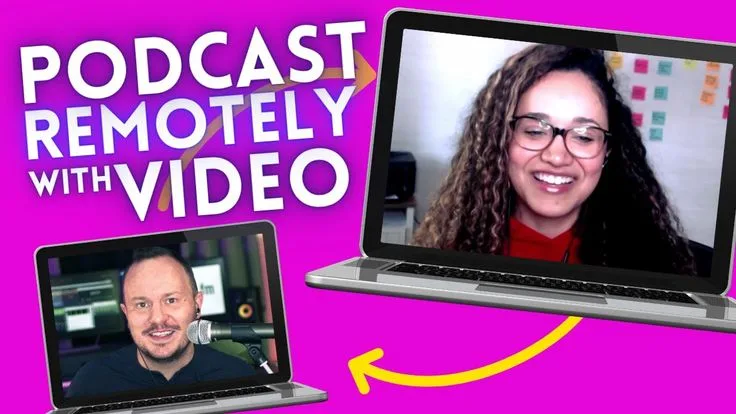
Rachel had been recording her business podcast for eighteen months when she switched from Zoom to Riverside. The switch was prompted by an episode with a guest who had a poor internet connection - the Zoom recording was a digital mess of dropouts and compression artifacts that made the entire interview unusable.
A podcast editor friend explained the local recording model: tools like Riverside record each participant's audio and video on their own device and upload the files afterward, so a bad internet connection affects only the live preview, not the recorded track.
Rachel upgraded to Riverside Pro for $24/month and the next ten episodes were significantly cleaner.
The guests, however, were not always cooperative with the technology. One guest called in from her phone's browser and could not find the camera toggle. Another refused to join a "new platform" and insisted on Zoom.
A third guest had a browser extension that interfered with Riverside's recording process and produced an upload error that cost the first fifteen minutes of the conversation.
Rachel began to keep a note in her guest briefing document: "We'll record on Riverside - it is like Zoom but in your browser, you do not need to install anything." This helped about half the time.
After two years on Riverside, she evaluated whether the platform's features matched her actual workflow. She used local recording, the basic studio sound enhancement, and the MP4 download. She did not use the editing tools, the clip creation, the magic clips AI feature, or the transcript.
The question was whether the $24/month was justified for three features she actively used, given that Zencastr offered the same core recording capability for $0 on the free plan or $20/month with more minutes.
"The right remote recording tool is the one your guests will actually use without a support call. Technical quality matters. Guest friction matters more."
Why People Look for Riverside.fm Alternatives
Riverside.fm built a strong reputation by solving the most important problem in remote podcast recording: the local recording model that separates audio quality from internet connection quality.
Before tools like Riverside and Zencastr made this approach accessible in a browser, podcasters either recorded in person, used phone call bridges, or accepted the degraded audio quality that video conferencing tools produce when compressed and mixed on a server.
Riverside's limitations are not about what the product does wrong but about fit with specific use cases.
Guest friction is a real cost. Every additional step in the guest's setup process increases the probability of a technical problem before recording begins. Riverside requires guests to navigate a new interface, run an audio and video check, and trust that the browser-based recording is working before the conversation starts.
Some guests - particularly busy executives or older podcast subjects unfamiliar with technology - find this disorienting. The cost of guest friction is difficult to measure but real: hosts with consistent guest confusion spend support time before every episode.
The price is modest but questioned. At $15/month Standard and $24/month Pro, Riverside is not expensive. But Zencastr's free plan offers the same core local recording capability for eight hours per month.
For a podcaster who records two episodes per month at thirty minutes each, Riverside Pro at $24/month is paying for features beyond the core recording need.
Upload times add post-production workflow friction. Local recording means files must upload after the session ends. For a long-form interview, the upload can take fifteen to thirty minutes or more depending on participant internet speeds. Hosts who want to review recordings immediately after a session must wait for uploads to complete.
This is a trade-off inherent to the local recording model, not unique to Riverside, but it is a genuine workflow consideration.
Limited built-in editing tools. Riverside offers basic editing and clip creation, but podcasters with established post-production workflows in Descript, Audacity, or Adobe Audition find that Riverside's editing tools are redundant with their existing tools.
Paying for a recording tool with editing features you do not use is a common source of reevaluation.
Zencastr
Zencastr is the most established alternative to Riverside for remote podcast recording, with a free plan that covers the core use case and a paid plan at lower cost than Riverside Pro.
Features: Local recording for each participant on their own device, separate audio and video tracks per participant downloaded as individual files after the session, automatic post-production soundboard that applies compression, EQ, and noise reduction to each track,
live call with video preview during recording, browser-based with no installation required, up to 10 guests per session, FLAC audio recording (lossless quality), HD video, automatic backup to Dropbox or Google Drive, transcript generation, integration with Descript.
Pricing: Free: 8 hours recording/month, separate audio tracks, MP3 download. Pro $20/month: unlimited recording, video recording, WAV audio, advanced post-production. Growth $40/month: higher video resolution, team features.
Pros vs Riverside: The free plan covers most independent podcasters' recording needs. The $20/month Pro plan is cheaper than Riverside Pro at $24/month for comparable functionality. The automatic post-production tools apply consistent audio processing without manual steps.
Cons vs Riverside: The interface is slightly less polished than Riverside for guests who are not technically familiar with podcasting tools. Video quality on the paid plan is competitive but not Riverside's 4K ceiling.
Best for: Independent podcasters who want professional local recording at minimal cost, particularly those on tight budgets who need more than 8 hours per month.
Squadcast
Squadcast is a remote recording platform with the highest video quality of the dedicated podcast recording tools, Descript integration, and a focus on the quality needs of video-first podcast productions.
Features: Local recording for each participant with up to 4K video and lossless audio, separate tracks per participant, browser-based guest access without installation, native Descript integration that sends recordings directly to a Descript project for transcript-based editing, real-time room monitoring, AI-powered speaker labels, transcription built in, recording studio page customizable with show branding, team and producer roles for shows with production staff.
Pricing: Free: 5 hours/month. Freelancer $20/month: unlimited recording, 4K video. Pro $80/month: team features, analytics, API access. Enterprise: custom.
Pros vs Riverside: The 4K local video recording is the highest quality in the category. Descript integration is the strongest available - editors who use Descript get recordings in their editing environment without a manual upload step. The $20/month Freelancer plan is competitive with Riverside's Standard plan.
Cons vs Riverside: The Pro plan at $80/month is significantly more expensive than Riverside Pro for team and production features. Less market awareness means guests are slightly more likely to be unfamiliar with the interface than Riverside. The free plan at 5 hours per month is less generous than Zencastr's 8 hours.
Best for: Video-first podcast productions where 4K recording quality and Descript-based editing are priorities, and shows with production staff that need team roles and advanced workflow features.
Cleanfeed
Cleanfeed is a browser-based audio connection tool built for broadcast radio quality, using FLAC compression with low-latency audio for remote contributions that meet broadcast standards.
Features: Stereo or mono audio connections between remote participants, lossless FLAC audio via the browser with low latency, multi-track recording with separate tracks per participant, guest access via shared link without account creation, professional metering and monitoring for broadcast quality assessment, multi-room sessions for complex productions with multiple remote guests, recording to local computer, mix-minus routing for clean feeds to individual participants.
Used by BBC, NPR affiliates, and professional radio producers for remote contributions.
Pricing: Free: 1 host, 1 guest, stereo recording. Pro $22/month: multi-track, more guests, advanced monitoring. Business $60/month: team management, multiple shows.
Pros vs Riverside: Audio quality ceiling is higher than any other browser-based tool - broadcast quality FLAC audio meets professional radio standards that Riverside and Zencastr do not claim to match. The professional monitoring tools are appropriate for producers who take audio seriously.
Cons vs Riverside: Audio-only - no video recording. The interface is more technical and less consumer-friendly than Riverside, making it harder for non-technical guests to navigate without coaching. Not designed for video podcast production.
Best for: Radio producers, professional audio broadcasters, and podcasters who prioritize audio quality above all else and are comfortable with a more technical tool.
Zoom
Zoom is the most familiar video conferencing tool and a common backup or default for podcast recording, despite its audio quality limitations relative to dedicated podcast tools.
Features: Video conferencing with recording to local computer or cloud, gallery and speaker views, screen sharing, virtual backgrounds, separate audio track recording when recording locally (available in newer versions), AI companion for meeting summaries, meeting scheduling, webinar capability, breakout rooms.
Pricing: Free: 40-minute limit on meetings over 2 people. Pro $14.99/month: unlimited meeting length, local recording. Business $19.99/user/month: cloud recording, company branding.
Pros vs Riverside: Universal familiarity - nearly all podcast guests have Zoom installed and know how to join a call. Zero guest friction for most professional guests. Free plan available for short sessions.
Cons vs Riverside: Audio is mixed on Zoom's servers unless specific settings are enabled, which means internet quality affects the recording. The mixed-down audio is harder to process in post-production than separate tracks. Audio quality is compressed even with all settings optimized. Not designed for podcast production workflows.
Best for: Hosts who record with guests who refuse or cannot navigate new tools, and for situations where familiarity matters more than audio quality.
StreamYard
StreamYard is a live streaming studio in the browser, designed for shows that want to broadcast live to multiple platforms simultaneously while recording for post-production.
Features: Live multi-destination streaming to YouTube, LinkedIn Live, Facebook Live, Twitch, and others simultaneously, branded on-screen graphics including lower thirds, overlays, and screen share, multi-guest layouts with up to 10 on-screen participants, local recording of each participant's video and audio, pre-recorded video playback during live shows, comment monitoring from all streaming platforms, team producer access for handling technical production during a live show.
Pricing: Basic free: 2 guests, 720p, watermark. Core $49/month: 5 guests, 1080p, no watermark, 3 brand kits. Professional $99/month: 8 guests, 4K recording, 6 brand kits. Premium $299/month: 10 guests, multiple destinations.
Pros vs Riverside: Live streaming to multiple platforms simultaneously is a capability Riverside does not offer. The production tools for branded on-screen graphics are better than any podcast recording tool. For shows where live audience participation is part of the format, StreamYard provides the live production environment.
Cons vs Riverside: The recording quality priority is lower than Riverside's - StreamYard's live streaming focus means that recording is a secondary output rather than the primary function. More expensive at equivalent tiers. Not designed for audio-only podcast production.
Best for: Video podcast hosts who want to broadcast live to YouTube or LinkedIn while recording, and shows with a live audience component where the streaming experience matters.
Podcastle
Podcastle is an AI-powered podcast creation platform that handles recording, transcription, noise removal, and basic editing in a single browser-based environment.
Features: Remote recording with separate tracks per participant, browser-based access for guests, AI-powered noise removal and audio enhancement, basic editing via transcript (cut sections by deleting text), automated transcription, text-to-audio for AI-generated voiceover, background noise removal, voice enhancement tools, export to MP3 and WAV, basic clip creation for social media, podcast hosting on higher plans.
Pricing: Free: 10 recording hours/month, basic noise removal. Storyteller $14.99/month: unlimited recording, AI tools, 5 hours transcription. Amplify $29.99/month: unlimited transcription, advanced AI, hosting. Business $89.99/month: team features.
Pros vs Riverside: The integrated recording, transcription, and basic editing workflow reduces the number of tools required for podcast production. AI noise removal and enhancement are available without additional software. The free plan is more feature-complete than Zencastr's for hosts who want editing alongside recording.
Cons vs Riverside: The editing tools are less powerful than Descript or Adobe Audition for complex editing needs. Video quality is lower than Riverside's for video podcast production. Less established reputation than Riverside or Zencastr.
Best for: New podcasters who want a simple all-in-one tool for recording, cleaning, and basic editing without building a multi-tool production workflow.
Alitu
Alitu is a podcast production tool built for simplicity, with a guided workflow that takes a recording from raw file to published episode without requiring audio engineering knowledge.
Features: Audio recording (single-person, not remote guest recording), file upload for imported recordings, automatic audio cleaning with noise removal and level normalization, episode builder for arranging clips and adding intro/outro music, chapter markers, transcript-based editing, built-in podcast hosting, automatic RSS feed generation, one-click distribution to Spotify and Apple Podcasts.
Pricing: $32/month for all features including hosting.
Pros vs Riverside: For solo podcasters or hosts who record interviews separately and want a tool that handles the entire production and distribution workflow, Alitu's all-in-one model is genuinely convenient. The hosting inclusion at $32/month competes favorably with separate recording tool plus hosting service costs.
Cons vs Riverside: Alitu does not handle remote recording - it is for importing files or recording solo locally, not for recording with remote guests simultaneously. This is a significant functional gap for interview-format podcasters who need a tool specifically for recording with remote guests.
Best for: Solo podcasters and hosts who want a simple, guided production and hosting workflow for shows recorded in person or with separate files imported from other sources.
Audacity
Audacity is the free, open-source audio editor for desktop, widely used for podcast production and audio editing despite not being a remote recording tool.
Features: Multi-track audio editing, noise reduction, compression, equalization, normalization, pitch correction, time-shift, crossfade, click removal, spectral editing, plugin support (VST, AU, LADSPA), recording from microphone or other audio input, export to MP3, WAV, FLAC, OGG, and other formats.
Available for Windows, macOS, and Linux.
Pricing: Free.
Pros vs Riverside: Free with no usage limits or subscription. The most capable free audio editor available for post-production processing. Established community with tutorials and plugin libraries for every audio task.
Cons vs Riverside: Not a remote recording tool - Audacity records from local microphone only, not from remote participants. The learning curve for audio editing concepts (gain staging, compression, equalization) is significant for non-technical users.
Best for: Podcast editors who want a free, capable audio editing tool for post-production work on files recorded elsewhere, not as a remote recording replacement.
Loom
Loom is an async video messaging tool that replaces some remote recording use cases by enabling hosts to record video messages and short segments without scheduling a live session.
Features: Screen and camera recording, instant shareable link, viewer reactions and comments, team workspaces, video trimming, AI-generated transcripts and summaries, engagement analytics, CRM integrations.
Pricing: Free: 25 videos, 5 minutes max per video. Business $12.50/user/month: unlimited videos, longer recordings.
Pros vs Riverside: Useful for podcast formats where the host records a monologue or introduction that can be done async rather than live. For video-based educational content or commentary shows, Loom simplifies the recording and sharing workflow.
Cons vs Riverside: Not designed for live remote conversations - Loom is async, not synchronous. Cannot record two-person or multi-person conversations in real time.
Best for: Content creators who produce commentary, tutorial, or monologue-format video content and want a faster workflow for recording and sharing short segments.
Cast
Cast is a streamlined remote recording and live streaming tool positioning itself as a simpler alternative to both Riverside and StreamYard.
Features: Remote recording with local track download, live streaming to YouTube and Facebook, multi-guest sessions with up to 8 participants, screen sharing, virtual backgrounds, recording in 1080p, episode archive, basic editing tools.
Pricing: Professional $19/month: all features for individual creators. Business $49/month: team features, multiple shows.
Pros vs Riverside: Lower price point at $19/month. Combined recording and live streaming in one tool at a lower cost than either Riverside or StreamYard separately.
Cons vs Riverside: Less established than Riverside, Zencastr, or Squadcast with a smaller user community. Video quality ceiling below Riverside Pro's 4K.
Best for: Podcasters who want both local recording quality and live streaming capability at a single modest price, without the complexity of running two separate tools.
Comparison Table
| Tool | Free Plan | Paid Plans | Best Feature | Biggest Limitation |
|---|---|---|---|---|
| Riverside.fm | Limited | $15-24/month | Guest UX, 4K video, polished UI | Upload wait time, guest friction |
| Zencastr | 8 hrs/month | $20-40/month | Generous free plan | Less polished than Riverside |
| Squadcast | 5 hrs/month | $20-80/month | 4K video, Descript integration | More expensive at Pro tier |
| Cleanfeed | 1 host, 1 guest | $22-60/month | Broadcast audio quality | Audio only, technical interface |
| Zoom | 40-min limit | $14.99-19.99/month | Universal familiarity | Mixed-down audio, not podcast-grade |
| StreamYard | Watermarked | $49-299/month | Live multi-platform streaming | Not optimized for pure recording |
| Podcastle | 10 hrs/month | $14.99-89.99/month | All-in-one recording + editing | Less capable editing than Descript |
| Alitu | No | $32/month (includes hosting) | Simple workflow + hosting | No remote guest recording |
| Audacity | Free | Free | Free audio editing | Not a remote recording tool |
| Loom | 25 videos | $12.50/user/month | Async video recording | No live remote conversations |
| Cast | No | $19-49/month | Recording + streaming bundle | Less established, smaller community |
Who Should Switch Away from Riverside
Switch to Zencastr free if you record fewer than 8 hours of podcast content per month and want the same local recording quality without a subscription fee.
Switch to Squadcast if your show is video-first and the 4K local recording quality and native Descript integration matter more to you than Riverside's interface polish.
Switch to Cleanfeed if your show is audio-only and broadcast-grade audio quality is the primary requirement, and your guests are technically comfortable with a more professional interface.
Switch to StreamYard if you distribute your show as a live event where the audience watches in real time and you need simultaneous streaming to YouTube, LinkedIn Live, and other platforms.
Switch to Podcastle if you are a new podcaster who wants recording, basic editing, and noise removal in a single simple tool without building a multi-product post-production workflow.
Who Should Stay with Riverside
Riverside is the right choice when the guest experience is the primary consideration.
Its interface is the most polished for guests who are unfamiliar with podcast recording tools, the pre-recording audio and video check reduces setup problems, and the 4K local recording on the Pro plan delivers the highest practical video quality for browser-based remote recording.
For video-first podcast hosts who frequently record with guests who are not technically sophisticated, Riverside's $24/month is a reasonable investment in reducing the friction that derails recording sessions.
Related reading: Best Alternatives to Descript for Video Transcription and Editing in 2026 | Best Podcast Tools in 2026 | Best Video Editing Tools in 2026