
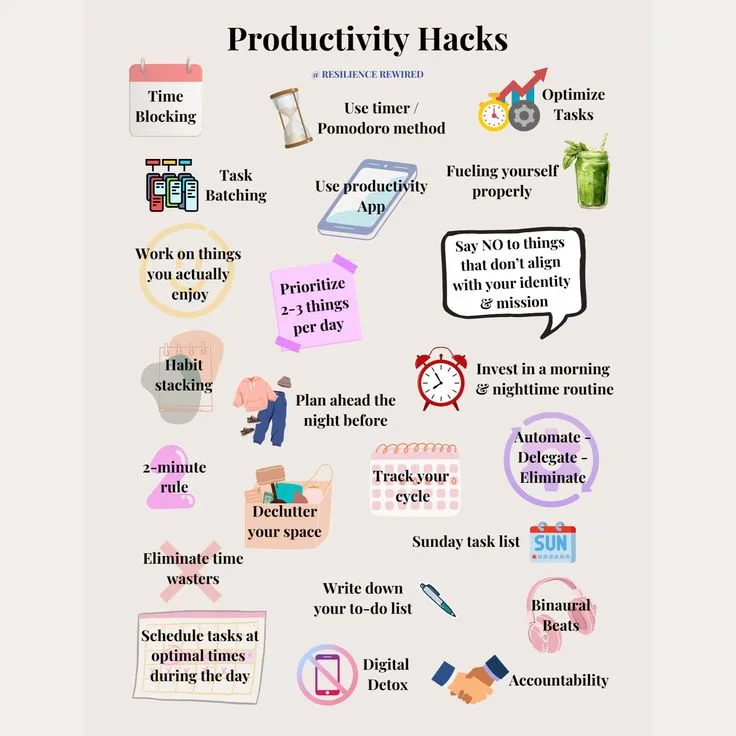
A productivity system checklist should begin with the particular breakdown it needs to solve, rather than with a favored app or method. Capture, prioritization, focus, overcommitment, energy mismatch, and context switching require different responses. The useful system is the minimum structure that supports real work and decisions; elaborate maintenance can become a more respectable form of procrastination.
What Is a Productivity System?
A productivity system is any structured set of tools, habits, and processes a person uses to capture commitments, prioritize work, focus attention, and track progress on tasks and projects. Effective systems reduce the cognitive overhead of deciding what to do next and ensure that important work is not lost or indefinitely deferred.
The key challenge is that systems themselves can become a form of procrastination - elaborate structures that feel productive without enabling actual output - making it critical to build only the minimum system necessary to address specific, identified breakdowns in how work actually gets done.
In 2007, Merlin Mann, the creator of the popular productivity blog 43 Folders, gave a Google Tech Talk titled "Inbox Zero" that became one of the most-watched productivity presentations on the internet.
Mann's core message was simple: your email inbox should be emptied regularly through a systematic process of deciding, delegating, responding, deferring, or deleting each message. The approach resonated with millions of knowledge workers drowning in email overload.
Seven years later, Mann largely abandoned the productivity advice space. In a candid interview, he reflected that he had spent so much time building and refining productivity systems that the systems themselves had become a form of procrastination-an elaborate substitute for doing the actual work the systems were supposed to enable.
Mann's experience captures a paradox that sits at the heart of personal productivity: the system designed to make you more productive can itself become the thing that prevents you from being productive.
This paradox is not unique to Mann. Research by Macan and colleagues published in the Journal of Applied Psychology found that time management training improved participants' perception of control over their time but did not consistently improve actual job performance.
A study by Claessens and colleagues reviewing 32 years of time management research concluded that while time management behaviors were associated with perceived control and reduced stress, the relationship between time management and actual performance was weaker and more inconsistent than popular productivity advice suggests.
The problem is not that productivity systems are useless. The problem is that most people approach productivity systems backward: they start with a tool or methodology (GTD, Pomodoro, bullet journaling, Notion templates) and try to force their work into the system's structure.
Effective productivity systems work the other way around-they start with an honest assessment of how work actually happens, what the bottlenecks actually are, and what behaviors actually need to change, and then they build the minimum system necessary to address those specific issues.
This checklist provides a structured approach to building, evaluating, and maintaining a productivity system that serves your work rather than replacing it.
Part 1: Assessing What You Actually Need
Why Assessment Must Come Before System Selection
What makes a good productivity system? A good productivity system captures everything you need to do, makes it easy to decide what to work on next, helps you track progress on important work, adapts to changing priorities, and-critically-does not become a significant source of work itself.
A system that takes thirty minutes a day to maintain but saves you twenty minutes of searching for tasks has a negative return on investment.
Before selecting or building a productivity system, you need to understand:
What kind of work do you do? The productivity system that works for a software engineer writing code in long focused blocks is fundamentally different from the system that works for a customer support manager handling dozens of short interactions throughout the day.
A freelance writer juggling multiple client projects needs different capabilities than an executive whose day is structured around meetings and decisions. The nature of your work-its rhythm, its demands, its interruption patterns-determines what your system needs to do.
Where does your productivity actually break down? Most people who seek productivity systems have a vague sense that they are "not productive enough" without a specific diagnosis of where and why. But productivity breakdowns have specific, identifiable causes:
- Capture failure: You forget tasks, commitments, or ideas because they are not recorded.
- Prioritization failure: You work on easy or urgent tasks while important tasks languish.
- Focus failure: You cannot sustain attention on a single task long enough to make meaningful progress.
- Overcommitment: You say yes to more work than you can complete, creating a permanent backlog.
- Energy mismatch: You schedule demanding cognitive work during low-energy periods and waste high-energy periods on low-value tasks.
- Context switching: You jump between tasks so frequently that you never reach deep engagement with any of them.
Each of these breakdowns requires a different intervention. A capture failure needs a reliable inbox system. A prioritization failure needs a decision framework. A focus failure needs environmental changes and time-blocking. Overcommitment needs a commitment budget.
Energy mismatch needs schedule restructuring. Context switching needs batching strategies. Decision fatigue compounds all of these failures: a person who has made thirty low-stakes decisions by noon has less capacity for the hard prioritization choices that determine whether important work actually gets done.
Assessment Checklist:
- Tracked actual time use for at least one typical week (not estimated-actually tracked)
- Identified the top three specific productivity breakdowns (not vague feelings)
- Documented current work patterns: task types, interruption frequency, energy cycles
- Listed all current commitments and projects (every open loop)
- Assessed the gap between current output and needed output on important work
- Identified constraints that any system must work within (tools mandated by employer, collaboration requirements, etc.)
The Capture Audit
David Allen's Getting Things Done methodology rests on a foundational insight: your brain is for having ideas, not for holding them. When you try to remember everything you need to do, your working memory becomes saturated with open loops-unfinished tasks and unrecorded commitments that consume cognitive resources even when you are not actively working on them.
Allen calls this "psychic RAM"-mental capacity occupied by task-tracking that could otherwise be used for actual thinking.
Research supports this insight. A study by Masicampo and Baumeister published in the Journal of Personality and Social Psychology found that unfulfilled goals occupy cognitive resources until a specific plan for completing them is made.
The act of writing down a task and scheduling it was sufficient to reduce the cognitive burden-the task did not need to be completed, merely planned.
"Your mind is for having ideas, not holding them." - David Allen
Capture system checklist:
- Single trusted inbox exists (physical, digital, or both) where all incoming tasks, ideas, and commitments are recorded
- Inbox is always accessible (within arm's reach or a few taps away)
- Capture takes less than 30 seconds per item (if capture is cumbersome, items will not be captured)
- Inbox is processed regularly (daily minimum) to a state of zero or near-zero
- Nothing important lives only in your head-every commitment, deadline, and task exists in the system
- Capture works across contexts: at desk, in meetings, during commutes, during conversations
Part 2: Building the Core System
Prioritization: Not Everything Matters Equally
The most insidious productivity trap is being busy without being effective. Busy feels productive. Clearing emails, attending meetings, responding to messages, completing small tasks-all of these activities create the sensation of productivity without necessarily producing meaningful results on important work.
What should productivity checklists verify? They should verify that a capture mechanism exists, that a prioritization method works in practice, that a review process is scheduled, that the system is sustainable over time, and that the system is actually helping productivity rather than merely providing the feeling of productivity.
Eisenhower's priority matrix, though often oversimplified, captures a genuine insight: tasks vary along two independent dimensions-urgency and importance-and confusing these dimensions is the most common prioritization error. Urgent tasks demand immediate attention.
Important tasks contribute to long-term goals and values. The most dangerous quadrant is urgent-but-not-important: these tasks feel pressing but do not advance meaningful objectives. Email, most meetings, and many requests from others fall into this category.
Prioritization methods that work in practice:
The 1-3-5 Rule. Each day, plan to accomplish one big task, three medium tasks, and five small tasks. This approach works because it constrains the daily plan to a realistic number of items (nine) while ensuring that at least one significant piece of work is completed.
The constraint prevents the common failure of creating a daily task list with thirty items, completing twelve, and feeling like a failure despite doing a full day's work.
Warren Buffett's 25-5 Rule. List your top 25 goals. Circle the top 5. The remaining 20 are not secondary priorities-they are distractions.
This approach is valuable not for its specific numbers but for its underlying principle: the things that are slightly important are the most dangerous, because they are appealing enough to consume time that should be spent on what is most important.
Time-blocking. Rather than maintaining a task list and hoping to get through it, schedule specific tasks into specific time blocks on your calendar. This approach works because it transforms tasks from intentions into commitments and forces confrontation with the reality of available time.
If you have six hours of meetings and two hours of important project work, but eight hours of tasks, time-blocking makes the impossibility visible rather than leaving it as a vague anxiety.
| Prioritization Method | Best For | Limitation |
|---|---|---|
| Eisenhower Matrix | Distinguishing urgent from important tasks | Requires honest assessment of importance; people tend to classify everything as important |
| 1-3-5 Rule | Daily planning with realistic constraints | Does not address multi-day or long-term prioritization |
| Time-blocking | Protecting focused work from interruptions | Requires calendar discipline; does not work well with highly unpredictable schedules |
| Buffett 25-5 | Long-term goal clarity | Too coarse for daily task management; works at strategic level only |
| ABCDE Method | Quick task triage when overwhelmed | Can become mechanical; does not account for dependencies or energy |
| Ivy Lee Method | Maintaining focus on most important work | Rigid six-task limit may not suit all work styles |
Prioritization checklist:
- Prioritization method selected and documented (not just "I'll figure out what's important each day")
- Method applied consistently (same approach daily, not ad hoc)
- Important-but-not-urgent work is explicitly scheduled, not just listed
- Daily plan is realistic given actual available time (subtract meetings, interruptions, transitions)
- Saying "no" or "not now" to low-priority requests is practiced, not just theorized
- Weekly review identifies whether important work actually got done or was displaced by urgent work
Focus and Deep Work
Cal Newport's Deep Work argues that the ability to perform cognitively demanding work without distraction is becoming simultaneously more valuable (as the economy rewards complex knowledge work) and more rare (as digital distractions proliferate).
Newport defines deep work as "professional activities performed in a state of distraction-free concentration that push your cognitive capabilities to their limit."
"Clarity about what matters provides clarity about what does not." - Cal Newport
The research on task switching supports Newport's argument. A study by Mark, Gudith, and Klocke found that workers who were interrupted took an average of 23 minutes and 15 seconds to return to the original task after an interruption.
This is not 23 minutes of wasted time-during the interruption, people often worked on other tasks-but 23 minutes before the cognitive state required for the original task was restored.
For work that requires sustained concentration (writing, programming, analysis, design), frequent interruptions make deep engagement effectively impossible.
Focus system checklist:
- Identified when deep work is most needed (which tasks require sustained concentration)
- Deep work sessions are scheduled as calendar blocks, not left to chance
- Environment supports focus during deep work blocks (notifications silenced, door closed, status set to unavailable)
- Deep work blocks are at least 90 minutes (research suggests meaningful deep work requires sustained periods; shorter blocks may not reach full cognitive engagement)
- Deep work blocks are scheduled during peak energy hours (not the post-lunch slump)
- Shallow work is batched into dedicated periods rather than spread throughout the day
- Context switching is minimized: related tasks are grouped, and transitions between task types are deliberate
Part 3: System Sustainability
Why Do Productivity Systems Fail?
Why do productivity systems fail? They fail because they are too complex to maintain, they do not match actual work patterns, they lack a review process, or they optimize the system itself over doing actual work.
The failure mode is predictable: initial enthusiasm produces elaborate setup, complexity produces maintenance burden, maintenance burden produces inconsistency, inconsistency produces abandonment, abandonment produces guilt, guilt produces a search for a new system, and the cycle repeats.
The Gartner Hype Cycle, typically applied to technologies, maps almost perfectly onto productivity system adoption: the trigger (discovering a new system), the peak of inflated expectations (this will change everything), the trough of disillusionment (this is not working), the slope of enlightenment (oh, I need to adapt this to my situation), and the plateau of productivity (a simplified version of the system that actually works).
Most people never reach the plateau because they abandon the system during the trough and start the cycle with a new system.
Sustainability indicators:
A system is sustainable if maintenance takes less than 15 minutes per day and less than an hour per week. If you are spending more time managing your productivity system than the system is saving you, the system is a net negative.
A system is sustainable if it degrades gracefully. When you miss a day of maintenance, the system should not collapse entirely. A system that requires perfect daily adherence to function at all is too fragile for real life, where illness, travel, emergencies, and simple human inconsistency are guaranteed.
A system is sustainable if it can be explained in under two minutes. Peter Drucker observed that the most effective executives had remarkably simple personal systems. Complexity in a productivity system is not a feature-it is a liability.
Every additional component adds maintenance overhead, creates a potential failure point, and increases the cognitive load of using the system.
Sustainability checklist:
- System maintenance takes less than 15 minutes daily
- System can survive two missed days without requiring a complete rebuild
- System can be explained to someone else in under two minutes
- System uses the minimum number of tools necessary (not one tool for every function)
- System has been simplified at least once since initial setup (features or components removed)
- System does not produce anxiety or guilt when used imperfectly
The Review Process: The Component Most Often Skipped
How often should you review productivity systems? Weekly for task review, monthly for system effectiveness, and whenever life or work changes significantly. The review process is the single most important component of any productivity system, and it is the component most frequently skipped.
A weekly review serves multiple functions: it processes accumulated inbox items, updates project statuses, identifies stuck items that need intervention, confirms that upcoming deadlines are manageable, and recalibrates priorities based on the current week's reality.
Without a weekly review, systems drift: tasks accumulate without processing, priorities become stale, and the system gradually loses its relationship to actual work.
A well-designed note-taking system makes this weekly review faster by storing context alongside tasks, so you spend less time reconstructing what a two-week-old item actually meant.
Should you use someone else's system? As a starting point, yes-established systems like GTD, bullet journaling, or time-blocking provide tested structures that are faster to adopt than building from scratch. But customization is essential.
What works for a productivity author who writes books about productivity will not work for a nurse working twelve-hour shifts, a parent managing a household, or a startup founder wearing multiple hats. The system must adapt to the work, not the other way around.
Weekly Review checklist:
- All inboxes processed to zero (email, physical inbox, notes, messages)
- Each active project reviewed: next actions identified, stuck projects unstuck
- Calendar reviewed for next two weeks: conflicts identified, preparation needs noted
- Waiting-for items followed up if overdue
- Someday/maybe list reviewed for items that are now actionable or no longer relevant
- Weekly accomplishments noted (builds motivation and provides data for effectiveness assessment)
- Upcoming week planned: top priorities identified, deep work blocks scheduled
Monthly System Review checklist:
- Important work metrics reviewed: Did I make progress on what matters most?
- System friction points identified: Where did the system slow me down or fail?
- Tool audit: Am I using all my tools? Is anything redundant?
- Commitment audit: Am I overcommitted? What can I drop, delegate, or defer?
- Energy and focus patterns reviewed: Am I scheduling the right work at the right time?
- System simplified if possible: Remove any component that is not earning its maintenance cost
Part 4: Systems vs. Tools
What's the Difference Between System and Tools?
What's the difference between system and tools? A system is your approach, your habits, and your decision rules. Tools are the software, apps, notebooks, or other implements you use to execute your system.
You can have an excellent system with simple tools (a paper notebook and a basic calendar) or a terrible system with sophisticated tools (Notion databases, Todoist projects, Google Calendar integrations, and Zapier automations that produce elaborate dashboards nobody looks at).
The tool industry benefits from the confusion between system and tools. Every new productivity app promises to make you more productive, but no app can make you prioritize better, focus longer, or say no to commitments you should refuse.
These are behavioral changes that require self-awareness, practice, and discipline-none of which can be downloaded.
Deliberate practice on the underlying skills-prioritization, focus, saying no-produces more lasting productivity gains than any software adoption.
Cal Newport refers to this as the productivity funnel fallacy: the belief that productivity problems can be solved by adding a new tool to the workflow. In reality, each additional tool adds complexity, creates new integration requirements, and provides new opportunities for procrastination through system optimization.
"What we choose to focus on and what we choose to ignore-plays in defining the quality of our life." - Cal Newport
Tool selection criteria:
The right tool is the simplest tool that supports your system's requirements. Before adopting any tool, answer:
- What specific system function does this tool serve?
- What am I currently using for this function, and why is it inadequate?
- What is the total cost of adoption (learning curve, migration time, subscription cost, integration effort)?
- What happens if this tool disappears or changes its pricing?
Tool evaluation checklist:
- Each tool serves a specific, identified function in the system
- No two tools serve the same function (eliminate redundancy)
- Each tool's function could be explained in one sentence
- Total number of productivity tools is five or fewer (inbox, task list, calendar, notes, and possibly one specialized tool)
- Critical data is not locked into any single tool (can be exported or transferred)
- Tool learning curve has been invested in: you know the tool well enough to use it efficiently, not just superficially
- Tool maintenance (updates, syncing, backups) is negligible or automated
The Minimum Viable System
Can productivity systems hurt productivity? Yes-if maintenance takes more time than the system saves, if the system creates anxiety through rigid adherence requirements, or if the system becomes a form of procrastination through endless optimization.
The productivity community has a term for this: productivity porn-the consumption of productivity content and the refinement of productivity systems as a substitute for actually being productive.
The antidote is the minimum viable system: the smallest, simplest system that addresses your specific productivity breakdowns without creating new ones.
A minimum viable system has three components:
One capture tool. A single place where everything goes: tasks, ideas, commitments, notes. A notebook, a text file, an app-it does not matter what, as long as everything goes there and you check it daily.
One planning ritual. A daily practice (five to ten minutes) of reviewing what needs to be done and deciding what will be done today. This ritual transforms a task list into a plan and a plan into action.
One review ritual. A weekly practice (thirty to sixty minutes) of processing everything that accumulated during the week, reviewing progress on important work, and planning the upcoming week.
Everything else-project management tools, time-tracking apps, habit trackers, kanban boards, dashboards-is optional. Add components only when you have identified a specific problem that the minimum system does not address, and remove components when they stop earning their maintenance cost.
Part 5: Special Situations
Managing Collaborative Productivity
Individual productivity systems operate in a vacuum that rarely exists in real work. Most knowledge workers are embedded in teams where their productivity depends on other people's responsiveness, and other people's productivity depends on theirs.
A personal productivity system that optimizes individual focus without accounting for collaboration requirements will produce an individually productive person who is a terrible teammate.
Shifting more coordination to async communication reduces the number of interruptions that fragment focused work for everyone involved, not just yourself.
Teams that default to written, time-shifted communication preserve each member's ability to protect their own deep work blocks while still staying coordinated. This is one of the core arguments for async work practices in modern distributed teams.
Collaborative productivity checklist:
- Response time expectations are explicit: colleagues know when you will and will not be available
- Deep work blocks are communicated to the team, not just silently blocked on your calendar
- Shared commitments (meeting action items, review requests, approvals) are tracked as explicitly as personal tasks
- Handoff points are clear: when something moves from your responsibility to someone else's, both parties know
- Waiting-for items are tracked with expected response dates and follow-up triggers
- The system accommodates synchronous collaboration (meetings, pair work) and asynchronous collaboration (reviews, approvals) differently
Managing Energy, Not Just Time
Tony Schwartz's The Power of Full Engagement argues that managing energy is more important than managing time. A person with three hours of high-energy focus time who applies it to their most important work will outperform a person with eight hours of time who spreads their energy across low-value tasks.
The research on circadian rhythms supports energy management. Most people have a peak cognitive period in the late morning (roughly 10:00 AM to 12:00 PM), a trough in the early afternoon (roughly 1:00 PM to 3:00 PM), and a secondary peak in the late afternoon (roughly 3:00 PM to 5:00 PM), though individual variation is significant.
Scheduling demanding cognitive work during peak periods and routine administrative work during troughs can improve output quality without increasing total work hours.
"Manage your energy, not your time." - Tony Schwartz
Energy management checklist:
- Personal energy patterns identified through observation (not assumed based on generic advice)
- Most demanding cognitive work scheduled during peak energy periods
- Routine, low-cognitive-demand tasks batched into low-energy periods
- Recovery periods built into the schedule (not just transition time between tasks, but actual recovery)
- Physical energy factors addressed: sleep quality, exercise, nutrition, hydration
- Social energy factors addressed: introvert/extrovert needs accommodated in meeting scheduling
- Decision fatigue managed: important decisions scheduled early, routine decisions automated or batched
Adapting the System When Life Changes
How do you know if system is working? You are making progress on important work, you are not losing tasks or forgetting commitments, you can prioritize confidently when competing demands arise, and system maintenance is minimal. If any of these indicators is absent, the system needs adjustment.
Productivity systems need to evolve as work and life change. A system designed for a single individual contributor writing code all day will not survive a promotion to management. A system designed for an office worker will not survive a transition to remote work.
A system designed for a person without children will not survive the arrival of a newborn.
The most common mistake during life transitions is abandoning the system entirely rather than adapting it. A better approach is to keep the core components (capture, daily plan, weekly review) and adjust everything else.
Good documentation practices make this adaptation easier: if your system is written down, you can edit it deliberately rather than letting it drift or collapse.
Life transition checklist:
- Acknowledged that the current system may not serve the new situation
- Identified what has changed: time availability, task types, energy patterns, collaboration requirements
- Maintained core system components (capture, daily planning, weekly review) even if specific practices change
- Given the new situation at least four weeks before evaluating whether the adapted system works
- Resisted the urge to adopt an entirely new system-adapted the existing one first
- Reduced system complexity during the transition (simpler systems are more resilient to disruption)
Part 6: The Complete Productivity System Checklist
Foundation
- Specific productivity breakdowns diagnosed (not vague "I need to be more productive")
- Time tracked for at least one week to establish baseline
- Current commitments inventoried (every open loop identified)
- System requirements defined based on actual work patterns
Capture
- Single trusted inbox established
- Capture mechanism always accessible
- Capture takes less than 30 seconds per item
- Inbox processed daily
Prioritization
- Explicit prioritization method selected and practiced
- Important-but-not-urgent work scheduled, not just listed
- Daily plan constrained to realistic number of items
- Ability to decline or defer low-priority requests
Focus
- Deep work sessions scheduled during peak energy hours
- Environment supports focus during deep work blocks
- Shallow work batched into dedicated periods
- Context switching minimized through task batching
Review
- Weekly review scheduled and consistently completed
- Monthly system review scheduled
- System adjusted based on review findings
- Accomplishments tracked alongside tasks
Sustainability
- System maintenance under 15 minutes daily
- System survives imperfect adherence
- System uses minimum viable number of tools
- System does not produce anxiety or guilt
- System has been simplified at least once since initial setup
Effectiveness Verification
- Progress on important work is measurable and visible
- Tasks are not being lost or forgotten
- Deadlines are being met without crisis-mode scrambling
- System maintenance is a minor part of the day, not a significant activity
- Actual output has improved since system adoption (not just perception of control)
The Productivity System Paradox
The deepest challenge of productivity systems is that they are most appealing to exactly the people most likely to misuse them.
People who are drawn to systems, organization, and optimization-people who enjoy building elaborate Notion templates, color-coding their calendars, and reading books about productivity-are the people most at risk of substituting system refinement for actual work.
The most productive people tend to have remarkably simple systems. Warren Buffett famously uses a paper calendar. Many successful writers use plain text files. Highly effective executives often rely on a single notebook and a basic to-do list.
Their productivity comes not from sophisticated systems but from clear priorities, disciplined focus, and the ability to say no to everything that is not essential.
The checklist in this guide is comprehensive because different situations require different components. But the goal is not to implement every item-it is to identify which items address your specific productivity breakdowns and implement only those.
The best productivity system is the one you will actually use, and the one you will actually use is the simplest one that solves your actual problems.
Peter Drucker, writing in The Effective Executive more than fifty years ago, distilled the essence of personal productivity into a principle that no subsequent productivity methodology has improved upon: "There is nothing so useless as doing efficiently that which should not be done at all." The most powerful productivity intervention is not a better system for managing tasks-it is the clarity to know which tasks matter and the discipline to work on those tasks first.
What Research Shows About Productivity Systems
Gloria Mark, a professor of informatics at the University of California, Irvine, has spent more than 20 years studying how knowledge workers actually use their time.
Her research, published across multiple studies in Proceedings of the CHI Conference on Human Factors in Computing Systems and summarized in her 2023 book Attention Span, found that the average time workers spent on a single screen before switching had declined from 2.5 minutes in 2004 to 47 seconds by 2020.
Mark's field studies, which involved observational shadowing of office workers for hundreds of hours, found that workers who were interrupted required an average of 23 minutes to fully return to a complex cognitive task-not 23 minutes of wasted time, but 23 minutes before the original mental engagement was restored.
Mark also found that approximately 44 percent of interruptions in the modern office are self-initiated: workers interrupt themselves by checking email, social media, or messages before completing the task they were engaged with.
Her research concluded that productivity systems that do not specifically address self-interruption are addressing a minority of the total distraction problem.
Roy Baumeister, a social psychologist at the University of Queensland who previously directed the social psychology laboratory at Florida State University, published research over two decades establishing the "ego depletion" model of self-regulation.
His most cited study, published in Journal of Personality and Social Psychology in 1998, found that participants who resisted the temptation to eat cookies before completing a subsequent task persisted 19 minutes less on difficult cognitive work than participants who did not resist-suggesting that self-control draws on a shared resource that becomes depleted with use.
While some subsequent replications have shown mixed results, Baumeister's broader framework has been highly influential in productivity research.
His 2011 book Willpower: Rediscovering the Greatest Human Strength (co-authored with science journalist John Tierney) cited evidence that decision-making quality in judges declined systematically toward the end of the day, and that the most effective productivity systems reduce the number of daily decisions required rather than relying on willpower to make each decision optimally.
Laura Vanderkam, a time-management researcher who has analyzed the time logs of more than 1,000 professionals over 15 years, published findings in I Know How She Does It: How Successful Women Make the Most of Their Time (Portfolio, 2015) that challenged common assumptions about productivity.
Vanderkam's analysis found that professionals with high self-reported productivity worked an average of 44 hours per week, nearly identical to professionals with low self-reported productivity, but allocated their time differently: high-productivity respondents spent 22 percent more time in "planning activities" (reviewing upcoming commitments, defining weekly priorities, and organizing their task environment) than their less productive counterparts.
The difference in planning time was not uniform-it was concentrated in morning hours, before cognitive resources were depleted by decision-making. Vanderkam's research provided direct empirical support for the value of structured weekly planning rituals as a core component of productivity systems.
Real-World Case Studies in Productivity Systems
Basecamp, the project management software company founded by Jason Fried and David Heinemeier Hansson in Chicago, has implemented and documented one of the most radical productivity system designs in the technology industry.
Basecamp abolished the standard five-day workweek for six months of the year (May through October), moving to a four-day work week during which no internal meetings are scheduled and employees are unreachable except for genuine emergencies.
Fried documented the outcomes in Rework (Crown Business, 2010) and subsequent annual blog posts: Basecamp's engineering team shipped features at equivalent rates during four-day weeks as during five-day weeks, and customer satisfaction scores did not decline.
The company found that removing one meeting-filled day forced the elimination of low-value communication and created larger blocks of uninterrupted focus time.
Basecamp's employee retention rate was approximately 94 percent annually-substantially higher than the technology industry average of 83 percent which the company attributed in part to its productivity system's emphasis on sustainable work patterns over maximum hours.
3M's "15 percent time" program, established in 1948 and documented extensively in management literature, created one of the longest-running natural experiments in organizational productivity system design.
The program allowed scientists and engineers to allocate 15 percent of their working time to self-directed projects not related to their primary job responsibilities.
Products including Post-it Notes (invented by Spencer Silver and Art Fry during 15 percent time in the 1970s) and masking tape resulted from the program.
A retrospective analysis by Harvard Business School professors Stefan Thomke and Donald Reinertsen published in Harvard Business Review in 2012 found that products originating from 15 percent time had, between 1980 and 2010, generated approximately $40 billion in revenue at substantially higher margins than 3M's core business.
The key mechanism was that 15 percent time functioned as a structured productivity system component: it forced explicit time allocation decisions, separated exploratory work from execution work, and created accountability through the expectation that time would yield outputs worth sharing.
Microsoft Japan conducted a controlled productivity experiment in August 2019 involving all 2,300 of its employees.
The company implemented "Work Life Choice Challenge," a structured four-day workweek during which meeting lengths were capped at 30 minutes, meetings with more than five attendees were discouraged, and all internal communication was encouraged to happen in writing via Teams rather than in-person or voice-call formats.
Microsoft Japan measured the results using its standard performance metrics.
Output-defined as projects completed and customer interactions resolved-increased by 39.9 percent compared to the equivalent period in the prior year, while electricity use fell by 23.1 percent and paper printing fell by 58.7 percent.
Eighty-four percent of employees reported they believed the shorter workweek had improved their efficiency.
Microsoft Japan's results were presented at Microsoft's internal productivity research summit and contributed to the company's broader research on the relationship between meeting load, communication format, and individual contributor output.
Sources & Further Reading
Allen, D. (2001). Getting Things Done: The Art of Stress-Free Productivity. Viking Press. View source
Newport, C. (2016). Deep Work: Rules for Focused Success in a Distracted World. Grand Central Publishing. View source
Macan, T.H., Shahani, C., Dipboye, R.L. & Phillips, A.P. (1990). "College Students' Time Management: Correlations with Academic Performance and Stress." Journal of Educational Psychology, 82(4), 760-768. DOI: 10.1037/0022-0663.82.4.760
Claessens, B.J.C., van Eerde, W., Rutte, C.G. & Roe, R.A. (2007). "A Review of the Time Management Literature." Personnel Review, 36(2), 255-276. DOI: 10.1108/00483480710726136
Mark, G., Gudith, D. & Klocke, U. (2008). "The Cost of Interrupted Work: More Speed and Stress." Proceedings of the SIGCHI Conference on Human Factors in Computing Systems, 107-110. DOI: 10.1145/1357054.1357072
Masicampo, E.J. & Baumeister, R.F. (2011). "Consider It Done! Plan Making Can Eliminate the Cognitive Effects of Unfulfilled Goals." Journal of Personality and Social Psychology, 101(4), 667-683. DOI: 10.1037/a0024192
Schwartz, T. & McCarthy, C. (2007). "Manage Your Energy, Not Your Time." Harvard Business Review. View source
Drucker, P.F. (1967). The Effective Executive. Harper & Row. View source
Covey, S.R. (1989). The 7 Habits of Highly Effective People. Free Press. View source
Cirillo, F. (2006). The Pomodoro Technique. FC Garage.
Clear, J. (2018). Atomic Habits: An Easy and Proven Way to Build Good Habits and Break Bad Ones. Avery. View source
Kahneman, D. (2011). Thinking, Fast and Slow. Farrar, Straus and Giroux. View source
Pink, D.H. (2018). When: The Scientific Secrets of Perfect Timing. Riverhead Books. View source