
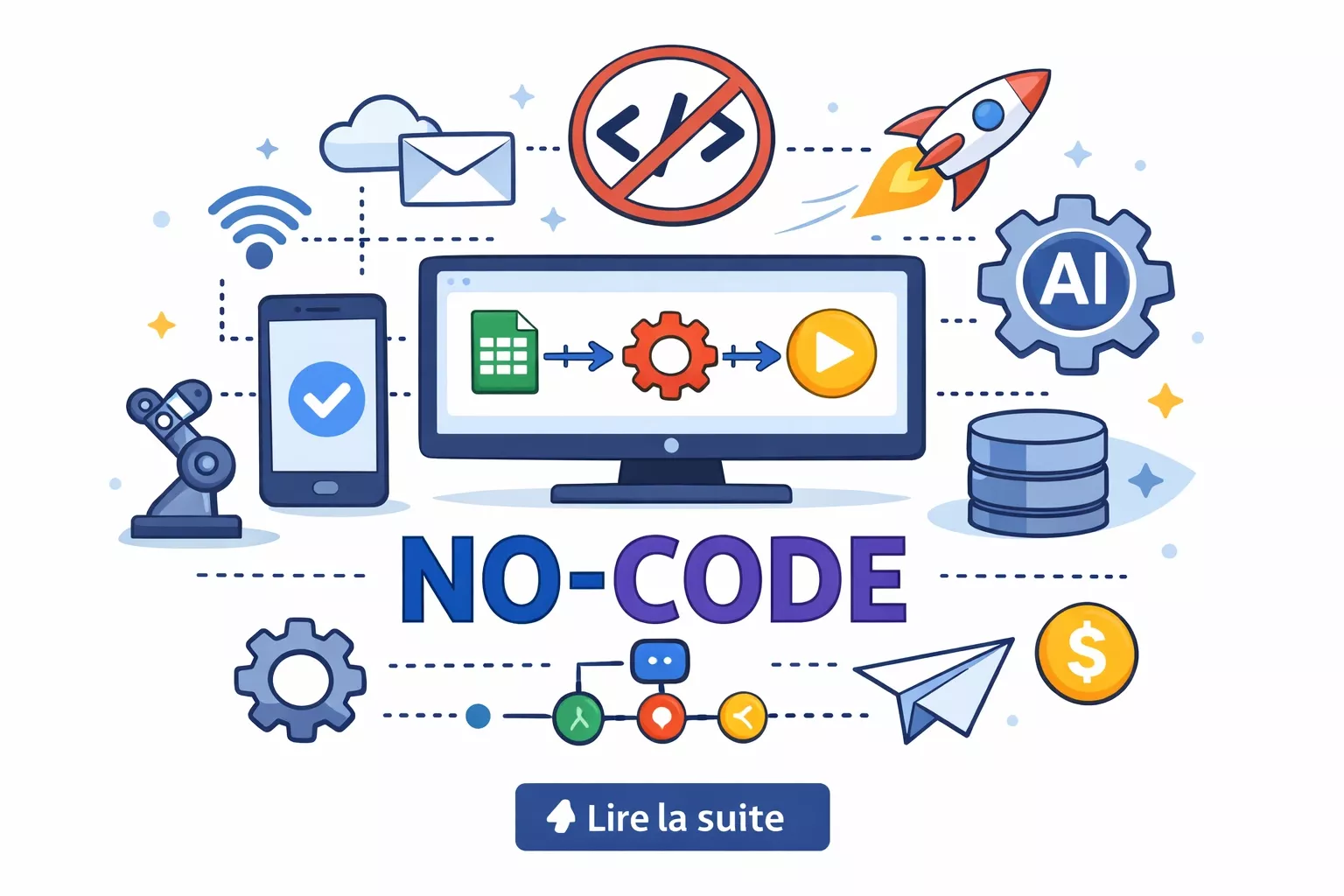
Development: For most of computing history, building software required knowing how to write software. If you had a problem that a custom application could solve, you needed a developer, a budget, and weeks or months of build time.
The no-code movement did not eliminate this constraint entirely, but it shifted it dramatically enough to change who can participate in software creation - and that shift has real consequences for how businesses operate, how products get built, and what the word 'developer' will mean over the next decade.
No-code platforms have matured from simple form builders and basic drag-and-drop website tools into systems capable of building genuine SaaS products, mobile applications, internal business tools, and customer-facing portals without writing code by hand.[7]
Gartner projected the global low-code/no-code development platform market at $26.9 billion by 2023, growing from $13.8 billion in 2021 - one of the fastest expansions in enterprise software. Webflow hosts millions of production websites.
Bubble powers actual subscription businesses generating real revenue. Glide has turned thousands of spreadsheets into functional apps used by real users in real workflows. The capability is genuine, not a toy.
But the marketing surrounding no-code frequently overstates what is achievable, and the gap between what a platform can technically demonstrate in a demo and what it can deliver reliably, scalably, and economically at production scale is significant.
Understanding that gap clearly is worth more than either enthusiastic adoption or reflexive dismissal. This article explains what no-code development is, surveys the major platforms honestly, examines what can and cannot be built without code, and is direct about where no-code still breaks down.
The question is not whether no-code is 'real' development. The question is whether it is the right tool for the problem you have right now, with the team you have right now. That answer changes as your product matures.
Key Definitions
No-code development: Building functional software applications through visual interfaces, configuration, and point-and-click tools, without writing any programming code.
Low-code development: Building software through visual tools that also expose developer-accessible programming surfaces - custom code blocks, API calls, formula layers, or scripting - for cases where the visual layer is insufficient.
Citizen developer: A non-IT employee who builds applications or automations using approved no-code or low-code platforms, typically to solve their own team's workflow problems without IT department involvement.[6]
Vendor lock-in: The degree to which an application built on a proprietary platform cannot be easily moved to another platform or converted to custom code. No-code platforms typically carry significantly higher lock-in than hand-written code.
Visual programming: A broad category of software creation using graphical representations - flowcharts, node graphs, drag-and-drop element placement - instead of textual source code.
Technical debt: The accumulated cost of shortcuts, workarounds, and suboptimal design decisions that must eventually be addressed. No-code platforms can accumulate visual workflow debt just as codebases accumulate code debt - complex, interdependent logic that becomes difficult to modify without breaking something.
No-Code vs Low-Code vs Traditional Development
The three development paradigms exist on a spectrum, and the distinction matters when choosing an approach for a real project.
| Dimension | No-Code | Low-Code | Traditional Development |
|---|---|---|---|
| Who builds it | Non-technical users, business analysts | Developers + technically literate business users | Professional software developers |
| Time to first working product | Hours to days | Days to weeks | Weeks to months |
| Customisation ceiling | Low-moderate (platform constraints apply) | Moderate-high (code fills the gaps) | No ceiling |
| Scalability | Limited to platform infrastructure | Moderate; custom code sections can be optimised | Full control |
| Vendor lock-in | High (logic and data stay in the platform) | Moderate | Low (code is portable) |
| Long-term cost | Subscription scales with usage | Subscription + developer time | Infrastructure + developer salaries |
| Maintenance | Platform handles hosting and updates | Shared between platform and developer | Developer team handles everything |
| Best for | MVPs, internal tools, marketing sites, automations | Enterprise tools, mid-complexity apps, rapid iteration | Complex systems, high-traffic applications, unique requirements |
The table reveals the core trade-off: no-code optimises for speed and accessibility at the cost of flexibility and long-term control. This is the correct trade-off in many situations and the wrong trade-off in others. The discipline is knowing which situation you are in.
A useful framing comes from Paul Graham's distinction between "good" and "bad" shortcuts.[16] A shortcut that delays a decision until you have more information is good. A shortcut that commits you to a path before you have enough information is bad.
No-code platforms are good shortcuts when you genuinely do not yet know what your product needs to do. They become bad shortcuts when you build production infrastructure on them before validating whether the platform can support your eventual scale and complexity requirements.
Platform Comparison: The Major No-Code Tools Honestly Assessed
The no-code platform market has fragmented into specialists. No single platform serves every use case, and choosing the wrong platform for your project creates technical debt that is painful to unwind.
| Platform | Primary Use Case | Pricing (2024) | Scalability | Learning Curve | Vendor Lock-In Risk |
|---|---|---|---|---|---|
| Webflow | Marketing sites, CMS-driven publications, agency client sites | Free tier; Paid from $14/mo (site) to $39/mo; Enterprise custom | High for static/CMS content; low for app logic | Moderate (visual CSS knowledge helps) | Moderate (CMS is proprietary but content is exportable) |
| Bubble | Full-stack web applications, SaaS products, marketplaces | Free tier; Starter $29/mo; Growth $119/mo; Team $349/mo | Moderate; struggles above ~10,000 concurrent users | Steep | High (logic is non-portable) |
| Glide | Simple data-backed apps from spreadsheets, staff tools, directories | Free (5 users); Starter $49/mo; Pro $99/mo | Low-moderate; designed for smaller teams | Low | Moderate |
| Softr | Member portals, client dashboards on Airtable or Google Sheets | Free tier; Basic $49/mo; Professional $99/mo | Low-moderate | Low | Moderate |
| Adalo | Native-ish mobile apps with visual builder | Free (watermark); Starter $45/mo; Professional $65/mo | Low; primarily suited to simple data apps | Moderate | Moderate-High |
| AppGyver / SAP Build Apps | Enterprise-grade mobile and web apps, complex logic | Free (post-SAP acquisition); enterprise licensing | High (SAP infrastructure) | Steep | High (SAP ecosystem) |
| Retool | Internal tools, admin dashboards, data operations (low-code) | Free (5 users); Team $10/user/mo; Business $50/user/mo | High for internal tools | Moderate-High (requires SQL/API knowledge) | Moderate |
| n8n / Make (Integromat) | Workflow automation, system integration | n8n: self-hosted free / cloud from $20/mo; Make: free tier to $29/mo+ | High (n8n self-hosted) | Moderate | Low (n8n is open source) |
Webflow: The Professional Website Builder
Webflow occupies a unique position among no-code tools because it produces code-quality output.[10] Its visual CSS/HTML editor generates clean, semantic markup - not the bloated, override-heavy output of Wix or legacy Squarespace.
A skilled Webflow designer can produce a website visually and technically indistinguishable from hand-coded work, with complex scroll-triggered animations, CMS-driven content architecture, and responsive layouts.
Webflow is the right choice for marketing websites, editorial publications, agency client sites, and portfolio work. It is not a web application platform.
There is no native user authentication for individual accounts, no transactional database for user-generated data, and logic beyond basic form submissions requires third-party integrations (MemberStack, Outsetta, Memberful for gating).
For anything requiring users to log in and interact with stored personal data, Webflow needs to be paired with another platform.
Webflow's March 2022 Series C funding round at a $4 billion valuation - backed by Accel and other institutional investors - reflects genuine enterprise traction.
The company reported that 3.5 million designers and agencies had built sites on the platform, and its Enterprise plan has attracted companies like IDEO, Zendesk, and Getty Images for marketing properties.
Bubble: Full-Stack Web Applications
Bubble is the most capable no-code platform for building genuine web applications. It provides a complete visual stack: front-end interface builder, proprietary relational database, workflow engine for business logic, user authentication, and an API connector.
Companies built on Bubble have raised venture funding and served tens of thousands of users for years.
Notable companies and products built substantially on Bubble: Comet (a French freelancer marketplace for tech talent that processed significant transaction volume before migrating), Dividend Finance, and numerous SaaS products in their early stages.
The pattern is consistent: Bubble is an excellent product-market fit validation tool that companies frequently outgrow when they need performance optimisation and database control that the platform cannot provide.
Bubble's performance limitation is architectural.[9] Its database cannot be tuned with custom indexes, query plans, or stored procedures the way PostgreSQL can. Pages with many dynamic elements load slowly under load. At scale, this matters.
The migration path off Bubble is the other major risk: application logic lives inside Bubble's proprietary workflow system and cannot be exported as code.
If Bubble raises prices dramatically, changes product direction, or experiences extended downtime, your application has no straightforward escape route. That is a real business risk that deserves weight in the decision to build on it.
The community around Bubble is one of its genuine assets. The Bubble Forum and active ecosystem of plugins, templates, and consultants means that most common problems have publicly documented solutions.
For a solo founder or small team without developer resources, this community infrastructure meaningfully reduces the effective cost of building on the platform.
Glide and Softr: Apps From Existing Data
Glide and Softr serve a distinct and genuinely valuable use case: turning structured data that already exists - in Google Sheets, Airtable, or SQL databases - into usable applications.
The typical deployment: a team has been managing operations in a spreadsheet and needs a cleaner interface for field staff, customers, or partners. Glide or Softr can deliver that interface in hours rather than weeks.
Glide is strongest for internal tools and simple client-facing apps: maintenance tracking systems, staff directories, field service apps, event check-in tools, and small inventory systems. Softr specialises in member portals, client dashboards, and community tools built on Airtable.
Neither platform is suited to applications requiring sophisticated conditional logic, complex relational data modelling, or high traffic volumes.
Glide's pricing model changed significantly in 2023, shifting from per-app to per-user billing, which surprised some existing customers with significant cost increases.
This episode illustrates the vendor lock-in risk in practical terms: when a platform changes its pricing model, customers who have built core operational tools on it have little leverage and limited migration options.
What You Can and Cannot Build Without Code
Honest enumeration of the current boundaries is more useful than either dismissal or boosterism.
Realistic no-code builds:
- Content marketing websites with CMS (Webflow)
- E-commerce storefronts with standard product catalogue and checkout (Shopify, Webflow Commerce)
- Two-sided marketplaces at early validation stage (Bubble)
- SaaS dashboards for 100-5,000 users with moderate complexity (Bubble)
- Internal team tools built on spreadsheet data (Glide, Softr, Retool)
- Automated multi-step business workflows integrating cloud apps (Make, n8n, Zapier)[12]
- Community platforms with gated content and user profiles (Circle, Softr)
- Mobile apps for field data collection and simple workflows (Glide, Adalo)
What no-code struggles with or cannot do:
- Real-time collaborative features (simultaneous multi-user editing, live chat, streaming)
- High-throughput data processing (thousands of records per second, real-time analytics at scale)
- Complex algorithmic logic (recursive calculations, graph traversal, optimisation algorithms)
- Native mobile app performance (smooth animations, offline mode, camera APIs behave differently)
- Custom security configurations (enterprise-grade encryption, penetration-testing-compliant architecture)
- Direct operating system or hardware access
- Performance-critical financial or medical applications requiring audit trails and specific data governance
The pattern: no-code is excellent for the interface, workflow, and data presentation layers of business applications, and limited when requirements push into complex computation, real-time systems, or performance-critical infrastructure.
One category deserves special attention: workflow automation. Make (formerly Integromat), n8n, and Zapier have arguably produced the highest return-on-investment category of no-code deployment in enterprise settings.
Automating multi-step integrations between cloud tools - CRM to accounting software, form submissions to database entries, calendar events to Slack notifications - eliminates hours of manual data entry per week at negligible cost.
Zapier reports that its users save an average of 10 hours per week per automation, and its enterprise tier serves over 100,000 businesses.[15]
For this class of problem, no-code automation is not merely adequate - it is often superior to custom integration code, which requires ongoing maintenance as API versions change.
Real Companies Built on No-Code
The following examples demonstrate both the real capability and the natural limits of no-code at scale.
Comet (bubble.io): A French freelancer marketplace for tech talent. Built on Bubble, grew to significant user volume and funding rounds. Eventually migrated to custom code as database performance limitations became incompatible with growth requirements.
The Bubble phase accomplished product validation and early growth; the migration was a deliberate maturity step, not a failure. Comet's CTO has stated publicly that the Bubble phase reduced their time to market by an estimated 12 months compared to building on custom infrastructure from the start.
Dividend Finance: An internal tooling system for a financial services company built with Bubble that handled loan origination workflows, reducing custom development time significantly for an internal audience.
Numerous agency client sites (Webflow): Marketing agencies building client sites on Webflow represent perhaps the largest category of no-code commercial deployment, often indistinguishable from custom-coded alternatives and maintained with far lower ongoing developer cost.[11]
The Webflow Partner Program lists thousands of agencies that have built their entire service delivery model around Webflow, treating it not as a compromise but as a genuinely superior tool for their specific category of work.
Enterprise workflow automation (Make/n8n): Large organisations using Make or n8n to integrate dozens of cloud systems - CRMs, ERPs, communication tools, databases - without writing integration code.
This is arguably the highest-ROI category of no-code deployment, replacing months of API integration work with hours of visual workflow design.
Product Hunt: One of the most-cited early examples of a successful product built substantially on no-code infrastructure, Ryan Hoover built the initial Product Hunt with a combination of third-party tools (Linkydink, initially) before moving to custom code once the concept was validated.[17]
The pattern - validate with no-code, scale with custom - has become something of a standard playbook for lean startup teams.
The Citizen Developer Trend
Gartner predicted in 2023 that by 2026, citizen developers will outnumber professional developers at large enterprises by a ratio of four to one.[1] This reflects a real organisational dynamic.
The backlog of software requests from business units to IT departments is chronic at most large organisations - Harvard Business Review reported in 2022 that IT backlogs average 18 months at Fortune 500 companies.[4]
No-code and low-code platforms allow business users to bypass that backlog by building their own solutions for problems they understand better than IT does.
The benefits are real: faster problem resolution, tools designed by the people who use them daily, reduced cognitive load on central IT, and organisational literacy about what software can solve.
The risks are equally real: ungoverned citizen development creates shadow IT - applications handling sensitive data without security review, built without data governance training, and maintained by whoever originally built them.
Microsoft's Power Platform provides a useful case study at enterprise scale. Power Apps and Power Automate together had over 33 million monthly active users as of 2023 - the majority of them business users, not professional developers.[5]
Microsoft has invested heavily in governance tooling (the Power Platform Center of Excellence starter kit, Data Loss Prevention policies, environment management) precisely because the governance challenges became apparent as citizen development scaled within enterprise customers.
The lesson is not that citizen development is inherently ungovernable - it is that governance infrastructure must be built before broad adoption, not after incidents occur.
Organisations that succeed with citizen development establish governance frameworks before broad adoption: a list of approved platforms for different data classification levels, a review process before citizen-built applications go into production use, a support model for when citizen developers leave or change roles, and clear rules about what data can be stored in which platforms.
Market Context: The Size of the Opportunity
The no-code and low-code market has attracted significant investment and enterprise attention. Gartner's 2023 forecast put the combined low-code/no-code platform market at $26.9 billion, growing to approximately $44 billion by 2026.[2]
Forrester Research identified the low-code platform market as one of the fastest-growing enterprise software categories.[3]
Salesforce's acquisition of Slack and investment in Flow, Microsoft's Power Platform (used by more than 33 million people monthly as of 2023), and Google's AppSheet acquisition all reflect enterprise platform vendors' conviction that visual development is a permanent and growing part of the software creation landscape.
The developer shortage provides a structural backdrop. The OECD reports that software development skills are among the most acutely scarce in the global labor market.[8]
In this context, no-code platforms are not merely a convenience - they are a partial structural response to a genuine resource constraint that cannot be solved by training alone within normal hiring timelines.[13]
This matters for career planning. The question 'will no-code replace developers?' misunderstands the dynamic.
No-code expands the population of people who can build useful things with software, while simultaneously increasing demand for developers who can architect systems that no-code tools connect to, extend, and eventually hand off to when they hit their limits.
The career implication for professional developers is that no-code reduces demand for low-complexity CRUD application development while increasing demand for the architectural, API design, performance engineering, and security work that no-code cannot touch.
When to Use No-Code vs When to Hire Developers
The decision is less about technical capability than about the stage of your product and the nature of your requirements.
Use no-code when:
- You are validating a product idea and want to minimise pre-validation investment
- The application is internal tooling for a small to medium team
- Your primary deliverable is content presentation (a marketing site, a publication, a documentation portal)
- You need to automate existing workflows between cloud applications you already use
- Speed to a working prototype matters more than long-term flexibility
- You do not have developer resources and timeline does not permit hiring
Hire developers when:
- You have validated product-market fit and are scaling past a few thousand users
- Your application requires real-time features, complex computation, or performance-critical operations
- You are in a regulated industry with specific security or audit requirements
- Your product logic is complex enough that no-code workflow editors have become the primary source of maintenance burden
- Platform costs have grown to a point where developer infrastructure would be cheaper over a 12-24 month horizon
- You are building a competitive product where technical differentiation is itself a value driver
A practical trigger point worth tracking: when your no-code platform subscription cost exceeds approximately $500 per month, the economics of custom infrastructure begin to become competitive when developer time is included in the comparison.
This threshold varies by platform and usage pattern, but the directional principle is useful as a prompt to revisit the build-vs-buy decision.
Limitations: The Honest Version
Performance ceilings: Every no-code platform adds abstraction layers. The platform's runtime interprets visual configuration into database queries and server logic at execution time. This overhead is negligible for small applications and materially costly for high-traffic, data-intensive ones.
There is no no-code equivalent of a carefully optimised PostgreSQL query with appropriate indexing, connection pooling, and caching strategy.
Bubble's own documentation acknowledges that complex workflows with many database operations can approach response times of several seconds - acceptable for some internal tools, unacceptable for consumer-facing products competing on user experience.
Vendor lock-in: When a platform raises prices by 40% (as multiple no-code platforms have done during maturity phases), has a significant outage, or is acquired and integrated into a larger platform with different pricing, you have limited options.
Your logic does not live anywhere portable. This is not a hypothetical risk - it has happened repeatedly in the no-code market.
Airtable's pricing changes in 2023, which effectively priced out smaller teams from their original tiers, forced hundreds of businesses to either absorb significant cost increases or undertake urgent migrations.
The lesson: treat vendor dependency as a risk to be managed, not an assumption to be made.
Total cost of ownership at scale: No-code subscription costs scale with usage, user counts, and feature tiers. A mature Bubble application serving substantial user volume at the Team tier ($349/month) plus hosting overhead may cost more than equivalent custom infrastructure on a cloud provider.
The initial build cost advantage must be evaluated against ongoing subscription costs over the realistic product lifetime.
The complexity wall: No-code platforms all have a complexity wall - a point at which adding another requirement requires increasingly contorted workarounds that are harder to maintain than the code they replaced. Experienced no-code builders know where this wall is for each platform and design systems that stay clear of it.
Inexperienced builders hit it and accumulate technical debt that is difficult to unwind within the platform's constraints.
In Bubble, this typically manifests as deeply nested conditional workflows and recursive data queries that become impossible to debug without extensive documentation of the original builder's intent.
AI-assisted development as a changing factor: The emergence of capable AI coding assistants (GitHub Copilot, Cursor, Claude) in 2023-2025 has altered the calculus somewhat by reducing the skill barrier for traditional code.
A technically literate non-developer who can describe requirements clearly can now produce working Python or JavaScript for many use cases with AI assistance.
This does not eliminate the value of no-code platforms - the deployment, hosting, and integrated tooling advantages remain - but it narrows the skill gap that was no-code's primary competitive justification for technical-adjacent users.
Career Implications
For non-technical founders and business professionals, no-code literacy is now a meaningful professional skill.
The ability to build and maintain a production Webflow site, create internal tools in Glide or Softr, or automate workflows in Make or n8n reduces dependency on technical resources for a wide class of problems and compresses the time from idea to working prototype.
These skills are increasingly valued in startups and product organisations.
LinkedIn's 2023 Emerging Jobs Report identified 'no-code developer' and 'automation specialist' as among the fastest-growing job titles on the platform, with average salaries for enterprise citizen developers (those building tools within large organizations using approved platforms) ranging from $65,000 to $95,000 in the US market.[14]
For professional developers, no-code reduces the market for low-complexity form-and-table CRUD application development but increases demand for the work that no-code cannot replace: API design, data architecture, performance engineering, security review, and building the backend systems that no-code platforms connect to.
The developer who understands no-code well enough to direct clients toward the right tool for their situation, and to design custom code systems that integrate with no-code frontends, is more valuable than one who has not engaged with the landscape.
Practical Takeaways
Choose no-code tools when speed of initial build matters more than long-term flexibility or performance optimisation. Webflow is the correct choice for any website that would otherwise be built in a theme-based CMS.
Bubble is the correct choice for web application prototypes and early-stage SaaS products validating market fit before infrastructure investment. Glide and Softr are correct when you need to give a user interface to data that already lives in a spreadsheet.
Take vendor lock-in seriously - document your data model and logic in a format that would survive a platform migration. Establish citizen developer governance before deploying internally-built no-code applications to production.
Revisit the no-code versus custom-code decision when platform costs exceed $500 per month, when performance is visibly affecting user experience, or when maintaining your visual workflows has become more complex than maintaining equivalent code would be.
Sources & Further Reading
- Gartner. Hype Cycle for Low-Code and No-Code Development (2023). gartner.com
- Gartner. Forecast: Low-Code Development Technologies, Worldwide (2021). gartner.com
- Forrester Research. The Forrester Wave: Low-Code Development Platforms for Professional Developers (2023). forrester.com
- Harvard Business Review. Why Your IT Department Can't Keep Up With Business Demand (2022). hbr.org
- Microsoft. Power Platform: Monthly Active User Report (2023). microsoft.com/power-platform
- Rinehart, A. The Rise of the Citizen Developer. Gartner Blog Network, 2023.
- Mendix. State of Low-Code Survey Report (2023). mendix.com
- OutSystems. The State of Application Development (2023). outsystems.com
- Bubble. Platform Architecture and Scaling Guide (2024). bubble.io/documentation
- Webflow. Webflow University: Design Systems (2024). university.webflow.com
- SAP. SAP Build: Low-Code Tools for Enterprise (2023). sap.com/build
- n8n. Self-Hosted Workflow Automation Documentation (2024). n8n.io
- US Bureau of Labor Statistics. Software Developer Occupational Outlook (2023). bls.gov
- LinkedIn. 2023 Emerging Jobs Report. linkedin.com/pulse/linkedin-jobs-rise-2023
- Zapier. Automation Statistics and Business Impact Report (2023). zapier.com
- Graham, P. (2004). Hackers and Painters. O'Reilly Media.
- Hoover, R. (2013). How Product Hunt Was Built. Medium / Product Hunt Blog.