
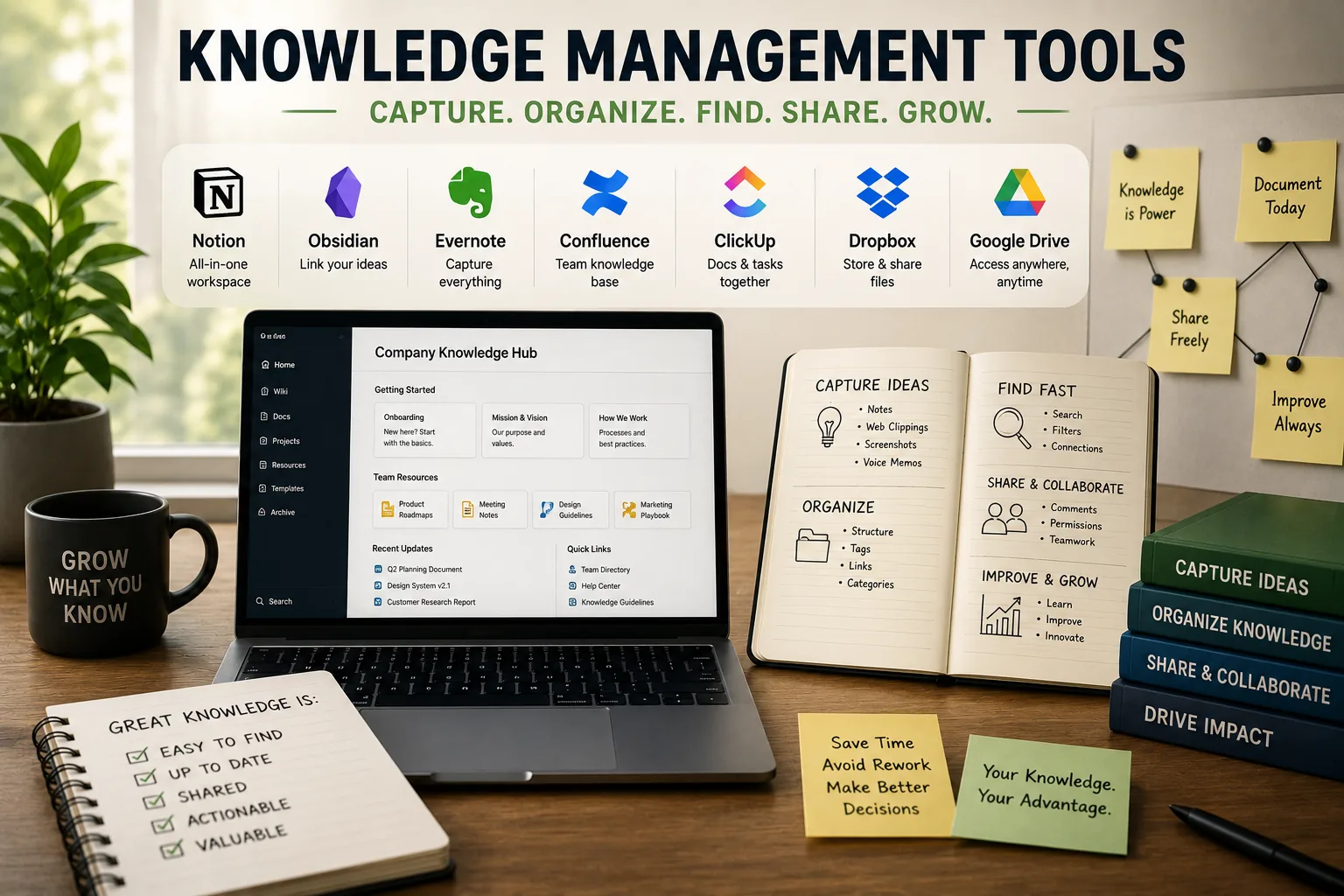
Knowledge: In 1945, Vannevar Bush, science advisor to President Roosevelt, published an essay titled "As We May Think." He envisioned a device called the Memex-a mechanized private file and library storing all of a person's books, records, and communications, with the ability to instantly retrieve and link information.
Bush imagined trails of associations between documents, anticipating hypertext and networked thinking.
Seventy-five years later, knowledge workers face a crisis Bush predicted: exponential information growth without proportional tools to manage it. The average person consumes roughly 34 gigabytes of information daily-equivalent to 174 newspapers.
We read hundreds of articles, watch dozens of videos, attend countless meetings, and encounter thousands of ideas. Yet most of this information evaporates within hours, forgotten or irretrievable when needed.
Personal knowledge management (PKM) systems-often called "second brains"-attempt to solve this crisis. These are external systems for capturing, organizing, and retrieving information, allowing biological brains to focus on processing and creating rather than remembering.
Modern tools like Obsidian, Roam Research, Notion, and Logseq enable networked note-taking, bidirectional linking, and emergent knowledge structures.
But the tool ecosystem is overwhelming. Hundreds of apps claim to revolutionize note-taking. Communities debate methodologies-Zettelkasten vs. PARA vs. progressive summarization. Users spend hours building elaborate systems, then abandon them overwhelmed. The irony: tools meant to reduce cognitive load often increase it.
This analysis examines knowledge management tools and methodologies at a technical and practical level: what defines effective knowledge management, how different tools and approaches work, what the tradeoffs are, and most critically, how to build sustainable systems that actually get used rather than becoming digital graveyards.
What Is Knowledge Management and Why Build a Second Brain?
Knowledge management is the systematic process of capturing, organizing, and retrieving information to support thinking, learning, and creating. A second brain, the term popularized by Tiago Forte, is an external system that stores that information so the biological brain is freed to focus on processing and creating instead of remembering. People build these systems because working memory and recall are limited, and a reliable external store compounds into a long-term asset for connecting ideas.
The Core Concept
Knowledge management: The systematic process of capturing, organizing, and retrieving information to support thinking, learning, and creating.
Second brain concept (popularized by Tiago Forte): An external system that stores information so your biological brain can focus on processing and creating instead of remembering. Your biological brain is for having ideas, not storing them.
Why People Build Knowledge Management Systems
1. Cognitive limits: Human working memory holds approximately 4-7 items simultaneously (Cowan, 2001). Long-term memory is vast but fallible-we forget 70% of information within 24 hours (Ebbinghaus forgetting curve). We can't remember everything we read, learn, or encounter.
An external system extends memory beyond biological constraints.
2. Information overload: Modern knowledge workers consume enormous amounts of information daily-articles, books, podcasts, videos, conversations, meetings. Without capture systems, valuable insights disappear. Reading 50 articles per month but remembering nothing from them is wasted effort.
3. Connecting ideas: New thinking emerges from combining existing knowledge in novel ways. "Creativity is just connecting things," Steve Jobs said. Knowledge management systems make connections visible and explorable. Networked notes reveal relationships between ideas that wouldn't be obvious in linear storage.
4. Reducing cognitive anxiety: Knowing information is reliably captured and retrievable reduces the mental burden of trying to remember everything.
Productivity consultant David Allen's "Getting Things Done" methodology demonstrated that trusted systems reduce stress-your mind can let go when it trusts the system will remember.
5. Compound learning: Notes from past reading and projects inform future work. Knowledge builds on itself over time. Today's notes become tomorrow's creative raw material. Without capture, every project starts from zero.
6. Creative input: Accumulated knowledge becomes raw material for writing, projects, and decisions. Writers use note systems to generate article ideas. Researchers build from accumulated sources. Decision-makers reference past analysis.
"Your mind is for having ideas, not holding them." - David Allen
What It's NOT
Not digital hoarding: Saving every article you read, every tweet you like, every video you watch-without processing-isn't knowledge management. It's accumulation. The goal is useful retrieval, not complete archives.
Not perfect organization: Spending more time organizing notes than using them misses the point. Organization should serve retrieval and use, not be an end itself. Systems should be barely organized-just enough structure to find things later.
Not a substitute for thinking: Tools don't create insights; you do. A knowledge management system is scaffolding for thought, not replacement for it. Processing information into your own words and making connections requires cognitive effort. No tool automates insight.
Not a magic solution: Buying Obsidian or Roam Research doesn't make you more creative or productive. The system works only through consistent use and disciplined practice. The tool is 10% of the equation; habits are 90%.
Core Knowledge Management Activities
1. Capture: Save interesting information-articles, quotes, ideas, meeting notes-into your system. Quick capture without friction is critical. If capturing is cumbersome, you won't do it.
2. Process: Summarize in your own words, extract key insights, add context. Processing transforms raw information into knowledge. Copying and pasting isn't processing-paraphrasing forces understanding.
3. Connect: Link related ideas together. Connections create context and enable serendipitous discovery. Without links, notes remain isolated fragments.
4. Create: Use accumulated knowledge to produce new work-writing, projects, presentations, decisions. Output validates and reinforces the system. Knowledge management without output is just collection.
The Core Problem Most Systems Face
Reality: Most people over-capture and under-utilize. They save hundreds of articles, highlight dozens of passages, create thousands of notes-then never reference them again. Their knowledge management system becomes a growing collection that provides psychological comfort ("I saved it so I won't forget") but no actual value.
Better approach: Capture selectively (only what's truly useful), process actively (write in own words), and use frequently (reference for projects, writing, decisions).
The best test: Does your system help you produce better work, make better decisions, or learn more effectively? If it's just a growing collection you never reference, it's not working.
Tool Landscape: Obsidian, Roam, Logseq, Notion, and Beyond
The Networked Note-Taking Revolution
Traditional note-taking apps (Evernote, OneNote, Apple Notes) organize notes hierarchically-folders within folders, linear notebooks. They mirror physical filing cabinets.
Networked note-taking apps (Roam Research, Obsidian, Logseq) organize notes through bidirectional links-notes reference each other, creating a web of knowledge. This mirrors how human memory works-associative networks, not hierarchical file structures.
| Tool | Storage | Pricing | Best For | Learning Curve |
|---|---|---|---|---|
| Obsidian | Local Markdown files | Free (sync $10/mo) | Power users, offline-first | Medium-high |
| Roam Research | Cloud | $15/month | Daily notes, researchers | High |
| Logseq | Local or cloud | Free (open source) | Privacy-focused, Obsidian-like | Medium |
| Notion | Cloud | Free/$8-$16/mo | Teams, all-in-one | Low-medium |
| Apple Notes | Local/iCloud | Free | Quick capture, Apple users | Very low |
| Evernote | Cloud | Free/$14.99/mo | Clipping, multi-device | Low |
| Bear | Local/iCloud | Free/$2.99/mo | Writers, Markdown, Apple | Low |
Obsidian: Local-First Power Tool
Architecture: Markdown files stored locally on your computer. You own your data completely. No vendor lock-in.
Key features:
- Local storage: Files are plain text Markdown on your device. No cloud dependency. Works offline permanently. Can sync via iCloud, Dropbox, or Obsidian Sync service.
- Bidirectional linking:
[[Note Title]]creates link. Backlinks panel shows all notes referencing current note. - Graph view: Visual representation of note connections. See clusters of related ideas.
- Plugin ecosystem: Community has built hundreds of plugins-calendar view, Kanban boards, flashcards, Git integration, advanced tables, Dataview for querying notes like database.
- Performance: Fast even with tens of thousands of notes. Local files respond instantly.
- Customization: Themes, CSS snippets, community plugins enable deep customization.
Pricing: Free for personal use. Sync service ($10/month) and Publish service ($20/month) are optional paid features.
Best for: Privacy-conscious users, power users who want customization, developers comfortable with Markdown and plain text, anyone wanting data ownership, people building very large note systems (10,000+ notes).
Limitations: Steeper learning curve than simpler tools. Mobile experience less polished than desktop. Real-time collaboration difficult (designed for individual use). Plugin reliance can create complexity.
Technical note: Obsidian uses Electron framework (web technologies wrapped as desktop app). Notes are stored as individual .md files in a vault (folder). Internal links use [[wikilink]] syntax. Metadata stored in YAML frontmatter. The .obsidian folder contains app configuration, plugins, and caches.
Roam Research: Cloud-Based Networked Thinking
Architecture: Cloud-based proprietary database. All notes stored on Roam's servers. Accessed via web browser or mobile app.
Key features:
- Block-based structure: Every bullet point is a block that can be independently referenced. Unlike Obsidian's page-level links, Roam enables block-level granularity.
- Automatic backlinking: As you type
[[page]], Roam automatically creates bidirectional link. Typing((block reference))embeds block from another page. - Daily notes default: Opens to today's page automatically. Encourages chronological logging.
- Real-time collaboration: Multiple users can edit same graph simultaneously. Changes sync instantly.
- Powerful queries: Built-in query language for filtering and displaying notes dynamically.
- Graph visualization: Interactive graph showing page connections.
Pricing: $15/month or $165/year. Expensive compared to competitors. No free tier (offers 31-day trial).
Best for: Researchers, writers, academics, teams collaborating on knowledge projects, people who think in outlines and bullets, daily note-takers who journal chronologically, users wanting multiplayer features.
Limitations: Expensive pricing excludes many users. Vendor lock-in-export is Markdown but structure doesn't perfectly transfer. Performance degrades with very large graphs (20,000+ blocks). Complexity-many features go unused. Subscription model means costs accumulate indefinitely.
Technical note: Roam uses Clojure backend with Datomic database (immutable time-based database). Every edit is recorded with timestamp, enabling time-travel and audit trails. Block references use unique identifiers, not text matching.
Logseq: Open Source Roam Alternative
Architecture: Open source, local-first, stored as Markdown or Org-mode files. Combines Obsidian's data ownership with Roam's outliner structure.
Key features:
- Outliner-based: Like Roam, focuses on bullets and blocks as primary structure. Every bullet is addressable block.
- Local-first: Files stored on your device. Sync via iCloud, Dropbox, Git, or Logseq Sync service.
- Daily notes default: Opens to today's page, encouraging chronological journaling.
- Bidirectional linking and block references:
[[page]]for pages,((block reference))for blocks. - Graph view: Visualize note connections.
- Task management: Built-in TODO, DOING, DONE workflow. Queries can aggregate tasks from across graph.
- Open source: Code publicly available. Community-driven development. No vendor control.
- Multiple storage options: Local files, Git repositories, or Logseq cloud sync.
Pricing: Free and open source. Optional Logseq Sync service (~$5/month) for cloud sync.
Best for: Users wanting Roam workflow without subscription cost, open source advocates, privacy-conscious with cloud sync option, people integrating note-taking with task management, students and researchers on limited budgets.
Limitations: Less mature than Obsidian or Roam-occasional bugs and rough edges. Smaller plugin ecosystem than Obsidian. Learning curve for outliner-based thinking if accustomed to document-based notes. Performance can lag with very large graphs.
Technical note: Built with ClojureScript and Electron. Uses Datascript (in-memory database) for fast querying. Files stored as .md with block-level metadata. Git integration enables version control and collaboration.
Notion: All-in-One Workspace
Architecture: Cloud-based proprietary platform. Combines notes, databases, wikis, project management, and collaboration.
Key features:
- Databases: Tables, boards, galleries, lists, calendars-all interconnected with relational properties.
- Flexible blocks: Every element (text, image, embed, database) is a block that can be rearranged.
- Templates: Extensive template system for reusable structures.
- Collaboration: Real-time editing, comments, mentions, permissions.
- Embedding: Embed external content (Google Docs, Figma, GitHub, etc.).
- Publishing: Publish pages as public websites.
Pricing: Free personal plan with upload limits. Paid plans ($8-$15/user/month) remove limits and add features.
Best for: Teams needing shared workspaces, project management combined with documentation, visual thinkers who like databases and views, users wanting all-in-one platform (notes + tasks + wikis + databases), non-technical users (more user-friendly than Obsidian/Logseq).
Limitations: Vendor lock-in-export is messy, structure doesn't transfer well. Performance issues with large workspaces (slow loading). Limited offline support. Bidirectional linking exists but is weaker than specialized networked tools. Proprietary format makes migration difficult.
When to choose Notion over networked tools: If you need databases, project management, team collaboration, and visual organization more than pure networked thinking. Notion is better workspace platform; Obsidian/Roam/Logseq better knowledge management systems.
Other Notable Tools
RemNote: Spaced repetition flashcards integrated with notes. Best for students studying for exams using active recall.
Mem: AI-powered note-taking with automatic tagging and connections. Attempts to reduce manual linking overhead.
Reflect: Networked notes with end-to-end encryption and AI-powered connections. Simpler than Roam/Obsidian, more privacy than Notion.
Craft: Beautiful design-focused notes for Apple ecosystem. Combines document elegance with basic linking.
Capacities: Object-based note-taking (people, books, projects as typed objects). Alternative to free-form networked notes.
Supernotes: Notecard-based system. Each note is small card that can be linked and tagged.
Organization Methods: Folders vs. Tags vs. Links
The Three Organizational Paradigms
Different tools enable different organizational approaches. Traditional apps enforce hierarchical folders. Modern apps enable tags and links. Understanding tradeoffs helps choose appropriate methods.
Folders: Hierarchical Organization
Structure: Nested categories like file systems. Projects/Work/Client A/Research/ creates explicit hierarchy.
Characteristics:
- Exclusive placement: Each note exists in one location. Deciding where note "belongs" is required.
- Pre-determined structure: Must decide organization before creating content.
- Familiar paradigm: Matches physical filing cabinets and computer file systems. Intuitive to most users.
- Navigation-based retrieval: Find notes by remembering folder path.
Best for: Clear, distinct categories. Formal documentation. Team wikis with established structure. Work contexts with regulatory or organizational requirements.
Problems:
- Forced choice: Many notes could fit multiple folders. Where does meeting about project strategy that discusses technical architecture belong-Projects or Technical?
- Rigid: Reorganization is painful. Moving notes between folders breaks relative links and requires updating.
- Forgotten notes: Out of sight, out of mind. Notes buried in deep folder hierarchies rarely resurface.
- Navigation overhead: Requires remembering folder structure. Multiple clicks to reach nested notes.
Tags: Multi-Dimensional Labels
Structure: Flat labels applied to notes. A note can have many tags: #productivity #tools #research #to-review.
Characteristics:
- Non-exclusive: Notes can have multiple tags, existing in multiple conceptual categories simultaneously.
- Add after creation: Tags can be applied retroactively. Don't need to decide structure upfront.
- Filter and combine: Find all notes with specific tag or combination (notes tagged both
#productivityand#research). - Flat structure: No hierarchy. All tags are equal (though some tools support nested tags like
#project/activeand#project/archived).
Best for: Cross-cutting themes that span multiple areas. Status markers (#todo, #done, #in-progress). Flexible categorization where notes belong to multiple contexts. Filtering large collections.
Problems:
- Tag explosion: Easy to accumulate hundreds of inconsistent tags over time.
- Maintenance burden: Synonyms and overlap (
#productivityvs.#efficiencyvs.#performance). Inconsistent naming (#MLvs.#machine-learning). - Forgotten tags: Don't remember which tags exist, so create duplicates or don't use consistently.
- Still requires discipline: Messy tags are as useless as messy folders. Need tagging conventions and periodic cleanup.
Links: Networked Organization
Structure: Notes reference related notes explicitly, creating a web of connections. Organization emerges from relationships.
Characteristics:
- Explicit connections:
[[Related Note]]creates link. Bidirectional linking shows backlinks (what links here). - Emergent structure: Organization isn't predetermined-it emerges from actual relationships between ideas.
- Contextual: Links often include context about why notes are related. "This concept applies to [[Project X]] because..."
- Multiple access paths: Same note accessible via different connection paths. No single "correct" location.
Best for: Research and learning. Connecting ideas across domains. Knowledge work where relationships matter. Writing from notes (follow link trails to gather related material). Exploratory thinking.
Benefits:
- Discovery: Following links surfaces relevant notes you'd forgotten. Serendipitous retrieval.
- Context: See how ideas relate to each other. Understanding deepens through connection.
- Flexibility: Same note accessed from multiple conceptual starting points.
- Compound knowledge: Ideas build on each other through explicit references.
Problems:
- Requires linking discipline: Must remember to link while writing. If you don't create links, network doesn't exist.
- Orphaned notes: Notes never linked effectively lost. Search might find them, but they won't surface through exploration.
- Overwhelming: Hundreds of backlinks can be noisy. Not all connections are equally valuable.
- Maintenance: Relationships change over time. Links need periodic review and pruning.
Modern Approach: Hybrid Organization
Most effective systems combine all three methods strategically:
Minimal folders for broad categories:
- PARA method (Tiago Forte): Projects (active, time-bound), Areas (ongoing responsibilities), Resources (reference material), Archives (completed/inactive).
- Alternative: Inbox (unprocessed), Active (current), Reference (permanent), Archive (done).
- Purpose: Broad containers, not detailed hierarchy. Usually 3-7 top-level folders maximum.
Strategic tags for status and type:
- Status markers:
#draft,#published,#to-review,#complete - Content types:
#meeting-notes,#book-summary,#project-plan,#idea - Not for content: Avoid tags describing note content-that's what links and full-text search handle better.
Heavy linking for relationships:
- Link liberally to related notes. When writing about a concept, link to notes about that concept.
- Use backlinks to discover connections. When looking at note, scan backlinks to see what references it.
- Create "hub notes" or "maps of content" that link to related notes on a theme.
Search as primary retrieval:
- Modern full-text search finds notes quickly without remembering organization.
- Search for keywords, then follow links from results to related material.
- Organization serves discovery, not search-links surface related notes search wouldn't find.
Best Practices
Start simple: Can always add complexity later. Begin with flat structure and liberal linking. Let organization emerge from use.
Optimize for retrieval: When capturing, ask "How will I find this later?" Optimize note titles, first lines, and links for future rediscovery.
Let structure emerge: Don't over-organize empty system. Create structure as actual usage patterns reveal what's needed.
Regular review: Weekly review what's working. Simplify what's not. Prune obsolete tags, consolidate duplicates.
Reality check: Most people over-organize and under-use. They spend hours on perfect folder hierarchies, elaborate tag taxonomies, and intricate link graphs-then never reference notes. Better to capture useful ideas and actually use them in work. Perfect organization doesn't matter if notes never get read.
Zettelkasten: The Original Networked Note-Taking System
What Zettelkasten Is
Zettelkasten (German: "slip box" or "note box"): A note-taking method where notes are atomic (one idea each), connected via links, and built up over time to create emergent insights.
Historical context: Developed by German sociologist Niklas Luhmann (1927-1998) who published 70 books and 400 articles over his career. He attributed his productivity to his Zettelkasten-a physical system of approximately 90,000 index cards with handwritten notes, each connected to related cards via numeric IDs.
Luhmann described his Zettelkasten as a "conversation partner"-a thinking tool that surprised him with connections he hadn't consciously planned.
"I never force myself to do anything I don't feel like. Whenever I am stuck, I do something else." - Niklas Luhmann
Core Principles
1. Atomicity: One idea per note. Each note should be understandable in isolation. Not "Meeting notes from January 15" with 30 disjointed bullet points, but individual notes for each distinct idea from that meeting.
Why: Atomic notes can be linked and combined flexibly. Monolithic notes resist reuse.
2. Autonomy: Each note is a complete thought, not dependent on surrounding context. Should include enough detail that future-you understands it without additional context.
Why: Context-dependent notes become incomprehensible over time as you forget the context.
3. Connectivity: Connect related notes explicitly via links. Add links when creating notes and when encountering related ideas later.
Why: Isolated notes don't generate insights. Connections reveal patterns and relationships.
4. Own words: Don't copy-paste quotes. Paraphrase and process in your own thinking. Include quotes sparingly for exact wording.
Why: Processing information into own words creates understanding. Copy-pasting is collection, not thinking.
5. Permanent notes: Notes are lasting knowledge contributions, not temporary scratchpad. Refined enough to be useful months or years later.
Why: Temporary notes degrade into incomprehensible fragments. Permanent notes compound value over time.
6. Bottom-up structure: Structure emerges from notes and connections, not imposed top-down. Don't create elaborate category systems before having notes.
Why: Pre-determined structures are either too rigid (notes don't fit) or too broad (everything fits, so meaningless). Structure that emerges from actual notes reflects reality.
The Three Note Types
1. Fleeting notes: Quick captures of ideas in the moment. Temporary-meant to be processed into permanent notes within a day or two. Think of them as inbox items.
Example: "Interesting point about attention vs. time in productivity" written hastily during podcast.
2. Literature notes: Processed summaries from sources (books, articles, videos) in your own words. Include source citation. These are your understanding of what author said, not author's words.
Example: "Newport (Deep Work): Time spent matters less than attention quality. Shallow work fills time without proportional output. Deep work produces disproportionate value."
3. Permanent notes: Refined insights integrated into your knowledge system with links to related notes. These are your original thinking, often synthesized from multiple literature notes and your own ideas.
Example: "Productivity confusion: time vs. output vs. attention quality. Most productivity advice optimizes time (work more hours) or output (produce more). Better metric: attention quality during work-undistracted focus produces exponentially better results per hour.
Links: [[Deep Work]], [[Flow States]], [[Context Switching Cost]], [[Attention Management]]."
Implementation Workflow
1. Capture: Write fleeting notes as you encounter ideas throughout the day. These are quick and rough-just enough to remember the idea.
2. Process daily: Convert fleeting notes to literature notes (if from external source) or permanent notes (if your own thinking). This shouldn't take more than 15-30 minutes daily.
3. Connect: As you create permanent notes, link to existing related notes. When reviewing old notes, add links to new related notes. Links should be explicit and sometimes include brief context about the relationship.
4. Develop ideas: Follow link chains. Explore connections. Expand on connected thoughts. Write permanent notes that synthesize across multiple linked notes.
5. Create from notes: Writing articles, blog posts, books, or project documentation emerges from accumulated connected notes. You don't start from blank page-you assemble and refine existing notes.
Digital Zettelkasten Implementation
Tools: Obsidian, Logseq, Roam Research, or even plain text files in a folder with naming conventions.
Requirements: Note creation, bidirectional linking, backlinks visibility, full-text search.
Note identification: Some practitioners use unique IDs for notes (202401141530 timestamp, or sequential 1a2b3c). Others use descriptive titles. IDs ensure unique reference; descriptive titles improve discoverability. Modern tools handle both-use descriptive titles with auto-generated IDs in background.
Folder structure: Minimal. Often just "Inbox" for processing and "Permanent" for finished notes. Some add "Literature" for source notes. Structure should not require decisions when capturing.
Is Zettelkasten Worth the Effort?
It depends on your work and goals. Zettelkasten pays off for people who research, write extensively, or work with complex interconnected ideas and want to build on their learning over time. It is probably overkill if you mainly need a quick reference system for tasks, take short-term notes like meeting notes and to-dos, or prefer minimal note-taking.
Zettelkasten is valuable if you:
- Conduct research-academic, professional, or personal
- Write extensively-blog, books, essays, documentation
- Work with complex ideas that interconnect
- Want to remember and build on learning over time
- Produce original thinking that synthesizes existing knowledge
Zettelkasten is probably overkill if you:
- Need quick reference system for tasks and projects
- Take notes primarily for short-term use (meeting notes, to-dos)
- Don't write or research extensively
- Prefer minimal note-taking systems
Benefits When Done Well
1. Never start from blank page: Accumulated notes provide starting points for writing. Instead of "What should I write about?", you browse notes and assemble existing thinking into new structures.
2. Surprise connections: Linking surfaces unexpected relationships. Following link trails reveals connections between ideas you hadn't consciously planned. This is Luhmann's "conversation partner" effect-the system shows you relationships.
3. Compound learning: Knowledge builds and reinforces over time. Today's note links to past notes, creating conceptual scaffolding. New learning integrates with existing understanding.
4. Deep processing: Writing notes in your own words forces understanding. Cannot paraphrase what you don't understand. This is desirable difficulty (Bjork, 1994)-effortful processing creates durable learning.
Common Challenges
1. Time investment: Processing notes takes time upfront. Reading article might take 20 minutes; processing into permanent notes might take another 20. Double the time investment.
2. Delayed gratification: Value appears after months or years of accumulation, not immediately. This discourages people accustomed to instant results.
3. Discipline required: System works only with consistent use. Capturing without processing creates overwhelming inbox. Not linking creates isolated notes. Irregular use breaks compound effect.
4. Learning curve: Principles sound simple but practice is nuanced. Determining what makes "atomic" note takes experience. Knowing when and how to link develops over time.
Common Mistakes
1. Copy-pasting instead of processing: Saving highlighted passages isn't Zettelkasten-it's collection. Must paraphrase in own words.
2. Hoarding notes never linked or used: Creating thousands of notes feels productive but provides no value unless notes are connected and referenced for projects.
3. Perfect note-taking instead of using notes to create: Spending hours perfecting notes without producing output misses the point. Notes are for generating work, not being perfect.
4. Making system too complex: Intricate numbering schemes, elaborate folder structures, complex tagging taxonomies-complexity inhibits use. Simple systems get used; complex ones get abandoned.
Simplified Practical Approach
1. Write notes in your own words: Paraphrase, don't copy-paste.
2. Link to related notes when writing: As you reference concepts, link to notes about those concepts.
3. Review and expand notes regularly: Weekly review of recent notes. Follow links to review connections. Add new links as you think of them.
4. Actually use notes for projects and writing: Reference notes when writing blog posts, making decisions, or working on projects. Output validates the system.
Reality check: Zettelkasten is a tool for serious knowledge work-researchers, writers, long-term learners pursuing mastery. If you just need to remember tasks or log meeting notes, simpler systems work better (to-do app and simple note-taking).
Don't implement Zettelkasten because it's trendy-implement it because you genuinely need to synthesize complex ideas over time and produce original thinking from accumulated knowledge.
Capturing Information from Books, Articles, and Videos
The Processing Problem
General principle: Capture is easy, synthesis is hard. Focus on processing, not just collecting.
Most people save hundreds of articles, highlight dozens of book passages, and bookmark countless videos-then never review them. The bottleneck isn't capture; it's processing captured information into usable knowledge.
"Reading without reflecting is like eating without digesting." - Edmund Burke
Capturing from Books
1. Highlight while reading: Mark passages that resonate, surprise, or challenge your thinking. Don't highlight everything-selective highlighting forces active reading.
2. Marginal notes: Write questions, connections to other ideas, agreements or disagreements. If physical book, write in margins. If Kindle, use note feature. If audiobook, pause and take voice memo.
3. Post-reading processing (critical step most skip): After finishing book or chapter:
- Review highlights and notes (without rereading entire book)
- Write summary in own words: What were main arguments? What did you learn? What disagreed with?
- Extract key ideas as individual atomic notes with links to related existing notes
- Ask: How does this connect to what I already know? How does it change my thinking?
4. Source tracking: Include book title, author, publication year for future citation. If referencing specific ideas, note page numbers.
Tools:
- Kindle: Highlights sync to Amazon. Export via Readwise (automatic sync to note apps) or manually from
kindle.amazon.com/your_highlights. - Physical books: Photograph highlighted pages with phone. Transcribe key passages. Some use book scanning apps.
- Audiobooks: Pause to take voice memos. Transcribe key ideas after listening session.
Capturing from Articles
1. Save to read-later app: Pocket, Instapaper, Matter, Omnivore, or browser bookmarks with tag #to-read. This separates "might read" from "actually read and processed."
2. Read with purpose: Before reading, ask "Why am I reading this? What do I need from it?" Purposeful reading improves retention and prevents mindless scrolling.
3. Highlight key passages: Most read-later apps and browser extensions support highlighting. Mark surprising insights, useful frameworks, compelling examples.
4. Take processed notes: After reading (or during for longer articles), write notes in your own words about key takeaways. Don't copy-paste-paraphrase what you learned.
5. Include source: URL, author, publication date. Use Markdown format: [Article Title](URL) by Author Name, Date.
Tools:
- Browser extensions: Hypothesis (web annotation across sites), Liner (highlight and save), Roam Highlighter, Obsidian Web Clipper
- Read-later apps: Matter (highlighting + note-taking), Omnivore (open source read-later with highlighting), Pocket, Instapaper
- Direct capture: Some write directly into note app while reading in browser. Split-screen with article on one side, notes on other.
Capturing from Videos
1. Watch at appropriate speed: For important content, watch at normal speed. Faster playback (1.5x-2x) reduces retention for complex material.
2. Pause to take notes: Write key insights as watching. Don't try to remember and note later-you'll forget.
3. Timestamped notes: Mark important timestamps for future reference. "15:30 - explanation of three-way merge algorithm."
4. Summarize after: What were main points? What did you learn? Write brief summary within 24 hours while fresh.
Tools:
- YouTube: Save to playlists with descriptive names. Use timestamps in comments to yourself.
- Video note-taking apps: YiNote (take timestamped notes on YouTube/web videos), Snipd (AI-powered podcast notes with highlights)
- Simple approach: Plain text file with video title, URL, and timestamped notes.
Processing Framework (Regardless of Format)
1. Consume actively, not passively: Engage with material. Question it. Connect to existing knowledge. Active reading/watching dramatically improves retention.
2. Capture key points while consuming: Highlight, mark timestamps, take quick notes. This forces attention and provides raw material for processing.
3. Summarize within 24 hours: Write main ideas in own words while content is fresh. Ebbinghaus forgetting curve shows rapid initial forgetting-process quickly before memory fades.
4. Extract atomic insights: Pull out individual insights as separate notes. "Author's three principles of persuasion" becomes three separate linked notes, each explaining one principle.
5. Connect to existing knowledge: Link new notes to related existing notes. Ask "What does this relate to? Where have I seen similar ideas? How does this change my thinking?"
6. Use in work: Reference notes in blog posts, projects, presentations. Share with colleagues. Teach concepts to others. Using information cements learning.
Progressive Summarization (Tiago Forte Method)
Layer 1 - Capture: Save passage exactly as written. Full text or long excerpt.
Layer 2 - Bold important parts: On first review, bold most interesting or useful sentences within passage.
Layer 3 - Highlight within bold: On subsequent review (when revisiting for project), highlight even more important phrases within bolded sections.
Layer 4 - Executive summary: Write brief summary at top in own words capturing essence.
Result: Can quickly scan note and find key ideas without rereading everything. Layers accumulate over time through repeated engagement.
When to use: Long content that you'll reference repeatedly (books, comprehensive articles, important papers). Not necessary for everything-overkill for short articles or single-use content.
Common Capturing Mistakes
1. Over-capturing: Highlighting everything means highlighting nothing. Saving every article means reading none. Capture selectively-only what's truly useful, surprising, or actionable.
2. Never reviewing captured content: Saving to "read later" without ever reading. Bookmarks and read-later lists growing to hundreds of unread items. Capture creates illusion of learning without actual learning.
3. Copy-pasting without processing: Copying paragraphs into notes without paraphrasing. This feels productive but creates no understanding. You've moved information from one location to another without internalizing it.
4. No connection to existing knowledge: Isolated notes without links or context. New information that doesn't connect to existing understanding is quickly forgotten.
5. Perfect notes syndrome: Spending hours formatting and organizing notes, little time actually using them. Diminishing returns on note quality-rough notes used often beat perfect notes never referenced.
Better Capture Practices
1. Capture selectively: Only what's truly useful, surprising, or actionable. Ask "Will I actually use this?" before saving.
2. Process quickly while fresh: Same day or within week. Waiting longer means forgetting context and wasting captured material.
3. Write for future self: What would you need to know to use this note six months from now? Include enough context that note makes sense later.
4. Test understanding: Can you explain concept in your own words without looking at source? If not, don't just copy text-study until you can paraphrase.
5. Use notes regularly: Reference for projects, writing, decisions. System valuable only if used. Notes that sit unused provide no value regardless of quality.
Recommended Capture Tools
Readwise: Aggregates highlights from Kindle, articles, tweets, PDFs. Syncs to note-taking systems (Obsidian, Notion, Logseq, Roam). Daily review email resurfaces random highlights (spaced repetition for captured content). Paid ($8/month) but well-regarded.
Matter or Omnivore: Read-later apps with highlighting and note-taking. Better than Pocket/Instapaper for active reading. Matter has social features (see friends' highlights). Omnivore is open source.
Hypothesis: Web annotation that works across sites. Highlights and notes sync across devices. Social layer (public or private groups). Good for research and study.
Snipd: Podcast app with AI-generated summaries and highlights. Creates timestamped notes automatically. Exports to note-taking apps.
Reality check: Diminishing returns on processing. Spending 2 hours processing 30-minute article is probably inefficient. Balance: enough processing to internalize and make useful (15-30 minutes for article, 1-2 hours for book), not so much that it's wasteful.
For most content, quick highlights plus brief summary (5-10 minutes) are sufficient. Deep processing only for especially valuable or complex sources.
Long-Term Maintenance: Keeping Systems Sustainable
The Abandonment Cycle
Common pattern: Enthusiastic setup ? accumulate thousands of notes ? system becomes overwhelming ? abandon and start fresh ? repeat.
People build elaborate knowledge management systems with excitement, then abandon them overwhelmed by complexity or lack of visible results. Starting over repeatedly wastes accumulated knowledge and reinforces failure pattern.
Sustainable knowledge management requires intentional long-term practices.
Regular Review and Pruning
Weekly review (15-30 minutes):
- Process inbox: Convert captured fleeting notes to permanent notes. Clear quick-capture inboxes.
- Check orphaned notes: Identify notes with no links. Either link them to related notes or delete if not valuable.
- Surface notes for current projects: Review notes tagged or linked to active projects. Reminds you what relevant knowledge exists.
- Clean up messy areas: If specific folder or tag becoming chaotic, spend 10 minutes organizing it.
Monthly review (1 hour):
- Evaluate what's working: Which notes get referenced frequently? Which practices help? Which waste time?
- Simplify structure: If organization becoming too complex, simplify. Merge redundant tags. Flatten over-nested folders.
- Remove unused tags and categories: Tags or folders not used in months probably unnecessary. Delete or consolidate.
Annual review (2-3 hours):
- Major housekeeping: Archive completed projects. Delete notes no longer relevant. Consolidate similar notes.
- System evaluation: Is tool still appropriate? Has workflow changed? Should you simplify or enhance system?
Capture Selectively
Before saving anything, ask:
- Will I actually use this?
- Is this surprising or actionable, or just interesting?
- Do I already know this?
If just mildly interesting but not useful, let it go. Knowledge management is not comprehensive archival. It's curated collection of genuinely useful information.
Quality over quantity: 100 well-processed notes you reference regularly beat 10,000 saved articles never revisited.
Default to Deleting
It's okay to remove old notes that no longer serve you. Knowledge management is not hoarding. Some notes were useful when captured but are no longer relevant to current work or thinking.
If you haven't referenced note in a year and can't imagine using it, delete it. Exceptions: foundational concepts you might teach others, or evergreen reference material. But most notes have time-limited utility.
Deleting reduces maintenance burden: Smaller collections are easier to navigate, search, and keep organized.
Use, Don't Organize
Resist urge to spend hours perfecting organization. Perfect folder structures, elaborate tagging schemes, intricate color coding-these feel productive but rarely improve actual use.
Time allocation should be approximately:
- 10% capturing: Quick saves, highlights, fleeting notes
- 20% organizing: Processing, linking, filing, cleanup
- 70% using: Referencing notes for writing, projects, decisions, learning
If you spend more time organizing than using, system priorities are inverted. Organization should serve use, not become primary activity.
Inbox Processing
Capture quickly to inbox without organizing in the moment. Organizing during capture breaks flow and slows capturing.
Process inbox in batches: Weekly (or daily for 10-15 minutes) process accumulated captures. Refine rough notes. Add links. File appropriately.
Inbox zero isn't goal: Some captures intentionally temporary (meeting notes for completed meetings). Okay to delete from inbox without processing if no longer relevant.
Progressive Refinement
Notes don't have to be perfect immediately. Start rough. Refine over time as you use them.
First pass (when capturing): Basic idea. Just enough to remember what you were thinking.
Second pass (when revisit for related project): Expand explanation. Add links to related notes. Clarify unclear parts.
Third pass (when using heavily): Polish writing. Add examples. Connect more deeply to other notes.
Most notes never reach third pass-and that's fine. Refine based on actual use, not hypothetical perfection.
Version Control for Notes
Backups: Regular automated backups prevent catastrophic loss. Cloud sync (Dropbox, iCloud) provides basic protection. For Obsidian, Git integration enables version history and collaborative workflows.
Prevents anxiety about making changes: Can always revert if change was mistake. Reduces fear of deleting or heavily editing notes.
Git for power users: Obsidian Git plugin enables automatic commits. Full version history. Enables collaboration if working with others on shared knowledge base.
Templates for Common Note Types
Templates speed capture and ensure consistency:
Meeting notes template: Date, attendees, agenda, decisions, action items, key discussion points.
Book summary template: Title, author, publication year, key arguments, quotes with page numbers, your takeaways, related notes.
Project plan template: Objective, success criteria, timeline, resources needed, risks, related projects.
Daily notes template: Date, quick review of yesterday, priorities for today, notes throughout day, reflection at end.
Benefits: Reduces decision fatigue (don't decide what to include each time). Ensures completeness (don't forget important elements). Speeds review (consistent structure improves scanning).
Intentional Emergence
Some structure is useful; too much is constraining. Don't force rigid organizational schemes before understanding actual usage patterns.
Let categories emerge from use: As you accumulate notes about similar topics, notice patterns and create light structure around them. If you keep writing about "attention management," create hub note linking related notes.
Structure should serve actual needs, not be imposed arbitrarily. If elaborate folder hierarchy or tag taxonomy doesn't improve retrieval, simplify it.
Regular Output
Use notes for tangible output: Blog posts, project documentation, presentations, teaching, decision-making.
Output validates system: If notes don't inform actual work, something's wrong. Either capturing wrong things, processing inadequately, or not referencing when working.
Writing from notes reinforces system: When blog post references five notes you'd accumulated over months, you experience compound value. This positive reinforcement encourages continued use.
Warning Signs of System Failure
1. Haven't opened system in weeks: System abandoned due to complexity, lack of perceived value, or ineffective habits.
2. Capture everything, use nothing: Growing collection providing psychological comfort ("I saved it") but no actual utility.
3. Spend more time organizing than using: Over-optimization. Organization becomes activity itself rather than means to end.
4. Feel guilty about messy system: Guilt indicates expectations exceed sustainable effort. System should feel supportive, not burdensome.
5. Starting over repeatedly: Chronic fresh starts indicate systemic problems-likely over-complexity or misaligned expectations.
6. System too complex to maintain: If weekly maintenance requires hours, system is unsustainable for most people.
Recovery Strategies
When system has failed and you're tempted to start over:
1. Simplification first: Before abandoning, try radical simplification. Remove complexity until system is usable again. Often system just needs pruning, not replacement.
2. Fresh start thoughtfully: If truly stuck, okay to start clean. But learn from mistakes:
- Keep new system simpler than last
- Focus on using notes, not perfecting them
- Start minimal-add complexity only when clear need emerges
3. Reduce scope: Maybe you don't need elaborate knowledge graph. Maybe simple task list and basic notes sufficient. That's okay. Better to use simple system than abandon complex one.
The Maintenance Burden Test
If system requires more than 30 minutes per week to maintain, it's probably too complex for most people.
Knowledge management should feel supportive, not burdensome. Light friction is acceptable (processing notes takes some effort); heavy burden causes abandonment.
Sustainable system characteristics:
- Quick capture (under 30 seconds to save idea)
- Manageable processing (10-20 minutes daily or 30-60 minutes weekly)
- Easy retrieval (find relevant notes within 1-2 minutes)
- Regular use (reference notes multiple times per week)
- Positive ROI (time invested clearly pays off in better work, decisions, learning)
Key Takeaways
Knowledge management fundamentals:
- Purpose: External systems for capturing, organizing, and retrieving information so biological brains can focus on thinking and creating rather than remembering
- Core activities: Capture (save information), process (paraphrase in own words), connect (link related ideas), create (use notes for output)
- Common failure: Over-capture and under-utilize-saving thousands of items never referenced again
- Success metric: Does system help produce better work, make better decisions, or learn more effectively?
Tool landscape:
- Obsidian: Local-first Markdown files with powerful plugins. Best for privacy, data ownership, heavy customization, very large note collections. Free.
- Roam Research: Cloud-based block-level linking with real-time collaboration. Best for networked thinking, research, teams. Expensive ($15/month).
- Logseq: Open source local-first outliner combining Obsidian's data ownership with Roam's workflow. Best for Roam experience without subscription. Free.
- Notion: All-in-one workspace with databases and project management. Best for teams, visual organization, collaboration. Weaker pure knowledge management.
- Choice depends on: Privacy needs, budget, note structure preference (documents vs. outlines), collaboration requirements, technical comfort
Organization methods:
- Folders: Hierarchical structure. Familiar but rigid. Good for distinct categories, formal documentation. Problems: forced single location, reorganization painful.
- Tags: Multi-dimensional labels. Flexible but can explode into hundreds of inconsistent tags. Good for cross-cutting themes, status markers.
- Links: Networked connections. Best for knowledge work, research, writing. Problems: requires discipline, orphaned notes forgotten.
- Modern hybrid: Minimal folders (3-7 broad categories), strategic tags (status and type), heavy linking (relationships between ideas), search as primary retrieval
Zettelkasten method:
- Core principles: Atomic notes (one idea each), own words (paraphrase not copy), connections (link related notes), bottom-up structure (emerges from notes)
- Note types: Fleeting (quick captures for processing), literature (summaries from sources), permanent (refined integrated insights)
- When valuable: Research, extensive writing, complex interconnected ideas, long-term learning, original thinking synthesis
- When overkill: Simple task management, short-term notes, minimal writing or research
- Common mistakes: Copy-pasting instead of processing, hoarding without using, perfecting notes without creating output, over-complicating system
Capturing information:
- Books: Highlight selectively, marginal notes, post-reading processing (review highlights, write summary, extract atomic notes, connect to existing knowledge)
- Articles: Save to read-later, read with purpose, highlight key passages, write processed notes in own words, include source
- Videos: Watch at appropriate speed, pause for notes, timestamp key moments, summarize after
- Processing framework: Consume actively, capture while consuming, summarize within 24 hours, extract atomic insights, connect to existing notes, use in work
- Progressive summarization: Layer 1 (full text), layer 2 (bold important), layer 3 (highlight most important), layer 4 (executive summary)
Long-term sustainability:
- Regular review: Weekly (15-30 min process inbox, check orphans, surface relevant notes), monthly (1 hour evaluate what works, simplify), annual (2-3 hours major housekeeping)
- Capture selectively: Ask "Will I actually use this?" before saving. Quality over quantity.
- Default to deleting: Remove notes no longer relevant. Knowledge management is curation, not archival.
- Use don't organize: Time allocation should be 10% capturing, 20% organizing, 70% using notes
- Progressive refinement: Notes don't need to be perfect immediately. Refine based on actual use.
- Regular output: Use notes for blog posts, presentations, decisions. Output validates system.
Warning signs and recovery:
- Failure indicators: Haven't opened system in weeks, capture but don't use, spend more time organizing than using, feel guilty about mess, start over repeatedly
- Recovery strategies: Simplify before abandoning, if starting fresh keep it simple and focus on use, reduce scope if needed
- Maintenance test: If requires more than 30 minutes weekly to maintain, probably too complex
- Reality check: Better to use simple system consistently than abandon complex system after months
The fundamental insight: Knowledge management tools and methods are valuable only when used consistently for actual work. The tool matters far less than the habit of capturing selectively, processing actively, linking generously, and most importantly, referencing notes when writing, creating, deciding, and learning.
Perfect organization in an unused system provides zero value. Rough notes used regularly compound into significant advantage over time.
What Research Shows About Knowledge Management Tools
Dr. Tiago Forte, founder of the Forte Labs productivity research center and faculty member at the California College of the Arts, published "Building a Second Brain: A Proven Method to Organize Your Digital Life and Unlock Your Creative Potential" (Atria Books, 2022).
The book was based on his "Second Brain" online course, which had enrolled over 20,000 students by publication date.
Forte's research, conducted across cohorts of course participants, found that students who implemented structured personal knowledge management systems produced measurably more creative output - articles, projects, ideas - than control groups using unstructured note-taking.
In a 2021 pre-publication survey of 3,200 "Building a Second Brain" course graduates, 78% reported that they completed creative projects faster with their system than without.
Additionally, 62% reported that their system had directly contributed to at least one professional outcome (a promotion, a published article, a successful project) within 12 months.
Forte's PARA organizational framework (Projects, Areas, Resources, Archives) has been adopted by users of Notion, Obsidian, and Evernote, with each platform's community attributing PARA as a major driver of sustained tool adoption.
Dr. Betsy Sparrow at Columbia University's Psychology Department, with colleagues Jenny Liu and Daniel Wegner at Harvard University, published "Google Effects on Memory: Cognitive Consequences of Having Information at Our Fingertips" in Science (2011).
The study of 277 participants across multiple experiments found that the availability of search-accessible information storage changed memory encoding strategies: when people expected to be able to find information later, they were less likely to encode the information itself but were more likely to encode where the information could be found.
Applied to knowledge management tools, Sparrow's research suggests that external knowledge systems do not replace internal memory but change what is stored internally - from specific facts to retrieval pathways.
This has implications for how PKM systems should be designed: systems with reliable, fast search enable users to offload fact storage, freeing cognitive resources for higher-level thinking.
Sparrow's research has been cited by Obsidian and Roam Research in their product documentation as justification for prioritizing search functionality alongside linked note organization.
Professor Ulrich Tschirner at the University of Leipzig's Institute for Knowledge Management and researchers at the Fraunhofer Society's Institute for Applied Information Technology (FIT) published a 5-year longitudinal study.
The study, "Knowledge Management Systems in Practice: Adoption Rates and Organizational Impact," appeared in Knowledge Management Research and Practice (2019).
The researchers studied 187 organizations across Germany, Austria, and Switzerland that had deployed formal knowledge management systems between 2013 and 2018. They measured active knowledge management practices by the percentage of employees contributing to and retrieving from shared knowledge systems weekly.
Organizations with active practices saw 21% faster employee onboarding, 17% fewer errors caused by information gaps, and 14% higher productivity on complex analytical tasks compared to baseline.
Critically, adoption rates varied dramatically by system design: knowledge management systems requiring more than 3 clicks to add a new entry achieved only 23% sustained user adoption after 12 months, while systems enabling single-click or keyboard-shortcut capture achieved 67% sustained adoption.
The research provides empirical support for the design philosophy shared by Obsidian, Notion, and Roam Research that prioritizes low-friction capture.
Dr. Sune Lehmann at the Technical University of Denmark's Department of Applied Mathematics and Computer Science led research published in Nature Human Behaviour (2019), titled "Measuring the Complexity of Attention in the Age of the Internet."
The research analyzed the duration of collective attention to topics across platforms including Twitter, Wikipedia, and Reddit from 2006 to 2018.
Lehmann's team found that the half-life of public attention to any given topic had shortened by 42% over 12 years, a trend they attributed to information abundance creating competition for attention.
The implications for knowledge management tools are significant: as information environments become more attention-competitive, tools that enable efficient retrieval of previously encountered information become more valuable.
Lehmann's research has been cited in the academic literature supporting knowledge management tool design, particularly in arguments for spaced repetition features (as implemented in Anki and RemNote) that work against natural forgetting curves to maintain access to previously learned information.
Real-World Case Studies in Knowledge Management Tools
Stripe, the financial infrastructure company, documented its internal knowledge management practices in the company's "Stripe Documentation Culture" blog post published in 2022 by engineering leader Will Larson and expanded in his book "An Elegant Puzzle: Systems of Engineering Management" (Stripe Press, 2019).
Stripe treats internal documentation as a first-class engineering output, maintaining an internal wiki that by 2022 contained over 50,000 linked documents accessed by 3,000+ employees.
Their knowledge management system uses Notion for team-level documentation and a custom internal search tool that indexes across all documentation sources.
Larson documented that teams with high documentation density (more internal docs per engineer) experienced 35% faster onboarding for new hires and 28% fewer repeated questions in communication channels - measured by analyzing message patterns in their internal Slack before and after documentation initiatives.
Stripe's "documentation-first" decision-making culture, where significant decisions require a written document before discussion, has been adopted by multiple companies including Shopify and GitLab as a framework for reducing meeting overhead while improving decision quality.
Obsidian, launched in 2020 by Shida Li and Erica Xu, grew from 0 to over 900,000 users by 2023 without paid advertising, documented in the company's 2023 community report and multiple user surveys conducted by the Obsidian Roundup newsletter edited by Eleanor Konik.
A 2022 user survey of 3,400 Obsidian users found that 61% used the tool for professional work, 34% for academic research, and 5% for creative writing projects.
The survey found that users who had used Obsidian for more than 12 months reported their system containing an average of 4,200 notes, while users under 6 months averaged 780 notes - suggesting strong compounding of the knowledge asset over time.
Konik's survey found that 73% of long-term Obsidian users reported that the tool had directly contributed to a published work (article, paper, book chapter) or professional outcome, compared to 31% of users who had been using the tool for less than 6 months.
The data suggests that the value of personal knowledge management systems is heavily time-dependent, with meaningful returns primarily appearing after 12+ months of consistent use.
Zettelkasten practitioners have documented productivity outcomes through a series of case studies hosted on zettelkasten.de, the primary English-language community for the methodology.
The most cited case is German sociologist Niklas Luhmann (1927-1998) himself, who used a physical Zettelkasten of 90,000 index cards to publish 70 books and 400 scholarly articles over a 40-year career at the University of Bielefeld - an output rate that colleagues at the time considered impossible for a single researcher.
Contemporary practitioners have documented digital Zettelkasten outcomes. Christian Tietze, who maintains zettelkasten.de, has documented his own 12-year Zettelkasten practice in which he has created approximately 14,000 permanent notes and published over 300 articles.
He attributes his writing velocity directly to the ability to assemble existing connected notes rather than writing from scratch.
A 2021 survey of 820 zettelkasten.de community members found that researchers using Zettelkasten reported completing literature reviews 40% faster than before adopting the system, and that 68% reported the system had helped them identify connections between ideas that they had not consciously recognized before.
Roam Research, launched in January 2020 and priced at $15/month from the outset, grew to approximately 40,000 paying subscribers within its first year despite - or because of - its premium pricing in the note-taking market.
Founder Conor White-Sullivan documented the company's growth trajectory and user research in interviews with Protocol (2020) and the Ness Labs newsletter.
User research conducted by community researcher Anne-Laure Le Cunff at Ness Labs in 2021 surveyed 1,200 Roam users and found that researchers and academics represented 34% of the user base - a significantly higher proportion than competing tools like Evernote (11%) or Notion (18%).
The survey found that 82% of Roam users reported using the tool specifically for its block-level reference capability (the ability to embed a specific paragraph from one note in another, with live updates), a feature no competing tool offered at the time.
Among Roam users who had switched from a previous note-taking tool, 91% rated the transition positively after 3 months, with the primary reported benefit being the ability to build knowledge that "compounded over time" - a qualitative description matching Tiago Forte's quantitative research on knowledge management system returns.
Sources & Further Reading
Ahrens, S. (2017). How to Take Smart Notes: One Simple Technique to Boost Writing, Learning and Thinking. CreateSpace. DOI: 10.5281/zenodo.3748384
Forte, T. (2022). Building a Second Brain: A Proven Method to Organize Your Digital Life and Unlock Your Creative Potential. Atria Books. ISBN: 978-1982167387
Cowan, N. (2001). "The Magical Number 4 in Short-Term Memory: A Reconsideration of Mental Storage Capacity." Behavioral and Brain Sciences 24(1): 87-114. DOI: 10.1017/S0140525X01003922
Ebbinghaus, H. (1885). Memory: A Contribution to Experimental Psychology. Translated by H. A. Ruger & C. E. Bussenius (1913). Teachers College, Columbia University. Available: View source
Allen, D. (2015). Getting Things Done: The Art of Stress-Free Productivity (Revised ed.). Penguin Books. ISBN: 978-0143126560
Bjork, R. A. (1994). "Memory and Metamemory Considerations in the Training of Human Beings." In J. Metcalfe & A. Shimamura (Eds.), Metacognition: Knowing About Knowing (pp. 185-205). MIT Press. DOI: 10.7551/mitpress/4561.003.0011
Bush, V. (1945). "As We May Think." The Atlantic. Available: View source
Luhmann, N. (1992). "Communicating with Slip Boxes." Translated by M. Kuehn. In Öffentliche Meinung und sozialer Wandel / Public Opinion and Social Change (pp. 222-228). DOI: 10.1007/978-3-322-87749-9_19
Matuschak, A., & Nielsen, M. (2019). "How Can We Develop Transformative Tools for Thought?" Available: View source
Roam Research Documentation. "The Roam Way." Available: View source
Obsidian Documentation. "Obsidian Help." Available: View source
Logseq Documentation. "Logseq Documentation." Available: View source
Newport, C. (2016). Deep Work: Rules for Focused Success in a Distracted World. Grand Central Publishing.
Klosowski, T. (2021). "The Best Note-Taking Apps." The New York Times Wirecutter. Retrieved from
Tietze, C. (2020). Zettelkasten Method. Available: View source
Matuschak, A. (2020). "Andy's Working Notes." Available: View source
Jarche, H. (2014). "Seek, Sense, Share." Harold Jarche Blog. Available: View source
Rosenbaum, S. (2011). Curation Nation: How to Win in a World Where Consumers are Creators. McGraw-Hill Education.