
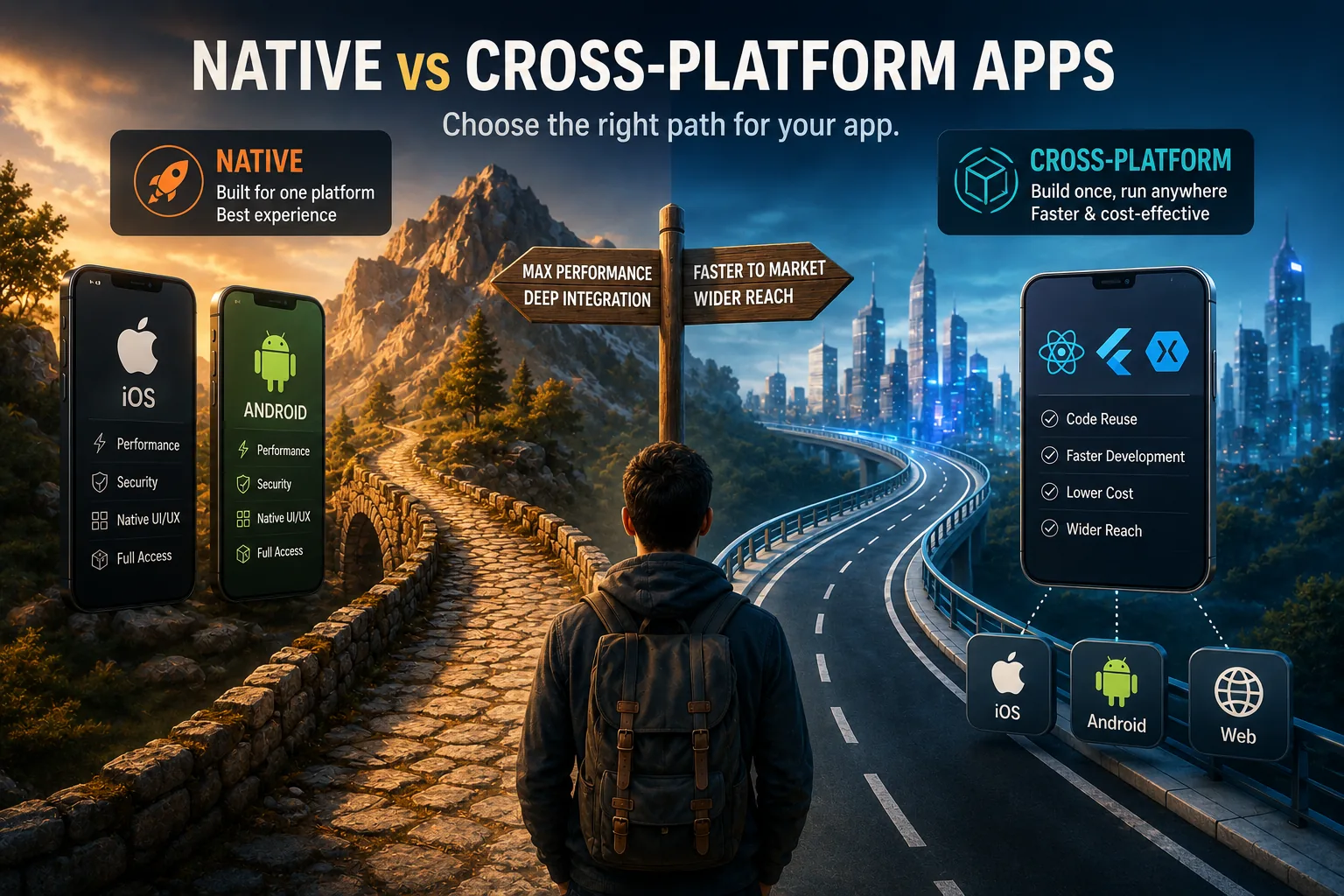
The development choice is a trade-off between direct platform integration and a shared codebase. Native vs cross-platform development compares apps built with each operating system's official tools against frameworks that share code across platforms. Performance demands, team skills, budget, user expectations, and product scope determine the better choice, while shared frameworks can speed delivery and simplify maintenance.
What Are Native and Cross-Platform Apps?
Native apps are mobile applications built using the platform's official programming language and SDK - Swift or Objective-C for iOS, Kotlin or Java for Android - compiled directly to platform-specific binaries that have full access to device hardware and OS APIs.
Cross-platform apps are built with a single shared codebase that targets multiple platforms simultaneously, using frameworks such as React Native, Flutter, or Xamarin that translate or compile shared code into platform-deployable artifacts.[8]
The trade-off between the two approaches centers on performance and platform integration (native advantages) versus development speed, cost, and codebase maintainability (cross-platform advantages), and the correct choice depends on the application's performance requirements, team expertise, and budget constraints.[13]
Introduction: The Mobile Development Dilemma
In 2008, when the iOS App Store launched with just 500 apps, the choice was simple: build native or don't build at all. If you wanted an iPhone app, you wrote Objective-C. If you wanted an Android app (launched months later), you wrote Java.
Building for both platforms meant building everything twice-separate codebases, separate teams, duplicate effort.
Fast-forward to 2026. The landscape has transformed dramatically:
Native development matured:
- Swift replaced Objective-C (cleaner, safer, more modern)
- Kotlin replaced Java (more concise, less boilerplate)
- Excellent tooling: Xcode, Android Studio
- Comprehensive platform APIs and frameworks
- Decades of accumulated expertise
Cross-platform exploded:
- React Native (2015): Write once in JavaScript, deploy to iOS and Android[1]
- Flutter (2017): Write once in Dart, compile to native ARM code[2]
- Xamarin/MAUI: Write once in C#
- And others: Ionic, Cordova, NativeScript
The modern dilemma: Native still offers maximum performance and platform integration. But cross-platform has evolved to the point where most apps can't tell the difference. Meanwhile, cross-platform development is 30-50% faster and cheaper.
So which should you choose?
The answer isn't simple. It depends on:
- What you're building (simple business app vs. intensive 3D game)
- Your team's skills (native experts vs. JavaScript developers)
- Your timeline and budget (launch in 3 months vs. take time to do it right)
- Your users' expectations (platform conventions vs. consistent experience)
- Your long-term strategy (single platform vs. simultaneous iOS/Android)
This article provides a comprehensive comparison: technical differences, performance realities, cost implications, user experience considerations, and decision frameworks to help you choose the right approach for your specific project.
Part 1: Understanding the Fundamental Difference
What Is Native Development?
Native apps are built specifically for one platform using that platform's official languages, tools, and frameworks.
iOS native development:
- Languages: Swift (modern, preferred) or Objective-C (legacy)
- IDE: Xcode (Apple's official development environment)
- UI Framework: UIKit (mature) or SwiftUI (modern, declarative)[4]
- APIs: Direct access to all iOS frameworks (Core Data, Core Animation, HealthKit, ARKit, etc.)
- Distribution: App Store (Apple's walled garden)
Android native development:
- Languages: Kotlin (modern, preferred) or Java (legacy)
- IDE: Android Studio (Google's official IDE, based on IntelliJ)
- UI Framework: Views (traditional) or Jetpack Compose (modern, declarative)[5]
- APIs: Direct access to all Android frameworks (Room, WorkManager, CameraX, ML Kit, etc.)
- Distribution: Google Play (and alternative stores like Samsung, Amazon)
Key characteristic: Each platform requires a completely separate codebase. If you want an iOS app and an Android app, you're essentially building two different apps.
Example: Instagram started as iOS-only. When they wanted Android, they built an entirely separate app with different team.
What Is Cross-Platform Development?
Cross-platform apps use frameworks that let you write code once and deploy to multiple platforms.[6]
Modern cross-platform frameworks:
1. React Native (Facebook/Meta, 2015)
- Language: JavaScript/TypeScript (with JSX for UI)
- Approach: Uses JavaScript to control native components
- Architecture: JavaScript code runs in separate thread; communicates with native side via "bridge"
- UI: Renders native components (actual iOS UIKit components, actual Android Views)
- Who uses it: Facebook, Instagram (partially), Discord, Shopify, Bloomberg
2. Flutter (Google, 2017)
- Language: Dart
- Approach: Compiles Dart to native ARM code for each platform
- Architecture: Dart code runs directly; Flutter engine renders UI
- UI: Draws every pixel itself using Skia graphics engine (doesn't use platform components)
- Who uses it: Google Ads, Alibaba, BMW, eBay, Philips
3. Xamarin / .NET MAUI (Microsoft)
- Language: C#
- Approach: C# compiled to native code via .NET runtime
- UI: XAML for UI definition; renders native components
- Who uses it: UPS, Alaska Airlines, The World Bank
4. Hybrid frameworks (older approach)
- Examples: Ionic, Cordova, Capacitor
- Approach: Web app running inside native WebView
- UI: HTML/CSS/JavaScript rendered in browser
- Performance: Slowest; essentially a website wrapped in app
- Status: Still used but declining; modern frameworks much better
Key characteristic:Single codebase deploys to both iOS and Android (and sometimes web, desktop, etc.).
Example: When Airbnb wanted to speed development, they adopted React Native for parts of their app, sharing code across platforms.
The Spectrum of Approaches
It's not binary-there's a spectrum:
Pure Native   Hybrid Native   Cross-Platform   Hybrid Web
(Separate codebases) (Shared logic, native UI) (Shared codebase) (Web in WebView)
1. Pure Native:
- 100% platform-specific code
- Maximum control and performance
- Duplicate effort for each platform
2. Hybrid Native:
- Shared business logic (in C/C++ or Kotlin Multiplatform)
- Native UI for each platform
- Still requires platform-specific UI code
3. Cross-Platform (Modern):
- Single codebase for UI and logic
- Compiles to native or controls native components
- Escape hatches for platform-specific code when needed
4. Hybrid Web:
- Web app wrapped in native container
- Slowest, most limited
- Rarely recommended today
Most real-world apps are somewhere in the middle: Primarily cross-platform with native modules for specific features.
Part 2: Performance Comparison
The Performance Hierarchy
Theoretical performance (best to worst):
1. Native
- Compiles directly to machine code
- No abstraction layer or overhead
- Direct access to platform APIs
- Optimized for specific platform
2. Flutter
- Dart compiles to native ARM code (Ahead-Of-Time compilation)
- Own rendering engine (Skia) draws UI
- Minimal overhead
- Near-native performance
3. React Native
- JavaScript runs in separate thread (JavaScriptCore on iOS, Hermes on Android)
- Communicates with native side via "bridge" (serializing messages)
- Native components render UI
- Some overhead from bridge communication
4. Xamarin/MAUI
- C# compiled to native via .NET runtime
- Renders native components
- Performance comparable to native for most scenarios
5. Hybrid Web (Cordova/Ionic)
- JavaScript runs in WebView
- UI rendered as HTML/CSS
- Slowest; limited for complex interactions
Real-World Performance
Critical insight: For most apps, users cannot perceive performance differences between native and modern cross-platform.[7]
Why?
1. Modern cross-platform is fast enough
- 60 FPS scrolling and animations
- Instant response to taps and gestures
- Smooth transitions
- Fast app startup
2. Bottlenecks are usually elsewhere
- Network requests (API calls)
- Image loading and rendering
- Database queries
- Heavy computations
- Inefficient algorithms
3. Modern devices are powerful
- Multi-core CPUs
- Abundant RAM
- GPU acceleration
- Fast storage
Performance becomes noticeable only in specific scenarios:
When native still has clear advantage:
1. Intensive graphics and animation
- 3D games with complex rendering
- Real-time video effects and filters
- AR/VR applications
- Physics simulations
- Particle effects
2. Heavy computation
- Video encoding/decoding
- Image processing
- Machine learning inference
- Cryptography
- Data compression
3. Real-time audio processing
- Music production apps
- Audio effects
- Voice processing
4. Battery efficiency
- Apps running continuously in background
- Location tracking
- Sensor monitoring
- Native can be more battery-efficient for always-on features
When cross-platform performs excellently:
1. Standard business apps
- Forms, lists, navigation
- CRUD operations
- Data display and entry
2. Social media apps
- Feeds, posts, comments
- Image/video display
- Chat and messaging
3. E-commerce
- Product catalogs
- Shopping carts
- Checkout flows
4. Content delivery
- News, articles, videos
- Media streaming
- Podcasts
5. Productivity tools
- Task management
- Note-taking
- Calendar/scheduling
Performance comparison: Concrete examples
App startup time (typical):
- Native: 0.5-1.5 seconds
- Flutter: 0.7-2 seconds
- React Native: 1-2.5 seconds
- Difference noticeable but acceptable for most apps
Scrolling 60 FPS:
- Native: Consistently achieves 60 FPS
- Flutter: Consistently achieves 60 FPS
- React Native: Usually achieves 60 FPS (occasional drops with complex lists)
Animation smoothness:
- Native: Butter smooth
- Flutter: Butter smooth (custom rendering engine)
- React Native: Generally smooth (native components handle animation)
Memory usage:
- Native: Baseline
- Flutter: 10-20% higher (rendering engine)
- React Native: 15-30% higher (JavaScript runtime)
- Practical impact: Minimal on modern devices
Benchmarks and Studies
Industry findings:
Flutter performance study (2023):
- 95% of Flutter apps achieve 60 FPS scrolling
- Startup time 10-30% slower than native
- Runtime performance within 5-10% of native for typical apps
React Native performance analysis (2024):
- Bridge overhead: 1-5ms for most operations (imperceptible)
- UI thread performance: 90-95% of native
- JavaScript execution: Fast enough for business logic (V8/Hermes optimization)
Key takeaway: For 90%+ of apps, cross-platform performance is indistinguishable from native in real-world usage.
What Academic Research Reveals About Cross-Platform vs. Native Performance
The empirical literature on cross-platform versus native mobile development has grown substantially since 2015, providing a grounded basis for claims that often circulate as developer folklore.
Petter Nawrocki and colleagues at AGH University of Science and Technology in Krakow, Poland, published a systematic comparison titled "A Comparison of Native and Cross-Platform Frameworks for Mobile Applications" in IEEE Computer (Volume 54, Number 3, 2021).[12]
The study built functionally equivalent applications in Swift/Kotlin (native), React Native, Flutter, and Xamarin, then measured CPU utilization, memory consumption, energy use, and frame rate across 12 standardized test scenarios on identical hardware.
Key findings: Flutter performed within 8% of native on CPU-intensive tasks and achieved 60 FPS in all test scenarios. React Native trailed native by 12-18% on CPU-intensive operations but was within 5% on standard UI interactions.
Both cross-platform frameworks consumed 15-30% more battery than native counterparts during sustained computation.
The researchers concluded that for applications where the interaction model consists primarily of navigation, list rendering, and network data display - the majority of consumer apps - cross-platform performance is functionally equivalent to native from a user perception standpoint.
Matteo Ciman and Ombretta Gaggi at the University of Padova published "An empirical analysis of energy consumption of cross-platform frameworks for mobile development" in Pervasive and Mobile Computing (Volume 39, 2017), one of the first rigorous energy consumption comparisons.[11]
Measuring battery drain across hybrid (Cordova), cross-platform (React Native), and native applications on standardized tasks, they found that native consumed approximately 35% less energy than Cordova-based hybrid apps for CPU-bound tasks, and approximately 12% less than React Native.
The study established a hierarchy that subsequent research has broadly confirmed: Native > Modern Cross-Platform > Hybrid/WebView.[9]
The Ciman and Gaggi findings were particularly important for developers building apps where background battery efficiency is critical - fitness trackers, location-aware apps, and continuous monitoring tools.
A practical industry study from Bitrise's 2023 Mobile DevOps Report, which surveyed 2,083 mobile developers across 87 countries, found that teams using cross-platform frameworks (Flutter or React Native) shipped features 31% faster than equivalent native teams, with self-reported time-to-market for new features averaging 4.2 weeks for cross-platform versus 6.1 weeks for native dual-platform development.
The same survey found that cross-platform teams reported 23% fewer coordination issues between platform-specific implementations, and that cross-platform codebases had 40% lower bug density related to platform divergence - a class of bugs that occurs when iOS and Android implementations drift apart over time.
Real-World Case Studies: Companies That Switched and Measured Results
The most valuable evidence for the native-versus-cross-platform decision comes not from benchmark labs but from organizations that made deliberate, documented transitions and measured the outcomes.
Shopify's React Native Migration (2021-2022). Shopify's mobile engineering team, including Mustafa Ali (Shopify's Director of Engineering, Head of Mobile), has published a detailed public account of migrating the merchant-facing Shopify app to React Native, one of the most closely followed large-scale cross-platform migrations in the industry.
Shopify has reported achieving a very high proportion of unified, shared code across iOS and Android through this migration, alongside a crash-free session rate above 99.9 percent, and has described the effort as an iterative, multi-year porting process rather than a single fixed migration window.
Shopify has published components of their React Native architecture, including their use of the Hermes JavaScript engine and their approach to list virtualization and native module design for performance-critical operations, as open-source contributions, enabling other large engineering teams to learn from and build on their approach.
Airbnb's Return to Native (2018). In a widely cited blog series titled "React Native at Airbnb," Airbnb engineer Gabriel Peal documented why Airbnb adopted React Native in 2016 and why the company decided to move back to native in 2018.[10]
At its peak, approximately 220 screens in the Airbnb app - representing a substantial share of the product - were implemented in React Native.
The advantages Airbnb documented were real: faster feature parity across platforms, the ability to deploy JavaScript updates without App Store review, and the ability to draw on Airbnb's large pool of JavaScript engineering talent for mobile development.
The problems that drove the return to native were also real and specific, even though Airbnb did not publish precise percentage figures for them: performance issues on lower-end Android devices during complex animations, instability tied to React Native version upgrades, and the inability to use certain native platform features without significant native bridge code.
Airbnb's documented conclusion was not that cross-platform is wrong - it was that cross-platform was wrong for their specific performance requirements and feature set at that moment in 2018.
The engineers noted explicitly that the React Native ecosystem had improved substantially by 2018 compared to 2016, and that the decision would be different for a team building a less performance-intensive application.
BMW Group's Flutter Deployment (2020-2022). BMW's deployment of Flutter for the "My BMW" application represents one of the largest enterprise Flutter implementations publicly documented, covering dozens of countries and languages from a shared codebase across iOS and Android.
BMW has been publicly recognized as running one of the largest dedicated Flutter and Dart engineering teams outside of Google itself, reflecting a substantial, sustained investment in the framework for a customer-facing product rather than a small experimental deployment.
The BMW case is significant because it demonstrates cross-platform development performing well in a context - automotive companion apps - where the audience has high UX expectations and the application integrates with complex vehicle APIs.
Part 3: Development Speed and Cost
Time to Market
Development speed comparison (typical mid-sized app):
Native development (iOS + Android):
- Planning & design: 2-4 weeks
- iOS development: 12-16 weeks
- Android development: 12-16 weeks (parallel or sequential)
- Testing & QA: 3-4 weeks per platform
- Total: 6-9 months (with parallel development), 9-14 months (sequential)
Cross-platform development:
- Planning & design: 2-4 weeks
- Development: 8-12 weeks (single codebase)
- Platform-specific refinements: 2-3 weeks
- Testing & QA: 3-4 weeks (both platforms)
- Total: 4-6 months
Time savings: 30-50% faster with cross-platform
Why cross-platform is faster:
1. Single codebase
- Write feature once, works on both platforms
- No duplicate implementation effort
- Shared business logic, API integration, state management
2. Smaller team
- Single team handles both platforms
- Better communication and coordination
- No "iOS team" vs "Android team" sync issues
3. Unified testing
- Test business logic once
- Platform-specific testing only for UI differences
4. Faster iteration
- Fix bugs once, fixed everywhere
- Add features once, available everywhere
- Refactoring affects entire codebase
"The best tool is the one that lets you ship something your users love. Everything else is secondary." - Chris Eidhof
Cost Comparison
Development cost breakdown:
Native development:
- Team: iOS developers (2-3), Android developers (2-3), designers (1-2), PM (1), QA (1-2)
- Team size: 8-12 people
- Timeline: 8-12 months
- Estimated cost: $200K-$500K+ (depending on complexity and location)
Cross-platform development:
- Team: Cross-platform developers (2-4), designers (1-2), PM (1), QA (1)
- Team size: 5-8 people
- Timeline: 4-6 months
- Estimated cost: $120K-$300K+ (30-40% lower)
Long-term maintenance costs:
Native (two codebases):
- Bug fixes: Implement twice
- New features: Develop twice
- Platform updates: Adapt each codebase
- Technical debt: Accumulates in two places
- Annual maintenance: 20-30% of initial development cost 2 platforms
Cross-platform (one codebase):
- Bug fixes: Implement once
- New features: Develop once
- Platform updates: Framework handles many changes
- Technical debt: Single codebase to manage
- Annual maintenance: 15-25% of initial development cost (for both platforms)
Break-even analysis:
Assuming native costs $400K and cross-platform $240K with 20% annual maintenance:
Year 0: Native: $400K, Cross-platform: $240K (savings: $160K)Year 1: Native: $480K, Cross-platform: $276K (savings: $204K)Year 2: Native: $560K, Cross-platform: $312K (savings: $248K)Year 3: Native: $640K, Cross-platform: $348K (savings: $292K)
Over 3 years: ~40% cost savings with cross-platform
Hidden Costs and Considerations
Cross-platform hidden costs:
1. Learning curve
- Team must learn framework (React Native/Flutter)
- Initial productivity lower while ramping up
- Framework updates may require code changes
2. Platform-specific code
- Some features require native implementation
- Need to write platform-specific modules
- Bridge between cross-platform and native
3. Debugging complexity
- Errors can occur in JavaScript/Dart, native bridge, or platform code
- Requires understanding multiple layers
- Less mature debugging tools than native
4. Dependency on framework
- Framework updates may break your code
- Features tied to framework release cycle
- Risk of framework being abandoned (less likely with React Native/Flutter, but possible)
Native hidden costs:
1. Duplicate effort
- Every feature implemented twice
- Bugs fixed twice
- Refactoring done twice
- Coordination overhead between teams
2. Consistency challenges
- iOS and Android versions may diverge
- Different bugs on different platforms
- User experience inconsistencies
3. Resource competition
- One platform usually gets more attention
- Features ship at different times
- Quality imbalance
When native is worth the cost:
- Performance-critical apps (games, AR/VR, video editing)
- Apps with deep platform integration
- Large organizations with dedicated teams
- Long-term products with substantial revenue
- Platform-specific apps (only iOS or only Android)
When cross-platform makes financial sense:
- Startups and small teams
- MVPs and early-stage products
- Budget constraints
- Fast time-to-market priority
- Standard business applications
Part 4: User Experience Differences
Platform Conventions and Design Patterns
iOS and Android have different design philosophies:
iOS (Human Interface Guidelines):
- Navigation: Back button top-left, tab bar at bottom
- Actions: Swipe gestures heavily used
- Modals: Sheet-style presentations
- Typography: San Francisco font
- Colors: Vibrant, saturated
- Feel: Elegant, premium, controlled
Android (Material Design):
- Navigation: Back button bottom (gesture or hardware), drawer menu common
- Actions: Floating action buttons
- Modals: Dialog boxes, bottom sheets
- Typography: Roboto font
- Colors: Bold primary colors with neutral backgrounds
- Feel: Functional, flexible, customizable
Native automatically follows platform conventions. iOS app uses iOS patterns; Android app uses Android patterns. Users feel at home.
Cross-platform requires intentional design. Single codebase can feel "off" on one or both platforms if not carefully implemented.
Achieving Platform-Appropriate UX in Cross-Platform
Strategies:
1. Platform-adaptive UI components
React Native approach:
import { Platform } from 'react-native';

const styles = StyleSheet.create({
  button: {
    ...Platform.select({
      ios: { borderRadius: 8, shadow: '...' },
      android: { elevation: 4, rippleColor: '...' }
    })
  }
});
Flutter approach:
// Material (Android) vs Cupertino (iOS) widgets
Platform.isIOS
  ? CupertinoButton(...)
  : ElevatedButton(...)
2. Conditional navigation patterns
- iOS: Stack navigation with back gesture
- Android: Drawer navigation with menu button
- Cross-platform frameworks support both; choose per platform
3. Platform-specific fonts and icons
- Automatically use system fonts
- iOS: SF Symbols, Android: Material Icons
4. Respect platform gestures
- iOS: Swipe from left edge to go back
- Android: Swipe from left edge to open drawer
- Frameworks handle this if you use platform-appropriate navigation
5. Thorough testing on both platforms
- What looks good on iOS may feel wrong on Android (and vice versa)
- Test with real users on each platform
- Iterate based on feedback
Animation and Visual Polish
Native advantages:
1. Platform-optimized animations
- iOS: Core Animation (hardware-accelerated)
- Android: Animated Vector Drawables, Material Motion
- Smooth, battery-efficient, integrated with platform
2. Automatic handling of edge cases
- Respect reduced motion accessibility setting
- Proper behavior during interruptions
- Seamless integration with system UI
Cross-platform considerations:
1. Flutter animations are excellent
- Owns rendering pipeline; extremely smooth animations
- Hero animations, custom transitions, physics-based animations
- Comparable to native
2. React Native animations are good (with caveats)
- Animated API handles most cases well
- Reanimated library (third-party) enables complex animations
- Some advanced animations require native code
3. Consistency vs. platform nativity
- Identical animations on both platforms = consistent
- Platform-specific animations = native feel
- Cross-platform lets you choose
Feature Parity and Gaps
New platform features lag in cross-platform:
Example: iOS 17 introduces new widget system
- Native iOS apps: Immediately available
- React Native/Flutter: Wait for framework update (weeks to months)
Workaround: Write native module for specific feature, integrate with cross-platform codebase.
Most apps don't need cutting-edge features immediately. Cross-platform gap matters only if you're an early adopter.
User Perception
Question: Can users tell if app is cross-platform?
Answer: Usually no, if well-built.
Giveaways that app is cross-platform (poor implementation):
- Non-standard navigation patterns
- Wrong fonts or icon styles
- Animations that feel sluggish or janky
- Inconsistent behavior (iOS gestures don't work)
- UI that looks identical on both platforms (ignoring conventions)
Signs of well-built cross-platform app:
- Follows platform conventions
- Smooth, responsive interactions
- Appropriate fonts, icons, colors
- Feels "native" to each platform
Many popular apps are cross-platform (or hybrid):
- Facebook, Instagram (React Native for features)
- Alibaba, eBay (Flutter)
- Uber Eats, Bloomberg (React Native)
- Users have no idea and don't care
Key insight: Quality matters more than technology choice. Poorly built native app is worse than well-built cross-platform app.
Part 5: When to Choose Native
Clear Native Use Cases
1. Performance-intensive applications
Examples:
- 3D games (AAA quality)
- AR/VR applications
- Real-time video effects (TikTok filters, Snapchat lenses)
- Music production and audio processing
- Professional photo editing (Photoshop-level)
- Video editing and rendering
Why native wins:
- Maximum performance (no overhead)
- Direct GPU access
- Low-latency audio
- Complex graphics pipelines
- Battery efficiency for intensive tasks
2. Deep platform integration
Examples:
- System utilities (file managers, launchers on Android)
- Accessibility services
- Custom keyboards
- Background services (continuous location tracking, fitness tracking)
- Camera apps with advanced features (RAW processing, manual controls)
- Bluetooth-intensive apps (IoT device control)
Why native wins:
- Full access to platform APIs (no waiting for cross-platform support)
- Control over background processing
- System-level permissions
- Complex inter-process communication
3. Platform-specific apps
Examples:
- Apps targeting only iOS users (e.g., leveraging Apple ecosystem-iMessage apps, Apple Watch companions)
- Apps targeting only Android users (e.g., Android Auto, Android TV)
Why native wins:
- No need for cross-platform if targeting one platform
- Maximize platform-specific features
- Smaller codebase (no abstraction layer)
4. Cutting-edge feature adoption
Examples:
- Apps showcasing latest iOS/Android capabilities immediately
- Apps targeting tech-savvy early adopters
- Developer tools and SDKs
Why native wins:
- Immediate access to new APIs and frameworks
- No waiting for cross-platform framework updates
- Showcase platform innovations
5. Existing native codebase and expertise
Considerations:
- Large team of experienced native developers
- Substantial existing native codebase
- Migration cost to cross-platform very high
- No pressing need to support second platform
Why native might stay:
- Switching costs outweigh benefits
- Team expertise is valuable
- "If it ain't broke, don't fix it"
When Native Might Not Be Necessary (Despite Assumptions)
Common misconceptions:
"My app needs great performance, so I need native."
- Reality: Most apps don't need maximum performance; "good enough" is fine
- Test: Build MVP in cross-platform; migrate if performance actually becomes problem
- Example: Instagram uses React Native for many features despite being performance-focused
"My app has complex UI, so I need native."
- Reality: Flutter handles complex UI beautifully; React Native handles most UI well
- Test: Prototype challenging UI in cross-platform framework
- Example: Alibaba (Flutter) and Shopify (React Native) have complex, polished UI
"My users expect native quality."
- Reality: Users expect good quality; they don't know or care about technology
- Test: If your cross-platform app is fast, smooth, and bug-free, users won't notice
- Example: Most users of Uber Eats, Bloomberg, Discord have no idea they're cross-platform
Part 6: When to Choose Cross-Platform
Clear Cross-Platform Use Cases
1. Standard business applications
Examples:
- CRM and sales tools
- Internal employee apps
- Inventory management
- Field service apps
- Forms and data entry
Why cross-platform wins:
- Standard UI (lists, forms, navigation)
- No performance intensity
- Budget and time constraints
- Small teams
2. MVPs and validation
Examples:
- Startup testing product-market fit
- New feature pilot
- Prototype for fundraising
Why cross-platform wins:
- Speed to market critical
- Cost efficiency paramount
- Flexibility to pivot
- May not need second platform if idea doesn't work
3. Content and media apps
Examples:
- News and magazines
- Video streaming
- Podcasts
- Blogs and RSS readers
- Social media
Why cross-platform wins:
- Content consumption doesn't require max performance
- Consistent experience across platforms
- Fast iteration on features
4. E-commerce and retail
Examples:
- Online stores
- Product catalogs
- Shopping carts and checkout
- Loyalty programs
Why cross-platform wins:
- Standard patterns (product listings, search, payment)
- Integration with web backend
- Frequent updates (inventory, promotions)
- Both platforms essential for revenue
5. Productivity and organization
Examples:
- Task managers (Todoist, Trello)
- Note-taking (Notion, Evernote)
- Calendar and scheduling
- Password managers
Why cross-platform wins:
- Sync and cross-platform consistency critical
- Standard UI components
- Web developers can contribute (React Native leverages JavaScript)
6. Small teams and limited resources
Any app when:
- Team < 10 people
- Budget < $200K
- Timeline < 6 months
- Can't maintain two codebases
Why cross-platform wins:
- Makes impossible possible (launch both platforms simultaneously)
- Resource efficiency
- Smaller team can deliver
Cross-Platform Frameworks Comparison
Which cross-platform framework to choose?
React Native:
Pros:
- JavaScript (largest developer pool)
- Mature ecosystem (2015+)
- Large community and third-party libraries
- Hot reload (instant updates during development)
- Web developers can contribute
- Used by major companies (proof of viability)
Cons:
- Bridge overhead (minor performance impact)
- Frequent breaking changes in updates
- Some complexity in setup and configuration
Best for: Teams with JavaScript expertise, web developers, apps needing extensive third-party integrations
Flutter:
Pros:
- Excellent performance (compiles to native code)
- Beautiful, smooth UI (owns rendering)
- Hot reload
- Single codebase for mobile, web, desktop
- Growing ecosystem
- Google backing
Cons:
- Dart language (smaller developer pool)
- Newer (2017), less mature
- Larger app size
- Fewer third-party libraries than React Native
Best for: Teams willing to learn Dart, apps prioritizing UI beauty and performance, projects targeting multiple platforms beyond mobile
Xamarin / .NET MAUI:
Pros:
- C# (established language)
- .NET ecosystem
- Microsoft backing
- Good for enterprise
Cons:
- Smaller community than React Native/Flutter
- Larger app size
- Less momentum
Best for: .NET shops, enterprise applications, teams with C# expertise[3]
Part 7: Hybrid Approaches
You Don't Have to Choose Exclusively
Many successful apps use both native and cross-platform:
Strategy 1: Cross-platform core with native modules
Approach:
- Build majority of app in React Native or Flutter
- Write performance-critical or platform-specific features natively
- Integrate native modules into cross-platform codebase
Example:
- Airbnb used React Native for most features
- Native code for maps, payments, and complex animations
- Best of both worlds (speed + performance where needed)
Strategy 2: Native UI with shared business logic
Approach:
- Native UI for each platform (maximum platform fidelity)
- Shared Kotlin Multiplatform or C++ for business logic
- Avoid duplicating API calls, data models, algorithms
Example:
- Cash App uses shared Kotlin for business logic
- Native UI ensures perfect iOS and Android experiences
- Reduced code duplication where it matters most (logic, not UI)
Strategy 3: Start cross-platform, migrate selectively
Approach:
- Launch MVP in cross-platform for speed
- Identify bottlenecks through real-world usage
- Rewrite specific features natively as needed
Example:
- Build product catalog and checkout in Flutter
- If video playback becomes bottleneck, rewrite natively
- Most of app remains cross-platform (maintenance efficiency)
Migration Considerations
Moving from cross-platform to native:
When it makes sense:
- Product validated and generating revenue
- Clear performance problems that cross-platform can't solve
- Specific platform features absolutely required
- Team grown and can support native development
Costs:
- 2-3 initial development cost (rebuilding)
- 3-6 months (feature freeze during migration)
- Risk of regressions (new bugs during rewrite)
Alternatives to full migration:
- Rewrite only bottlenecked features
- Invest in optimizing cross-platform (often works)
- Upgrade to newer framework version (performance improvements)
Moving from native to cross-platform:
When it makes sense:
- Maintaining two codebases is slowing down development
- Team attrition (hard to hire for both platforms)
- App is standard (not performance-intensive)
Approach:
- Incremental migration (rewrite features gradually)
- Start with new features (cross-platform by default)
- Leave old features native until they need updates
Example: Instagram migrated portions to React Native over years, not overnight.
Part 8: Decision Framework
Key Questions to Answer
1. What are you building?
Performance intensity:
- Low (standard business app, forms, content) Cross-platform
- Medium (social media, e-commerce) Cross-platform fine
- High (3D games, AR, video editing) Native
Platform integration:
- Standard (network, storage, notifications) Cross-platform
- Advanced (background processing, system services) Native or cross-platform with native modules
2. Who is your team?
Skills:
- JavaScript/TypeScript developers React Native
- Willingness to learn Dart Flutter
- Native iOS/Android experts Native
- Web developers needing mobile Cross-platform
Size:
- Small team (<10) Cross-platform
- Large team (>20) Can support native
- Medium team (10-20) Cross-platform or hybrid
3. What are your constraints?
Budget:
- Limited (<$200K) Cross-platform
- Moderate ($200K-$500K) Either
- Large (>$500K) Native feasible
Timeline:
- Tight (<6 months) Cross-platform
- Moderate (6-12 months) Either
- Flexible (>12 months) Native feasible
4. What is your long-term strategy?
Platforms:
- iOS only or Android only Native (for that platform)
- Both iOS and Android Cross-platform (unless reasons for native)
Roadmap:
- Rapid iteration and frequent updates Cross-platform (single codebase easier)
- Stable product with occasional updates Native acceptable
5. What do your users expect?
User base:
- Platform-agnostic (care about features) Cross-platform fine
- Platform loyalists (expect platform conventions) Ensure platform-appropriate design
Competitive landscape:
- Competitors using cross-platform successfully Cross-platform validated
- Competitors using native with exceptional UX Consider native
Decision Matrix
| Factor | Native | Cross-Platform |
|---|---|---|
| Performance need | High (games, AR, video) | Low-Medium (most apps) |
| Development speed | Slower (duplicate effort) | Faster (single codebase) |
| Development cost | Higher (two teams/sequential) | Lower (30-40% savings) |
| Maintenance | Harder (two codebases) | Easier (one codebase) |
| Platform integration | Maximum (immediate API access) | Good (eventual API access) |
| Team size | Larger (separate teams) | Smaller (unified team) |
| Team skills | Native expertise | JavaScript/Dart/C# |
| User experience | Perfect platform fit | Excellent (with care) |
| Flexibility | High (full control) | Good (some limitations) |
| Time to market | Slower | Faster |
| Long-term | More control | More efficiency |
Recommendation by App Type
Choose Native:
- 3D/2D games
- AR/VR applications
- Professional media editing
- System utilities
- Apps showcasing platform innovations
- Single-platform apps with resources
Choose Cross-Platform:
- Business/enterprise apps
- Social media apps
- E-commerce apps
- Content delivery apps
- Productivity tools
- MVPs and validation projects
- Small teams with budget/time constraints
Choose Hybrid (Native + Cross-Platform):
- Apps with mixed requirements
- Standard features + performance-critical features
- Teams transitioning between approaches
Part 9: The Future of Mobile Development
Current Trends (2026)
1. Cross-platform performance gap closing
- Flutter performance nearly indistinguishable from native
- React Native new architecture (Fabric, TurboModules) dramatically improves performance
- Hardware advances make overhead negligible
2. Platform convergence
- iOS and Android design patterns converging (less distinct)
- Shared user expectations across platforms
- Easier to create consistent cross-platform experience
3. Declarative UI everywhere
- SwiftUI (iOS), Jetpack Compose (Android), Flutter, React Native all declarative
- Similar mental models across technologies
- Easier to switch between native and cross-platform
4. Web as target
- Flutter supports web (single codebase: mobile + web)
- React Native for Web
- Progressive Web Apps (PWAs) improving
- "Write once, deploy everywhere" becoming reality
5. Desktop and embedded
- Flutter: Windows, macOS, Linux
- React Native: Windows, macOS
- .NET MAUI: All platforms
- Mobile frameworks expanding beyond mobile
"The best mobile app is the one that doesn't feel like a mobile app-it just feels like the thing it is." - Craig Federighi
Predictions
Cross-platform will dominate for most apps:
- Performance good enough for 90%+ of apps
- Cost and speed advantages too compelling
- Tooling and ecosystems maturing
Native will remain for specific use cases:
- Games (Unity/Unreal are alternatives)
- Apps pushing performance limits
- Showcasing platform innovations
- Large companies with resources
Hybrid approaches will be common:
- Cross-platform default
- Native for specific features
- Best of both worlds
Platform boundaries will blur:
- Mobile, web, desktop apps from single codebase
- Users access apps wherever convenient
- Technology choice matters less; user value matters more
Conclusion: It's About Trade-Offs, Not Absolutes
There is no universally "right" choice. Native and cross-platform each make trade-offs:
Native trades efficiency for control:
- Maximum performance, full platform integration, perfect UX
- At cost of duplicate effort, slower development, higher maintenance
Cross-platform trades some control for efficiency:
- Single codebase, faster development, lower cost, easier maintenance
- At cost of minor performance overhead, framework dependency, occasional platform feature lag
The right choice depends on your specific context:
- What you're building
- Your team's skills
- Your budget and timeline
- Your users' expectations
- Your long-term strategy
Most importantly: Technology choice matters less than execution. A well-built cross-platform app beats a poorly built native app every time. Focus on:
- Understanding your users' needs
- Building features that provide value
- Creating smooth, intuitive experiences
- Iterating based on feedback
- Maintaining quality and reliability
The best apps succeed not because of their technology choice, but because they solve real problems effectively.
Pragmatic advice:
- Default to cross-platform unless you have specific reasons for native
- Start simple and add complexity only when needed
- Measure actual performance rather than assuming
- Talk to users about their experience, not your tech stack
- Be willing to adapt as your app and team evolve
Cross-platform has matured to the point where it's the sensible default for most projects. Native remains essential for apps that push boundaries-but most apps don't need to.
Choose based on your needs, not ideology. Execute well regardless of choice. Deliver value to users above all else.
Sources & Further Reading
Meta Open Source. (2024). React Native Documentation. Retrieved from View source
Google. (2024). Flutter Documentation. Retrieved from View source
Microsoft. (2024). .NET Multi-platform App UI (.NET MAUI) Documentation. Retrieved from View source
Apple. (2024). SwiftUI Documentation. Retrieved from View source
Google. (2024). Jetpack Compose Documentation. Retrieved from View source
Moroney, L., & Moroney, L. (2021). Cross-platform Development with React Native and Flutter. Birmingham: Packt Publishing.
Sullivan, T. (2020). Performance comparison of native and cross-platform mobile applications. ACM SIGAPP Applied Computing Review, 20(1), 18-29. DOI: 10.1145/3412815.3412818
Latif, M., Lakhrissi, Y., Nfaoui, E. H., & Es-Sbai, N. (2016). Cross platform approach for mobile application development: A survey. 2016 International Conference on Information Technology for Organizations Development (IT4OD), 1-5. DOI: 10.1109/IT4OD.2016.7479278
Jobe, W. (2013). Native Apps vs. Mobile Web Apps. International Journal of Interactive Mobile Technologies, 7(4), 27-32. DOI: 10.3991/ijim.v7i4.3226
Airbnb Engineering. (2018). React Native at Airbnb. Retrieved from View source
Ciman, M., & Gaggi, O. (2017). An empirical analysis of energy consumption of cross-platform frameworks for mobile development. Pervasive and Mobile Computing, 39, 214-230. DOI: 10.1016/j.pmcj.2016.10.004
Nawrocki, P., Wrona, K., Marczak, M., & Sniezynski, B. (2021). A Comparison of Native and Cross-Platform Frameworks for Mobile Applications. Computer, 54(3), 18-27. DOI: 10.1109/MC.2019.2944183
Heitkötter, H., Hanschke, S., & Majchrzak, T. A. (2013). Evaluating Cross-Platform Development Approaches for Mobile Applications. In Web Information Systems and Technologies (pp. 120-138). Springer. DOI: 10.1007/978-3-642-36608-6_8
Further Reading
Wargo, J. (2021). Learning Progressive Web Apps: Building Modern Web Apps Using Service Workers. Boston: Addison-Wesley Professional.
Biørn-Hansen, A., Majchrzak, T. A., & Grønli, T. M. (2017). Progressive Web Apps: The Possible Web-native Unifier for Mobile Development. Proceedings of the 13th International Conference on Web Information Systems and Technologies, 344-351. DOI: 10.5220/0006353703440351